
Travel connectivity guide
Medan eSIM: mobile internet guide
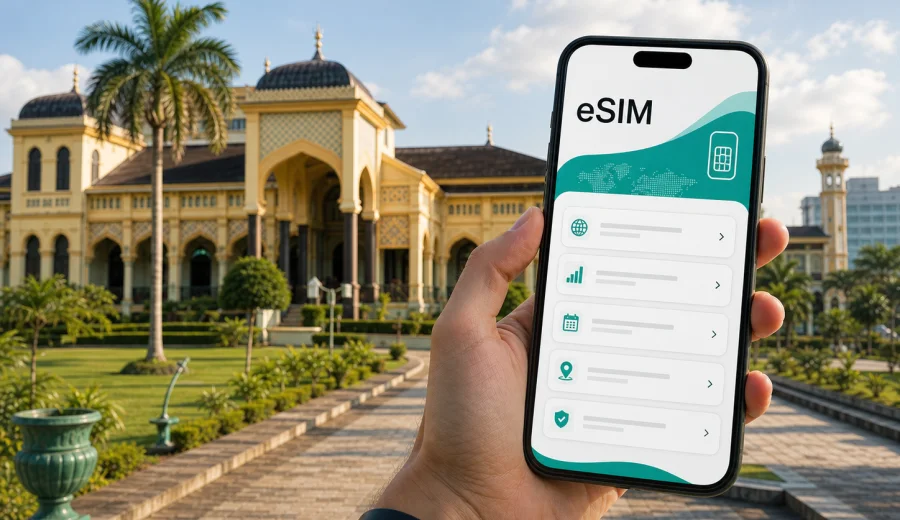
Medan eSIM guide: mobile connection and internet for your trip
Medan is a practical gateway to North Sumatra: business districts, heritage streets, airport transfers, food stops, hotels, and routes toward Berastagi or Lake Toba often fit into one busy itinerary. For that kind of trip, mobile internet is not just a convenience. It helps you open maps after arrival, message your hotel, order transport, confirm meetings, translate menus, and keep documents available while you move between the airport, the city center, and nearby towns.
An eSIM can make this easier because you do not need to find a physical SIM card shop immediately after landing. You choose a prepaid data plan for the destination, install the eSIM on a compatible phone, and use mobile data when the plan and local network conditions allow it. Kaspersky eSIM Store is an app and website where you can quickly choose, arrange, and activate an eSIM with a suitable data plan for mobile internet during an international trip.
This guide focuses on Medan itself: arrival at Kualanamu International Airport, movement through the city, hotel and meeting scenarios, short stopovers, sightseeing, and trips from Medan into other parts of North Sumatra.
Why mobile internet matters in Medan
Medan is spread out, traffic can be slow at peak times, and many visitors move across several zones in a single day. A typical route may include Kualanamu International Airport, a hotel near Polonia or the city center, a meeting in a commercial area, dinner around Kesawan, and a late transfer back across town. In that rhythm, mobile data helps with small decisions that are hard to plan from a hotel Wi-Fi connection.
You may need internet in Medan for:
- checking the airport train, taxi, or ride-hailing pickup details;
- using maps between Kualanamu, central Medan, Maimun Palace, Kesawan, and hotel areas;
- contacting a driver when the pickup point changes;
- confirming hotel check-in details and digital booking references;
- using messaging apps for calls, meeting updates, and family contact;
- translating Indonesian menu items, address notes, and local signs;
- managing boarding passes, ride receipts, and travel documents;
- tethering a laptop briefly during a business trip, if your device and plan allow it.
Public Wi-Fi can help in a hotel or cafe, but it is not always available when you are in transit. With an eSIM data plan, you can reduce dependence on airport Wi-Fi, lobby passwords, and offline directions printed before the trip.
Arrival at Kualanamu International Airport
Kualanamu International Airport is outside central Medan, so your first mobile data need often appears before you reach the city. You may want to compare transport options, message your accommodation, or open a map while deciding between the airport rail link, taxi, ride-hailing, or a prearranged pickup.
If your eSIM is installed before departure, you can usually switch to the eSIM line after landing and follow the activation instructions for the selected plan. Connection time can vary by device, local network, and plan conditions, so it is better to prepare before you are standing at the curb with luggage.
For the first hour in Medan, keep these tasks available offline or easy to open:
| Arrival task | Why mobile data helps |
|---|---|
| Hotel address in Indonesian format | Drivers and apps may need the exact local address |
| Booking confirmation | Useful if check-in is late or the reception asks for details |
| Map route from Kualanamu | Helps compare travel time before you choose transport |
| Messaging app | Needed if a driver, colleague, or host sends pickup instructions |
| Payment or ride app access | Helpful for transport changes and receipt checks |
If you arrive late in the evening, do not rely on being able to solve every connectivity issue at the airport. Install the eSIM in advance, confirm that your phone supports eSIM, and keep the QR code or in-app installation flow ready.
Where eSIM is useful inside Medan
Medan is not one compact tourist zone. Visitors often move between business hotels, restaurants, shopping centers, historic streets, mosques, palaces, offices, and transport points. Mobile internet helps most when plans change during the day.
Common Medan scenarios include:
- Kesawan and heritage walks. You may use maps to move between old commercial streets, cafes, and heritage buildings, then call a car when the weather changes.
- Maimun Palace and the Great Mosque area. Navigation is useful because short distances can still involve traffic patterns and one-way streets.
- Business visits. Meeting locations may be in office buildings, hotels, industrial areas, or nearby Deli Serdang, so messaging and live maps matter.
- Food-focused evenings. Medan is known for local food, and mobile data helps with restaurant searches, reservations, transport, and cashless payment apps where available.
- Short stopovers. If Medan is a connection point before Lake Toba, Berastagi, or another city, mobile data helps you coordinate onward transport without buying a physical SIM for a brief stay.
The main advantage is continuity. You can leave the airport, check in, cross town, and make a day trip without changing your communication setup every time Wi-Fi disappears.
How much data to prepare for Medan
The right data plan depends on how you travel. Medan city trips can be light on data if you mostly use messaging and maps, or heavier if you upload photos, join video calls, or use your phone as a hotspot.
Use this practical estimate before choosing a plan:
| Trip style | Typical mobile data needs | What to watch |
|---|---|---|
| 1-2 day stopover | Maps, messaging, ride apps, hotel confirmations | Keep offline maps as backup |
| 3-5 day city trip | Daily navigation, food searches, photo sharing, calls over apps | Choose enough validity for the full stay |
| Business visit | Email, calendars, messaging, document access, occasional laptop tethering | Check whether tethering is allowed by your device and plan |
| North Sumatra route | Medan plus Berastagi, Lake Toba, or other towns | Confirm the plan is for Indonesia, not only a different country |
| Heavy media use | Cloud backups, video calls, streaming, large uploads | Use hotel Wi-Fi for large files when practical |
For most travelers, navigation and messaging use far less data than streaming video or automatic cloud backup. Before landing, disable large app updates and photo backups on mobile data if you want the plan to last longer.
Choosing an eSIM data plan for Medan
For a city article, the key destination is the country where the city is located. Medan is in Indonesia, so you should look for a data plan that covers Indonesia and matches your trip length. Do not choose a plan only because the city name appears in your search query; check the destination, validity period, data allowance, and activation conditions.
When comparing options, review:
1. Destination coverage. The plan should cover Indonesia for a Medan trip.
2. Validity period. A plan should last from arrival through departure, including day trips from the city.
3. Data allowance. Match the volume to navigation, messaging, calls over apps, and any work needs.
4. Activation timing. Some plans begin counting validity after installation, others after connection to a supported network. Read the terms before you install.
5. Device support. Your phone must support eSIM and should not be locked to a carrier that blocks eSIM use.
6. Voice and SMS expectations. eSIM data plans usually focus on mobile internet. A regular phone number, voice calls, and SMS are not included unless the plan terms say so.
If you are planning Medan as part of a wider Indonesia route, choose enough data for the full route rather than only the first city day. For example, transport from Medan to Berastagi or Lake Toba can involve long stretches where you may want maps, messaging, and booking details available.
It is easier to compare plans calmly before you are already moving around Medan. You can choose a suitable eSIM data plan for travel in Indonesia through Kaspersky eSIM Store and check the data allowance, validity period, and destination before arranging it.
Medan travel scenarios and the role of eSIM
Different travelers use mobile internet in different ways. The value of an eSIM is clearest when you connect it to your actual Medan schedule.
First-time visitor
You may need maps often because district names, landmarks, and road patterns are unfamiliar. Save your hotel address, the airport route, and the first two stops in advance. With mobile data ready, you can adjust if traffic changes or a driver suggests a different drop-off point.
Business traveler
Medan business trips often depend on punctual transfers and messaging. Mobile data helps you confirm meeting rooms, open calendar invitations, send documents, and join quick calls over apps. If you need laptop access, check whether your phone and selected plan allow hotspot use before relying on tethering.
Short stopover
For a one-night stop before onward travel, physical SIM shopping may take more effort than it is worth. Installing an eSIM before departure can help you get online for the airport transfer, hotel check-in, and next-day route.
Prepare before you fly
The best time to prepare mobile internet for Medan is before you leave your home country, while you still have stable Wi-Fi and enough time to check device settings. Do not wait until you are outside the airport arrivals hall to discover that your phone is not eSIM-compatible.
Before the trip:
- Check whether your device supports eSIM.
- Confirm that your phone is not locked to one carrier.
- Choose a data plan for Indonesia with enough validity for Medan and any onward route.
- Install the eSIM using Wi-Fi and follow the instructions carefully.
- Keep your primary SIM available if you need your usual number for banking or two-factor authentication.
- Save your hotel address, airport transfer details, and first destination offline.
- Turn off automatic cloud backup on mobile data if you want to conserve data.
To set up the eSIM, follow the installation flow provided after purchase. If you need device-specific steps, use the Android installation guide or the iOS installation guide. The exact screens may differ by phone model and operating system version, so follow the prompts on your device.
When to activate the eSIM
Installation and activation are not always the same thing. Installation adds the eSIM profile to your phone. Activation makes the plan usable according to its conditions. Read the selected plan details carefully before deciding whether to activate before departure or after arrival in Indonesia.
For many travelers, a sensible approach is:
1. Install the eSIM on Wi-Fi before the trip.
2. Keep mobile data on your usual SIM until departure.
3. After landing in Indonesia, choose the eSIM as the mobile data line.
4. Turn on data roaming for the eSIM if the plan instructions require it.
5. Wait a few minutes for the device to register on a local network.
6. Test maps and messaging before leaving the airport area.
If the eSIM does not connect immediately, avoid changing many settings at once. Check the selected data line, roaming setting, APN instructions if provided, airplane mode, and signal availability. If questions remain, contact support with your order details and device model.
Mobile internet for transport around Medan
Transport is one of the strongest reasons to prepare mobile data in Medan. The city can be busy, and route timing may change with weather, traffic, and the time of day. A connection helps you react in real time.
Use mobile data for:
- comparing a rail, taxi, or car pickup from Kualanamu;
- sending your exact location to a driver;
- checking whether a meeting route needs extra time;
- finding a hotel entrance when a building has multiple access points;
- managing payment confirmations and receipts;
- sharing live location with a travel partner;
- finding a return ride after dinner or sightseeing.
If you plan to use ride-hailing, install and sign in to the app before travel. Some apps may require SMS or account verification, so complete setup while your usual number is reachable. eSIM data helps with internet access, but it does not necessarily replace SMS verification from your primary number.
Trips from Medan: Berastagi, Lake Toba, and nearby routes
Many travelers use Medan as a starting point rather than the final destination. Popular onward routes may include Berastagi, Lake Toba, Bukit Lawang, or other North Sumatra stops. These trips make mobile internet even more useful because you may need maps, booking messages, and driver coordination outside the city center.
Before leaving Medan, check:
| Route question | Why it matters |
|---|---|
| Is your plan valid across Indonesia? | You need coverage for the route, not just the city name |
| Do you have offline maps? | Rural or mountain routes can have weaker signal in some areas |
| Are hotel and driver contacts saved? | Messaging may be easier than voice calls for many visitors |
| Is your phone charged? | Navigation and photos drain battery quickly |
| Do you have enough data left? | Longer routes can increase map and messaging use |
Do not assume mobile data will be equally strong everywhere along a regional route. An eSIM data plan helps you get online where local network conditions support it, but terrain, buildings, and coverage conditions can affect performance. Keep key addresses and booking details offline as a backup.
What to check before buying
The most important checks are simple, but skipping them can create problems after arrival.
Check these points:
- Your phone model supports eSIM.
- The device is not locked to a carrier that prevents adding another mobile plan.
- The selected plan covers Indonesia.
- The validity period matches your Medan stay and onward route.
- You understand when the plan validity starts.
- You know whether data roaming must be enabled for the eSIM line.
- You understand that voice calls and SMS are not included unless the plan says so.
- You have stable Wi-Fi available for installation.
If you are traveling with two phones, install the eSIM only on the device you plan to use. eSIM profiles usually cannot be freely moved between devices after activation unless the conditions of the profile allow it.
FAQ
Is eSIM useful for a short stay in Medan?
Yes, it can be useful for a short stay because the first tasks after arrival often require internet: transport, maps, hotel messages, and onward travel coordination. A short data plan can be easier than finding a physical SIM immediately after landing.
Does an eSIM data plan give me an Indonesian phone number?
Usually no. eSIM plans for travel are commonly focused on mobile data. Voice calls and SMS are not included unless the specific plan conditions say otherwise. You can use messaging and calling apps over mobile data.
Can I install the eSIM after arriving in Medan?
You can install it after arrival if you have Wi-Fi or another internet connection for setup. However, installing before departure is often easier because you can check compatibility, follow instructions calmly, and keep the eSIM ready for arrival.
Will eSIM work everywhere in Medan and North Sumatra?
No service can guarantee the same experience in every building, road, or regional route. Performance depends on the selected plan, local network conditions, device settings, terrain, and coverage. Keep offline maps and key documents as backup.
Can I keep my normal SIM active?
On many modern phones, you can keep your regular SIM for calls or SMS and use the eSIM for mobile data. The exact setup depends on your phone model, operating system, and carrier settings.
Prepare mobile internet for Medan before you go
Medan is easier to navigate when your phone is ready before the first airport transfer. With an eSIM data plan, you can keep maps, transport, hotel messages, business updates, and family contact available without searching for a physical SIM card as soon as you arrive.
Kaspersky eSIM Store helps you choose, arrange, and activate an eSIM with a suitable data plan for international travel. Before your trip, prepare an eSIM data plan for Indonesia, check your device compatibility, install the eSIM on Wi-Fi, and keep your Medan route details saved offline for a smoother arrival.