Travel connectivity guide
Medina eSIM: Mobile Internet for Your Visit
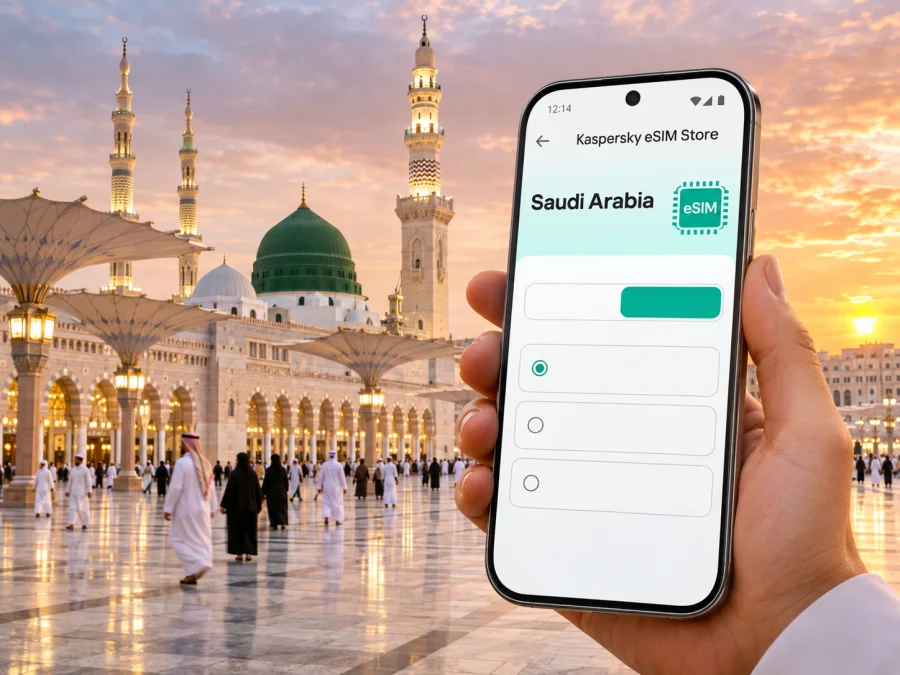
Medina eSIM: Mobile Connection and Internet for Your City Visit
Medina is a city where many visits follow a clear rhythm: arrive, settle near the Prophet’s Mosque or another part of town, and move between places of worship, historic sites, hotels, and transport hubs. Mobile internet can make those transitions easier. It helps you check a pickup point, follow a walking route, message your group, translate a sign, or confirm a reservation without depending on a café or hotel connection.
An eSIM is a digital SIM profile installed on a compatible phone. For travel, a data eSIM can provide mobile data in Saudi Arabia while your regular SIM stays available for calls or messages, depending on your phone and home plan. The exact service, local network, validity, activation rules, and data allowance depend on the selected plan. Check those terms before purchase; a city name in a travel guide does not guarantee identical signal or performance at every address in Medina.
Plan for the first hour after landing
Prince Mohammad Bin Abdulaziz International Airport is Medina’s airport. If you have just landed, your first connectivity needs are usually practical rather than complicated: tell a driver where you are, find your hotel, check a transfer, or let family know you arrived. The airport lists several ways to continue into the city, including taxis and limousine services, app-based rides, car rental, and a shuttle service connecting the airport with the Prophet’s Mosque. Verify the operating details and pickup point for your own arrival before you travel, since transport arrangements can change.
Download or update essential travel apps before departure, and save your hotel address in a format you can show a driver. Keep a screenshot of your booking, flight details, and the map area around your accommodation. These offline copies are useful if the airport is busy, the phone has not yet connected, or you need to conserve data while setting up the eSIM.
A simple arrival sequence helps avoid rushed decisions:
- Connect to airport Wi-Fi if available and confirm that your eSIM profile is installed.
- Check the airport’s current instructions for the shuttle, taxi, or ride pickup location.
- Set the eSIM as the data line only when you intend to use it, and keep your home line’s roaming setting in mind.
- Confirm the destination and fare in the transport service you choose before getting into a vehicle.
- Share your estimated arrival time with your hotel or travel companion.
The eSIM itself does not choose a driver, book a transfer, or guarantee an internet connection at a particular point. It is one part of your travel setup; the transport provider and the eSIM plan have their own terms and availability.
Moving around Medina
The city’s visitor routes often converge around the Prophet’s Mosque, but your itinerary may also include Quba Mosque, museums, markets, or places farther from the central area. A map app is particularly useful for checking the route from your hotel, locating the correct entrance or meeting point, and distinguishing a short walk from a trip that is better made by bus or car. In the central area, a pin placed on the hotel entrance or agreed pickup point is more useful than relying on a broad neighborhood name.
Medina has a city bus network connecting key destinations. The official tourism platform describes links among the Prophet’s Mosque, Quba Mosque, the airport, the Haramain High-Speed Railway station, and other important locations. Route maps, stops, fares, and seasonal arrangements should be checked close to travel, especially during periods when visitor numbers are high. A mobile connection can help you confirm information while out, but download or screenshot the route you expect to use as a backup.
For a walking visit, the Quba Walking Trail links the Prophet’s Mosque and Quba Mosque. The official visitor information describes the trail as approximately three kilometres, with shops, food options, seating, and other facilities along the way. Treat that figure as the trail length, not as a promise about the time it will take you: pace, weather, crowds, rest stops, and the exact starting point all affect the walk. Save the route beforehand, carry water as appropriate, and use live navigation only when it is safe to look at your phone.
| Situation | Useful phone task | A practical backup |
|---|---|---|
| Airport to hotel | Open the pickup point and send your destination | Save the hotel name and address offline |
| Hotel to the Prophet’s Mosque | Check the walk and agree on a meeting gate or landmark | Screenshot the route and hotel location |
| Visiting Quba | Confirm the trail or bus stop before setting out | Save a map area and carry a written destination name |
| Meeting a group | Share a pin and a short written description | Agree on a fixed landmark in advance |
| Leaving Medina by rail or air | Check the station or terminal and current departure details | Keep your ticket and itinerary available offline |
The Prophet’s Mosque and surrounding courtyards can be busy, and mobile maps do not replace posted directions or instructions from local staff. If you are meeting relatives or a tour group, choose a specific, easy-to-recognize meeting point and agree what to do if someone loses signal. This is often more reliable than trying to coordinate by repeated calls in a crowded place.
Choose a plan for your actual itinerary
Start with the way you expect to use data, not with the largest allowance on a screen. Navigation and messaging typically use less data than extended video calls, cloud photo backups, or streaming. If your visit includes uploading many photos, working remotely, or using a hotspot, estimate that usage separately and check whether tethering is supported by your device and plan. Do not assume that a plan includes voice calls or SMS: travel eSIMs are often data-only, and the specific offer’s conditions should say what is included.
Before you choose, compare these details on the plan page:
- Destination scope: confirm that Saudi Arabia is included. A regional or multi-country option may have a different list of included destinations.
- Data allowance: match it to maps, messaging, browsing, work, and any hotspot use you expect.
- Validity: check when the plan starts counting time and when it expires. Installation and first use may be separate events; follow the stated activation rule.
- Network and coverage notes: read the named local provider and any plan-specific limitations. Coverage can vary between indoor locations, busy public areas, roads, and outlying destinations.
- Phone compatibility: confirm eSIM support for your exact device and regional variant, and check that the phone is not carrier-locked.
- Top-up and support: understand whether extra data can be added and how to reach support if installation does not work.
If you want to compare currently available options for the country, review eSIM plans for Saudi Arabia. The page is the country destination for a Medina trip; review the individual offer terms there rather than assuming that every displayed option has the same validity, network, or features.
Match the plan to your kind of visit
A short stop focused on the central area may need a different allowance from a longer stay with daily navigation, video calls, and frequent photo uploads. Estimate the usage you expect and check that the plan’s validity covers the whole trip.
| Travel pattern | Prioritize | Check |
|---|---|---|
| Brief stopover | Directions and messages | Activation and expiry rules |
| Family visit | Group messages and maps | Whether hotspot use is allowed |
| Sightseeing | Daily route checks and bookings | Data allowance and coverage notes |
| Remote work | Calls and file access | Tethering terms and backup connection |
| Onward travel | The full route | Included destinations and top-ups |
For travel beyond Medina, confirm each destination explicitly; do not infer inclusion from proximity or from the word “regional.”
Check the phone before you leave
Compatibility is specific to the device, its market or regional variant, and sometimes its carrier-lock status. The same product family can include models with different connectivity features in different markets. Search the exact model identifier in your phone settings or manufacturer documentation, then confirm it through the device compatibility check. Also make sure you can access the account or email address used for the purchase and that the phone has a stable Wi-Fi connection for installation.
Keep your existing number available for the calls and one-time verification messages you still need. A data-only eSIM generally does not replace a regular phone number. Before travel, check with your home mobile provider how your existing line handles roaming, calls, and SMS, and review your phone’s dual-SIM controls. A useful setup is to select the travel eSIM for mobile data while keeping the home line for incoming calls or verification, if your device supports this arrangement and you understand the home provider’s charges.
Installation and activation checklist
Install the profile when you have a reliable internet connection and enough time to follow the on-screen steps. Read the offer’s activation instructions first: some plans can be installed before departure but begin service only under their stated conditions. Avoid deleting an eSIM profile as a troubleshooting shortcut unless support or the plan instructions tell you to do so; a profile may not be reusable after removal.
- Confirm the exact destination, data amount, validity period, and activation condition on the offer.
- Connect to Wi-Fi, open the installation instructions for Android or iOS, and follow the steps for your operating-system version.
- Label the travel line clearly, such as “Saudi Arabia data,” so you can recognize it beside your home SIM.
- Before departure, decide which line will handle mobile data and whether the home line should remain enabled for calls or SMS.
- After arrival, select the eSIM for data and follow the offer’s instructions for data roaming if required. The setting can be necessary for a travel profile; it does not by itself mean your home line is roaming.
- Test a simple web page or map. If it does not load, check the selected data line, airplane mode, the plan’s activation state, and the device instructions before changing several settings at once.
Kaspersky eSIM Store is an app and website where you can choose, purchase, and activate an eSIM with a suitable data plan for an international trip. It does not operate Medina’s mobile networks. Service is delivered under the conditions shown for the selected offer, so read those conditions before you buy.
Use data thoughtfully in the city
Medina visits can involve long walks, group meetups, and trips across town. Save the hotel, station, and planned meeting point as pins before leaving Wi-Fi. Download offline map areas if your navigation app supports them, pause automatic photo backups if you want to conserve data, and carry a power bank for a full sightseeing day.
Signal depends on the local network, building materials, crowd levels, device settings, and the selected plan. Data may behave differently inside a hotel, in a busy courtyard, on a bus, or outside the central area. If service weakens, move to a safe open area, retry after a short interval, or use a saved map and ask local staff for directions. No travel eSIM should be treated as guaranteed coverage at every location.
For families, agree whether everyone needs a separate connection or whether one person may share a hotspot. Tethering depends on the device and plan, and uses the host phone’s battery and data. Set a fallback meeting point in case anyone temporarily loses signal.
If the eSIM does not connect
Work through the basics in order. A phone can display an installed eSIM even when the plan has not yet become active or the wrong line is selected for data.
- Check that the trip has reached the activation point described in the plan conditions.
- Confirm the travel eSIM is enabled and selected for mobile data.
- Check whether the plan requires data roaming on that eSIM, and make sure the home SIM is not selected for data by mistake.
- Turn airplane mode on briefly and off again, then wait for the phone to register.
- Restart the phone if the connection still does not appear.
- Review the device’s network selection instructions and the plan’s local network details. Do not delete the profile unless instructed.
- Contact the eSIM service’s support with the order details and a short description of what you see.
If you need directions while troubleshooting, connect to available Wi-Fi, use an offline map, or ask the airport, hotel, or transport staff for help. Keep your group informed using the channel that works at that moment; a mobile-data plan is helpful, but it should not be the only copy of essential travel information.
Frequently asked questions
Will an eSIM give me a Saudi phone number?
Do not assume that it will. Many travel eSIM offers are data-only and do not include a local number, ordinary calls, or SMS. Check the selected offer’s terms. Internet messaging and calls may work through existing accounts when data is available.
Can I use an eSIM at the airport and around the Prophet’s Mosque?
Service depends on the selected plan, partner network, local conditions, and your device. Read the offer’s coverage information and keep offline directions for key parts of the trip. An eSIM does not guarantee uninterrupted service at every indoor or crowded location.
Should I install it before departure?
Preparing over dependable Wi-Fi makes setup easier, but follow the plan’s activation rule. Install early enough to resolve device issues without accidentally starting validity earlier than intended.
Can I use my home SIM at the same time?
Many dual-SIM phones support this, but controls vary by device and regional version. Confirm which line handles data, calls, and messages, and check home-provider roaming charges before leaving.
What if my phone is not compatible?
Check the exact model and regional version with the compatibility tool and manufacturer information. If the phone cannot use eSIM, ask your home provider about roaming or consider a physical SIM from a legitimate local channel.
Does a Medina guide confirm coverage throughout Saudi Arabia?
No. Medina is one destination in Saudi Arabia. Read the selected plan’s included-area and network conditions before travelling onward; this guide is not a coverage map.
Before you go: a compact checklist
- Save your hotel and airport details offline.
- Verify airport transfer and pickup information for your arrival time.
- Check the planned bus route, stop, or walking route close to departure.
- Confirm the exact phone model supports eSIM and is not locked.
- Compare allowance, validity, activation timing, included destinations, and tethering terms.
- Install the profile over reliable Wi-Fi and label the travel line.
- Set the correct line for mobile data after arrival and monitor usage.
- Keep tickets, reservations, and one meeting point available without mobile data.
Prepare your Medina connection
A well-prepared phone makes the practical parts of a Medina visit easier: reaching the hotel, finding a bus stop, walking between landmarks, and staying in touch with the people travelling with you. Check compatibility and the plan’s exact terms, install the eSIM at the right time, and keep essential information available offline. When you are ready, choose an eSIM data plan for your Saudi Arabia trip in Kaspersky eSIM Store, the app and website for selecting and activating a travel eSIM.


