Travel connectivity guide
MegaCom eSIM in Kyrgyzstan: activation guide
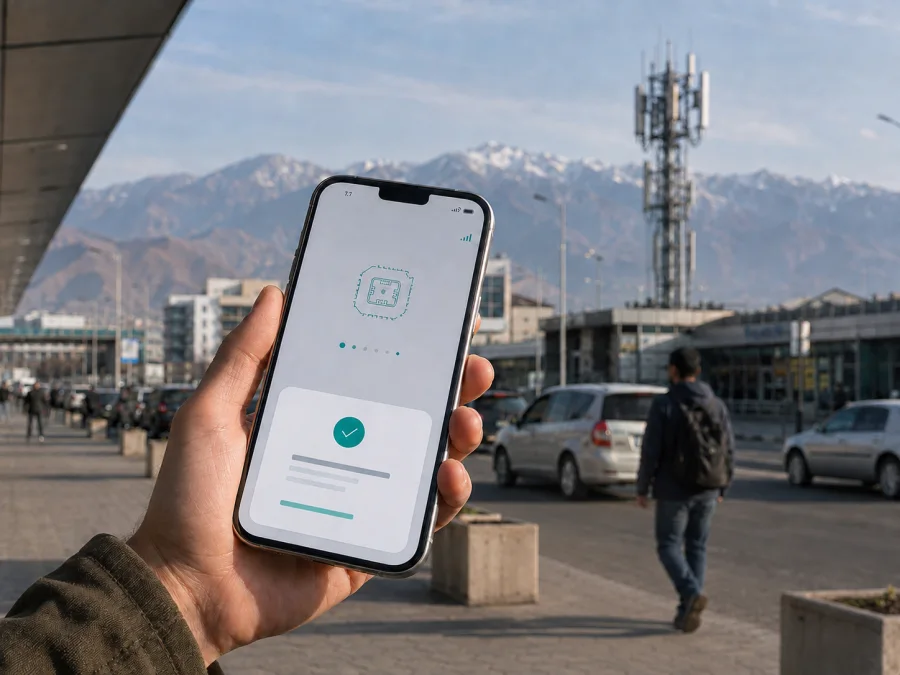
MegaCom eSIM in Kyrgyzstan: activation, coverage and travel options
This guide explains what to check before using MegaCom eSIM in Kyrgyzstan, how the operator’s published activation routes work, and when a travel eSIM may simplify preparation for mobile internet. The information was checked on 5 September 2026 against current public pages of the operator and Kaspersky eSIM Store. Service rules can change, so confirm the final requirements before you begin.
This is an independent informational guide. MegaCom and other names or trademarks appearing in public service materials belong to their respective rights holders. Kaspersky eSIM Store is not affiliated with MegaCom and is not its official partner or representative.
Quick answer
MegaCom’s current public eSIM information confirms support for new and existing subscribers. It describes a QR code issued at a MegaCom sales and service centre and an online flow through the operator’s mobile application. The online route includes personalization and delivery of a service agreement and installation instructions by email.
For a traveler, a local MegaCom eSIM and a travel eSIM are different service models. A local profile may be useful when you need a Kyrgyzstan-based subscriber line, but it involves an operator registration process. A travel eSIM is generally prepared for mobile data during a trip and should not be assumed to include an ordinary phone number, voice calls or SMS.
The official material reviewed confirms MegaCom eSIM availability. It does not clearly establish a separate tourist-only eSIM offer, nor does it show that every foreign visitor can complete the online flow under the same conditions as a resident. Ask MegaCom support or a sales centre to confirm the current route for foreign customers.
What MegaCom eSIM means in Kyrgyzstan
An eSIM is a digital SIM profile stored in a compatible device instead of a removable card. It is normally installed with a QR code or an on-screen setup flow. After installation, the phone uses the assigned line according to the operator’s conditions.
MegaCom’s official eSIM page says that eSIM is available to new and existing subscribers. It explains that a customer can receive a unique QR code and scan it in the phone’s mobile-network settings. The page also describes an online route in which the customer chooses a number, completes personalization and receives the agreement and QR code electronically. Screens and eligibility checks can depend on the account, device and current application version.
MegaCom’s subscriber guidance says that a service agreement is required. For foreign citizens, it lists an identity document such as a passport, a refugee document or a residence permit in Kyrgyzstan. Document rules and sales procedures can change, so bring the original document requested by the operator and confirm the current list before visiting a centre.
Is MegaCom eSIM suitable for a trip?
It can be suitable if you want a local MegaCom line and are prepared to complete the operator’s registration and identity checks. Before departure, confirm whether the current offer is available to visitors, which document is accepted, whether the profile is issued online or through a centre for your situation, and whether the phone is unlocked.
The pages checked on 5 September 2026 confirm consumer eSIM service, but I did not find a clearly defined, separately labelled tourist eSIM offer from MegaCom. I also did not find enough current public detail to describe a specific prepaid travel product for visitors. This does not prove that no such option exists; it means that a traveler should ask the operator directly rather than rely on an old announcement or third-party listing.
If your priority is maps, messages, ride services, bookings or work, a travel eSIM may reduce the number of tasks after landing. Kaspersky eSIM Store is an app and website that helps users choose, order and activate an eSIM with a plan for mobile internet during an overseas trip. It is not a mobile operator, does not own MegaCom’s network and does not provide MegaCom coverage. Its Kyrgyzstan page describes the underlying service as supplied by local telecommunications providers.
For this separate travel-data route, check the destination, device compatibility and live conditions shown when you order. The Kaspersky eSIM Store page for Kyrgyzstan provides a destination choice flow, and its installation guidance explains that a profile appears in the user account and can also be installed with a QR code. A travel eSIM normally serves a different purpose from a local MegaCom line: data access for the trip rather than a local number for ordinary calls and texts.
If you want to review that route, choose an eSIM plan for Kyrgyzstan after checking your device and the current conditions. This is a Kaspersky eSIM Store destination page, not a MegaCom sales channel.
How MegaCom eSIM activation works
The operator’s official eSIM page gives a QR-code-based process.
1. Check the device
Confirm that the exact phone or wearable model supports eSIM. Regional variants can differ even when a model family has an eSIM-capable version. Check that the device is not locked to another operator.
2. Prepare internet access
The operator says that the device should have an internet connection during setup through Wi-Fi or mobile data. A second device can display the QR code when the phone cannot scan a code shown on its own screen.
3. Complete the customer process
For the in-person route, visit a MegaCom sales and service centre, present the required document, conclude the agreement and request the QR code. For the online route, use the operator’s current application flow if it is available to your account and location, complete personalization and wait for the agreement and installation information by email.
4. Add and select the profile
Open mobile-network settings, choose the option to add an eSIM or cellular plan, and scan the unique QR code. Follow the prompts, label the profile clearly, then select which line should provide mobile data. If the home SIM stays active, check data selection and automatic switching carefully.
5. Allow time for registration
The operator describes QR-code installation but does not promise instant registration on every device or in every location. Restarting the phone can help after a profile change. If there is still no service, check the selected data line, network-selection mode and any data-roaming setting required by the phone. Do not delete the profile while troubleshooting unless support tells you to do so.
What to check on the phone
Before requesting an eSIM, confirm support for the exact regional model, check that the phone is unlocked, install system updates over stable Wi-Fi and keep an internet connection available during installation. Save the QR code and agreement information securely. If you plan to use two lines, verify dual-SIM support and decide which line should handle mobile data. Disable automatic switching to the home line if you want to avoid unplanned roaming.
The operator’s eSIM page lists examples of supported device families and adds that other models may work when they support the technology. Verify the exact phone and regional variant instead of generalizing from another device.
MegaCom technologies and coverage
The operator’s public 4G LTE page says that 4G coverage areas are shown on an interactive coverage map. Its support information explains that LTE availability depends on being in a coverage area and on the phone’s settings. An official operator news page dated 30 November 2023 describes 4G improvements in a number of cities and villages. These sources support the presence and development of 4G/LTE service, but they do not justify a promise of identical service in every part of Kyrgyzstan.
For a route through Bishkek, Osh, Issyk-Kul, Naryn, Jalal-Abad or other regions, check the current map for the places you plan to visit. A city centre, an airport, a lakeside settlement and a mountain road can have different radio conditions. Buildings, terrain, weather, local load and the device can also affect the result. Keep offline copies of essential directions when traveling beyond major settlements.
The official material reviewed refers to 2G, 3G and 4G/LTE, and a separate operator page documents VoLTE support for compatible devices and SIMs. It is safer to treat 4G/LTE as the clearly documented data technology and to check device and account requirements for voice features. I did not find a current public MegaCom page that permits a confident statement that 5G is generally available to travelers in Kyrgyzstan, so this guide makes no 5G availability claim.
If you use a MegaCom profile outside Kyrgyzstan, the operator’s roaming pages state that eSIM roaming is available on 3G or 4G and that registration on 2G roaming networks is not available. This differs from using the profile on the operator’s home network inside Kyrgyzstan. Before crossing a border, confirm roaming registration, the partner network and current conditions with support.
Installing a travel eSIM for Kyrgyzstan
If you choose the Kaspersky eSIM Store route for mobile data, start while you have a dependable internet connection. Check compatibility, choose Kyrgyzstan as the destination, review the live conditions and complete the order. The profile should then be available in the account with installation guidance or a QR code.
On iPhone, open Settings and Cellular, choose Add eSIM and use the QR-code option. On Android, wording varies, but the path is normally in Network, SIM manager or Mobile network settings and then Add eSIM. Scan the code, wait for the profile to download and label it clearly. Do not erase the QR code or profile until installation is complete.
When ready to use travel data, select the travel profile for cellular data. On some phones, data roaming must be enabled for that eSIM because the profile connects through a partner network in the destination. This setting applies to the selected travel profile; configure the home line separately. Turn off automatic data switching when you want the phone to stay on the chosen line.
The Kaspersky eSIM Store instructions say that the profile may take several minutes to connect after installation. If it does not connect, check that the profile is on, mobile data is assigned to it, the phone has restarted if needed and the destination is correct. Then contact support with the order information. Avoid repeatedly deleting and reinstalling a profile: an activation code can be limited to one device or one use.
FAQ
Does MegaCom support eSIM in Kyrgyzstan?
Yes. The operator’s current public eSIM page confirms the service and describes QR-code activation, an in-person route and an online route through its mobile application. Final eligibility and documents should be confirmed for your account and nationality.
Can a foreign traveler get MegaCom eSIM online?
The operator describes an online flow, but the public material does not establish that every foreign traveler can use it under identical conditions. The subscriber guidance lists identity documents for foreign citizens and requires a service agreement. Ask whether your document and customer status qualify for remote activation.
Does MegaCom work everywhere in Kyrgyzstan?
No mobile network should be assumed to work uniformly everywhere. MegaCom publishes a coverage map and documents 4G/LTE service, while terrain and local conditions can affect registration. Check the map for your route, especially outside major towns and along mountain roads.
What should I do if I lose the QR code?
Do not scan an unknown replacement code. MegaCom advises keeping the QR code and says that an identity document may be required if it is lost. For a travel eSIM, use the service’s support channel and keep the order details ready.
Final checklist
Before leaving for Kyrgyzstan, confirm that your phone supports eSIM and is unlocked. Decide whether you need a local MegaCom number or only a travel-data profile. If you choose MegaCom, verify the document, agreement and activation route for a foreign traveler. If you choose a travel eSIM, install it over a stable connection, label it, select it for data and check the live destination conditions.
Save the operator’s support details and your travel eSIM order information. Keep the QR code private. Check the coverage map for the route rather than making a country-wide assumption, and prepare offline navigation for remote areas. If the phone does not connect, check the selected line, roaming setting and location before contacting support.
Kaspersky eSIM Store can help with the preparation and activation workflow for a travel eSIM, but it is not MegaCom, does not own a Kyrgyzstan mobile network and should not be presented as the operator. MegaCom’s current support is the appropriate source for local-line eligibility, identity requirements, local numbering and operator-specific service questions.
If you want a separate travel-data option, review the Kyrgyzstan eSIM destination page and confirm the current conditions before completing an order. Availability, device compatibility, network partners and service terms may change after the date of this guide, so recheck them when your trip is booked.


