Travel connectivity guide
MegaFon eSIM in Tajikistan: setup and checks
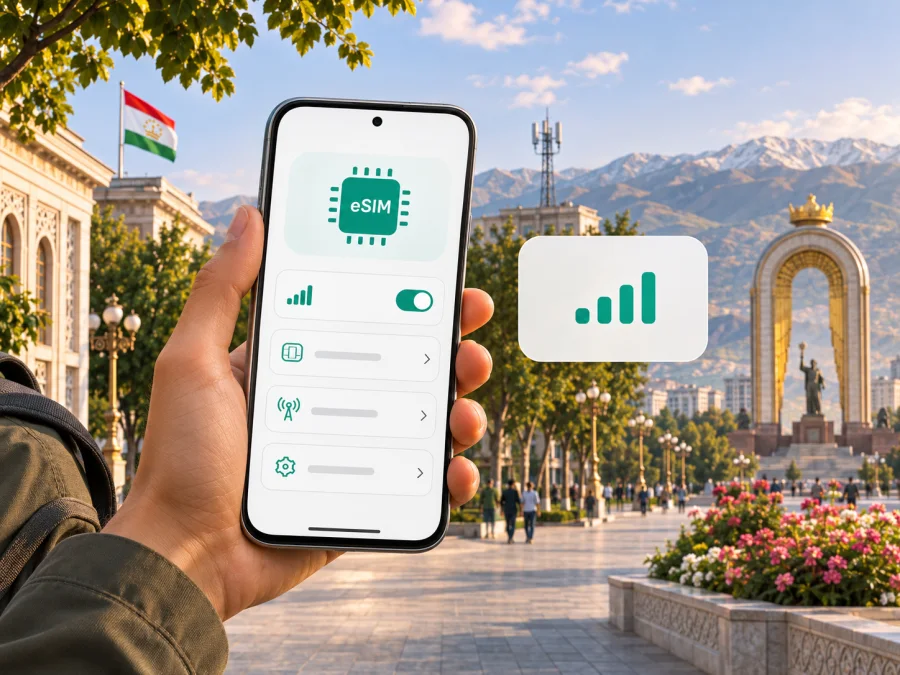
MegaFon eSIM in Tajikistan: activation and travel checks
If you are travelling to Tajikistan and considering a MegaFon eSIM, distinguish a local subscriber eSIM from a separate travel eSIM. MegaFon Tajikistan currently describes eSIM on its official website and explains how subscribers can request activation. The public instructions do not establish a special tourist eSIM product or guarantee that every visitor can register remotely. Confirm visitor eligibility, identity checks and device support with the operator before relying on the service.
This guide covers MegaFon’s public information and traveler checks. MegaFon is a trademark of its owner. Kaspersky eSIM Store is not affiliated with MegaFon or its official partner or distributor.
What MegaFon eSIM means in Tajikistan
An eSIM is a digital subscriber profile built into a compatible device. You add it to the phone or tablet instead of inserting a removable card. It still connects through a mobile operator, and it does not remove registration or identity requirements.
MegaFon Tajikistan’s official eSIM page confirms the service, describes using it alongside a physical SIM and provides compatibility information. This does not mean every phone variant or visitor can activate it in the same way. Ask whether a new local connection can be registered with your documents.
MegaFon Tajikistan is the specific operator market covered here, not a similarly named company in another country. As of 3 November 2026, the operator’s eSIM page and its article “SIM or eSIM: Why subscribers choose electronic cards,” published on 25 February 2026, describe the service and ways to request activation. The operator refers to service offices and the MegaFon Life app. These public instructions do not guarantee that a tourist can complete registration remotely or immediately on arrival.
Is MegaFon eSIM available to tourists?
The operator confirms eSIM for local subscribers. We did not find an official description of a separate tourist-only eSIM offer or a guaranteed visitor registration route. That does not prove a visitor is ineligible; it means you should verify your own case rather than assume that tourist activation is available.
MegaFon’s article “eSIM: convenient, reliable, relevant,” checked on 3 November 2026, describes two ways to request an eSIM: in person at a service office or through an online specialist in the MegaFon Life app. For an office visit, its published guidance says to bring a phone and passport for identification. For app-assisted activation, MegaFon describes identity checks that include passport images, a selfie with the document and an SMS confirmation. Requirements can change, and a foreign visitor may need additional information.
Before choosing this route, contact MegaFon Tajikistan and ask:
- Can a non-resident register as a new subscriber using the passport they will carry?
- Does the app process require an existing local account, local phone number or particular payment method?
- Can you complete registration before arrival, or must you visit a service office in Tajikistan?
- Is your exact device variant compatible, unlocked and able to add a profile from another provider?
- What is the process if the phone is replaced, lost or the profile needs to be reissued?
Ask for current terms directly. This guide does not reproduce plan names, prices, data allowances, validity periods, included services or other specific plan conditions. A visitor should confirm the registration process and account ownership before sending identity documents through any channel.
When a local eSIM may suit a trip
A local MegaFon eSIM may suit a longer stay, a traveler who needs a local subscriber relationship, or someone who already uses MegaFon Tajikistan. A compatible phone can add the digital profile without inserting a physical card, subject to its design and settings. The service is useful only if you can meet registration requirements.
For a short visit, a separate travel-data eSIM may be easier if it can be arranged in advance and covers your route. It is not a MegaFon line and may use a partner network. Check its destination, supported services, device compatibility and activation conditions. Neither option should be assumed to cost less or work everywhere.
Coverage and technology
MegaFon Tajikistan confirms that its network includes 4G/LTE. In a company update dated 31 March 2026, it reported additional 4G/LTE base stations in several regions, including Sughd and Khatlon. This records network development, not guaranteed service at every address. Signal varies with terrain, buildings, congestion, device bands and maintenance.
Tajikistan’s mountains and intercity routes make location-specific checks important. Check exact destinations in MegaFon’s current coverage information, especially remote areas. Download maps and essential details while online; a coverage map cannot promise reception inside every building, trail or mountain pass.
For a separate travel-data option, check eSIM availability for Tajikistan. This is not a MegaFon tariff page; verify current product and network details before arranging service.
Device compatibility: check the exact variant
A phone family can include versions with different eSIM support. Compatibility may vary by country of sale, hardware revision, carrier lock and software. Check the complete model number against MegaFon Tajikistan’s current list and the device maker’s information.
Before travel:
- Find the full model number and the region where the device was sold.
- Look in cellular or SIM settings for an option to add an eSIM or mobile plan.
- Confirm the phone is not locked to another carrier.
- Compare the exact variant with MegaFon’s compatibility information.
- Install operating-system updates recommended by the manufacturer.
- Keep reliable internet access available during setup if required.
If the phone has no eSIM option, do not assume an update will add the required hardware. Ask the manufacturer or seller. Alternatives may include a physical local SIM, if MegaFon offers one and you meet its registration requirements, or a travel eSIM that explicitly supports your device. Do not delete a working profile to test another option; first ask the provider about replacement and reinstallation.
How to request a MegaFon eSIM
The operator’s published guidance describes service-office and app-assisted routes. Follow MegaFon’s current directions, as the process may change.
At a service office
- Check that your exact phone variant supports eSIM and is unlocked.
- Ask MegaFon whether the office can register a new visitor and issue an eSIM.
- Bring the phone and the identification documents the operator confirms. Published guidance mentions a passport for in-person identification.
- Ask how the profile is installed and how you will know that the service is active.
- Keep activation information private and ask for help contacts before leaving.
Through the MegaFon Life app
MegaFon describes starting an eSIM request in the app and speaking with an online specialist. Its instructions also describe identity verification. Before relying on this route, check whether the app is available to you, whether you can sign in, and whether the operator accepts your documents and account details for remote registration. Access may depend on your account and the current verification process.
When MegaFon provides an activation link or QR code, connect to a reliable network and follow the device-specific instructions. Do not scan one code on multiple phones unless the operator says it is supported. MegaFon’s 6 July 2022 setup guide says an eSIM is intended for one device at a time; ask support about current replacement or transfer steps.
Choose the correct line for data
On a dual-SIM phone, label your lines and select the intended profile for mobile data. Whether data roaming should be enabled depends on the provider’s instructions. Check MegaFon’s directions for its local eSIM and your home operator’s rules for the other line. If service does not appear, verify that the eSIM is enabled, selected for data and in an area with coverage. Contact support before deleting the profile or resetting network settings.
Local eSIM or travel eSIM?
MegaFon eSIM is a local subscriber profile subject to registration and the operator’s terms. A travel eSIM is a separate product selected for connectivity during a trip and may use a partner network. Check its destination, device support, activation timing and conditions. A local number is not guaranteed with a travel-data profile, while a local MegaFon eSIM requires successful registration. This is a comparison of setup types, not individual offers.
Using a travel-data option
Kaspersky eSIM Store is an app and website that helps travelers choose, arrange and activate an eSIM with a suitable plan for mobile internet abroad. Kaspersky’s product announcement of 17 June 2025 describes this travel use. Relevant service partners and local networks provide connectivity. Kaspersky eSIM Store is not a mobile operator, network owner or mobile-internet provider. Its Tajikistan page is not a MegaFon product page.
Before arranging a travel eSIM, confirm that Tajikistan is included, your phone is supported, and the product’s installation and activation rules fit your trip. Installing a profile and starting its use may be separate events; check the current terms. Keep instructions accessible and avoid deleting an installed profile unless support confirms it can be restored.
A travel-data eSIM may not include a regular number, voice calls or SMS. Internet calling apps depend on data access and the relevant account. If you need bank codes or calls to your home number, plan how that line will remain available and check roaming conditions with your home provider.
Basic travel eSIM installation
Menu labels vary by phone. Confirm compatibility, use a stable internet connection, and keep the QR code or activation details available. In cellular settings, choose “Add eSIM” or the equivalent, scan the provider’s code, wait for installation, label the profile and select it for data when appropriate. Follow the product’s activation and roaming directions. Keep the confirmation until service works.
For Kaspersky eSIM Store, use the app or confirmation instructions. For device questions, see the eSIM device compatibility guide. These steps do not replace MegaFon’s local subscriber process, which may include identity checks and operator assistance.
If something goes wrong
If a phone reports that eSIM is unsupported, check its complete model number and region of sale with the device maker and provider. If the app cannot verify your account, ask MegaFon whether a visitor can register remotely and which documents it accepts. If a profile installs but data does not work, confirm that it is enabled and selected for data, then contact support. Do not assume a QR code can be reused or transferred; ask the issuer first.
Frequently asked questions
Does MegaFon support eSIM in Tajikistan?
Yes. MegaFon Tajikistan’s official eSIM page lists the service, and its public instructions describe office-based and app-assisted activation. Confirm your exact device and visitor eligibility directly with the operator.
Can a tourist get one?
MegaFon describes eSIM for subscribers and passport-based checks, but does not establish a separate tourist offer or guarantee remote registration for visitors. Ask whether your documents are accepted and whether you must visit an office.
Does MegaFon eSIM work throughout the country?
Do not assume coverage at every point. MegaFon reports 4G/LTE service, but terrain and local conditions matter. Check locations that matter to your trip.
Can I keep my current SIM?
A compatible dual-SIM phone may use an eSIM alongside a physical SIM, but active-line combinations vary by device. Choose the right profile for data, calls and messages in your phone settings.
Is a travel eSIM the same as MegaFon eSIM?
No. MegaFon eSIM is a local subscriber profile from MegaFon Tajikistan. A travel eSIM is a separate product and may use a partner network. Check its destination and terms independently.
Before you go
A local MegaFon eSIM may suit you if you can register as a subscriber and want a local service relationship. A travel-data eSIM may suit your trip if Tajikistan coverage, device compatibility and activation conditions are confirmed. Some travelers may use both, but should select the active data line deliberately.
Before departure, save service contacts, verify your exact device variant and ask about visitor registration. Check coverage for important locations, especially remote areas, and keep maps and essential details available offline.
To review a separate destination option, browse eSIM availability for Tajikistan. Check live product information before arranging service. For a MegaFon subscriber eSIM, confirm the latest process with MegaFon Tajikistan; the services are separate and the operator’s name here does not imply partnership or endorsement.
Information checked on 3 November 2026. Operator-specific statements were checked against MegaFon Tajikistan’s eSIM page, its articles “eSIM: convenient, reliable, relevant” and “SIM or eSIM: Why subscribers choose electronic cards,” its 6 July 2022 eSIM setup guide, and its 31 March 2026 network update. Kaspersky product wording was checked against the company’s 17 June 2025 Kaspersky eSIM Store announcement. Availability, activation requirements, supported devices, coverage and service conditions can change; confirm current details with the operator before travel.


