
Travel connectivity guide
Meknes eSIM: mobile internet for Morocco travel
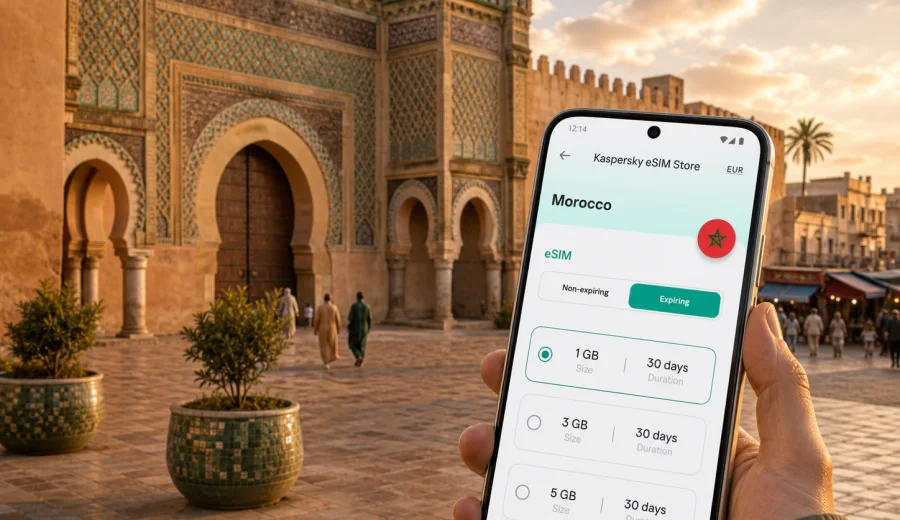
Meknes eSIM: mobile connection and internet for your trip
Meknes is one of Morocco's imperial cities, but it feels different from faster and larger stops such as Casablanca or Marrakech. The city is compact, layered and practical: a traveller may move from the medina to Bab Mansour, from El Hedim Square to a riad, from a train arrival to a day trip toward Volubilis or Moulay Idriss, often with little time to solve connection problems on the spot. A prepared eSIM can make those first hours easier because you can use mobile internet without looking for a physical SIM card shop immediately after arrival.
For a Meknes trip, mobile connection is not only about posting photos. It helps with maps in narrow streets, taxi coordination, hotel messages, train times, restaurant reservations, translation, remote work and keeping travel documents available in cloud storage. The city has historic areas where streets can be irregular and landmarks repeat visually, so a reliable navigation setup can save time and reduce small travel mistakes.
This guide focuses on how to plan mobile internet for Meknes with an eSIM, what to check before buying a tariff, and how to use data sensibly during a city break, business visit, stopover or longer Morocco route.
Why mobile internet matters in Meknes
Meknes rewards slow walking, but many practical travel tasks still happen on your phone. You may arrive by train, check in at a riad inside or near the medina, meet a guide at a gate, order a taxi for an early departure, or compare onward routes to Fes, Rabat and Chefchaouen. Each of these moments becomes easier when your phone is already online.
Mobile internet is especially useful in Meknes for:
- navigation between the medina, Ville Nouvelle, train stations and hotel areas;
- messaging your accommodation before arrival, especially if the entrance is inside a pedestrian lane;
- checking train and intercity bus plans for the next leg of the trip;
- using maps for Bab Mansour, the Royal Stables area, Dar Jamai Museum and El Hedim Square;
- translating menus, signs and short messages when English is not enough;
- confirming meeting points with drivers, guides or colleagues;
- using mobile banking alerts and travel documents without relying on public Wi-Fi.
The key advantage of preparing an eSIM is timing. Instead of spending the first part of your stay searching for a local SIM card, you can install the eSIM before departure and activate mobile data when the trip begins, depending on the tariff conditions and device settings.
Arrival scenarios: where an eSIM helps first
Meknes does not have the same international airport pattern as Morocco's largest tourism hubs. Many visitors reach the city by train, private transfer or car from Fes, Rabat, Casablanca or Marrakech. That means your first connection problem may happen before you even reach the hotel: while changing trains, finding a ride, confirming a pickup time or checking your route into the city.
| Arrival route | Common phone task | Why prepared data helps |
|---|---|---|
| Fes to Meknes | Train checks, taxi pickup, hotel messages | You can coordinate the last part of the route without searching for Wi-Fi |
| Rabat or Casablanca to Meknes | Long-distance navigation and schedule updates | You can track delays and adjust your arrival message |
| Car route through northern Morocco | Maps, fuel stops, parking search | You can keep navigation active outside hotel Wi-Fi |
| Guided tour or day transfer | Meeting point confirmation | You can send your exact location if the pickup point changes |
If you are coming to Meknes after landing in another Moroccan city, the best approach is to think of the eSIM as a Morocco travel data setup, not a city-only tool. The same mobile data arrangement can support airport arrival, intercity travel and your stay in Meknes, provided the selected tariff covers Morocco and fits your route.
What an eSIM does and does not replace
An eSIM is a digital SIM profile installed on a compatible phone or tablet. For travel, it is commonly used to connect to mobile internet without inserting a physical SIM card. It can be convenient when you want to keep your primary SIM for calls, banking messages or account access while using another data profile abroad.
For Meknes, an eSIM is best understood as a practical data layer for maps, messaging, browsing and app-based travel tasks. It is not automatically a full replacement for a local mobile subscription. Voice calls and SMS are usually not included unless a specific tariff says otherwise. For calls, many travellers use internet-based apps once mobile data is active.
Before you buy any eSIM tariff, check three things:
1. Your device supports eSIM.
2. Your phone is not locked to one operator.
3. The tariff covers Morocco and matches your expected stay.
If you are unsure about the first point, use the internal compatibility check before purchase: check your device.
Choosing a data amount for Meknes
The right amount of data depends on how you use your phone. Meknes itself is not a high-data destination by default, but onward travel, navigation and media sharing can increase usage quickly. A short city visit may need only light data if you use hotel Wi-Fi for backups and video. A work trip or a road route through Morocco may need a larger package.
| Trip style | Typical use | Data approach |
|---|---|---|
| One or two nights in Meknes | Maps, messages, taxi apps, restaurant search | A smaller data package may be enough |
| Long weekend with day trips | Navigation, photos, translation, train checks | Choose more data for travel days |
| Business visit | Email, documents, video calls, hotspot use | Select a higher allowance and check tethering conditions |
| Morocco route with Meknes stop | Airport, trains, several cities, maps | Choose a tariff that covers the full Morocco itinerary |
| Family trip | Shared coordination, maps on multiple phones | Consider separate eSIM setup for each compatible device |
Video streaming, cloud photo backup and hotspot use are the biggest data drains. If you want to control usage, download offline maps before arrival, turn off automatic cloud backup on mobile data, and keep app updates for Wi-Fi.
Districts and movement inside Meknes
Meknes is manageable, but it has several areas that create different connection needs. The medina is a walking environment where navigation can be helpful but not always perfectly precise. Ville Nouvelle has wider streets, cafes, shops and modern services. The historic monuments and city gates are spread enough that visitors often combine walking with taxis.
In the medina, mobile internet helps most when you need to locate your accommodation, share a live location, translate a short message or check whether you are walking toward the correct gate. Around El Hedim Square and Bab Mansour, it helps with meeting points and quick searches. Near train stations, it helps with onward planning and rides to your hotel.
For local movement, prepare these phone basics before you arrive:
- save the hotel address in English and French if available;
- download an offline map of Meknes and nearby routes;
- save your accommodation phone number in your contacts;
- keep a screenshot of the booking confirmation;
- check whether your eSIM should be activated before departure or after arrival;
- keep your primary SIM active if you need bank or account verification SMS.
These steps are small, but they reduce stress when your arrival happens late, your driver cannot find a riad entrance, or your train schedule changes.
When to set up your eSIM for Meknes
The safest time to install an eSIM is usually before you travel, while you still have a stable connection at home or in your hotel before moving cities. Activation timing can depend on the tariff, so read the conditions carefully. Some tariffs start validity when installed, some when connected to a supported network, and some have other rules.
A practical setup sequence looks like this:
1. Check that your device supports eSIM and is not operator-locked.
2. Choose Morocco as the destination for your Meknes trip.
3. Compare tariff duration and data allowance.
4. Install the eSIM while you have stable Wi-Fi.
5. Keep your main SIM available for calls or SMS if you need it.
6. On arrival, select the eSIM profile for mobile data.
7. Enable data roaming for the eSIM if the installation instructions require it.
8. Test maps and messaging before leaving the station, airport or hotel.
If you are moving between several Moroccan cities, prepare the eSIM before the first travel day rather than waiting until Meknes. It can support the moments between hotels, stations and transfer points, when Wi-Fi is least predictable.
How Kaspersky eSIM Store fits into the preparation
Kaspersky eSIM Store is an app and website where you can quickly choose, arrange and activate an eSIM with a suitable tariff for mobile internet in an international trip. For Meknes, that means selecting Morocco as the destination, checking tariff details such as data amount and validity period, and installing the eSIM on a compatible device.
This is useful if you want a predictable setup before travelling. You can review the tariff terms in advance, keep the eSIM ready in your profile or app, and avoid making connection decisions at the station, in a taxi or at a hotel reception desk. If Meknes is part of a wider route, choose the tariff based on the full Morocco itinerary rather than only the nights spent in the city.
Once you have planned your route and estimated data needs, you can choose a mobile internet tariff for Morocco before your Meknes trip and install it according to the device instructions.
Installation links for Android and iOS
Install your eSIM while you have a stable internet connection. After purchase, the eSIM profile is usually available in your account, app or by QR code, depending on the flow shown to you. Follow the instructions for your device carefully, because menu names and activation steps can differ by model and operating system version.
Use these internal setup guides when you are ready to install:
Before installation, make sure the phone has enough battery, a stable Wi-Fi connection, and access to the email or account where the eSIM details are shown. Do not remove your primary SIM unless you know you no longer need it for calls, SMS or account verification during the trip.
What to check before buying
A quick pre-purchase check prevents most avoidable eSIM problems. Use this list before you select a tariff for Meknes.
- Device support: your smartphone or tablet must support eSIM.
- Operator lock: a locked device may not accept another mobile profile.
- Destination: the tariff should cover Morocco for a Meknes trip.
- Validity: choose a duration that covers arrival, stay and onward travel.
- Data amount: match the allowance to maps, messaging, work and media use.
- Activation rule: check when the validity period starts.
- Roaming setting: some eSIM profiles require data roaming to be enabled.
- Calls and SMS: do not assume they are included unless the tariff says so.
- Hotspot: if you need laptop tethering, check the conditions first.
Keep the installation information available offline. A screenshot can help if you need to review settings before your phone is fully connected.
How to manage data during the trip
Meknes is a good city for moderate data use. You can keep maps and messaging available while reducing unnecessary background traffic. The goal is not to use your phone less, but to keep the tariff useful for the whole stay.
Useful settings include:
- download offline maps of Meknes and your onward route;
- turn off automatic app updates on mobile data;
- pause cloud photo and video backup until Wi-Fi is available;
- reduce video quality in streaming apps;
- disable background data for apps you do not need during travel;
- use Wi-Fi at the hotel for large downloads;
- check data use in your device settings each day.
If you travel for work, separate urgent tasks from heavy tasks. Email, maps and messaging usually need little data. Video calls, large file sync and hotspot sessions need much more. If a call matters, test the connection from your hotel or meeting location before the scheduled time.
Trips from Meknes
Meknes is often paired with nearby historical and regional stops, so choose data based on the whole journey rather than only the nights spent in the city. Mobile internet can be useful when you check routes, meet drivers or confirm plans through your accommodation.
Popular onward or nearby travel scenarios include:
- Volubilis and Moulay Idriss as a day trip;
- Fes as a nearby imperial-city connection;
- Rabat or Casablanca by rail or road;
- northern Morocco routes that continue toward Tangier or Chefchaouen;
- a multi-city itinerary combining Meknes with Marrakech or the coast.
Quick checklist for Meknes
Before departure:
- confirm your phone supports eSIM;
- check that the device is not locked to one operator;
- choose a Morocco tariff that covers your Meknes dates;
- install the eSIM on stable Wi-Fi;
- save hotel, station and transfer details offline;
- download offline maps for Meknes and the next city.
On arrival:
- switch mobile data to the eSIM profile;
- enable data roaming for the eSIM if required by instructions;
- test maps and messaging before leaving the arrival point;
- keep the primary SIM active if you need SMS codes;
- monitor data use after the first day.
Before leaving Meknes:
- check the next train or transfer;
- confirm pickup or hotel messages for the next city;
- download the next offline map;
- review remaining data if the trip continues.
FAQ: eSIM and mobile internet in Meknes
Can I use an eSIM for Meknes if I arrive through another Moroccan city?
Yes. For a Meknes trip, choose a tariff that covers Morocco. This can support arrival through Fes, Rabat, Casablanca or another city, as well as your stay in Meknes, depending on the tariff conditions.
Should I install the eSIM before travelling?
Usually, it is more convenient to install it before travel while you have stable Wi-Fi. Check the tariff rules for when validity starts, then activate mobile data at the appropriate time.
Will an eSIM give me a Moroccan phone number?
Not necessarily. Travel eSIM tariffs are commonly focused on mobile internet. Calls and SMS are not included unless the selected tariff states that they are. You can use internet-based calling and messaging apps when data is active.
Can I keep my regular SIM active?
In many compatible phones, yes. You can usually keep your primary SIM for calls or SMS and use the eSIM for mobile data. The exact setup depends on your device.
Is eSIM useful if my hotel has Wi-Fi?
Yes, because the moments when you need internet most often happen away from hotel Wi-Fi: arrival, taxis, walking routes, station transfers, day trips and urgent messages.
What if the eSIM does not connect immediately?
Check that the eSIM is installed, selected for mobile data and allowed to use data roaming if required. Restarting the device can also help. If the issue continues, contact support and include device model, location and screenshots of relevant settings.
Choose your eSIM tariff before Meknes
A trip to Meknes is easier when your phone is ready for maps, messages, hotel coordination and onward travel from the first day. Prepare the connection before you arrive, check your device compatibility, install the eSIM on stable Wi-Fi, and choose a tariff that matches the full Morocco route, not only the city stay.
Kaspersky eSIM Store helps you choose, arrange and activate an eSIM with a suitable tariff for mobile internet in an international trip. If Meknes is your next stop, prepare an eSIM tariff for Morocco before departure so your city navigation, transfers and travel messages are ready when you need them.