Travel connectivity guide
Melaka eSIM: Mobile Internet for Your City Trip
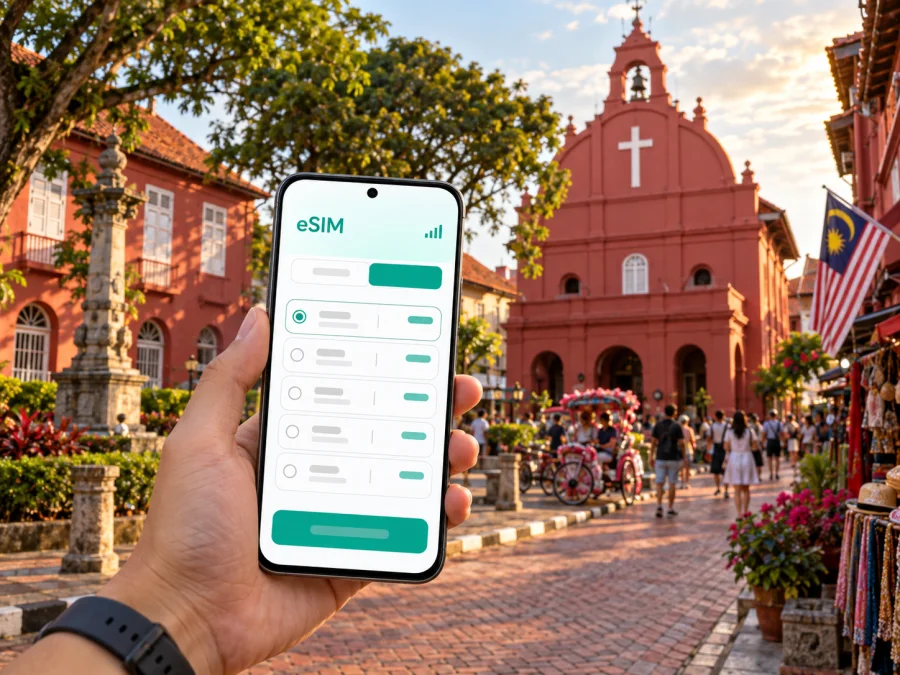
Melaka eSIM: mobile connection and internet for your city trip
Melaka is a city best explored in connected steps: find your way from the arrival point, check where your hotel sits in relation to the historic center, then move between the riverfront, museums, food streets and quieter neighborhoods at your own pace. Mobile internet helps with each transition. A map can guide you through streets that look similar, a booking message can clarify a pickup point, and a translation or ride app can help when plans change.
An eSIM is a digital SIM profile that can connect a compatible device to mobile data under the terms of the selected plan. For a visit to Melaka, it can be a practical way to prepare internet access without changing the physical SIM in your phone. It does not replace every local communication need: unless a plan explicitly says otherwise, it is intended for data rather than a regular phone number, voice calls or SMS. Internet-based messaging and calling apps may be used where available.
Plan the first connection before you arrive
Melaka is in the Malaysian state of the same name, on the west coast of Peninsular Malaysia. Visitors commonly reach the city by road from other destinations on the peninsula. The trip may end at a bus terminal, a hotel entrance or another agreed pickup point, so have the address and route saved before setting out. If your itinerary includes a flight, check the arrival airport and ground-transfer details on your booking: Batu Berendam Airport and the larger airports serving the region are different arrival points, and the onward journey depends on your route.
A short arrival checklist:
- Confirm whether you are arriving at Melaka Sentral, a hotel, or an airport outside the central area.
- Check the exact hotel entrance or pickup point, not only the neighborhood name.
- Keep the first address available offline and note it in the spelling used by your booking.
- Decide whether you need data immediately on arrival or can activate the eSIM after checking in.
- Leave your home SIM available for calls or messages if you still need its number, and review its roaming settings.
Melaka Sentral is a useful reference point for intercity bus arrivals and departures. It is outside the compact heritage core, so allow for a separate transfer from the terminal to your accommodation. The easiest option depends on luggage, arrival time, traffic and where you are staying. Check a route in a navigation or transport app once you know the terminal and hotel, and verify the final drop-off point with your driver. A map pin for “Melaka Sentral” alone may not describe the entrance or bay you need, so follow signs and ticket details at the terminal.
Choose a base that suits your plans
Many first-time visitors want to stay within or near the historic center, where several major sights can be explored on foot. Jonker Street and the surrounding heritage lanes are convenient for browsing, dining and returning to a hotel between outings. Staying in this area can reduce short transfers, but narrow streets, pedestrian crowds and evening activity may affect access and noise. If you are carrying large bags or arriving late, confirm how the property handles vehicle access and the closest practical drop-off.
Accommodation along the river or close to the central bridges can make it easier to connect the old town with newer shopping and dining areas. Hotels farther from the central sights may offer a different pace or room setup, but usually require more planning for each trip. Before booking, compare the actual walking route with the map distance: a bridge, river bend, busy junction or one-way street can make a short straight-line distance feel longer.
| Where you stay | What it can make easier | What to check on the map |
|---|---|---|
| Around Jonker Street and the historic core | Walking between heritage sights, cafes and evening food options | Street access, weekend foot traffic, noise and luggage drop-off |
| Near the river | Riverfront walks and crossing between parts of the center | The nearest bridge and which side of the river your hotel is on |
| Near a larger shopping area | Indoor breaks, shopping and access to newer commercial streets | How you will travel back to the heritage district after dark |
| Outside the central area | A quieter base or a property that suits a longer stay | Transfer time, transport availability and the return route |
Getting around the historic center
The heritage area is compact enough for many visitors to walk between nearby sights, though heat, humidity, rain and uneven pavements can change how much you want to cover at once. Organize the day into short clusters rather than crossing town repeatedly. For example, explore the Dutch Square area, continue toward the river and nearby lanes, then return to your hotel before going out again in the evening.
Walking directions are most helpful when the destination is specific. Search for a museum entrance, the correct riverfront landing, or the exact restaurant rather than navigating only to a broad district name. Keep the phone accessible but secure, and pause somewhere safe before checking a route. If a road is pedestrianized, crowded or temporarily closed, follow local signs and staff instructions instead of insisting on the map’s suggested line.
For longer distances, travelers use a mix of taxis, app-based rides and local buses where routes suit their plans. Availability, waiting time and the best option can vary by time and destination. Check the pickup location inside the app, especially around busy streets and attractions where a driver may not be able to stop exactly at the pin. If you are taking a bus, verify current stop and route information locally rather than relying on an old screenshot. Keep flexibility between an appointment and a transfer.
Using mobile internet around Melaka
Melaka’s main visitor activities create different data needs. Navigation uses short, repeated checks; photos and video can consume more data, especially when automatically backed up; messaging and booking confirmations are usually lighter. Estimate usage from what you plan to do, then compare the selected plan’s data allowance and validity period with the length and style of your trip. Plan conditions vary, so use the details shown for the specific offer rather than assuming every eSIM works the same way.
If you want to prepare before travel, compare eSIM plans for Malaysia and check the destination, data amount, validity and other conditions shown for the plan. Kaspersky eSIM Store is an app and website that helps you choose, arrange and activate an eSIM with a suitable plan for mobile internet on an international trip. The plan’s actual coverage and operation depend on its terms and local network conditions; a city guide cannot guarantee service at every indoor location or along every route.
A practical data setup
- Check that your device supports eSIM and is not locked by a mobile operator. Model and regional versions can differ, so verify your exact device before purchase. Check device compatibility.
- Choose the destination and review the plan’s data allowance, validity, supported use and activation conditions.
- Install the eSIM when you have a stable internet connection and enough time to follow the on-screen steps. The activation moment and data validity rules can differ by plan.
- In your phone settings, select the intended eSIM for mobile data. Keep the home line configured as you prefer for calls and messages, and check roaming settings for each line.
- After arrival, confirm that the data line is selected and test a basic page or map. If it does not connect, check the plan instructions and device settings before changing several options at once.
If you have not installed an eSIM before, use the Android installation guide or the iOS installation guide. Follow the instructions for your device and the activation method shown with your plan. Do not delete an installed profile as a troubleshooting shortcut unless the plan’s guidance tells you to; some eSIM profiles cannot simply be installed again on another device.
A day in the city: where data helps
For a short visit, save the hotel location, ticket and first transfer details before boarding. From the arrival point, compare the walking route with a ride option if you have luggage. Once checked in, bookmark the places you want to visit and keep the phone charged for navigation.
In the heritage core, link the Stadthuys and Christ Church area with nearby historic sites and the riverfront. The red buildings around Dutch Square make a recognizable starting point, but the order of stops depends on opening hours, weather and your interests. For Jonker Street and nearby lanes, save a specific shop or meeting point; activity changes by day and time, and a weekend evening may feel busier. If you plan a river cruise, check current boarding details on site and save the landing point. For an indoor break or work session, confirm a venue’s current Wi‑Fi terms and save the route back to your accommodation.
Beyond the central sights
Some itineraries include places beyond the historic core, such as the Portuguese Settlement, coastal areas, or attractions outside central Melaka. These trips need more than a walking map: check the distance, transport options, opening information and return journey before leaving. If you are using a ride-hailing service, confirm the pickup and drop-off pins and make sure you will have a way to request a return ride. For public transport, verify current route information locally.
Visitors continuing to another Malaysian city can use Melaka as one stop in a wider road itinerary. Keep the next destination’s address, ticket and departure point separate from your local sightseeing notes. If you are leaving by coach, confirm the correct terminal and departure time with your booking. Do not assume that a hotel transfer to a central landmark will also take you to the bus terminal.
For a stopover, be realistic about the time available. Travel to and from the city, check-in or luggage arrangements, and the return departure all take time. Choose one or two nearby areas rather than building a schedule that depends on several cross-city transfers. Keep your onward ticket and pickup details available offline in case your data connection is temporarily unavailable.
Work trips and longer stays
A business visit may involve a hotel, meeting venue and meal location in different parts of Melaka. Add full addresses to a map, confirm the correct entrance or lobby with the host, and check the route shortly before leaving. If you expect video calls or hotspot use, review the plan conditions and device support first; keep key documents available offline and leave time for transfers. For a longer stay, compare your actual daily data use with the plan’s allowance and validity before changing plans.
Practical checks before and during the trip
Before setting out, run through these essentials:
- Device and plan: Confirm eSIM support for the exact model, no carrier lock, destination, data allowance, validity and activation conditions. Review device compatibility.
- Setup: Install over a stable connection, keep the instructions accessible, and know which line is selected for mobile data. Enable data roaming only as directed by the plan.
- Backup: Save addresses, tickets, reservations and an offline map; keep your phone charged on long walking days.
- Home number and privacy: Review roaming settings for your regular SIM, use a screen lock and secure your phone in crowded places.
If data does not connect, confirm the eSIM is enabled and selected, and check plan validity and its setup instructions. Follow any direction about roaming or network selection rather than changing settings at random. Restarting may help with a temporary issue; if it continues, use the plan’s support route. Avoid deleting the eSIM profile unless the instructions recommend it.
Common questions
Is an eSIM useful for a weekend in Melaka?
It can be useful if you want mobile data for maps, messages, transport requests and booking details without removing your physical SIM. Whether it suits your visit depends on your device, plan conditions and how much data you expect to use.
Can I use the eSIM for ordinary calls and SMS?
Do not assume so. The eSIM plans discussed here are intended for mobile data unless the individual plan states otherwise. Internet-based calls and messages may work through compatible apps, while ordinary calls and SMS depend on your regular line and its service conditions.
Will mobile data work in every hotel or attraction?
No guide can promise that. Indoor signal, congestion, device settings and the selected plan’s local network arrangements can affect service. Keep essential addresses and confirmations available offline, particularly for transfers and onward travel.
What should I do if the phone shows no data connection?
Check the selected data line, eSIM status, plan validity and any settings specified in the installation instructions. Confirm that airplane mode is off and restart the device if appropriate. If those checks do not help, contact the support channel provided for your plan rather than deleting the eSIM profile without guidance.
Prepare your Melaka connection
A little preparation makes it easier to focus on the city: keep your first address and transfer details close at hand, choose a plan that fits the length and data needs of your stay, and install the eSIM using the instructions for your device. During the visit, use maps for specific entrances and pickup points, save important details offline, and leave room in the itinerary for weather or traffic.
When you are ready, choose an eSIM plan for Malaysia through Kaspersky eSIM Store, the app and website for choosing, arranging and activating an eSIM plan for mobile internet on an international trip. Review the plan conditions and device compatibility before confirming your choice.


