Travel connectivity guide
Melita eSIM in Malta: what to check
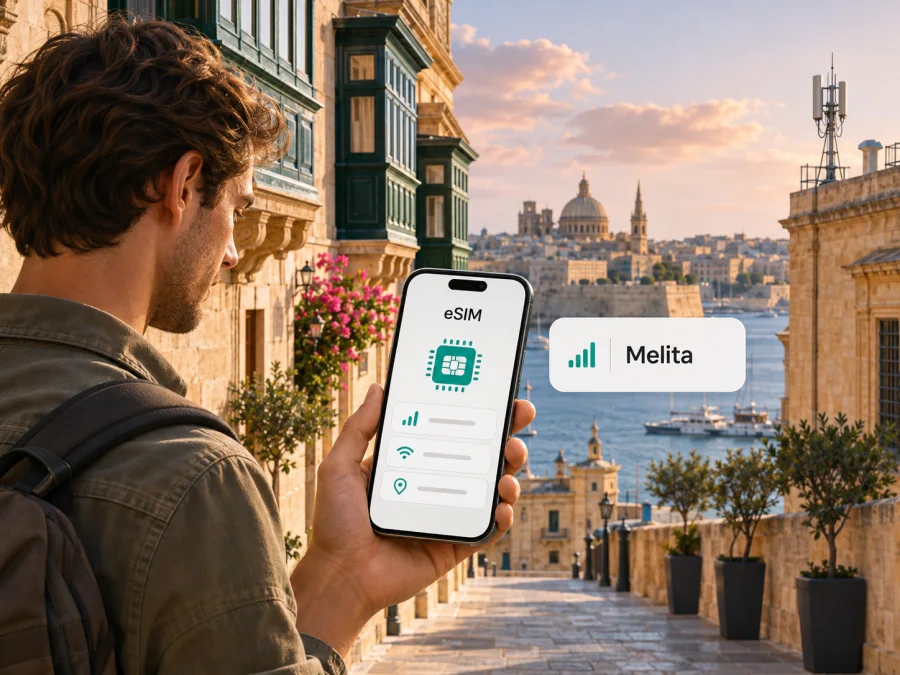
Melita eSIM in Malta: setup, compatibility and travel checks
If you are travelling to Malta and searching for a Melita eSIM, first decide whether you need a local Melita mobile service or a separate travel eSIM for mobile data. Melita’s current public eSIM information describes eSIM as an option for its mobile services, including prepaid and postpaid service. Its Help Centre also documents a Traveller eSIM, a separate travel-data use case. The two should not be treated as interchangeable: a local Melita profile is tied to Melita mobile service, while a travel eSIM may have different eligibility, destinations and activation conditions.
The official Melita eSIM page and Help Centre were checked on 3 November 2026. They confirm eSIM availability for compatible devices and describe activation by QR code or link. They also explain that changing an existing physical SIM can interrupt service until the replacement eSIM is activated. Before ordering or switching, confirm which process applies to your line and device. This guide covers the checks that help you avoid losing access while preparing for a trip.
Melita and mobile service in Malta
Melita is a mobile communications provider in Malta. The Malta Communications Authority (MCA), the national communications regulator, includes Melita among the networks covered by its independent mobile quality-of-service benchmarking. The MCA’s 2025 benchmarking page says measurements were carried out in December 2025 across Malta and Gozo, and reports robust nationwide 4G coverage across operators. It also notes that 5G deployment was lower in Gozo and western areas during the measured period. These are market-wide observations, not a Melita-only result or a guarantee for a specific address. (MCA, “A Measure of Performance – Mobile QoS Benchmarking 2025,” checked 3 November 2026.)
Melita’s 5G information identifies Bands 1 and 78 for its network. The operator advises customers to check handset band support and notes that a manufacturer may need to enable 5G for Malta on a particular device. Actual service depends on the location, handset, local conditions and network availability. A 5G-capable phone therefore does not guarantee a 5G connection everywhere. (Melita, “Discover 5G Mobile Network” and “Melita 5G: Reliable Technology with Safe Emissions,” checked 3 November 2026.)
For a traveller, check service at the places you plan to visit rather than infer it from a general network label. Valletta streets, indoor spaces, coastal locations and Gozo may have different radio conditions. Buildings, congestion and the phone’s supported bands can affect the connection. The MCA likewise explains that mobile performance depends on location and shared network capacity. Coverage information is useful for planning, but it cannot promise a particular speed or uninterrupted service.
Does Melita support eSIM in Malta?
Yes. Melita’s eSIM page says customers can choose eSIM when getting a new mobile service or use it with an existing Melita mobile plan. It describes availability for both postpaid and prepaid service in general terms. This confirms that Melita eSIM is part of its current local mobile offer; it does not mean every customer, device, service or purchase channel has identical terms. Confirm the current conditions with Melita before requesting activation. (Melita, “eSIM,” checked 3 November 2026.)
Melita’s Help Centre separately lists a Traveller eSIM prepaid offer. Its travel guidance recommends installing the profile before a trip while connected to Wi-Fi or a main SIM, then leaving it off until reaching the destination. Another help page says the data bundle starts when the Traveller eSIM connects to a network in a supported country. The Help Centre says its supported-country list may change, so verify the current destination list and terms before relying on the service. (Melita Help Centre, “Traveller eSIM Prepaid Offer: What You Need to Know” and “Useful information on Traveller eSIM,” checked 3 November 2026.)
A visitor arriving from abroad may be asking about a new local prepaid line, the Traveller eSIM, or simply a data-only travel eSIM. These routes may have different account, identity, purchase and activation requirements. Melita’s public pages confirm the eSIM options in general, but do not establish that every visitor can activate each one in the same way. Ask Melita which option applies to your situation, especially if you need a local number, voice calls or SMS as well as data.
Local Melita eSIM or travel eSIM?
A local Melita eSIM is a digital SIM profile for Melita mobile service. It may suit someone who needs a local operator relationship; Melita says eSIM is available with its mobile services, including prepaid and postpaid service. Its Traveller eSIM is presented separately in the Help Centre for travel data and has its own destination and activation information.
A travel eSIM selected through Kaspersky eSIM Store is another distinct option. Kaspersky eSIM Store is an app and website that helps users select, arrange and activate an eSIM with a plan for mobile data on an international trip. It is not a mobile operator, network owner or provider of mobile coverage. A travel data eSIM may be useful when you want to arrange data for a trip while keeping your normal SIM available for its usual role, subject to your device and home-provider settings.
| Your situation | What to confirm |
|---|---|
| Existing Melita customer | Whether your current service can be changed to eSIM and what happens to the physical SIM. |
| Visitor seeking a local line | Eligibility, account or identity steps, and how the eSIM is delivered. |
| Traveller eSIM | Current destination availability, installation steps and service conditions. |
| Travel data through Kaspersky eSIM Store | Device compatibility, destination availability and the conditions shown for the selected option. |
This is a comparison of use cases, not a claim that one network is better or one option costs less. The right fit depends on whether you need a Maltese number, travel data, or both. Check any roaming access already included with your usual service as well.
How Melita eSIM activation works
Melita describes requesting an eSIM and receiving an email with a QR code and a link. Its Help Centre says an existing customer can log in to MyMelita, open “My Services” and select the phone number to switch to eSIM. The precise steps depend on whether you are activating a new local service, replacing a physical SIM or setting up the Traveller eSIM. Follow the instructions for the specific service requested. (Melita, “eSIM” and “eSIM Frequently Asked Questions,” checked 3 November 2026.)
Pay particular attention when replacing an existing physical SIM. Melita says the physical SIM is deactivated during the change, which can cut off connectivity until the new eSIM is active; it also says the old SIM cannot be reactivated or reused. Start only when you have reliable Wi-Fi or another working connection. Keep the phone powered and available, and do not discard the old SIM until the eSIM is working and you have followed Melita’s instructions.
Before you request or install an eSIM
- Check eSIM support. Look in your device’s SIM or mobile settings for an option to add an eSIM or mobile plan. Verify the manufacturer’s specifications for the exact model and sales region; devices in one product family can differ by market.
- Check the device lock. If the phone is carrier-locked, confirm with the company that locked it that another profile can be used. eSIM hardware support alone does not guarantee that the phone can use another provider.
- Confirm which service you want. Ask whether you are replacing a physical SIM, opening a new local service or using Melita’s Traveller eSIM. Do not assume the same eligibility and account steps apply to all options.
- Keep internet available. Melita advises customers switching from physical SIM to eSIM to have Wi-Fi or another connection during the process, because the old SIM can be deactivated before the new one is active.
- Use your own activation material. Scan the QR code or open the link issued for your request. Avoid codes issued to someone else or attempts to reuse a code that has already been activated.
- Choose the device you will keep using. Melita says its activation code or link is single-use and its eSIM is for one device. Its Traveller eSIM guidance also says an activated profile cannot be moved to a different phone. Ask about replacement steps if you expect to change devices.
Once you receive the instructions, add the mobile plan in your phone’s settings and follow the prompts. The menu names vary by device and operating-system version. Wait for confirmation before selecting the eSIM for mobile data. If the QR code is displayed on the same phone, use the link if Melita supplied one and says it applies to your service. If installation fails, contact the operator before deleting the profile or resetting network settings.
Setting up for a trip
For Melita’s Traveller eSIM, the Help Centre recommends installing before travel while using Wi-Fi or your main SIM, and leaving the profile switched off until arrival. It says the bundle starts when the profile connects to a network in a supported country. Do not automatically apply these steps to a local Melita line or another provider’s travel eSIM; check that service’s own activation instructions. (Melita Help Centre, “Traveller eSIM Prepaid Offer: What You Need to Know” and “Useful information on Traveller eSIM,” checked 3 November 2026.)
On arrival, select the profile for mobile data only if that is your intention. Keep your primary line configured for calls, messages or account verification as needed, and check roaming settings with your home provider. Some travel eSIMs require data roaming to be enabled, while roaming settings on another line may have billing implications. Follow the instructions for each profile and confirm which SIM is selected for data before opening apps.
Switching a Melita physical SIM to eSIM is not the same as adding an independent travel data profile. If you want your usual number available while travelling, ask Melita whether the replacement changes how that number works and check whether your phone supports using a second profile. Some devices can store several profiles but allow fewer to be active at once; the exact limit depends on the model and regional variant.
Coverage and device compatibility
Malta’s small geographic size does not mean every phone receives the same service everywhere. The MCA’s 2025 benchmark provides a market-wide snapshot: it reports robust nationwide 4G coverage across measured operators and lower 5G deployment in Gozo and western areas during the December 2025 measurements. This is not a live checker for an address and may not describe later network changes. (MCA, “A Measure of Performance – Mobile QoS Benchmarking 2025,” checked 3 November 2026.)
Melita identifies Bands 1 and 78 for its 5G network. To use 5G, a handset must support the relevant bands and have the feature enabled for that device and market. Melita notes that the manufacturer may need to enable 5G for Malta. If a compatible eSIM is active but the phone does not show 5G, that does not by itself mean the profile failed; the phone may be using another available technology, or location and settings may affect the connection. (Melita, “Discover 5G Mobile Network,” checked 3 November 2026.)
Before selecting a Melita eSIM, confirm:
- the exact device model code and its region of sale;
- eSIM support in the manufacturer’s specifications and mobile settings;
- that the device is not restricted from using the intended service;
- current software and any market-specific eSIM or 5G limitations;
- how many eSIMs the phone can store and use at the same time;
- whether you need a local number, calls, SMS, roaming, mobile data or only trip data;
- whether the service covers every country on your itinerary.
For a quick check, use the device compatibility checker. For device-specific issues, consult the manufacturer’s instructions and Melita’s current Help Centre. The exact model and market of sale matter when a manufacturer uses the same family name for different variants.
When a travel eSIM may be a better fit
A travel eSIM may suit you if you want to arrange mobile data before arriving, avoid a physical SIM exchange or keep your usual SIM available in a second slot or profile. Check destination coverage and the service conditions for the chosen eSIM. It is not automatically a substitute for a local operator service if you need a Maltese number, standard calls or SMS.
Kaspersky eSIM Store is an app and website where you can select, arrange and activate an eSIM with a plan for mobile data on an international trip. You can review the Malta destination and the options currently shown there. This destination page is for travel eSIM selection; it is not a Melita tariff page or confirmation of a particular Melita service. Browse the Malta destination in Kaspersky eSIM Store. (Kaspersky eSIM Store, Malta destination page, checked 3 November 2026.)
Before selecting any travel eSIM, check compatibility, destination availability, activation and validity conditions shown at selection, and any features you need such as tethering. A travel data eSIM should not be assumed to include a traditional phone number, SMS or ordinary voice service unless the selected option expressly says so. Internet messaging and calling apps use data but do not create a local number.
A local Melita service may suit someone who needs a local mobile relationship or the features of a regular mobile line. A travel data eSIM may be convenient when the main need is trip data arranged digitally. Check any roaming included with your existing service, too. No option is best for every traveller, and do not assume relative cost or network quality without reviewing current information for the specific service.
Frequently asked questions
Can I get a Melita eSIM in Malta?
Yes. Melita currently describes eSIM with its mobile services, including prepaid and postpaid service, and separately documents a Traveller eSIM. Confirm which service suits you and check current eligibility and terms before ordering.
Can I use a Melita eSIM as a tourist?
The available route depends on whether you want a new local service or the Traveller eSIM. Melita’s public pages confirm these options in general, but ask which purchase and account steps apply to your circumstances.
Can I install the Traveller eSIM before arrival?
Melita’s Traveller eSIM guidance says to install before travel using Wi-Fi or a main SIM, then keep it switched off until arrival. The bundle starts when it connects in a supported country. Check the latest instructions for that service.
Does a travel eSIM provide a Maltese phone number?
Do not assume that it does. A travel data eSIM selected through Kaspersky eSIM Store is intended for mobile data; voice, SMS and a conventional number depend on the features stated for the selected option.
Will 5G work everywhere in Malta?
No general 5G statement guarantees service at every location. Melita identifies Bands 1 and 78 and says device support and manufacturer enablement matter. The MCA’s 2025 benchmark noted lower 5G deployment in Gozo and western areas during its measurement period. Check current local coverage and device support for your route.
Pre-trip checklist
- Decide whether you need local Melita service, its Traveller eSIM or a travel data eSIM.
- Confirm eligibility, supported destinations and activation steps with the relevant provider.
- Check eSIM support and lock status for your exact device variant.
- Keep internet access available when installing the profile, especially when replacing a physical SIM.
- Confirm which profile handles data, calls and messages before leaving.
Melita’s eSIM offering provides a digital option for local mobile service in Malta, while its Traveller eSIM is a separately documented travel-data use case. Verify the relevant route, device compatibility and activation conditions before departure. If you prefer to arrange trip data through a travel eSIM, Kaspersky eSIM Store can help you review the Malta destination and current options: see the Malta destination.
Melita and Kaspersky eSIM Store are separate services. Kaspersky eSIM Store is not affiliated with Melita and does not own Melita’s network or provide mobile coverage. Availability, procedures, device support and network conditions can change; confirm current details with the relevant provider before relying on them during travel.


