Travel connectivity guide
Meneng eSIM: Internet and Mobile Connection in Nauru
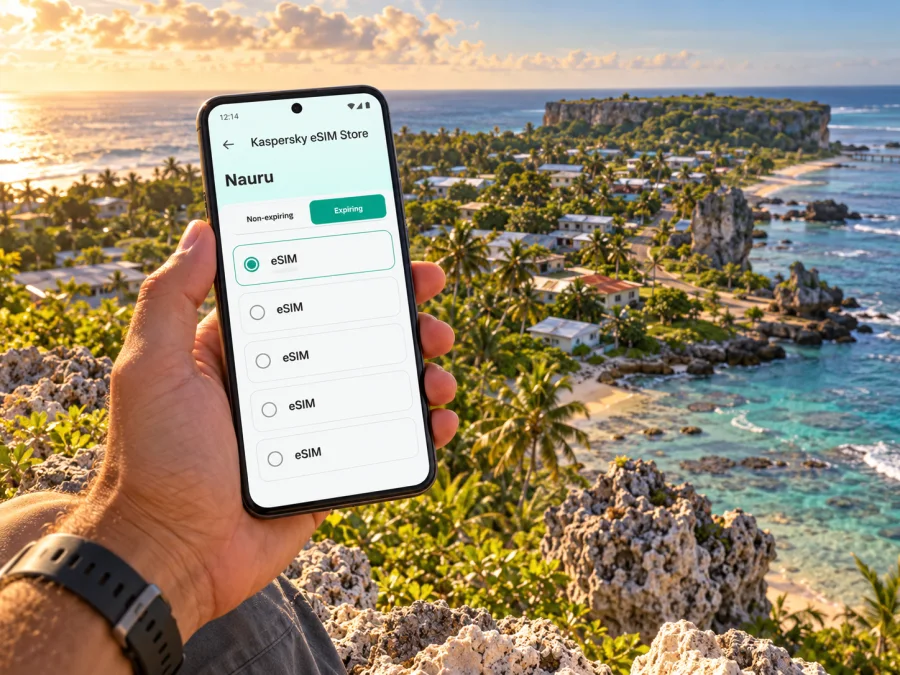
Meneng eSIM: Mobile Connection and Internet in Nauru
Meneng is a district of Nauru, not a city in the usual sense. If your itinerary names Meneng, plan for a stay or visit within this part of the island and confirm the precise address with your host. A travel eSIM can help you use maps, messages, bookings and online information without changing the physical SIM in your phone, provided the selected plan supports Nauru and your device is compatible.
This guide focuses on practical mobile data planning for Meneng: arriving on Nauru, reaching your accommodation, moving around the district and island, and checking what an eSIM can and cannot do. Digicel Nauru publishes information about its local eSIM service, but that does not show which network a separate international travel eSIM uses. Check the destination and network details for the specific plan before buying.
What to know about Meneng before you travel
Official Nauruan material identifies Meneng as a district and also as a parliamentary constituency. It should not be treated as a separate city with its own airport or a guaranteed set of visitor services. The distinction matters when you enter a place name into a map, ask for a transfer, or arrange a meeting: provide the district and a specific landmark, property name or local contact whenever possible.
A public travel guide lists Meneng Headland among Nauru’s points of interest. That listing is a useful starting point for trip planning, but it does not settle current access, road conditions, opening arrangements or whether a particular viewpoint is suitable to visit. Confirm directions and access with a local host before setting out. Do not assume that a pin alone describes a managed visitor site.
A useful planning distinction
| Question | Practical answer |
|---|---|
| Is Meneng a city? | Official material treats Meneng as a district of Nauru. Use the exact accommodation or meeting address as well. |
| Is there an airport in Meneng? | Do not plan on one. Confirm your arrival airport and transfer separately; Nauru’s international flights use Nauru International Airport. |
| Does an eSIM plan for Nauru automatically work in Meneng? | No plan should be assumed to work without checking its listed destination, network, device requirements and terms. |
| Does an eSIM provide ordinary calls and texts? | A travel data eSIM may be data-only. Check its terms; keep your usual number available if you need conventional calls or SMS. |
When mobile data helps in Meneng
At arrival, mobile data can help you confirm a pickup, message your host, retrieve a booking or check a saved location. During your stay, it can support maps, messages, translation, reservations and work coordination, subject to the selected plan and the local network available where you are.
Use maps as an aid rather than a guarantee. Save an offline map, your accommodation address and a local contact number. For unfamiliar lanes or coastal access points, verify directions with a local person before setting out.
- Arrival: message your contact once connected and follow the transfer plan arranged in advance.
- Finding a property: check both the location pin and written directions with your host.
- Day trips: save the destination and return plan offline, and confirm access before travelling.
- Remote work: ask about accommodation Wi‑Fi and estimate data needs for calls or file uploads.
Arriving in Nauru and continuing to Meneng
Nauru International Airport is the entry point for scheduled international air travel. Nauru Airlines publishes changing flight schedules and cautions that published times are a guide; check your booking and current airline notices close to departure. From the airport, your next step is a locally arranged transfer to Meneng or another district. Agree on the pickup point, approximate arrival time and a backup way to contact your host before the flight.
Do not assume that ride-hailing apps, frequent public transport, a taxi rank or an airport SIM counter will be available when you land. The safest practical approach is to ask your accommodation or local contact what transport they can arrange and what payment or timing details to confirm. If you are meeting someone, exchange a clear landmark and a phone number before travel rather than relying only on a live map pin.
If you want data soon after landing, install the eSIM beforehand while connected to reliable internet, if the plan allows it. Validity may start at different points, so check activation terms first. If installing after arrival, keep the QR code or details accessible and remember that setup needs an internet connection.
Arrival checklist
- Save the accommodation address, map pin and host’s contact details offline.
- Confirm the airport pickup point and what to do if your flight changes.
- Check the current airline schedule and notices before departure.
- Install the eSIM early only if the plan’s instructions and validity rules permit it.
- Keep a fallback for essential details if your phone battery runs low or data is unavailable.
Moving around the district and the island
Meneng is part of a small island setting rather than a large urban grid. A route may depend more on a known local destination and a pre-arranged ride than on choosing among many transit lines. Maps can help you orient yourself, but ask locally about entrances, road access, timing and whether a place is suitable to visit.
For a short trip, share both a map pin and a plain-language destination name. Save any directions from your driver or host in a message so they remain available offline. Before heading to a headland or shoreline, confirm access and local conditions; a short line on a map does not necessarily indicate a suitable walking route.
For an island-wide outing, confirm the return plan, timing and how to reach your contact if arrangements change. Do not assume transport or mobile signal will be available at each stop. Carry water, sun protection and a charged phone, especially when travelling away from your accommodation.
Choosing a travel eSIM for Meneng
A city name is not always a separate product destination. For Meneng, look for a plan explicitly listed for Nauru or for a region that clearly includes Nauru. The Nauru destination address currently opens the English Kaspersky eSIM Store homepage. Use it to browse current options and check whether Nauru is listed; this does not confirm a Nauru tariff or a specific local network.
Before paying, read the plan information in full. Confirm the destination, data amount, validity period, activation rules and any stated network or device restrictions. A regional plan can include multiple places, but its name alone does not prove that it covers every stop on your route. If Nauru is not explicitly included or the network details are unclear, pause and ask the store’s support team or choose a connectivity option whose terms clearly match your itinerary.
Browse current destination options and check whether Nauru is listed
Kaspersky eSIM Store is an app and website that helps travellers choose, purchase and activate an eSIM with a suitable plan for mobile data abroad. Connectivity depends on the plan’s provider, supported local network and location, so confirm those details before relying on the eSIM.
Match the plan to your trip
| Your likely use | What to consider before choosing |
|---|---|
| Maps, messaging and occasional searches | Estimate how often you will use data away from Wi‑Fi and select an allowance that leaves room for updates. |
| Video calls or remote work | Check whether your accommodation has reliable Wi‑Fi first; video can use data quickly, and mobile performance depends on local conditions. |
| A short visit with a fixed schedule | Compare validity against your arrival and departure dates, including the plan’s stated activation point. |
| Stops elsewhere in the Pacific | Confirm that every intended country is included. A Nauru destination plan may not cover neighbouring islands. |
| Keeping your home number | Check dual-SIM settings and which line handles data, calls and messages. Your home operator may charge roaming fees if its line uses mobile data. |
Estimate data by activity rather than choosing an arbitrary amount. Messaging and map searches generally use less than repeated photo uploads, streaming or video calls. Review recent phone usage if available, add a margin for changes, and use the plan’s stated allowance and validity as the deciding terms.
Check your phone before buying
An eSIM plan can only be installed if the device supports eSIM and is not restricted by a carrier lock or other limitation. The exact model name may not be enough: support can differ by regional variant, the market where the phone was sold, software version and carrier. Do not rely on a generic list of popular models to settle the question for your particular handset.
Check whether your device supports eSIM
You can also look in your phone’s cellular or SIM settings for an option to add an eSIM or mobile plan. If the option is missing, ask the device manufacturer or seller to confirm support for the exact model and region. Check that your phone is unlocked before travel if you intend to add a plan from another provider. A compatible device still does not confirm that a particular travel plan supports Nauru; verify both separately.
Installing and using the eSIM
Follow the instructions supplied with the plan, because the menu names and activation flow vary by device. Keep a stable internet connection available during installation and do not delete a profile simply because it has not connected yet. The QR code or activation details may be single-use, and reinstallation rules depend on the plan.
- Check the plan details. Confirm Nauru is included, review validity and activation timing, and make sure the data allowance fits your expected use.
- Install the profile. Use the app’s on-screen flow or scan the supplied QR code while connected to Wi‑Fi or another working internet connection.
- Label the line. Give the new profile a clear name such as “Travel data” so you can distinguish it from your regular SIM.
- Choose the data line. In mobile settings, select the travel eSIM for mobile data if the plan is active and the instructions say to do so.
- Set roaming only as instructed. Some travel eSIMs require data roaming to be enabled on that eSIM. Check the plan instructions; do not turn on data roaming for your home SIM unless you intend to use its roaming service.
- Test essential tasks. Once connected, try a basic web page or message. If there is no service, check the selected line, plan destination, network selection instructions and data settings before changing multiple settings at once.
For platform-specific steps, use the Android eSIM installation instructions or the iPhone eSIM installation instructions. The interface may differ by operating-system version, so follow the current prompts shown on your phone.
What to do if mobile data does not connect
Check that the eSIM profile is installed and switched on, mobile data is assigned to the correct line, and the plan includes Nauru and is active. Follow its instructions for data roaming or manual network selection. Restarting the phone can help it register again, but do not delete the eSIM or reset settings until you know the reinstallation rules.
If there is no signal, try again from a safe place and use accommodation Wi‑Fi or another trusted connection for troubleshooting. Coverage can vary by network, location and conditions. Keep a written address, offline map and saved contact as fallbacks, and share your device model and troubleshooting steps if you contact support.
Short visits and longer stays
For work, download meeting details before leaving accommodation and check whether your expected calls or uploads fit the plan’s allowance. For a longer stay, monitor remaining data and expiry, and review top-up rules before you need more. For a brief stop, prioritize the transfer contact, destination, return plan and enough data for essential messages. In every case, use the plan’s activation terms to decide when to install or start it.
Frequently asked questions
Is Meneng a city in Nauru?
No. Official Nauruan material identifies Meneng as a district and constituency. Use “Meneng” as the requested destination name, but give a precise address or landmark when arranging transport or navigation.
Will any travel eSIM work in Meneng?
Not necessarily. A plan must include Nauru and support a local partner network available to that plan. Check its destination and network details before purchase; availability at a specific property cannot be guaranteed from the place name alone.
Should I install the eSIM before the flight?
Often it is convenient to install before departure while you have reliable internet, but first check when the plan’s validity begins and whether early installation affects it. Keep the QR code and instructions accessible until setup is complete.
Prepare before you go
For a smooth visit to Meneng, combine digital preparation with local confirmation. Know your exact destination, arrange the airport transfer, save contact details offline and check the current flight information. Then verify that your phone accepts eSIM, that the selected plan explicitly includes Nauru, and that its validity and network terms fit your dates. Treat data as a useful travel tool with a fallback plan, not as a promise of uninterrupted coverage.
When you are ready, open the Kaspersky eSIM Store homepage to browse current options and confirm whether Nauru is available for your travel dates. Review the plan terms before choosing, then install the eSIM on a compatible, unlocked device according to the supplied instructions.


