Travel connectivity guide
MEO eSIM in Portugal: connection guide
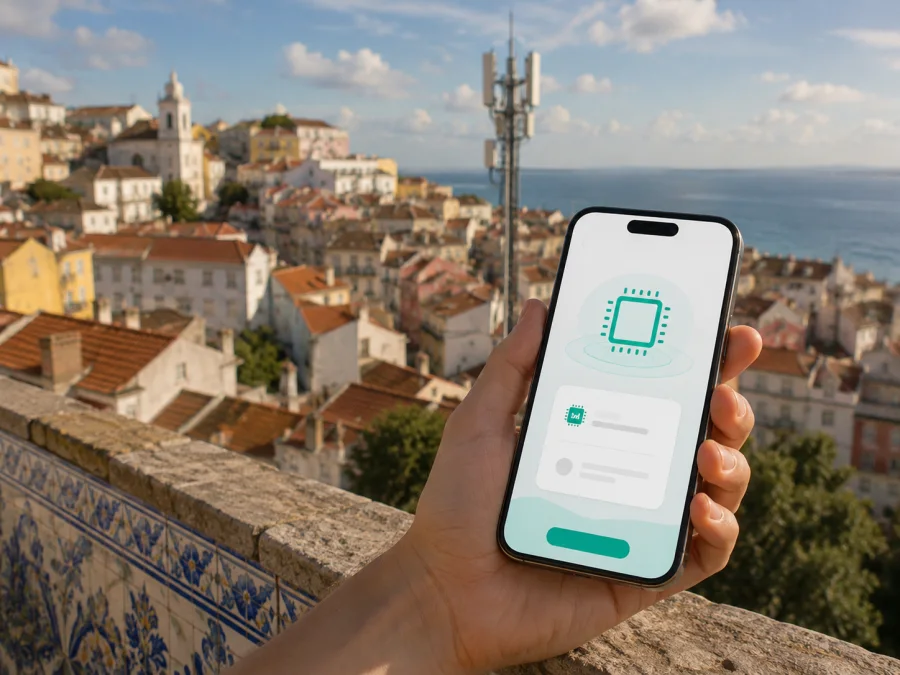
MEO eSIM in Portugal: connection and travel guide
If you are planning a trip to Portugal, an eSIM can keep mobile data separate from your regular SIM and remove the need to handle a physical card. MEO is an established Portuguese communications operator with mobile and customer-support services. Its current public pages describe eSIM for MEO mobile service and also show prepaid and travel-oriented ways to connect. This guide covers setup and travel alternatives.
MEO and the MEO name belong to their respective rights holder. Kaspersky eSIM Store is not affiliated with MEO and is not its official partner or distributor. The services must be understood separately: MEO operates its own Portuguese mobile service, while Kaspersky eSIM Store is an app and website that helps travellers choose, arrange and activate an eSIM for mobile internet abroad.
Quick answer: is MEO eSIM available in Portugal?
Yes. MEO’s current English eSIM page confirms digital-SIM use for MEO mobile service in Portugal. It directs customers to check compatibility, request eSIM through my MEO and install it from a QR code sent by email. The Help eSIM section also points to the website, customer area, stores and support channels. These pages were checked on 4 September 2026.
The route can differ for a visitor, new customer or existing customer. Check the exact phone model, sales region, unlock status and current instructions. MEO also publishes a travel-oriented eSIM page describing a prepaid online flow and QR-code setup; confirm current eligibility and conditions during the order.
MEO in the Portuguese mobile market
MEO’s current “Services” page presents it as a national communications operator with mobile, prepaid, eSIM, roaming and my MEO services. Residents may want a local number or SIM replacement; visitors may focus on data for maps and messaging. The page was checked on 4 September 2026.
What MEO eSIM means for travel
An eSIM is a digital SIM profile installed in the phone rather than a removable card. MEO’s public guidance says that a compatible device may hold more than one mobile identity, so a physical SIM and an eSIM can coexist when the hardware and settings support dual-SIM use. You could keep your home line available for important calls while selecting the MEO profile for data. Exact behaviour depends on the phone and its system version.
Two routes should be distinguished. An existing customer can replace a physical SIM through a documented MEO request, QR code and installation process. A new customer or visitor may use a prepaid or travel-oriented route, but registration, eligibility and activation must be confirmed in the current order. Some travellers need a Portuguese mobile identity; others only need data and want to leave their home SIM untouched. A data-focused travel eSIM generally does not add a regular telephone number.
Prepaid and tourist access: what to check
MEO’s current prepaid mobile page confirms prepaid service in Portugal and shows eSIM purchase paths. Its travel-oriented eSIM page confirms a visitor-focused digital-SIM journey. These pages establish general availability, not universal eligibility or one fixed setup. Both were checked on 4 September 2026.
Before ordering, check who may use the route, whether identification or another registration step is required, how the QR code is delivered, whether installation can be completed before travel, which line should carry data, whether the service fits a multi-country route, and how MEO handles a failed installation or change of phone.
“Prepaid” describes the account model; it does not by itself prove tourist suitability. Registration, destination, device support and activation rules still matter.
Local MEO eSIM or a travel eSIM?
The central difference is the service relationship. A local MEO eSIM follows MEO’s Portuguese mobile-service and support processes. A travel eSIM follows a separate service’s order, app or website and activation process. It should not be described as MEO service unless the product explicitly identifies MEO as the provider.
| Question | Local MEO eSIM | Travel eSIM service |
|---|---|---|
| Main purpose | MEO mobile service in Portugal | Mobile data prepared for an international trip |
| Account route | MEO customer or visitor journey | Travel service account and instructions |
| Number and calling | Depends on the MEO service selected | Usually data-focused; check the current terms |
| Installation | MEO profile, QR code or supported transfer | Digital profile and service instructions |
| First check | Eligibility and MEO compatibility information | Destination and device compatibility |
This is a non-tariff reference table; offer-level details are omitted and may change.
Choosing a route for your trip
Need a Portuguese number, local voice service or a direct MEO account? Investigate MEO first. Need only data while keeping the home SIM unchanged? A travel eSIM may reduce steps at the airport. For a multi-country itinerary, check geographic scope. Separate installation from activation: a profile may be installed at home over Wi-Fi but still need to be selected for data after arrival. Keep the order email and QR code accessible, test the intended line, and contact the issuing service if it fails.
If a separate travel route suits your needs, you can choose an eSIM plan for Portugal through Kaspersky eSIM Store. This is a separate travel-service link, not a MEO purchase link.
Device compatibility comes first
An eSIM is not supported by every handset. MEO’s English eSIM page directs users to compatible-device information, and its Help eSIM content explains that support depends on the device. Regional versions of one model may differ, and a phone purchased through another operator may be locked.
Before ordering, confirm eSIM support for the exact model and sales region, check that the phone is unlocked, install available system updates, charge the phone, keep enough storage and prepare Wi-Fi for setup. Confirm that the home SIM and new profile can coexist if you need dual-line use.
Open the mobile-network settings and look for “Add eSIM” or “Add mobile plan”. If that option is absent, ask the manufacturer or operator before purchase. MEO’s help content also notes that several stored profiles can cause some profiles to become inactive while another is in use. This is a device-management issue, not proof that MEO service is unavailable. Label profiles clearly and review the mobile-network menu before departure.
Installing a MEO eSIM
The labels vary on iPhone, iPad and Android, but the general sequence is similar. MEO says that an existing customer can request eSIM through my MEO and receive a QR code by email. Its installation guidance says to have internet access and use the phone’s eSIM menu to scan the code.
Confirm that the order is complete and display the QR code on another screen where possible. Do not remove the physical SIM until you know whether the new profile replaces it.
On iPhone or iPad, open Settings > Mobile Service or Cellular > Add eSIM > QR code, scan the code and follow the prompts. On Android, open Settings > Connections or Network and Internet > SIM Manager, choose Add eSIM, scan the code and complete the prompts. MEO’s public instructions use these paths, but labels vary by manufacturer.
Turn on the profile and select it for mobile data. Enable roaming for that profile only when the current MEO travel instructions require it, while keeping the home line under control. Connection may take several minutes. If setup fails, check internet access, battery and profile capacity before contacting MEO.
Activation and first connection in Portugal
Installing a profile places it on the device; network registration can depend on the service and destination. For an MEO travel-oriented eSIM, follow the activation timing shown in the current order. For a replacement of an existing MEO SIM, follow the customer-area and email instructions. These workflows should not be mixed.
On arrival in Portugal, turn on the intended profile, select it for mobile data, enable roaming for that profile only when instructed, leave automatic network selection on, wait a few minutes and test a webpage or internet message. Review automatic data switching so the phone does not silently change lines. A data-only travel eSIM does not create a regular phone number; calls and SMS follow the line and service selected.
MEO technologies and coverage in Portugal
MEO’s current coverage page provides a map and says that mobile coverage extends across northern and southern Portugal, inland and coastal areas, and the islands. It notes that access depends on the device and local coverage, and cautions about intensive use in 2G-only areas.
MEO’s 5G page says that 5G requires a compatible device and local 5G coverage and discusses Portugal, Madeira and the Azores. Its current results reporting also refers to 4G and 5G population coverage. These pages support a careful description of 2G, 4G and 5G availability, not a promise of identical service in every building, tunnel, valley or road. Check the map for important locations and save essential directions offline.
The named sources are MEO’s “Mobile Internet Coverage” page, “MEO 5G” page and current results information, checked on 4 September 2026.
Kaspersky eSIM Store as a travel alternative
Kaspersky eSIM Store is a separate application and website for choosing, arranging and activating an eSIM with a plan for mobile internet during an overseas trip. It is not a mobile operator, does not own MEO’s network and does not provide MEO coverage. Its role is to help with destination selection, ordering, installation and profile management.
The current Help Center says that an online purchase appears in the user profile and that a confirmation email includes a QR code. Its iOS and Android instructions say to add the profile through device settings, select it for data and enable roaming when required; connection may take several minutes. The Portugal page describes a prepaid, data-focused flow without a regular phone number for ordinary calls and texts. These pages were checked on 4 September 2026. MEO questions belong with MEO; travel-profile questions belong with Kaspersky eSIM Store support.
Pre-travel checklist
- Confirm the exact phone model supports eSIM and is unlocked.
- Charge the phone, update its system and prepare Wi-Fi for setup.
- Keep the order email and QR code accessible.
- Decide which line handles calls, messages and mobile data.
- Check MEO coverage for key locations and save essential information offline.
- Read current activation instructions and save the relevant support route.
Do not remove your home SIM until you know that important messages can still reach you. Do not enable roaming on every line at once. Do not assume that a QR code can be moved freely between phones after first use. If you change devices, follow the current MEO or travel-service instructions and ask support before deleting a working profile.
Frequently asked questions
Can I get a MEO eSIM in Portugal?
Yes. MEO’s current public eSIM information confirms availability for MEO mobile service in Portugal, and its prepaid and travel pages show eSIM routes. Eligibility and registration depend on the selected route.
Can I install it before arrival?
Often, when you have internet access and the instructions allow it. Activation and network registration may depend on the service and destination, and installation does not automatically select the profile for data.
Does it work on every phone?
No. The exact model must support eSIM and must not be blocked from using the intended service. Check device, software and sales-region compatibility before ordering.
Is data roaming required?
Sometimes. MEO’s travel-oriented instructions say to select the eSIM for mobile data and enable roaming for that profile. Keep the home line under control.
Does a travel eSIM replace my number?
Usually not. Kaspersky eSIM Store describes its travel eSIM as data-focused and without a regular number for ordinary calls and texts. Keep the home line when number-based communication matters.
What if it does not connect?
Check the profile, data line, roaming, APN guidance and local coverage, then wait several minutes. Contact MEO for a MEO profile or Kaspersky eSIM Store support for a profile arranged through that service. MEO’s public 5G information includes Madeira and the Azores, but the specific location still needs checking.
Final guidance
MEO eSIM in Portugal is a confirmed option, but availability is only the starting point. Confirm your exact device, unlock status, customer route, registration requirements, installation method and intended data line. MEO’s official pages support eSIM, prepaid access, travel-oriented eSIM, QR-code installation, 5G service and location-dependent coverage; they do not support a promise of identical performance everywhere or one setup path for every visitor.
Choose local MEO eSIM when a Portuguese operator relationship fits your trip. Consider a separate travel eSIM when you prefer a data-focused, pre-arranged workflow. Keep home-line settings under control, save activation information and read current conditions because registration, device support and coverage information can change.
For a data-focused travel setup, choose an eSIM plan for Portugal through Kaspersky eSIM Store and check compatibility before installation. Kaspersky eSIM Store is not affiliated with MEO, is not MEO’s official partner or distributor, and does not operate or own MEO’s Portuguese mobile network.
Verification note: the named public MEO and Kaspersky eSIM Store pages were checked on 4 September 2026. Verify current details before purchase or travel.


