Travel connectivity guide
Merida eSIM: mobile internet for your trip
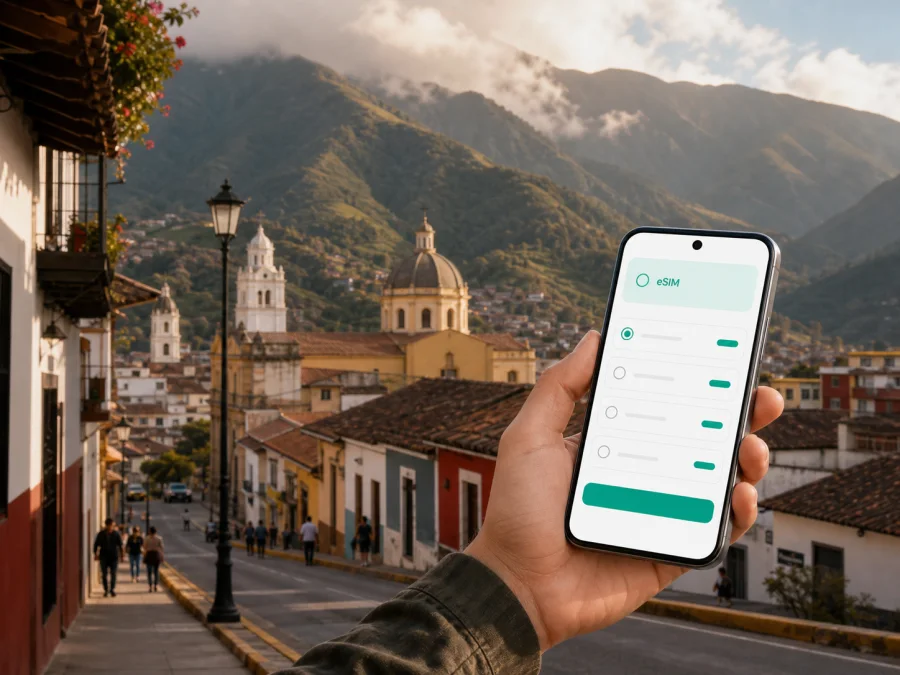
Merida eSIM: mobile connection and internet for your trip to Venezuela
Merida is a highland city in the Venezuelan Andes where a reliable mobile connection helps with more than sightseeing. You may need internet to coordinate a transfer, open a map, message a host, confirm a meeting, or change your route. An eSIM, or digital SIM card, can prepare mobile data without replacing your physical SIM.
Kaspersky eSIM Store is an app and website where you can choose, arrange, and activate an eSIM with a suitable tariff for mobile internet abroad. For Merida, consider your stay length, movement around the city and Andes, and whether you need data for maps and messages or also for work and video calls.
Why mobile internet matters in Merida
Merida rewards flexible plans. A day can include a walk through the central streets, a meeting in a different part of the city, a ride toward a trail or viewpoint, and a return after dark. These movements make it useful to have maps, transport details, reservations, and messaging available while you are away from hotel Wi-Fi.
Your connection can support several small but important tasks:
- checking the route from an arrival point to a hotel;
- sharing your location when meeting a guide, colleague, or friend;
- translating a menu, address, or message when needed;
- confirming accommodation details and contacting the reception desk;
- ordering or coordinating a ride where that option is available;
- using navigation when a planned walk changes because of weather or timing;
- joining a work call or sending files during a business trip;
- keeping family informed without searching for a café or public hotspot.
Merida’s valley setting, slopes, changing weather, and dispersed points of interest mean that a route is not always as simple as it looks on a screen. Mobile internet helps you adjust as the day develops.
Arriving in Merida: prepare the first hour
Arrival planning deserves its own data allowance. Travelers may use different routes depending on their itinerary and current schedules. Alberto Carnevalli Airport is associated with the city, while El Vigía is another option for reaching the Mérida area. The best choice depends on the route and ground transfer, so confirm details before departure.
Whatever route you take, save the hotel address as text and as a map pin before leaving the terminal or transfer point. Keep the accommodation contact and agree on a landmark plus a backup meeting point if someone is meeting you.
An eSIM can be installed before the journey or after arrival, depending on the tariff conditions. Installing in advance is calmer; waiting may suit you if you want the profile unused until the trip begins. Read when validity and data usage start for the selected offer.
Moving around the city: maps, rides, and changing plans
Merida’s urban experience changes from one street and district to the next. A route that seems short on a map may involve a slope, a busy junction, or a change between walking and a vehicle. Keep the destination name, the address, and the map pin together so that you can show the same information to a driver or companion.
For a short walk, data use is usually light. Continuous navigation, photos, ride coordination, and social media use more. Choose a package for your habits rather than the number of days alone.
| City situation | Typical data needs | What to prepare |
|---|---|---|
| Central walk and café stops | Maps, messages, occasional searches | Save key places and use navigation selectively |
| Transfer between accommodation and meeting | Map, messaging, ride coordination | Keep the address and a backup contact ready |
| Full sightseeing day | Navigation, translations, photos, reservations | Allow extra data for repeated map checks |
| Business meetings | Email, documents, calls, messaging | Download files in advance and reserve more data |
| Day trip from Merida | Maps, weather checks, messages, photos | Check the route before leaving the city |
| Short stopover | Arrival details and one or two routes | Use a small, time-appropriate package if available |
Public Wi-Fi can be useful at an accommodation or café, but it should not be the only connection in your plan. A mobile data eSIM gives you another way to check a route or send a message when you are between places. It also reduces the need to search for a hotspot immediately after arrival.
Choosing where to stay and what data you will need
The right eSIM tariff depends partly on your base in Merida. A stay near the central area may make walking practical, while accommodation farther up the valley or outside the busiest streets can lead to more route checks and transport coordination. A remote-work stay has different requirements from a one-night stop before continuing through the Andes.
Think through the city pattern before selecting a package:
- One or two nights in the center. You may mainly need arrival messages, maps, restaurant or reservation checks, and a few calls through internet apps.
- A week of sightseeing. Add repeated navigation, translations, photos, ride coordination, and communication with hosts or guides.
- A work-focused visit. Account for email attachments, cloud documents, video meetings, and the possibility that hotel Wi-Fi is unsuitable at a particular moment.
- Merida as one stop on a larger route. Check whether the tariff covers the whole country or only a defined destination, and make sure its validity matches the entire itinerary.
The useful comparison is between the package’s data volume, validity period, destination, and price. A larger allowance is not automatically a better fit if you only need light navigation for a short visit. A small package may also be a poor match for frequent video calls or tethering. Kaspersky eSIM Store helps you review the available conditions for the selected direction so you can choose an option that fits the trip.
Once you know your dates and usage pattern, choose an eSIM tariff for a trip to Venezuela and review the volume of data, validity period, and other conditions shown for the selected offer. This country page is the relevant starting point because Merida is within Venezuela; it is not a separate city tariff page.
Merida by travel scenario
The same city needs different data habits depending on the trip. For a first visit, keep hotel details, transfer information, emergency contacts, and an offline map together on the phone. For a business visit, download documents in advance, reserve data for email and calls, and confirm addresses between districts before leaving. A short stopover may need only arrival coordination and one or two routes, while an Andes excursion calls for extra attention to battery, saved maps, and the tariff’s geographic scope.
Do not activate a profile merely because it has been installed. Check when validity begins and choose the activation point that matches your itinerary. If Merida is one stop in a longer Venezuelan route, confirm that the same tariff remains appropriate outside the city.
How to install and activate an eSIM for Merida
Before installation, make sure you have internet access for downloading the profile, the purchase details or QR code, and a phone that supports eSIM and is not restricted by an operator. Some device models differ by region, so confirm the exact model rather than relying only on the product family name. You can check your device compatibility before completing the purchase.
The wording of menus differs between manufacturers, but the sequence is usually straightforward. For more device-specific help, see the Android installation instructions or the iOS installation instructions.
Step-by-step setup
- Check the device. Confirm eSIM support and make sure the phone is not carrier-locked.
- Prepare the purchase details. Open the profile in the app or website, or locate the QR code supplied with the selected tariff.
- Open mobile network settings. Choose the option for adding a mobile plan or eSIM.
- Add the profile. Scan the QR code or follow the on-screen installation flow.
- Name the line. Use a clear label such as “Venezuela travel” so you do not confuse it with your regular SIM.
- Select mobile data. Set the eSIM as the line for mobile data when you want to use it in Merida.
- Review data settings. Check whether data roaming must be enabled for the eSIM under the tariff conditions and device settings.
- Test the connection. Open a simple page or send a message when the profile is active. Connection can take several minutes and depends on the device and local network.
If you want the eSIM ready but unused, leave the profile installed and follow its activation conditions. After landing, check that mobile data is assigned to the travel line and automatic switching has not moved it back to your regular SIM.
What the eSIM does—and what it does not do
An eSIM tariff for travel is designed for mobile data. Unless the selected tariff explicitly says otherwise, it does not include a separate ordinary phone number, traditional voice calls, or SMS. Messaging and calling apps can use the internet, but their data consumption depends on how you use them.
It helps with directions, messages, reservations, documents, and communication; it does not replace itinerary checks or local network conditions. Coverage, speed, availability, validity, tethering, refunds, and transfer depend on the selected offer, device, and profile conditions. A two-line setup can be useful: keep the regular SIM for number-based services and assign the eSIM to mobile data, checking data switching so the wrong line does not roam unintentionally.
A practical pre-departure checklist
Use this checklist before departure and after arrival.
Before leaving
- Confirm the Venezuela destination, dates, data volume, and validity period.
- Verify eSIM compatibility and operator-unlock status.
- Install the profile over a stable internet connection, if the conditions allow it.
- Save the QR code, maps, tickets, reservations, and work files for offline access.
- Decide which line will handle calls, SMS, and mobile data.
- Turn off automatic updates and photo backups over mobile data if you want to control usage.
After arrival in Merida
Turn on the travel eSIM if needed, select it for mobile data, and enable data roaming for that profile only when required by the tariff or device. Send a test message, open a map, and keep the accommodation address available even if navigation is working.
If the connection does not appear, wait a few minutes, verify the data line, and review the installation steps. Restarting may help, but do not delete the profile without advice. If needed, contact support with the device model and the steps completed.
Frequently asked questions
Is an eSIM useful for a trip to Merida?
Yes, if you want mobile data for maps, messages, reservations, and other travel tasks without changing the physical SIM card. Its usefulness depends on your compatible device, selected tariff, itinerary, and local network conditions.
Should I install the eSIM before flying?
Installing before departure can make arrival simpler, provided you have a stable internet connection and the tariff conditions allow it. You can also install after arrival if that better matches the activation rules. Check when validity begins before you proceed.
Will the eSIM give me a Venezuelan phone number?
Usually no. Travel eSIM tariffs are intended for mobile data and do not include an ordinary phone number, voice calls, or SMS unless the specific conditions say otherwise. Internet messaging and calling apps can use the data connection.
How much data do I need in Merida?
There is no universal amount. Light map use and messaging require less than video meetings, frequent photo uploads, or tethering to a laptop. Compare the data volume and validity with your actual route and usage pattern.
Can I keep my regular SIM active?
Yes, on a compatible dual-line phone you can often keep the regular SIM for calls or SMS and select the travel eSIM for mobile data. Review your phone’s data-switching and roaming settings to avoid unintended use of the regular line.
What should I do if the connection is not working?
First check that the profile is installed and active, the travel eSIM is selected for mobile data, and the required data-roaming setting is enabled. Wait several minutes and restart the device if appropriate. If the problem remains, consult the installation guidance or contact support; do not remove the profile without advice.
Can I use the eSIM outside Merida?
That depends on the geographic scope of the selected tariff. Check whether it applies across Venezuela or to a different region before leaving the city, and confirm the validity period for the complete route.
Prepare mobile internet for your Merida trip
Merida travel is easier to manage when arrival details, city routes, work needs, and possible excursions are considered together. Choose an eSIM tariff for Venezuela that matches your dates and data habits, check your device, install the profile at a convenient time, and keep the regular SIM settings under control.
When you are ready, review the available eSIM tariffs for your trip to Venezuela, then follow the installation instructions for your device. A few careful checks before departure can leave you free to focus on Merida’s streets, meetings, mountain routes, and the people you came to see.


