Travel connectivity guide
Metfone eSIM in Cambodia: Setup & Travel Guide
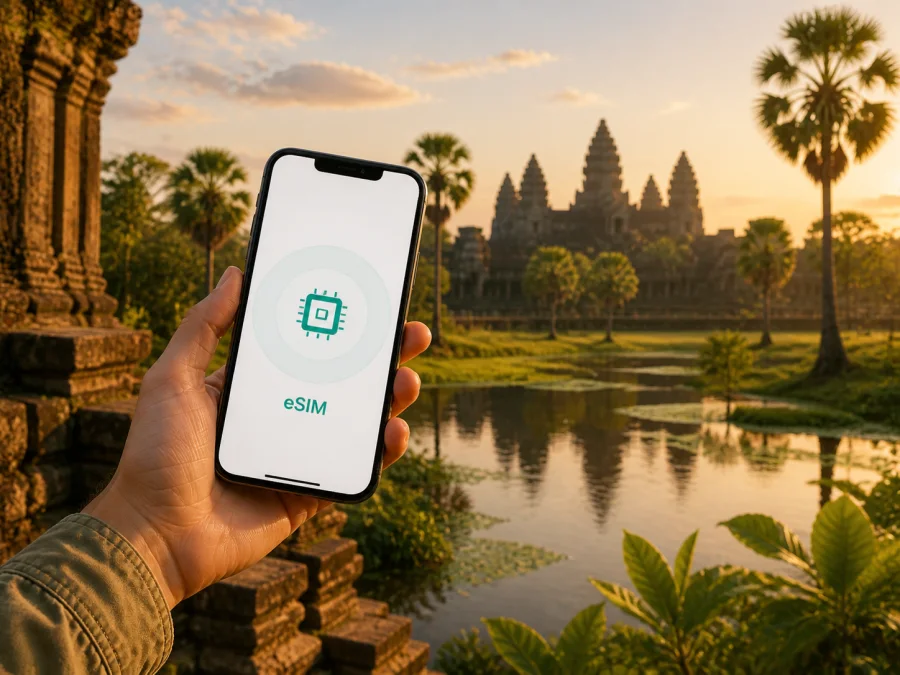
Metfone eSIM in Cambodia: setup and travel guide
If you are travelling to Cambodia and want to stay connected without removing your usual SIM card, an eSIM is one option to consider. Metfone is a Cambodian mobile operator with public mobile, prepaid, SIM and visitor-oriented eSIM services. The right activation path depends on your device, itinerary and need for a local mobile service.
This guide covers what is currently confirmed about Metfone eSIM in Cambodia, how to prepare, what to check before activation, and when a travel eSIM through Kaspersky eSIM Store may be more convenient. Conditions, identity requirements, supported models and service availability can change, so check the latest operator instructions before local activation.
What Metfone eSIM means for a trip to Cambodia
An eSIM is a digital SIM profile built into a compatible device. You add it through the phone settings, a QR code, an operator application or another provider-specified method. After installation, select the profile for mobile data; registration still depends on the service and local coverage.
For a traveller, a local Metfone eSIM can suit a longer stay, repeated visits, or a trip where a Cambodian line and local support matter. Functions depend on the selected service and registration rules; do not assume that every eSIM profile handles calls, messages and data in the same way.
Metfone's current website has an English service-news page titled “eSIM Cambodia for Tourists: Instant Setup & Connection”. It was available when checked on 1 September 2026. The page supports the general conclusion that Metfone has a tourist eSIM route, but the title does not promise identical access for every visitor, device, channel or location.
Apple Support currently places Metfone under Cambodia for other iPhone eSIM activation methods, such as a QR code or carrier application. Its Asia-Pacific feature table lists eSIM, LTE, Personal Hotspot and VoLTE for Metfone. Android users should check the exact model and regional variant.
Metfone in the Cambodian mobile market
Metfone operates in Cambodia as a mobile communications provider. Its website presents mobile services, internet, digital services and support, with a public coverage section and a dedicated Metfone 5G page. This places the operator among the local connection choices available to travellers.
The Telecommunications Regulator of Cambodia published an English 5G progress announcement on 9 June 2026. It reported the market launch at the beginning of 2026 and described continuing rollout in Phnom Penh and provincial capitals alongside 4G expansion. It also makes clear that nationwide coverage remains a work in progress, so 5G should be treated as location-, device- and service-dependent.
Is Metfone eSIM available to visitors?
Generally yes: Metfone publishes a tourist eSIM page, and Apple lists Metfone eSIM activation methods for Cambodia. Confirm the current conditions for your nationality, device, channel and arrival point.
Metfone's current English home page presents general categories for prepaid packages and SIM cards, while its tourist eSIM news page addresses visitors directly. Together, these pages support a cautious statement that prepaid and tourist-oriented options are part of the public offering. Detailed commercial conditions belong in the operator's current purchase or support flow and should be checked there.
Before choosing a local eSIM, confirm four things:
- Your device has eSIM hardware and the correct regional model supports it.
- The device is unlocked and can accept a profile from a different provider.
- The activation method is available to you, whether it is a QR code, an application, an account flow or a staff-assisted process.
- The registration and identity requirements for a visitor match your documents and planned purchase channel.
Local rules may require identity verification for a mobile line. The acceptable document, the place of activation and the order of registration can differ. Ask Metfone or an authorised point of service for the current visitor procedure rather than relying on a generic eSIM tutorial. Keep the original SIM in a safe place if you remove it, and do not delete a working profile until you are sure you no longer need it.
Local Metfone eSIM or a travel eSIM?
There are two decisions: which service you want in Cambodia and how much preparation you want before arrival. A local Metfone eSIM may fit if you need a Cambodian line or local support. Activation can involve registration and identity checks, so confirm the current process before travel.
A travel eSIM is designed around the trip rather than establishing a permanent local line. Kaspersky eSIM Store is an app and website that helps a user choose, arrange and activate an eSIM with a suitable plan for mobile internet during an international trip. It is not a mobile operator, does not own Metfone's network and is not the source of local coverage.
Kaspersky eSIM Store may suit travellers who want to prepare mobile internet before flying or keep their main SIM active alongside a separate data line. Its official travel-eSIM article, checked on 1 September 2026, describes setup through the app or website with a QR code or profile and a stable internet connection. The travel eSIM is described as data-focused, so ordinary calls and SMS should not be assumed.
If pre-travel setup matters, you can choose an eSIM plan for Cambodia and review the current conditions in the selection flow. The link is a route to a travel-eSIM option for the destination; it is not a Metfone subscription and it does not turn Kaspersky eSIM Store into a local operator.
Neither route is automatically right for every traveller. Local numbering may favour a local eSIM; advance preparation may favour a travel eSIM. A dual-SIM arrangement is possible, but check the data line and roaming settings carefully.
What to check on your phone before buying
Compatibility is more than seeing “eSIM” in a product description. Regional variants and carrier locks can prevent a compatible-looking phone from accepting a new profile.
iPhone checklist
Open Settings, choose General and then About, and check the model and carrier-lock status. Apple identifies an unlocked iPhone with “No SIM Restrictions”. In mobile-data settings, look for the option to add an eSIM; wording varies by iOS version.
Android checklist
On Android, search Settings for “SIM”, “Mobile network” or “Add eSIM”. Check the exact model number because some regional models omit eSIM hardware, and a locked phone can block activation.
Before travelling, make sure the phone can connect to Wi-Fi or another working internet source during installation. Save QR details securely and do not share activation credentials. If a profile is tied to one installation attempt, ask support before deleting it.
Dual-SIM settings
Decide which line will be used for mobile data. If you keep your home SIM active, review its roaming settings and disable data roaming there when appropriate. Select the intended eSIM for data and follow the provider's instructions if roaming must be enabled on that profile. A data-focused travel eSIM should not be assumed to replace your normal number or provide ordinary calls and SMS.
How Metfone eSIM activation may work
The exact Metfone flow should come from the current operator channel, but the general sequence is familiar:
- Confirm that your phone is compatible and unlocked.
- Choose the current visitor or local eSIM route offered by Metfone.
- Complete any required account or identity check.
- Receive the activation instructions, QR code or profile details.
- Add the eSIM in the phone's mobile-network settings.
- Label the line clearly so you can identify it in dual-SIM settings.
- Choose the line for mobile data and follow any operator instruction about data roaming.
- Wait for network registration and test a simple data connection.
The delivery method can differ: a provider may use a QR code, an application or an authorised shop. Metfone's tourist page confirms the visitor-focused eSIM direction, but does not show one universal procedure for every traveller. Use the instructions supplied with the current activation. Complete installation with stable internet if possible, then select the profile for data and allow time for local registration.
Coverage and connection in Cambodia
Metfone has a public coverage page and its website uses the general statement that the operator offers extensive coverage. For a neutral travel decision, the useful next step is to compare that coverage information with your route. Phnom Penh, Siem Reap, provincial capitals, border areas, islands, mountain roads and indoor locations can present different conditions. A map is a planning aid, not a guarantee of a signal in a particular room or vehicle.
Network technology also depends on the device and the location. Apple lists LTE for Metfone on iPhone, while the operator publishes a Metfone 5G page with a route to check 5G coverage. The regulator's June 2026 announcement describes the Cambodian 5G rollout as continuing, with operators still expanding coverage. Therefore, it is reasonable to prepare for LTE as a practical baseline where available, while treating 5G as an evolving option that must be confirmed for the place, phone and service you will use.
If the phone shows signal but data does not work, check the data-line selection first. Then review mobile-data roaming for the active profile, restart the phone, and allow a few minutes for registration. If the problem persists, check the operator's current APN or setup instructions without inventing values from an unrelated guide. An incorrect manual setting can create a new problem.
A practical arrival-day scenario
Imagine landing in Cambodia with a compatible unlocked phone. If you prepared a travel eSIM, connect to Wi-Fi, install or activate it as instructed, set it as the data line and test a browser or messaging application.
If you decide on a local Metfone eSIM after arrival, use an official Metfone channel or an authorised point of service, ask which visitor requirements apply, and keep your identification available if registration is required. Confirm the activation method before paying or completing the account process. After the profile is added, select the correct data line, follow the operator's instructions, and test the connection before leaving the service point when practical.
For routes across several provinces or less populated areas, save essential maps and booking details offline. City performance does not guarantee the same result on a rural road or inside a thick-walled building.
Troubleshooting checklist
- The phone cannot add the profile: confirm eSIM support, remove a carrier lock, connect to stable internet and check whether the QR code has already been used.
- The profile is installed but there is no data: select it for mobile data, check the relevant roaming setting, restart the phone and wait for registration.
- The connection drops on the road: compare the location with the operator's coverage information and allow for changes in terrain, indoor conditions or local congestion.
- Activation requires a document: follow the current identity process of the operator or service channel; do not rely on a generic travel blog.
- The QR code is missing: look in the account or purchase confirmation area and contact the relevant support team before deleting any installed profile.
Frequently asked questions
Does Metfone support eSIM in Cambodia?
Yes, current public information supports the general service: Metfone publishes a tourist eSIM page, and Apple lists Metfone in Cambodia among carriers with other eSIM activation methods. Confirm availability for your device and visitor status.
Can I activate Metfone eSIM before travelling?
Possibly. The public tourist page does not show one universal procedure, so ask Metfone whether your route is online or requires an official location.
Does a Metfone eSIM include a phone number?
Do not assume one answer for every profile: check the current conditions and plan how you will handle calls and SMS.
Will Metfone eSIM work everywhere in Cambodia?
No provider can guarantee identical service everywhere. Check Metfone's coverage information for your route and allow for terrain, buildings, device support and local conditions.
Is a travel eSIM the same as a Metfone subscription?
No. Kaspersky eSIM Store helps users choose, arrange and activate a travel eSIM; it is not Metfone, a mobile operator, the owner of Metfone's network or a provider of network coverage.
Can I use Kaspersky eSIM Store as a VPN?
No. It is not a VPN or a tool for bypassing restrictions; it helps prepare an eSIM for mobile internet during an international trip.
Final checklist before you connect
Before departure, check the exact device model, carrier-lock status, eSIM storage capacity and operating-system updates. Save the activation instructions securely and arrange stable internet for setup.
For a local Metfone route, confirm the current visitor procedure, registration requirements, activation channel and coverage for your itinerary. For a travel eSIM, review the destination, device compatibility, data-only limitations where applicable and support instructions in the current Kaspersky eSIM Store flow.
Metfone and Kaspersky eSIM Store are separate services. This article is not affiliated with, endorsed by or sponsored by Metfone. The operator's eSIM, prepaid, tourist, registration, technology and coverage conditions may change, so verify the final details with the relevant provider before activation.
When ready, choose an eSIM plan for Cambodia and check the terms before activation.


