
Travel connectivity guide
Miami eSIM Guide: Mobile Connection and Internet
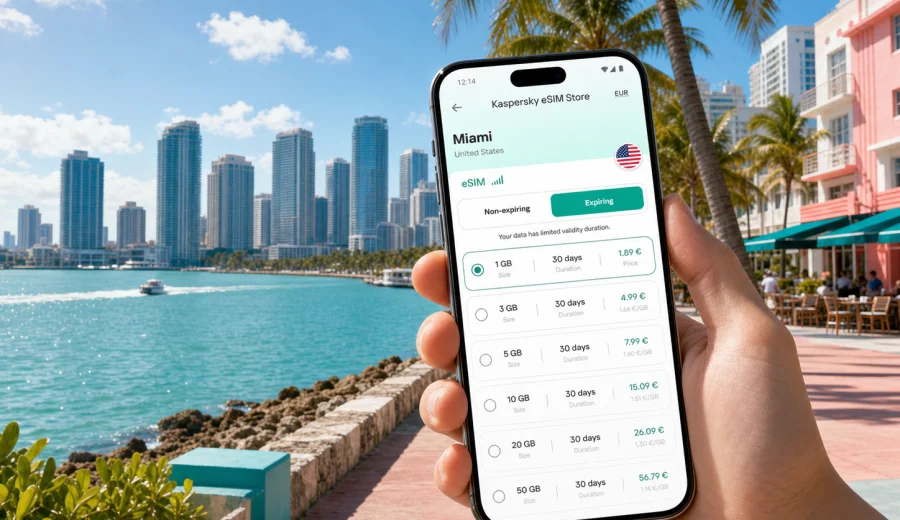
Miami eSIM: mobile connection and internet for your trip
Miami is easier to navigate when your phone is ready before you leave the terminal. The first decisions often happen quickly: how to get from Miami International Airport to the hotel, whether Downtown, Brickell, Miami Beach, Wynwood, or PortMiami is the next stop, where the rideshare pickup point is, and how long the route will take. A travel eSIM helps keep mobile internet available for maps, transport apps, hotel messages, restaurant bookings, messenger calls, and work updates without searching for a physical SIM card after arrival.
This guide is about Miami specifically. The United States tariff may cover a wider route, but Miami has its own travel rhythm: airport transfers, bridge traffic to South Beach, business meetings in Brickell, cruise departures from PortMiami, late dinners, waterfront walks, and day trips toward the Everglades or the Florida Keys. Planning mobile connection around those moments makes the trip more predictable.
Why mobile internet matters in Miami
Miami is spread across the mainland, barrier islands, causeways, port areas, and beach neighborhoods. Distances can look short on a map, yet travel time changes with traffic, events, weather, and cruise schedules. Reliable mobile data is useful because many decisions are made while moving.
Typical Miami moments where mobile internet helps:
- confirming your hotel address before leaving the airport;
- comparing Metrorail, rideshare, taxi, shuttle, and rental car options;
- navigating between Downtown Miami, Brickell, Miami Beach, Little Havana, Coral Gables, and Wynwood;
- checking restaurant, museum, beach club, boat tour, and event reservations;
- sharing your location with family, colleagues, or a cruise group;
- using messenger calls if your eSIM tariff is data-only;
- managing flight, train, hotel, and cruise notifications.
An eSIM is practical for short stays because you can prepare it before the trip. You can install the eSIM on a compatible phone over stable Wi-Fi, then activate or start using it according to the selected tariff instructions. That is especially useful if you arrive late, travel with luggage, or need to reach a meeting soon after landing.
Arrival at Miami International Airport
Miami International Airport is about eight miles from Downtown Miami, but the first transfer can still take time. International arrivals, baggage claim, curbside zones, and traffic toward Miami Beach can make the first hour feel busy. Mobile internet gives you more control while you are still inside the airport.
Before leaving arrivals, use your phone to:
1. Check the exact terminal, baggage area, and pickup level.
2. Confirm whether your hotel is in Miami, Miami Beach, Coral Gables, Doral, or another nearby city.
3. Compare rideshare time with Metrorail, shuttle, taxi, or hotel transfer options.
4. Refresh the route before moving through parking, stations, or curbside zones.
5. Message your hotel if early check-in, late arrival, or luggage storage matters.
The Metrorail Orange Line connects the airport area with key mainland stops, including Downtown and Brickell. For South Beach, you usually need an additional bus, rideshare, shuttle, or taxi connection. With mobile data available, you can choose based on current route conditions rather than guessing at the curb.
Miami areas where eSIM data is especially useful
Miami trips often move between very different neighborhoods. A data package that is enough for airport-to-hotel navigation may be too small if you plan to explore, work remotely, upload videos, or use maps all day.
| Area | Typical trip scenario | Why mobile data helps |
|---|---|---|
| Downtown Miami | Hotels, museums, events, Bayfront Park | Walking routes, tickets, transit updates, restaurant bookings |
| Brickell | Business travel, dining, apartments | Ride-hailing, calendar changes, messenger calls, email access |
| Miami Beach and South Beach | Beach days, nightlife, Art Deco walks | Navigation across causeways, reservations, weather, group messages |
| Wynwood | Galleries, murals, cafes, evening plans | Map pins, short rides, photo sharing |
| Little Havana | Calle Ocho walks, food stops, cultural visits | Translation, maps, pickup points, saved places |
| Coral Gables | Meetings, shopping, dining | Route planning, parking apps, hotel and meeting messages |
| PortMiami | Cruise boarding and transfers | Boarding documents, timing updates, group coordination |
The most data-heavy part of a Miami trip is often not web browsing. It is the repeated background use of maps, messengers, ride apps, cloud photos, email attachments, ticket wallets, and hotel or airline apps. A careful stopover can work with a modest data package. A longer stay with beach time, work calls, and day trips usually needs more.
Choosing data for your Miami trip style
There is no single ideal amount of mobile data for every traveler. Your best choice depends on trip length, hotel Wi-Fi, whether you travel alone, and how often you use maps, media, or work tools.
Practical scenarios:
- One-day stopover: choose enough data for airport transfer, maps, messenger updates, boarding information, and a few searches.
- Weekend in South Beach: allow more data for ride apps, restaurant searches, weather checks, photo sharing, and moving between the beach and mainland.
- Business trip in Brickell or Downtown: prioritize enough data and validity for email, messenger calls, documents, and backup tethering if the tariff and phone settings allow it.
- Cruise departure from PortMiami: prepare mobile data before arrival so you can manage transfers, boarding documents, and group messages before the ship leaves.
- Family route through Miami and South Florida: plan extra data for navigation, shared locations, translations, and day trips.
If your phone supports eSIM, Kaspersky eSIM Store helps you quickly choose, arrange, and activate an eSIM with a suitable mobile internet tariff for travel. For Miami, use the United States destination and match the tariff to your route, not only to the number of days on the itinerary. You can prepare an eSIM tariff for your trip to Miami before departure and keep the first city route simpler.
A practical Miami data checklist
Use this checklist before you travel:
- Check that your phone or tablet supports eSIM and is not locked to one carrier.
- Decide whether you need data only for Miami or for a wider United States route.
- Estimate your daily use of maps, messenger apps, email, tickets, and media.
- Download offline maps for Miami, Miami Beach, the airport, and your hotel area.
- Save your hotel address, booking reference, cruise details, and emergency contacts.
- Install the eSIM while you still have stable Wi-Fi, if the tariff instructions allow it.
- Confirm which SIM is used for mobile data before leaving the airport.
Before buying, check your device so you know whether eSIM is supported. Some devices sold in different regions have different eSIM rules, and some phones may be carrier-locked. It is better to check this at home than while standing in a busy arrivals hall.
When and how to prepare your eSIM
The best time to prepare mobile internet is before the travel day. You are more likely to have stable Wi-Fi, enough battery, and time to read the tariff conditions. Some eSIMs can be installed before departure and activated later; others start validity under specific conditions described in the selected tariff. Read the instructions for your chosen option carefully.
A calm sequence looks like this:
1. Open Kaspersky eSIM Store on the site or in the app.
2. Select United States as the destination for your Miami trip.
3. Compare data volume, validity period, price, and tariff conditions.
4. Complete the order and keep the installation information available.
5. Install the eSIM on a compatible phone over stable Wi-Fi.
6. On arrival, set the eSIM as the mobile data line when you are ready to use it.
7. Keep data roaming enabled for the eSIM if the tariff instructions require it.
For installation details, use the instruction for Android or the instruction for iOS and follow the steps for your device. Menu names can vary by phone model and system version.
From airport to hotel to beach: a Miami route example
Imagine you land in the afternoon, stay in Brickell, and plan dinner in South Beach. With an eSIM prepared, the route is easier:
- at baggage claim, you confirm the hotel address and transport choice;
- on the way to Brickell, you message the hotel about arrival time;
- after check-in, you compare traffic across the causeway before heading to South Beach;
- at dinner, you use maps to find the correct entrance or pickup point;
- later, you share your location with your group and call through a messenger app.
This is where a travel eSIM becomes a planning tool, not just a technical setting. It supports the small decisions that make Miami feel manageable: which bridge to cross, whether to walk a few blocks before ordering a car, and how to return to the hotel when plans change.
Transport, business, and cruise use cases
Miami transport is a mix of airport rail, free Metromover loops in the downtown area, buses, trolleys, taxis, rideshare, rental cars, walking routes, cruise transfers, and private shuttles. Visitors often combine several of these in one day. If you use public transport, data helps with stations, transfers, walking directions, and route changes. If you use rideshare, data is needed for pickup points and driver messages. If you rent a car, navigation and parking apps become more important.
Business visitors often need mobile internet before they reach the hotel. For meetings in Brickell, Downtown, Coral Gables, or Miami Beach, check whether your selected tariff has enough data for email attachments, messenger calls, document access, and backup tethering if allowed. A longer validity period can also help if the schedule changes.
Cruise travelers should prepare data for the land part of the route: airport transfer, hotel night, PortMiami boarding, and group coordination. Mobile service rules at sea are different from city mobile internet, so check cruise connectivity options separately once the ship leaves port.
Day trips from Miami
Many visitors use Miami as a base for nearby trips. Data planning should include the city and the route outside it.
| Day trip | Why data matters | Planning tip |
|---|---|---|
| Everglades area | Navigation, weather, tour messages | Save maps in advance because coverage can vary by area |
| Key Biscayne | Beach, park, cycling, waterfront routes | Keep enough battery for the return trip |
| Fort Lauderdale | Train, rideshare, airport transfers | Check station and terminal details before leaving |
| Florida Keys | Longer drive, navigation, stops | Download offline maps and avoid large uploads while driving |
Do not assume hotel Wi-Fi will cover the practical moments of a day trip. The important questions often happen between places: where to turn, where to park, when the tour starts, how to contact the group, and whether the weather changes the plan.
What to check before buying an eSIM tariff
Read the tariff details before you confirm. Look at:
- Destination: United States or a wider regional option if your route needs it.
- Data volume: enough for maps, messages, work, and media habits.
- Validity period: long enough for arrival, city stay, and departure day.
- Activation rules: when the tariff starts and what action triggers use.
- Hotspot rules: whether sharing data with another device is allowed.
- Voice and SMS: whether they are included or whether the tariff is data-only.
This approach is useful in Miami because trips can change quickly. A delayed flight, cruise timing update, sudden rain, or dinner moved from Brickell to South Beach may increase data use more than expected.
FAQ about using eSIM in Miami
Is an eSIM useful if my hotel has Wi-Fi?
Yes. Hotel Wi-Fi helps inside the property, but Miami travel decisions happen at the airport, on the street, in rideshare pickup zones, at restaurants, at PortMiami, and on day trips.
Can I use an eSIM for calls in Miami?
Many travel eSIM tariffs are data-only. You can usually use internet-based calling apps over mobile data, but standard phone calls and SMS are included only if the selected tariff conditions say so.
How much data do I need for a weekend in Miami?
For maps, messages, ride apps, and light browsing, a modest package may be enough. Add more if you plan to upload many videos, use hotspot, make frequent video calls, or travel outside the city.
Final preparation before you land in Miami
Before your flight, make your phone part of the travel plan. Confirm eSIM compatibility, choose a tariff with enough data and validity, save installation instructions, download offline maps, and keep important booking details available without relying only on public Wi-Fi.
Kaspersky eSIM Store is an app and site where you can quickly choose, arrange, and activate an eSIM with a suitable mobile internet tariff for travel. For Miami, use the United States destination and choose conditions that match your airport arrival, hotel area, business meetings, beach time, cruise transfer, or day trips. When you are ready, choose a mobile internet tariff for your Miami trip and prepare the eSIM before your first route across the city.