Travel connectivity guide
Micoud eSIM: Mobile Internet for Your Trip
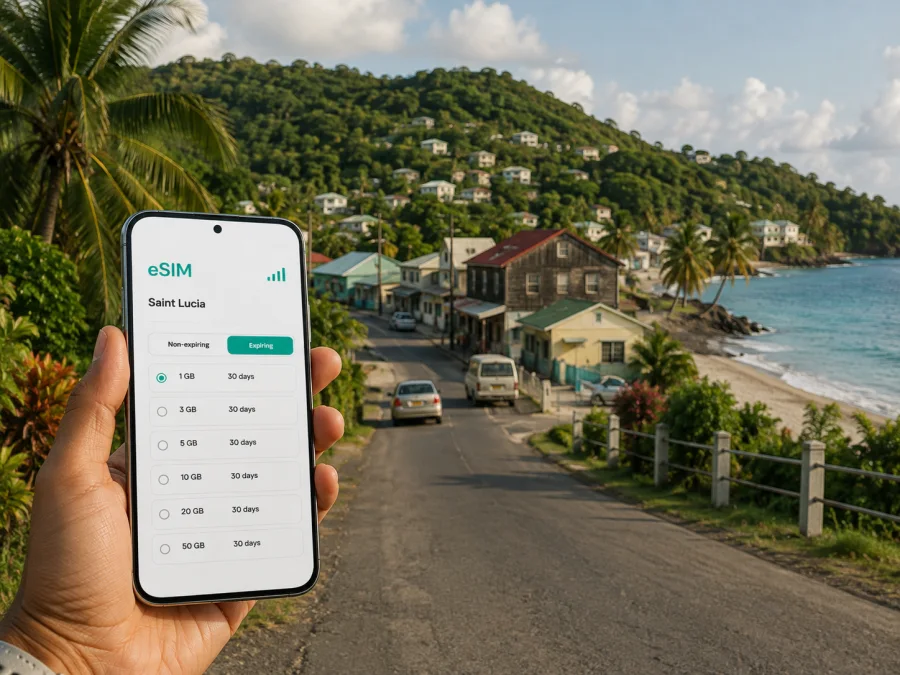
Micoud eSIM: mobile connection and internet for your trip
Micoud is a practical base on the southeast coast of Saint Lucia for travellers who want a quieter setting, a road connection to the south, and access to the island’s Atlantic side. Whether you are arriving for a short stay, checking into a guesthouse, working between meetings, or using Micoud as one stop on an island itinerary, mobile internet helps turn the first hours into a manageable plan. An eSIM is a digital SIM card that can provide data on a compatible phone without replacing the physical SIM you normally use.
For a trip to Micoud, the useful question is not simply whether you need “a SIM”. It is how you will use data: finding your transfer after landing, checking a map on the road, messaging a host, confirming a reservation, sharing a location, or joining a work call. Kaspersky eSIM Store is an app and website where you can choose, order and activate an eSIM with a suitable plan for mobile internet during an overseas trip. Check the destination conditions before activation.
Why mobile internet matters in Micoud
Micoud is different from an urban resort centre where most of a visit can be spent inside one walkable hotel area. The town and surrounding communities are connected by roads, while many experiences require a transfer or planned drive. Data gives you practical independence without searching for a café or hotel network every time you need information.
The first hours after landing
Many international visitors reach the south of Saint Lucia through Hewanorra International Airport near Vieux Fort. The Saint Lucia Tourism Authority describes the airport-to-Micoud journey as approximately 15–30 minutes, but the real time depends on traffic, weather, the pickup point, and the road conditions on the day. With an eSIM ready, you can message a driver, open the address of your accommodation, and share your arrival status while you are still organising the transfer.
Keep these details available offline as well:
- the name and address of your accommodation;
- the name or phone number of the person meeting you;
- your booking reference;
- a screenshot of the planned route;
- a backup meeting point in case the first pickup location is unclear.
An eSIM does not remove the need for sensible arrival planning. It simply makes the online parts of that plan easier to handle when you have left the terminal and are on the road.
Navigation on the southeast coast
Maps are useful in Micoud for more than sightseeing. You may need to locate a property entrance, identify a turn on the coastal route, check the position of a shop, or send your driver a pin rather than trying to describe a place from memory. A data connection is also helpful when a route changes or when you decide to make an unplanned stop.
Save the information you will need before setting out. A map application may use data continuously while it recalculates, so look up a long route while connected and use live data only when necessary.
Messages, bookings and everyday coordination
Micoud trips often involve several small confirmations: arrival time, a transfer, a room key, a table, a guided activity, or a change in the day’s route. Messaging apps work through mobile data, so you can communicate without changing the number on your main phone line. If an eSIM plan is data-only, it does not automatically include a regular phone number, ordinary voice calls or SMS. Use internet-based messaging where appropriate, and keep any important local contact details in your notes.
Choose an eSIM plan for the way you will use Micoud
There is no single correct data allowance for every visitor. A person staying near the town and using Wi‑Fi at the property needs a different plan from someone who will navigate every day, upload photos, attend remote meetings, and take road trips around Saint Lucia. Start with the itinerary, then compare the available plan conditions.
| Travel pattern in Micoud | Typical data tasks | What to check before choosing |
|---|---|---|
| Short stopover | Transfer messages, maps, booking details | Destination, activation conditions and validity period |
| Relaxed coastal stay | Navigation, messaging, occasional browsing | Included data and how long the plan remains active |
| Road-based itinerary | Frequent maps, ride coordination, reservations | Coverage terms for the route and enough data for repeated navigation |
| Remote work trip | Calls through work apps, email, files and hotspot needs | Whether the plan and device support your intended data use |
| Family or group holiday | Maps, messages, photos and shared locations | Which phone needs the eSIM and whether other devices will use tethering |
The figures that matter are the ones shown for the selected destination: data volume, validity, price, activation rules and any limits. Conditions can change by direction and plan, so do not infer them from a different country or from a plan shown in an example. A clear allowance can also make it easier to decide when to use hotel Wi‑Fi and when to use mobile data on the road.
For a compact itinerary, a smaller allowance may be enough if you prepare maps and keep media uploads under control. For a longer stay or work calls, compare a larger allowance with your expected use. eSIM can reduce dependence on roaming, but it is not automatically cheaper than every roaming offer or local SIM option.
When you are ready, you can choose an eSIM plan for a trip to Micoud. This is the Saint Lucia destination page, which is the relevant country page for Micoud; it is not a separate city tariff. Review the current options there and select a plan whose data volume and validity fit your dates.
Match the plan to your Micoud itinerary
A short arrival and overnight stay
For a one-night stop, your most important tasks are likely to happen in sequence: leave the airport, find the transfer, reach the property, and confirm the next departure. Install the eSIM before travelling if possible, but keep it turned off until you are ready to use it if the plan’s conditions make that appropriate. After landing, turn on the eSIM line for mobile data and keep your primary line available for calls or messages if you need it.
The practical checklist is short:
- Save your accommodation details before departure.
- Confirm how the transfer provider will identify you.
- Open the route while you have a stable connection.
- Use mobile data for messages and live navigation after leaving the airport.
- Check the eSIM data setting before using large downloads or video.
A base for local exploring
If Micoud is your base for several days, think in terms of movement rather than a single hotel address. You may go between the town, nearby coastal communities, nature sites, and the southern part of the island. A phone with data helps you coordinate a driver, check the next stop, share a location, and update a host if the day’s timing changes. Leave time for the journey and confirm access, opening times, or transport arrangements directly with the relevant provider.
Work, meetings and longer stays
For a business trip, the priority is continuity of email, authentication messages, calendars, maps, documents and calls when the schedule changes. Before selecting the plan, estimate video meetings and hotspot use. Video can consume data much faster than text or email, and tethering may be restricted by the device or plan.
Set your phone to update large files only when you choose, pause automatic photo backup while travelling, and close apps that refresh in the background. If you need a dependable work session, arrange a second option such as a suitable hotel connection and download essential files in advance. These habits protect your allowance and reduce the chance that a non-essential update interrupts an important call.
How to install an eSIM before or after arrival
Install the profile while you have a reliable internet connection, ideally before departure. The exact menu names differ between phone brands and operating-system versions, but the process follows the same logic. Read the plan conditions first and keep the QR code or profile details available in your email or Kaspersky eSIM Store account.
Before installation, check whether your device supports eSIM and confirm that it is not locked to another operator. Some models vary by region of sale. You can also review the Android installation instructions or the iOS installation instructions for the relevant device flow.
1. Check the conditions
Confirm the destination, data allowance, validity period and activation requirements, including when validity begins.
2. Connect to the internet
Use reliable Wi‑Fi or mobile data. Keep the QR code from the email or profile on another screen if your phone cannot scan a code displayed on itself.
3. Open mobile-network settings
Choose the option for adding a mobile plan or eSIM. Follow the instructions shown by your device rather than guessing at a menu for a different operating system.
4. Scan or enter the profile details
Scan the QR code or enter the requested information. Allow time for the profile to download and do not close the setup screen during installation.
5. Label the new line
Give the profile a clear label such as “Saint Lucia trip” so you can distinguish it from your primary line.
6. Select the data line
Choose the travel eSIM for mobile data when you want to use it. Keep the primary line for calls or messages if required, and check the device’s settings so data does not switch to the wrong line unexpectedly.
7. Check roaming settings for the eSIM
Some devices require data roaming to be enabled for the travel eSIM to work. Turn it on only for the intended profile when the plan instructions call for it. Leave data roaming disabled on the primary line if you want to avoid accidental roaming charges from that line.
8. Allow time for connection
Connection can take several minutes and depends on the device and the local network. If you installed the eSIM at home, you can leave it inactive until the trip if the plan conditions allow that. If you install after arrival, use the airport or accommodation Wi‑Fi to complete the setup.
Getting around without losing the thread of your trip
Micoud rewards a flexible schedule, but flexibility works better when you can coordinate it. Use mobile data for the tasks that depend on current information, and prepare the rest in advance.
Transfers and taxis
Send the accommodation name and a map pin to a driver before leaving the airport. If the property has more than one entrance, ask for the preferred arrival point. When returning from an outing, confirm the pickup time and location in writing. A data-only eSIM may not provide a standard voice number, so use the agreed contact method or an internet calling app.
Roads and day trips
Micoud is positioned for journeys toward Saint Lucia’s southern areas and for exploring the east coast, while longer island routes take planning. Check the entire route before setting out, save the destination name, and keep your phone charged. If you are travelling with a group, share the day’s plan and a meeting point rather than relying on everyone to make their own live route.
Accommodation
Message the host when your arrival time changes, ask for directions before you lose signal, and save the check-in instructions locally. Hotel or guesthouse Wi‑Fi can handle large updates, while the eSIM can cover the road between locations. This combination reduces unnecessary data use without making connectivity depend entirely on finding a public network.
If a phone shows signal but apps do not load, check the selected data line and its roaming setting. If the eSIM is not listed, restart the device and review whether installation completed, then contact support if needed.
Frequently asked questions
Is an eSIM useful for a short stay in Micoud?
Yes, it can cover airport coordination, messages, navigation and accommodation details. Choose a plan whose destination and validity match the stay, and verify when validity begins.
Does a travel eSIM give me a Saint Lucia phone number?
Not necessarily. Travel plans are intended for mobile internet, and ordinary calls or SMS are not included unless the specific plan says otherwise. Use messaging and calling apps over data when suitable.
Can I install the eSIM after arriving?
The practical requirements are a compatible, unlocked device and an internet connection. Airport or accommodation Wi‑Fi can help, but installing before departure gives you more time to check the profile and settings.
What if the eSIM does not connect?
Check that the profile is installed, the travel eSIM is selected for mobile data, and the required roaming setting is enabled for that profile. Restart the phone, allow several minutes for connection, and review the plan status. If the issue remains, contact support with the device and activation details.
Prepare your connection before you leave
For Micoud, a smooth mobile-data setup is mostly a matter of timing. Select a destination plan in advance, check the phone, save the arrival details, and install the eSIM while you have a stable connection. After landing, verify the data line before starting navigation, then use the phone deliberately for transfers, maps, messages and bookings.
Kaspersky eSIM Store helps you choose, order and activate an eSIM for mobile internet during an overseas trip. Review the current Saint Lucia options and choose an eSIM plan for your Micoud itinerary, then follow the device instructions and the plan conditions. That preparation leaves you free to focus on the road, the coast and the places you came to see.


