Travel connectivity guide
Middle Caicos eSIM for Mobile Internet
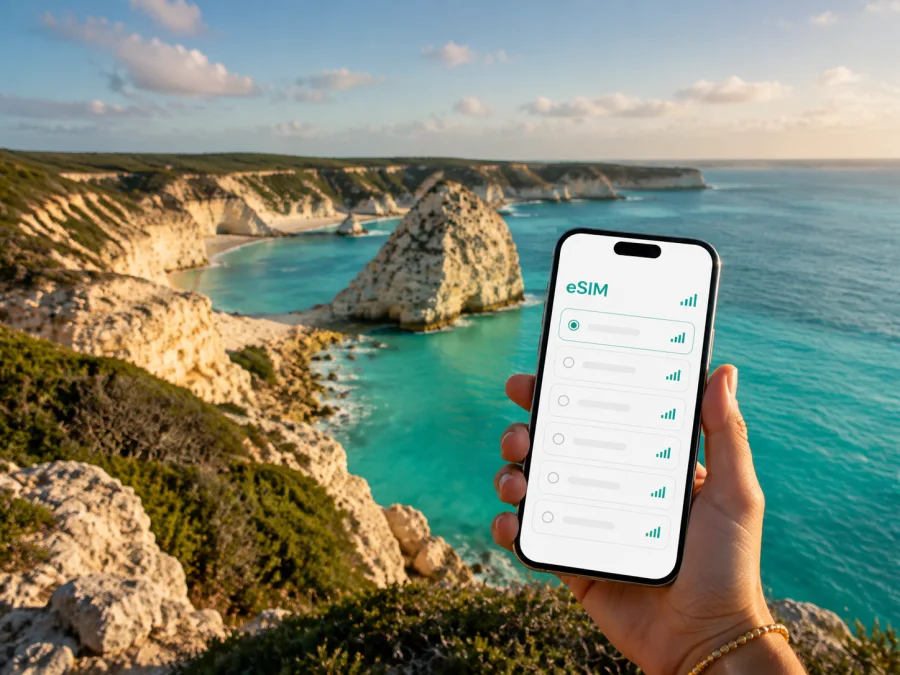
Middle Caicos eSIM: mobile connection and internet for your trip
Middle Caicos is a destination for travelers who want more than a resort beach. The island combines quiet settlements, limestone landscapes, long stretches of coast, and a slower rhythm of travel. That character also makes practical preparation important: you may be checking a ferry connection, opening a map before turning onto a minor road, messaging a host, or confirming the time of a tour while moving between places that are not clustered around one town center.
An eSIM can simplify the mobile side of a trip. With a compatible phone, you can keep your usual physical SIM in place and use a separate eSIM for mobile data in the Turks and Caicos Islands. Kaspersky eSIM Store is an app and website where you can choose, arrange, and activate an eSIM with a suitable plan for mobile internet during an international trip. The destination, data allowance, validity period, and other conditions should always be checked before purchase.
This guide focuses on Middle Caicos: arrival, movement between the island’s settlements and natural areas, navigation, accommodation, remote work, stopovers, and a careful eSIM setup.
Why mobile internet matters on Middle Caicos
Middle Caicos rewards unhurried exploration, but the practical distances between experiences make data useful. You may want to load directions to Conch Bar Caves, send a message after crossing from North Caicos, check a reservation, or share your location with someone meeting you for a walk or boat outing. These are small tasks, yet they are easier when you do not need to search for public Wi-Fi each time.
The island also suits flexible itineraries. A day can begin in Conch Bar, continue through Lorimers or Bambarra, and finish near Bambarra Beach or Mudjin Harbour. Weather, road conditions, opening hours, and transport arrangements can alter the order. Mobile data lets you make those adjustments while you are already out exploring.
An eSIM is not a replacement for every communication service. Unless the selected plan says otherwise, it is intended for mobile data and does not include a separate phone number, standard voice calls, or SMS. Messaging and calls through internet-based apps can use data, while important conventional calls should be planned through your regular SIM or another suitable service.
Arriving in Middle Caicos
For many visitors, the route begins on Providenciales. An inter-island ferry can take you to North Caicos, after which a causeway connects North Caicos and Middle Caicos by road. Departure times, availability, and transfer arrangements should be confirmed for your travel date because island transport can change with weather and operations.
Before leaving Providenciales, save your ferry booking, accommodation name, host contact, and pickup or rental-car details. Keep them accessible offline as well as online. Once you have mobile data, the eSIM can help you message a host, check a change, and open the next part of the route without looking for a physical-SIM sales point after arrival.
Treat the ferry and causeway as one travel leg, not as a reason to schedule several tightly timed activities. Leave room between ferry arrival, vehicle pickup, check-in, and any booked excursion. A connection helps with coordination, but it cannot create extra ferry capacity or remove weather-related delays.
Arrival checklist
- Save accommodation directions and a contact number before boarding.
- Confirm whether a car or taxi meets you on North Caicos or Middle Caicos.
- Keep booking information and identification documents available offline.
- Charge your phone and carry a power bank for a long outdoor day.
- Decide which SIM will handle data and which will retain your usual number.
- Open the first route while you still have a dependable connection.
Middle Caicos by area
The island’s places are better understood as settlements and natural areas than as formal city districts. When planning a day, a “nearby” attraction may still require a drive, a less familiar turn, or coordination with a local guide.
| Area or landmark | Typical visit | Useful mobile-data task |
|---|---|---|
| Conch Bar | Arriving, arranging a tour, visiting the cave area | Open directions and confirm timing |
| Lorimers | Passing through or staying nearby | Share your location and check messages |
| Bambarra | Visiting the village, beach, or local businesses | Coordinate a pickup or meal stop |
| Mudjin Harbour | Walking, photographing, or planning a picnic | Keep the route and meeting point available |
| North Caicos causeway | Transferring between islands by road | Update your host after crossing |
Conch Bar is the reference point for Conch Bar Caves, a protected limestone cave system with chambers, geological formations, underground water features, and traces of human history. Follow the access rules and guidance in force when you arrive. Mobile internet is most useful before the visit: confirm where to meet, how much time to allow, and whether the activity requires advance arrangements. Do not assume that a map pin tells you everything about access.
Lorimers and Bambarra offer a different kind of itinerary. You may be looking for a local meal, a small accommodation, a craft, or a quiet road toward the coast. Use the phone to send a message, find a saved address, or coordinate a ride, then put it away and give your attention to the island.
Mudjin Harbour is associated with dramatic limestone cliffs, turquoise water, and Dragon Cay. Coastal terrain can make a walk more demanding than a quick photograph suggests. Protect the phone from heat, sand, and water; save your accommodation location; and tell a companion or host where you are going. Mobile data supports coordination but is not a substitute for suitable footwear, sensible timing, and care near the coast.
Choosing an eSIM plan for Middle Caicos
There is no single correct allowance for every visit. A brief stopover, several days of independent driving, and remote work create different demands. Choose by your routine rather than by the largest number on a plan card.
| Travel pattern | Likely use | What to consider |
|---|---|---|
| Short visit | Messages, maps, booking checks | Limit video and automatic uploads |
| Several days of exploring | Navigation, searches, messaging, photo sharing | Allow for repeated route checks |
| Remote work | Email, cloud tools, data-based calls | Estimate meetings and file transfers |
| Shared travel | Several devices and location sharing | One person’s usage is not the group total |
Before choosing, note four details:
- Destination: confirm that the plan covers the Turks and Caicos Islands and the rest of your route.
- Data allowance: estimate navigation, messages, email, browsing, uploads, and media separately.
- Validity: compare the plan period with your itinerary and read when validity begins.
- Terms: review supported services, limits, top-up conditions, and refund rules. Conditions depend on the chosen plan.
If your route includes Providenciales, North Caicos, and Middle Caicos, check the geographic scope against the whole itinerary. A country-level plan may be the simplest fit for travel within the Turks and Caicos Islands, but the displayed conditions are the final authority. After estimating your route and data needs, you can choose an eSIM plan for a trip to the Turks and Caicos Islands.
Prepare before departure
The easiest time to set up an eSIM is at home, with a dependable connection and enough battery. Kaspersky eSIM Store helps you select a destination and prepaid plan, review the available conditions, and complete the setup flow through the app or website. Keep the confirmation and QR code or profile details accessible according to the instructions you receive.
Before payment, complete this checklist:
- Confirm that your phone supports eSIM and is not operator-locked. Check your device compatibility before choosing a plan.
- Decide which line will be used for mobile data after activation.
- Check whether data roaming must be enabled for the eSIM.
- Keep your regular SIM active if you need its number for calls or verification.
- Save installation information somewhere accessible without switching between apps.
An eSIM profile is generally associated with the device on which it is activated. Do not assume that it can be transferred to another phone; the profile and device conditions determine what is possible. If your phone is lost or replaced, contact support and review the purchase conditions instead of attempting repeated installations.
How to install and activate eSIM
Menu names differ between models, but the sequence is similar. Use a stable connection for initial setup, and do not delete a profile simply because it has not connected immediately.
1. Check the device and plan
Confirm eSIM support, operator-unlocked status, destination, allowance, validity, and activation conditions. Have the QR code or profile information ready.
2. Add the eSIM
Open mobile-network settings, choose the option for adding a mobile plan or eSIM, and follow the instructions for your model.
3. Scan the QR code
Use the code from your order or profile. If necessary, display it on another device so your phone can scan it.
4. Label the line
Use a clear name such as “TCI travel data”. This helps you avoid selecting the wrong line on arrival or after returning home.
5. Select the data line
Choose the travel eSIM for mobile data when you want to use the plan. Keep your home line’s data roaming disabled if you want to reduce the chance of unexpected roaming charges.
6. Activate and test
Validity may begin when the eSIM first connects, although other conditions can apply. Read the plan details, enable the line at the appropriate moment, and allow a few minutes for registration. Then send a message or refresh a map. If data does not work, check that the travel eSIM is enabled and selected, and that roaming is set as required. Use the Android installation guide or iOS installation guide for device-specific steps.
When you return home, switch data back to your regular line and review the eSIM status before disabling or deleting anything. Removing a profile may affect the possibility of reusing it.
Moving around the island
Middle Caicos suits a self-directed day, but transport needs more forethought than in a large city. A rental car can give you control over timing; a taxi or arranged transfer may be better when you prefer not to drive or want local assistance. Confirm collection points, payment expectations, fuel arrangements, and the return plan before setting out. Do not rely on finding a vehicle at the last minute.
Save the route to your accommodation and next important destination before leaving. When you reach a place with a stronger connection, send waiting messages and load the next map view if your navigation app supports it. Driving is on the left in the Turks and Caicos Islands, so reduce distractions and check the phone only when stopped.
A useful day structure
Morning: confirm transport and accommodation details, load the first route, and check battery, water, and sun protection.
Midday: visit a cave or coastal area, keep the phone protected, and follow local guidance around protected places and cliffs.
Afternoon: coordinate a meal, pickup, or next stop before leaving a place with dependable service.
Evening: message your host or companion about the return, recharge the phone, and review the next day’s arrangements.
Frequently asked questions
Is an eSIM practical for Middle Caicos?
It can be useful for directions, accommodation messages, tour coordination, and communication while moving between the ferry route, settlements, and natural areas. The result depends on the plan, device, local network conditions, and the places you visit.
Do I need a separate city plan?
Not necessarily. Middle Caicos is part of the Turks and Caicos Islands, so look for a plan whose destination covers the islands and matches the rest of your route. Read the conditions rather than assuming a city name must appear.
Does the eSIM include calls and SMS?
Unless the selected plan states otherwise, it is intended for mobile internet and does not provide a separate number, standard calls, or SMS. Internet-based messaging and calling apps can use the data connection.
Prepare your Middle Caicos trip
Three days before departure, confirm the route, device compatibility, destination, and validity. Save accommodation and transfer details, and decide which line will carry data. The day before, install the eSIM if the plan instructions make that appropriate, label it, review roaming and data-switching settings, and test a small task.
On the travel day, charge the phone, carry a power bank, and keep the QR code or profile information accessible. On Middle Caicos, plan around the settlements and attractions you actually intend to visit. Load the next route before moving, protect the device from the elements, and conserve data for navigation and communication.
When you are ready, choose an eSIM plan for your Turks and Caicos Islands itinerary. Kaspersky eSIM Store helps you select, arrange, and activate an eSIM with a suitable plan for mobile internet during an international trip, so you can give more attention to Middle Caicos, its coastline, and the route you came to explore.


