
Travel connectivity guide
Minsk eSIM: mobile internet for your trip
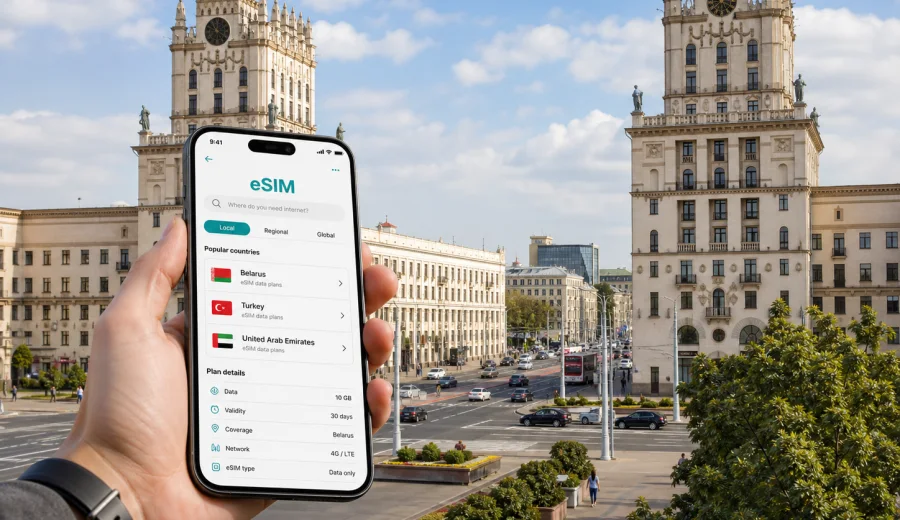
Minsk eSIM: mobile connection and internet for your trip
Minsk is a city where mobile internet becomes useful almost immediately. You may need a map when you leave Minsk National Airport, a messenger to reach your hotel, a ride-hailing app for a late arrival, or a working connection before a meeting near Independence Avenue. An eSIM can help you prepare that connection before you start looking for a local SIM card shop.
This guide is written for travelers who are going to Minsk, Belarus, and want practical mobile connection and internet planning: arrival, transport, districts, hotels, business trips, short stopovers, day trips, device checks, and eSIM setup. It is not a general country guide. The focus is what you should think through before you land in Minsk and start relying on your phone.
An eSIM is a digital SIM profile installed on a compatible phone or tablet. With Kaspersky eSIM Store, you can choose a suitable data plan for an international trip, install the eSIM on your device, and use mobile data according to the conditions of the selected plan. The exact data allowance, validity period, destination, price, and activation rules depend on the plan you choose.
Why mobile internet matters in Minsk
Minsk is organized and relatively easy to navigate, but it still rewards travelers who are online from the first hour. The city is spread along wide avenues, metro lines, parks, business districts, and residential areas. A short trip from the airport to the center can turn into a small planning exercise if you cannot check the address, translate a message, confirm the hotel entrance, or tell a driver which building you need.
Mobile data is especially useful in Minsk for:
- checking the route from Minsk National Airport to your hotel or apartment;
- using maps around Independence Avenue, Victory Square, Nemiga, Trinity Suburb, and Upper Town;
- confirming bookings, check-in instructions, and apartment access codes;
- comparing public transport, taxi, and walking routes;
- staying available for colleagues during a business trip;
- using translation tools in restaurants, shops, and stations;
- finding opening hours, entrances, and pickup points while you move around the city;
- keeping family or your travel group updated without relying only on hotel Wi-Fi.
Public Wi-Fi can be useful in airports, hotels, cafes, and shopping centers, but it is not a complete travel plan. You may need internet outside those locations: at a bus stop, in a taxi, beside a metro entrance, in a courtyard, or while looking for the correct building number. A prepared eSIM can reduce that dependence and make your first day in Minsk calmer.
Arrival in Minsk: where eSIM helps first
For many international visitors, the first mobile data moment comes before they reach the city center. Minsk National Airport is outside the main urban area, so you will likely need to confirm transport details, hotel arrival time, or a pickup message while still in transit.
Common arrival scenarios include:
| Situation | Why mobile internet helps | Practical tip |
|---|---|---|
| Airport transfer | You can message the driver, check the meeting point, and share delays. | Save the hotel address offline, then use mobile data for live updates. |
| Taxi or ride-hailing | You may need maps, payment confirmation, or chat with the driver. | Keep the destination written in both your booking app and notes. |
| Public transport planning | Timetables and routes are easier to check online. | Check the route before leaving the terminal, especially in the evening. |
| Late hotel check-in | Some apartments use digital instructions or door codes. | Open the instructions before you travel, then keep data available on arrival. |
| Business arrival | You may need to join a call or answer messages immediately. | Choose a data allowance that covers maps plus work communication. |
If your regular SIM uses expensive roaming, you may hesitate to turn on data at the moment when you need it most. An eSIM prepared before the trip gives you another option: set it as the data line, keep your usual SIM for calls if needed, and use mobile internet for practical travel tasks.
Moving around the city
Minsk has a clear central axis, broad streets, metro connections, buses, trolleybuses, and trams. Many visitors spend time around Independence Avenue, Upper Town, Nemiga, Victory Square, the National Library area, hotels near the center, and business locations across different districts. The city is manageable, but travel times can change depending on weather, traffic, and how close your destination is to a metro station.
With mobile data on your phone, you can make small decisions without interrupting the day:
- whether to walk or use public transport between nearby sights;
- which metro station is closest to your next address;
- whether a restaurant is still open;
- where the entrance to an office building or hotel is located;
- how long a taxi may take during rush hour;
- whether your next stop is better grouped with another district.
For a short visit, that flexibility matters. If you are in Minsk for one or two days, you do not want to spend extra time searching for Wi-Fi just to check the next step. If you are there for work, a stable data plan can help you keep messages, calendars, map apps, and email usable between meetings.
Districts and travel patterns in Minsk
Minsk trips often combine several city patterns. A traveler may arrive at the airport, sleep near the center, attend meetings in a business district, visit Upper Town, walk around the Svislach River, and leave for another Belarusian city. Your eSIM choice should match that pattern rather than only the city name.
Useful planning questions:
1. Will you stay mainly in central Minsk, or move across the city every day?
2. Will you need mobile data for work calls, document sharing, or hotspot use?
3. Will you travel outside Minsk to places such as Mir, Nesvizh, Brest, Grodno, or other Belarus destinations?
4. Will you use your usual SIM for voice calls and the eSIM only for data?
5. How many days of validity do you need after arrival?
If your trip includes places outside Minsk, choose a plan for Belarus rather than thinking only in city terms. City pages are useful for travel planning, but the eSIM destination is normally the country or region shown in the plan conditions. Always read the destination and validity details before installing the eSIM.
How much data you may need in Minsk
Data use depends on habits, not just trip length. Two travelers can spend the same weekend in Minsk and use very different amounts of mobile internet. One checks maps and messages only; another uploads videos, joins work calls, and uses a laptop hotspot.
Use this simple estimate:
| Traveler profile | Typical mobile data use | What to consider |
|---|---|---|
| Light visitor | Low | Maps, messaging, translation, booking checks. |
| Weekend city traveler | Moderate | Daily navigation, restaurant searches, photos, short video calls. |
| Business traveler | Moderate to high | Email, messengers, calendar updates, document access, possible calls. |
| Remote worker | High | Cloud tools, video meetings, hotspot use, large attachments. |
| Family or group organizer | Moderate | Route planning, chat coordination, shared bookings, child or parent updates. |
Try to separate essential data from comfort data. Essential data includes maps, messaging, hotel instructions, transport, and authentication. Comfort data includes streaming, large uploads, automatic backups, and long video calls. If your plan has a limited allowance, download offline maps before departure and use hotel Wi-Fi for heavy updates.
Choosing an eSIM plan for Minsk
When you choose an eSIM for Minsk, the important destination is Belarus. Check the plan conditions carefully: data allowance, validity period, price, destination, activation rules, and whether top-up is available. An eSIM can be a practical alternative to standard roaming, but the best option depends on your device, route, and expected use.
A simple selection process:
1. Confirm that your phone supports eSIM and is not locked to a carrier.
2. Choose Belarus as the destination for a Minsk trip.
3. Match the validity period to your stay, including arrival and departure days.
4. Estimate data use for maps, messaging, work, and transport apps.
5. Read when the plan starts counting validity and how activation works.
6. Install the eSIM while you still have a stable internet connection.
7. Set the eSIM as your mobile data line when you are ready to use it.
For a Minsk city trip, you can choose a suitable data plan for Belarus before you travel, then keep the details ready for arrival. This is the main country landing page to use for Minsk because the city belongs to Belarus and the plan destination should match the country shown in the plan terms.
Device compatibility before you buy
Not every phone can use eSIM, and not every compatible model is ready in every configuration. Some devices are sold with eSIM disabled in certain markets, and some phones can be locked to a carrier. Before you pay for a plan, check the exact device model, operating system, and lock status.
Use this pre-trip checklist:
- Check whether your phone or tablet supports eSIM.
- Make sure the device is not carrier-locked.
- Update the operating system if an update is required for eSIM features.
- Confirm that you can access mobile data settings.
- Keep your primary SIM active if you need your usual number for banking, calls, or SMS.
- Make sure you have internet access during installation, either through Wi-Fi or another mobile connection.
If you are not sure, check your device before choosing a plan. This is especially important when you travel with a work phone, a device bought in another region, or a phone managed by an employer.
How to install and activate eSIM
The safest time to install an eSIM is before you leave home or while you have stable Wi-Fi at your hotel. You can also install after arrival, but then you need an internet connection to complete the setup. After purchase, follow the instructions in your profile, app, or email, and keep the QR code or installation details available.
Typical steps:
1. Choose the destination and plan conditions for your trip.
2. Buy the selected plan through the site or app.
3. Open the installation instructions on the device that will use the eSIM.
4. Add the eSIM profile in your phone settings.
5. Name the line clearly, for example "Minsk data" or "Belarus travel".
6. Set the eSIM as the mobile data line when you are ready.
7. Enable data roaming for the eSIM if the plan instructions require it.
8. Check that the active data line is the eSIM, not your regular SIM.
For detailed setup steps, use the Android installation guide or the iOS installation guide. The exact menu names can differ by device model and operating system version, so follow the instructions shown for your phone.
Minsk trip scenarios and mobile data priorities
Different Minsk trips create different mobile internet needs. A short stopover is not the same as a week of meetings, and a family city break is not the same as a solo business visit.
| Scenario | Main online tasks | Suggested planning approach |
|---|---|---|
| One-day stopover | Airport transfer, maps, messaging, hotel or luggage details. | Prioritize quick setup and enough data for navigation. |
| Weekend visit | Maps, restaurants, tickets, translation, ride apps, photo sharing. | Choose validity that covers all days, including arrival evening. |
| Business trip | Email, calendar, messenger calls, document access, taxi routes. | Leave extra data margin and install before departure. |
| Family trip | Group coordination, maps, child-friendly stops, hotel messages. | Keep one phone reliably online for logistics. |
| Regional route | Minsk plus other Belarus cities or attractions. | Confirm that the plan covers Belarus, not only a single city scenario. |
For most visitors, the main benefit is continuity. You can leave the hotel, cross the city, change plans, and still use the same data line for maps and messages. You do not need to stop at every cafe just to reconnect.
Short checklist before departure
Use this checklist a day or two before your flight:
- Confirm the exact dates of your Minsk stay.
- Check whether you need data only in Minsk or across Belarus.
- Estimate data for maps, taxi apps, messaging, translation, and work.
- Verify eSIM support and carrier lock status on your device.
- Choose a plan with a suitable data allowance and validity period.
- Install the eSIM while you have stable internet.
- Save the installation instructions in case you need them again.
- Turn off unnecessary background data use.
- Keep your hotel address and arrival details offline.
- Decide which SIM line will handle mobile data, calls, and SMS.
If you arrive tired, late, or in winter weather, this preparation matters. You can focus on getting to the hotel instead of solving mobile data problems at the airport.
Data-saving settings for Minsk
A few settings can make a limited plan last longer: download offline maps, disable automatic photo backups on mobile data, stop app auto-updates, reduce video quality, and restrict background data for apps you will not need in the city. Save hotel, office, and airport addresses offline as well. Use hotel or office Wi-Fi for heavy updates, and keep eSIM data for mobility.
Remember that travel eSIM plans are usually focused on mobile data. Unless the selected plan states otherwise, do not assume it includes a local phone number, ordinary voice calls, or SMS. Keep your regular SIM active if you need your usual number for banking, work access, or calls, and set the eSIM as the data line when you are ready to use mobile internet in Minsk.
FAQ: eSIM and mobile internet in Minsk
Is eSIM useful for a short Minsk trip?
Yes, especially if you need maps, taxi apps, hotel messages, translation, or work communication from arrival. For a stopover, choose validity and data allowance that match the actual hours and tasks you expect.
Should I install the eSIM before I arrive in Belarus?
Installing before departure is often easier because you can use stable home or airport Wi-Fi. Activation and validity rules depend on the selected plan, so read the instructions before you install and before you switch the eSIM on for mobile data.
Can I use my normal phone number at the same time?
On many dual-SIM phones, you can keep your usual SIM active and use the eSIM for mobile data. Check which line is assigned to mobile data, calls, and messages so you do not use roaming data by mistake.
Does an eSIM include calls and SMS in Minsk?
Do not assume that it does. Travel eSIM plans are commonly focused on mobile data. If calls or SMS are important, check the conditions of the selected plan and keep your regular SIM available if needed.
What if I travel from Minsk to another city in Belarus?
Choose a destination plan for Belarus and check the coverage and validity terms. The plan conditions define where the eSIM data can be used.
Can I rely only on hotel Wi-Fi?
Hotel Wi-Fi may be enough for evening browsing, but it does not help when you are navigating, waiting for a taxi, checking an address, or moving between districts. A prepared eSIM gives you mobile data outside fixed Wi-Fi locations.
Choose mobile internet for your Minsk trip
Minsk is easier to handle when your phone is ready for the city: airport transfer, maps, metro routes, hotel messages, business schedules, and trips beyond the center all depend on timely access to mobile data. Before you travel, check your device, choose the right destination, review the data allowance and validity period, and install the eSIM while you still have a reliable connection.
Kaspersky eSIM Store helps you choose and activate an eSIM with a suitable data plan for an international trip. If Minsk is your destination, prepare your mobile internet in advance and choose a data plan for your trip to Belarus so your first online task in the city is not finding a place to connect.