Travel connectivity guide
Miskolc eSIM: Mobile Internet and Travel Guide
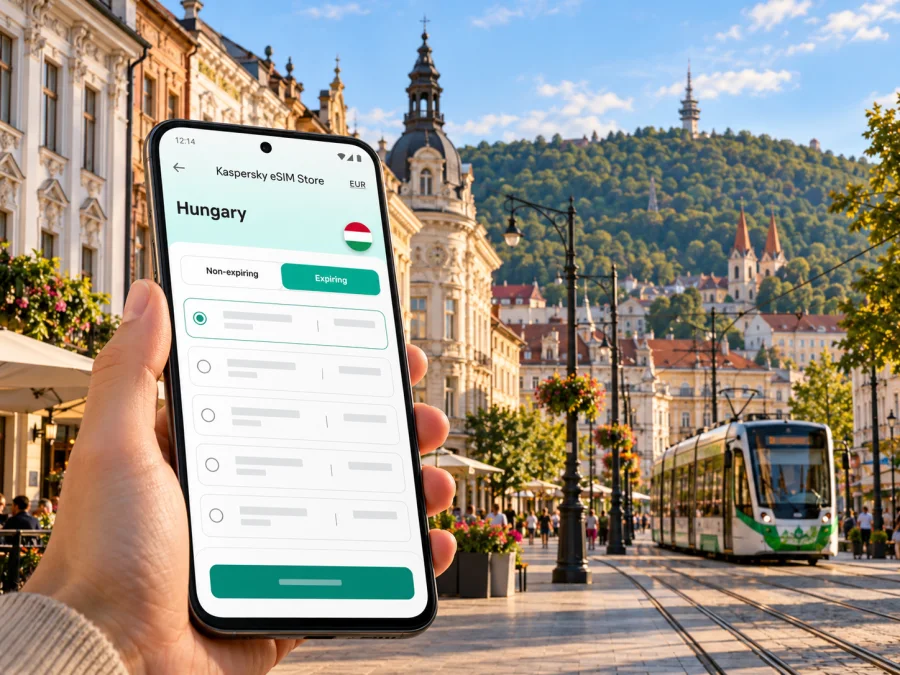
Miskolc eSIM: mobile connection and internet for your city trip
Miskolc is a practical base for exploring north-eastern Hungary: the historic centre, the tram corridor, the hillside district of Avas, Diósgyőr and the green valleys around Lillafüred all sit within one city itinerary. A working mobile data connection helps you check a route before leaving the hotel, find a stop, message a host and adjust plans when the weather or opening hours change. An eSIM can make that preparation easier, provided your phone supports it and the plan you choose covers Hungary.
This guide focuses on using mobile internet around Miskolc. It explains how to plan for arrival, city transport and outlying districts, what an eSIM can and cannot do, and which details to confirm before travelling. It does not promise a particular signal level: reception depends on the local network, your device, buildings, terrain and current conditions.
First, understand the shape of the city
Miskolc is not only a compact historic centre. The city stretches along a valley, with residential and visitor areas extending west toward Diósgyőr and the Bükk hills, and south toward Miskolctapolca. Lillafüred is a further outing into a wooded landscape. Your day may move between streets with shops and stops, quieter hillside locations, and attractions reached by road or local transport. Navigation and live travel information are useful precisely because the places on a map can look closer than they feel on foot.
The central area is a good starting point for a first walk. Keep your hotel or apartment address saved offline, and identify the nearest tram or bus stop before setting out. If you are travelling to Diósgyőr, Miskolctapolca or Lillafüred, look up the complete route rather than assuming one tram or bus will take you door to door. Some journeys involve a change, a walk between stops or a service with a different operating pattern.
| Part of a Miskolc visit | What mobile data is useful for |
|---|---|
| Historic centre and main streets | Walking directions, restaurant details and messages with your accommodation |
| Avas and hillside viewpoints | Checking the return route and saving a map before you leave the centre |
| Diósgyőr | Finding the right stop, checking current opening information and coordinating a visit |
| Miskolctapolca | Looking up transport and checking attraction status before travelling |
| Lillafüred and the Bükk edge | Reviewing the route in advance and keeping essential details available offline |
Treat digital maps as one part of the plan. A battery-saving mode can pause background location or updates, and a route may change when a stop is temporarily closed or a service is disrupted. Keep the address of your destination in text, take a screenshot of important directions and download an offline map if your mapping app supports it. Those small preparations are useful even when mobile service is available.
Arriving in Miskolc and getting oriented
For many international visitors, the journey to Miskolc includes a transfer in Budapest. Budapest Ferenc Liszt International Airport has a rail connection via Ferihegy station to Budapest-Nyugati; trains for Miskolc-Tiszai use the city’s railway network. Depending on your service, you may need to change between Budapest stations, so check the full journey for your arrival date rather than relying on an old screenshot or a fixed journey time.
Miskolc-Tiszai is a useful landmark when arranging a pick-up or reaching your accommodation. Before you board, save the station name and your destination address, and confirm which station or stop is named in your booking. If your arrival is late, have a backup plan for the final leg, such as the accommodation’s directions or a locally available taxi option. Mobile data helps you check live information, but it is sensible to keep the essential details accessible without it.
The first few minutes after arrival are often when connectivity matters most: a message to your host, a map to the stop, or a change in train platform. If you plan to use an eSIM, install it while you have reliable internet access, such as at home or on trusted Wi-Fi, and follow the activation instructions for that particular plan. Do not assume that installation and activation mean the same thing; check the plan terms to see when validity starts and which settings are required.
A simple arrival checklist
- Save your accommodation address in both a map app and a note.
- Keep your rail ticket and key booking details available offline.
- Check the latest Budapest–Miskolc connection before leaving the airport.
- Decide whether your usual SIM should remain enabled for calls or SMS.
- Make sure you know which line is assigned to mobile data after the eSIM is set up.
- Carry a charger or power bank if you expect to navigate for much of the day.
A local data eSIM is generally intended to provide mobile internet under the terms shown for the selected destination and plan. It should not be assumed to include a regular Hungarian phone number, voice calls or SMS unless its specific terms say so. You can usually continue to use messaging and calling apps over data, subject to the app, your account and a functioning connection. Keep your regular number available for account verification or urgent calls if you need it.
Choosing an eSIM plan for a city stay
Choose a plan for the itinerary you actually have. A short city break with maps, messages and occasional searches has a different pattern from several days of video calls, photo uploads or tethering a laptop. Duration and data allowance are shown in the plan details; compare them with the dates of your trip and how you use your phone. Prices, available plans and terms can change, so review the current details at the time you make a choice.
The destination is Hungary, even though your guide is focused on Miskolc. Check that the selected plan covers Hungary and that its validity window matches your travel dates. If your journey also includes another country, verify that the plan explicitly covers that destination too; a neighbouring country’s proximity does not mean the same plan works there.
A useful way to estimate your needs is to look at your phone’s recent mobile-data usage and separate essential use from optional use. Navigation, messaging, searches and transport updates are often lighter than repeated video streaming, cloud photo backups or hotspot use. You can reduce surprises by turning off automatic media downloads, limiting background sync and using hotel Wi-Fi for large uploads when appropriate.
If you are ready to compare the currently listed destination options, you can review eSIM plans for a trip to Hungary. The page is for the country destination; it should not be read as a Miskolc-specific tariff or as a guarantee of coverage at every address. Check the data allowance, validity, activation conditions, supported network details and any other terms shown for the plan you select.
Check your phone and regional variant
Before choosing a plan, confirm that your exact phone model and regional variant support eSIM. A product family may include different versions for different markets, and the same retail name does not prove that every version has the same SIM features. Check the device’s settings, the manufacturer’s specifications for the precise model number, and any carrier lock restrictions. If you cannot confirm the variant, contact the seller or manufacturer before relying on it for travel.
You can check whether your device supports eSIM before purchase. Also check that you can access the email or account used to receive setup details. Some phones can store multiple eSIM profiles but only use a limited number at once; follow the manufacturer’s instructions for your device and do not delete a profile unless you understand whether it can be installed again.
If your phone is not compatible, keep using your existing roaming option or ask your mobile provider about alternatives for Hungary. You can also use Wi-Fi where available, while remembering that public Wi-Fi availability and quality vary. A second device may be an option only if its exact model supports eSIM and you can keep it charged and secure.
Install and activate before you need directions
The setup flow varies by phone and by plan, so follow the instructions supplied for your purchase. In general, you select the eSIM for mobile data, retain your usual line for calls if needed, and enable data roaming for the eSIM only when the plan instructions require it. Make sure you understand which line is selected for data before turning off Wi-Fi or leaving your accommodation.
- Check compatibility and unlock status. Confirm eSIM support for the exact regional model and make sure the phone is not restricted to another carrier.
- Choose the destination and plan. Review the allowance, validity, start conditions and coverage stated in the current plan details.
- Install over a stable connection. Use the setup method provided for your plan and keep the installation code or QR details private.
- Label the lines clearly. For example, name them “Home” and “Hungary travel” so you can identify the data line in settings.
- Set the eSIM as the data line when appropriate. Keep your regular SIM enabled for calls or verification if you want that, and check potential roaming charges on your home line.
- Test before leaving Wi-Fi. Follow the plan’s activation steps, check that mobile data works, and confirm that maps and essential travel details are ready.
For device-specific steps, use the Android eSIM installation guide or the iPhone eSIM installation guide. Menu labels can differ across operating-system versions and manufacturers. If your screen does not match the guide, use the current instructions for your handset rather than guessing at a setting.
A successful setup does not guarantee identical performance in every part of Miskolc. Thick walls, indoor locations, crowded events, topography and network conditions can affect reception. If data does not work, confirm that the correct eSIM is enabled, mobile data is assigned to it, airplane mode is off and any required roaming setting is enabled. Restarting the phone may help; if the issue continues, check the plan instructions or contact the relevant support channel.
Moving around: stops, tram and bus information
Miskolc’s public transport operator, MVK, runs tram and bus services in the city. Use current operator information for routes, fares, passes and service changes; ticket options and conditions can be revised. An internet connection can help you look up a stop or check a route, but it does not replace a valid ticket or the operator’s travel rules.
For each outing, check the origin, destination, departure time and any transfer. The name of a district alone may not be specific enough when there are several possible stops. Save a screenshot of the route and note the stop where you expect to get off. If you take a forest train or another visitor service outside the ordinary city network, check its separate timetable and ticket requirements rather than assuming a city pass covers it.
A practical sequence for a day out is:
- Start with the exact address or attraction entrance, not only the neighbourhood name.
- Compare the route from your accommodation with the route back later in the day.
- Check whether a return service runs at the time you plan to leave.
- Save the route before entering an area where reception may be less reliable.
- Keep a little flexibility for walking, delays or a change of plan.
This is particularly helpful when combining central Miskolc with Diósgyőr or Lillafüred. The former is part of the city’s western itinerary; the latter takes you toward the Bükk landscape, where a day may involve more than one mode of transport. Use live information on the day, and do not rely on a particular connection unless it appears in the current timetable.
Mobile data across Miskolc’s districts
In the centre, use maps to find a meeting point, restaurant or stop; save your accommodation address for the return. On Avas, check the route before walking uphill and keep enough battery for directions back. At Diósgyőr, verify current visitor details before setting out, since access and event schedules can change.
Miskolctapolca is a district of Miskolc. The Cave Bath’s status has changed and official visitor pages have shown conflicting information, so check a current official update before planning around it. Other activities in the district have separate hours and conditions. Lillafüred, by contrast, is an outing toward the Bükk landscape: check cave tour schedules, local transport and return options before you leave. Save routes and key addresses in case reception is unreliable.
Match the setup to your trip
For a one-night stop, install and test the eSIM before the Budapest transfer and save station and check-in details. On a longer visit, plan transport both ways for outlying districts and confirm attraction hours before travelling. If you will work remotely, check whether the plan permits hotspot use and whether its allowance fits video calls; a data-only eSIM may not include an ordinary phone number. For a group, check each device and plan separately rather than assuming one eSIM can be shared or moved. Before a cross-border day trip, verify that the plan terms include the other country.
If the connection is slow or unavailable
Check whether the problem affects one app or all data. Confirm that the eSIM is enabled, selected for mobile data and configured as its plan requires. Restarting the phone or moving outdoors may help. Check that the plan has started and remains valid; avoid deleting the eSIM profile unless you know it can be installed again. If the issue continues, use Wi-Fi to review the instructions or contact support. Keep essential addresses and directions offline, and do not rely on internet access as your only way to get urgent help.
Monitor data use in your phone settings. To preserve the allowance, pause large downloads and automatic photo backups over mobile data, and reserve the connection for navigation, messages and essential searches.
Frequently asked questions
Is Miskolc in Hungary or in a separate region?
Miskolc is a city in Hungary. Nearby place names such as Diósgyőr, Miskolctapolca and Lillafüred describe districts or destinations within the city area, not separate country destinations for selecting a Hungary plan.
Does an eSIM guarantee coverage at every Miskolc attraction?
No. An eSIM plan uses the network and conditions stated for that plan, and real reception can vary by location, device, building and network conditions. Review plan details and keep key maps or addresses available offline.
Can I use an eSIM for calls and SMS?
Do not assume so. A travel eSIM may be data-only. Check the specific plan terms for voice and SMS; internet calling and messaging apps may work over data if the app and connection support them.
Should I install the eSIM after arriving?
If the plan instructions allow it, installing before departure while you have a stable internet connection can make setup easier. Follow the plan’s rules for when validity starts and when to activate data. The installation process and the start of plan validity may be separate events.
What if my phone has a different regional version?
Check the exact model number and regional specifications. A shared marketing name does not establish that every variant supports eSIM. Confirm compatibility and carrier-unlock status before purchase.
Is the Miskolctapolca Cave Bath open?
Its status has changed, and current listings may conflict. Check the official attraction or city tourism update shortly before your planned visit. Do not make the bath the only reason for travelling to the district until you have confirmed access.
Can I use the same plan outside Hungary?
Only if the plan’s current terms include the other destination. Check coverage country by country, especially before crossing a border; geographic proximity does not extend a plan’s coverage.
A calm connectivity plan for Miskolc
Before travelling, check the exact device variant, choose a Hungary plan whose data allowance and validity suit your dates, and install it according to the supplied instructions. Save your accommodation and station details, review current transport information for each outing, and verify changing attraction schedules on the day. Keep your regular SIM’s role clear, monitor data use and have essential directions offline.
When you are ready, choose an eSIM plan for your Hungary trip through the Kaspersky eSIM Store website or app. Review the current plan terms before completing your selection, then set up the eSIM on a compatible, unlocked device. This gives you a practical starting point for mobile internet as you explore Miskolc and the surrounding area.


