Travel connectivity guide
Mitrovica eSIM: Mobile Internet for Your Trip
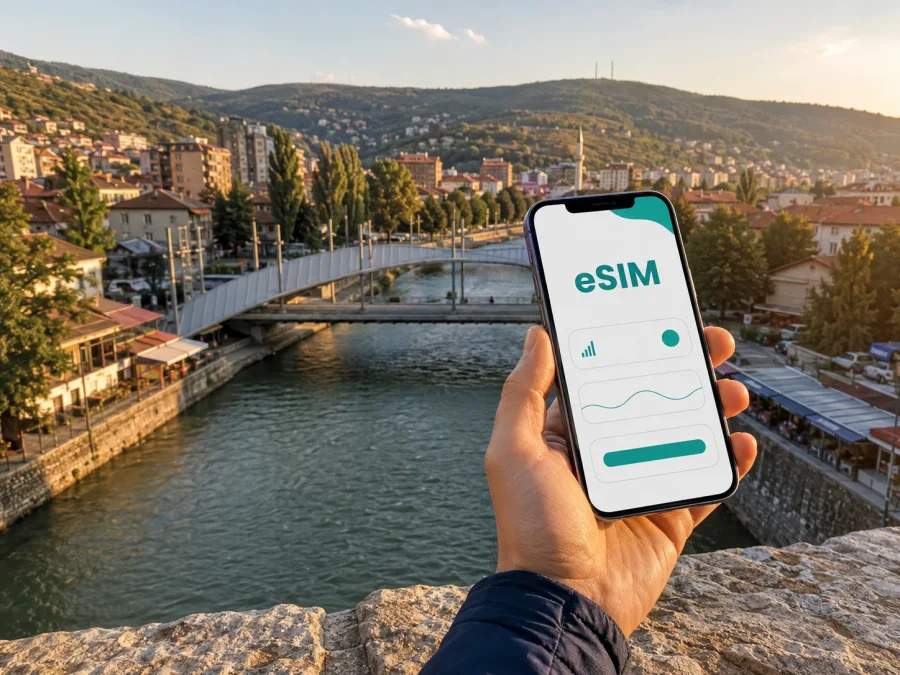
Mitrovica eSIM for mobile connection and internet on your trip
Mitrovica is a practical stop in northern Kosovo for travellers visiting family, attending a meeting, continuing a road journey or exploring the city on both sides of the Ibar. The first online task may come before the sightseeing: checking a transfer, messaging a host, opening a map or confirming where to meet. A prepared eSIM, or virtual SIM card, can give you a straightforward way to plan mobile data without looking for a physical SIM card immediately after arrival.
Kaspersky eSIM Store is an app and website where you can choose, arrange and activate an eSIM with a suitable data plan for an international trip. The available conditions depend on the selected plan. Before paying, check that the destination or regional coverage includes Kosovo, that the data volume matches your habits and that the validity period fits your itinerary. The service is for mobile internet; a plan normally does not replace your usual phone number or include regular calls and SMS unless its specific conditions say otherwise.
Why mobile internet is useful in Mitrovica
Mitrovica is easy to understand in broad outline, but a visitor still needs precise information at the right moment. The Ibar is a major local landmark, and addresses, bridges and meeting points can be described by their position relative to the river. A live connection helps you compare the address saved in a booking with the place where you are standing, choose a route and tell another person that you have arrived.
Mobile data can be particularly useful for:
- checking the next leg of a journey after leaving a bus or car;
- opening maps while walking between accommodation, shops, cafés and a meeting point;
- messaging a host about check-in instructions or a changed arrival time;
- ordering or locating a taxi through the service you normally use;
- translating a short message or checking the spelling of an address;
- keeping travel documents, reservations and two-factor authentication available;
- sharing a location with family or colleagues when plans change.
Public Wi‑Fi in a hotel, café or transport hub may be convenient, but it is not something to plan around for every step of a journey. With a travel eSIM ready, you can use mobile data while leaving your home SIM in the phone for the number and services attached to it, subject to your device and home plan settings. This can reduce the need to search for a Wi‑Fi network before you can even reach your accommodation.
Arrival: prepare the first hour before you leave
Mitrovica does not serve as a typical international air-arrival point for most visitors. A journey may include a flight to another airport followed by a ground transfer, or a longer route through a neighbouring country. The exact transfer depends on your origin, border arrangements and the rest of your itinerary, so save your own booking details rather than relying on a generic route.
Before departure, place these items where they are available offline:
- The full accommodation address, including the spelling used by the host.
- A map pin for the entrance, not only the name of the property.
- The name and contact details of the person meeting you, if applicable.
- The next transport point and an approximate arrival time.
When you regain mobile data after landing or crossing into Kosovo, confirm the transfer, send an arrival message and compare your location with the saved pin. Keep any landmark together with the exact address in your notes.
An eSIM is helpful here because the preparation can happen before the ground transfer begins. You do not have to postpone the first map check until you find a shop or a suitable Wi‑Fi network. At the same time, installation is not a reason to skip the practical basics: charge the phone, save a QR code if one is provided and keep access to the account used to manage the eSIM.
Moving through Mitrovica: maps, crossings and meeting points
For a short visit, walking and local transport may cover much of the city. Distances on a screen can still be misleading when you are carrying luggage, arriving after dark or looking for a specific entrance. Use the river as an orientation aid, but follow the exact address and the route suggested for your chosen mode of transport.
A simple navigation routine
Use this sequence whenever you leave the hotel or a transport stop:
- open the saved destination and confirm the street name;
- check whether the route is for walking, driving or public transport;
- identify the next turn and one recognisable landmark;
- share the expected arrival time if someone is waiting;
- save the return address before you leave the area;
- close high-data applications when you only need the map.
If your route crosses from one side of the city to the other, allow time to orient yourself after the crossing. A pin dropped at a bridge is not the same as the entrance to a building several streets away. For meetings, send the building name, street address and map pin together. This small habit avoids misunderstandings when a place has more than one nearby entrance.
Transport and data use
Transport searches, route recalculation and short messages use data differently from video, photo backups or long calls. Match the plan to your habits; laptop work, continuous maps and hotspot use need more room than occasional messages.
The following approach keeps the decision practical:
| Trip pattern in Mitrovica | What you are likely to do | What to check in a plan |
|---|---|---|
| Short stopover | Confirm a transfer, open maps and send messages | Short validity and enough data for arrival tasks |
| Weekend visit | Navigate daily, manage bookings and use messengers | Validity covering the whole stay and a modest reserve |
| Business visit | Use mail, documents, authentication and occasional calls in messengers | Data allowance, tethering conditions and support options |
| Road itinerary | Move between Mitrovica and other places | Geography that explicitly covers every planned destination |
Treat the table as a planning framework, not a promise about a package. Actual use depends on screen time, updates, video quality and hotspot use, so review the conditions shown for the plan.
Once you know the length and shape of the trip, you can review regional eSIM plans for a Kosovo itinerary. The regional page is useful for comparing options, but the final check is yours: read the included destinations and choose a plan that names Kosovo or otherwise clearly covers the route you intend to take.
Choosing a plan for your Mitrovica itinerary
Start with geography, then consider time and usage. A local or regional option may be relevant depending on what is displayed for your destination. If Mitrovica is one stop in a wider Balkan route, a regional plan can be easier to manage than separate profiles, provided every country on the route is included in the selected conditions. Do not assume that a regional label covers every border crossing.
Use this order when comparing options for Mitrovica:
- List every place where you need data, including the arrival point, Mitrovica and any onward stop.
- Match the allowance to your habits: maps and messages are lighter than video, cloud backups and hotspot use.
- Check the start date, validity period, activation method, data-only limitation and top-up conditions.
- Label the travel eSIM, keep the home SIM identifiable and decide which line will be used for mobile data.
Hotels, cafés and work in Mitrovica
Accommodation is easier to reach when you have both the booking information and a working data connection. Some properties use a building entrance, nearby landmark or host instructions that are not obvious from the property name alone. Save the details before leaving the transport point, then use the connection to ask one precise question if anything is unclear.
For a hotel or guesthouse stay, save the property name, exact address, check-in instructions, host or reception contact, a nearby landmark and the return route from the centre or next transport point.
In a business trip, mobile data supports a different rhythm. You may need to confirm an office location, open a calendar invite, download a document, answer email and pass a two-factor check while moving between meetings. Download large files before the meeting when possible, use a stable connection for important calls and keep a backup meeting point in your notes.
If you plan to use the phone as a hotspot, check that your device supports tethering and that the chosen conditions permit it. A laptop can consume data faster than a phone used only for text and maps. Track your balance in the profile or app, close automatic backup tasks and make video calls only when their quality and data use fit your plan.
Install and activate an eSIM before or after arrival
Installing the profile before departure is usually convenient because you can use a stable internet connection and take time to review the settings. You may also install after arrival if the phone has another working connection. Do not delete your home SIM or change several mobile settings at once unless you understand which line is active.
Before buying or installing, check your device compatibility. The phone must support eSIM and should not be restricted by an operator. Some models differ by region of sale, so the model name alone is not always enough. Keep the phone charged and make sure you can access the eSIM profile in the Kaspersky eSIM Store app or website.
Follow this sequence:
- Check the conditions. Confirm that Kosovo or your complete route is listed, then review validity, data volume and activation rules.
- Choose the line. Select the eSIM plan for the trip and keep your home SIM available for the functions you still need.
- Open the profile. After arranging the plan, open it in the app or on the website and use the installation option shown for your device.
- Use the QR code when offered. If the profile includes a QR code, display it on another screen or use the device’s built-in QR workflow.
- Select mobile data. In the phone’s mobile-network settings, choose the travel eSIM as the line for mobile internet.
- Check roaming settings. Some devices may require data roaming to be enabled for the eSIM. Follow the plan’s instructions and make sure the home SIM is not selected for roaming data.
- Test deliberately. Turn off Wi‑Fi and open a map or send a short message. If the trip starts later, avoid unnecessary data use until the conditions say the plan should be used.
For the platform-specific steps, use the Android installation instructions or the iOS installation instructions. The names of menus vary by phone and operating-system version. If the eSIM does not connect after you have checked the settings, review the plan conditions, reconnect to a stable internet source if needed and contact support.
Before-you-leave checklist
Use this checklist the day before departure:
- [ ] Mitrovica is written in the booking notes together with the full accommodation address.
- [ ] The map pin, meeting point and return route are saved.
- [ ] The selected eSIM plan explicitly lists Kosovo or the regional route you need.
- [ ] The validity period matches the actual arrival and departure dates.
- [ ] The phone supports eSIM and is not operator-locked.
- [ ] The eSIM profile, QR code or installation option is available in your account.
- [ ] Your home SIM is labelled and its data-roaming setting is understood.
- [ ] Android or iOS installation steps are easy to open.
- [ ] Important tickets and reservations can be viewed offline.
- [ ] Hotspot use, top-up options and balance tracking are understood.
Frequently asked questions
Is an eSIM useful for a short stop in Mitrovica?
It can be. Even a brief stop may require a transfer message, a map, a booking confirmation and a way to contact a driver or host. Choose a plan whose validity and destination coverage match the stopover instead of assuming that a longer plan is automatically appropriate.
Does a travel eSIM give me a phone number for ordinary calls?
Usually not. These plans are intended for mobile internet and may not include a separate phone number, regular calls or SMS. Check the exact conditions. You can use messengers over data when the relevant accounts are already available to you.
Should I install the eSIM before I travel?
Installing before departure can be convenient because you have stable internet and time to check the settings. Installation after arrival is also possible when another connection is available. In either case, confirm compatibility, keep the QR code or profile accessible and select the correct data line.
What should I do if I cannot connect after arrival?
Check that the eSIM is enabled, selected for mobile data and configured according to the plan instructions. Confirm whether data roaming is required for that eSIM, turn off Wi‑Fi for a controlled test and allow a few minutes for registration on a local network. If the issue remains, contact support with the relevant details.
Choose your eSIM for a Mitrovica trip
Mitrovica travel is easier to manage when the practical details are ready: the accommodation address is saved, the route is clear, the phone is compatible and the data line is selected. Kaspersky eSIM Store helps you choose, arrange and activate an eSIM data plan for an international trip through its app or website. Review the listed destinations, data allowance, validity, activation and top-up conditions, then choose an eSIM plan for your Kosovo journey before you leave.


