Travel connectivity guide
MKS eSIM in the Russian Federation: what to check
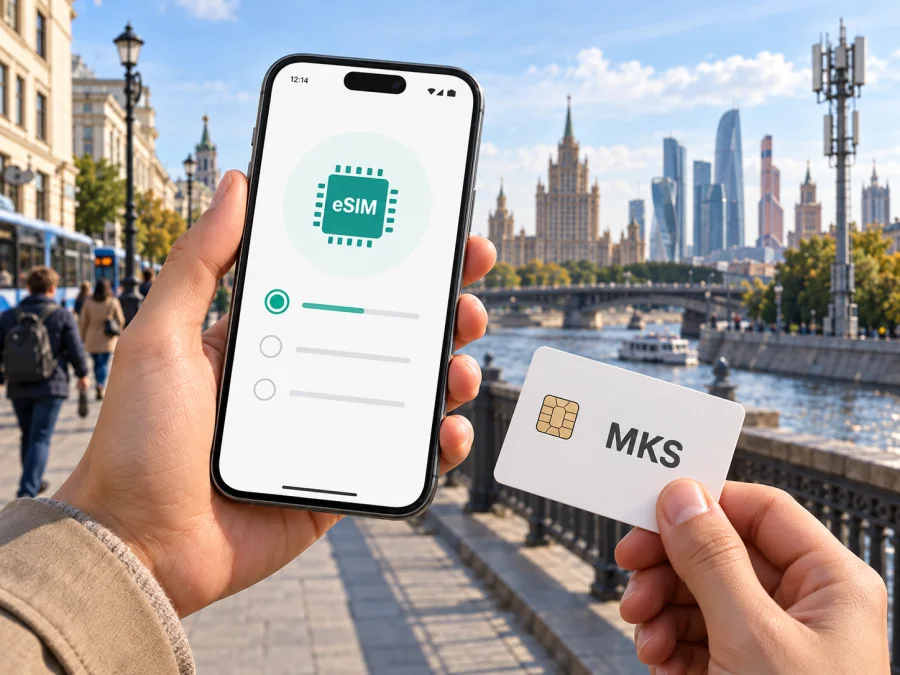
MKS eSIM in the Russian Federation: what travelers should verify
If you are looking for an MKS eSIM in the Russian Federation, the first thing to know is that current public information does not confirm that MKS offers eSIM activation. The operator’s website describes mobile service and subscriber connection using a SIM card, but I did not find an official eSIM page or eSIM-specific activation route during verification on 26 September 2026. Treat MKS eSIM availability as unconfirmed until the operator confirms it directly. If you need service from MKS, contact its current support channels before traveling and ask whether it issues eSIM profiles to new customers or visitors.
A phone that supports eSIM does not automatically work with every carrier. The operator must issue a profile, and the customer must be eligible to activate it. References to 4G or mobile internet do not establish support for downloadable SIM profiles. This guide separates what MKS currently documents about its mobile network from what remains unclear about eSIM, and outlines the checks to make before depending on the connection during a trip.
What MKS is and where its published service information points
MKS is the name used on the public website of LLC Mobile Communication Systems, a mobile operator. Its site presents mobile services for individual and business subscribers, links to a coverage map, explains how to connect, and provides subscriber support. Several unrelated organizations use the initials MKS, so make sure that you are consulting the mobile operator’s own information.
MKS’s public materials describe a defined service territory; they do not establish nationwide coverage throughout the Russian Federation. A license extract issued by Roskomnadzor and published on the MKS website names the Luhansk People’s Republic as the territory for relevant mobile services. The operator’s coverage-map reference also identifies the Republic. This is not evidence of an MKS footprint across the whole Federation. Check whether the operator serves each destination beyond the mapped area.
On 26 September 2026, the MKS website’s connection, coverage, FAQ, and support sections showed service locations and a coverage map, but did not confirm eSIM availability. Recheck them before departure. The site also announced maintenance for 27–28 September 2026 and advised subscribers to re-register if they later experienced problems. Follow current operator guidance; this notice is not a general statement about network quality.
Is MKS eSIM available?
As of 26 September 2026, I could not confirm MKS eSIM availability from its current public website. MKS describes mobile service through subscriber SIM cards and publishes connection information, but the pages reviewed did not identify eSIM as an available format. That does not prove that an individual arrangement is impossible or that the operator could not introduce eSIM later; it means a traveler should not plan on using it without direct, current confirmation.
Contact MKS through a current support channel shown on its website and ask:
- Does MKS currently issue eSIM profiles to individual subscribers?
- Can visitors or people arriving from another region register for service?
- Is an in-person visit needed to identify the subscriber or issue a profile?
- Which identity documents are required, and are translation or local registration rules relevant?
- Can the profile be installed before arrival, or only after the account is opened?
- Which exact phone models and software versions does MKS support?
- Does activation require local connectivity, a one-time code, an account, or a visit?
Keep the response and any installation instructions available offline. If MKS cannot confirm an eSIM for your circumstances, do not assume that a QR code from another provider will create an MKS subscription. A profile is issued by a particular service provider; it is not a universal activation code.
The connection page lists service centers and post offices where starter packs can be obtained, so arranging a local subscription may require a physical visit. It does not confirm visitor eligibility or eSIM issuance. Check current locations, opening arrangements, documents, and registration steps before making a special trip.
The public information reviewed for this guide did not establish whether MKS has visitor-specific or prepaid eSIM access. Prepaid service, tourist eligibility, and eSIM are separate questions: confirmation of one would not establish the others. Ask MKS whether an option currently suits your circumstances and verify its conditions directly. The useful planning questions are whether you can sign up, where service is available, and how activation works.
Network technologies and coverage
MKS’s “Technical indicators and standards characterizing quality of communications services” document, checked on 26 September 2026, identifies GSM (2G), UMTS (3G), and LTE (4G). This list is not a guarantee that all are available at every location or that every handset will connect. A device must support the relevant local radio bands, and service depends on coverage and current network conditions.
The MKS website links to its coverage map as the source for checking service geography. Review it for each city or area on your route. Treat it as a planning reference, not a promise of uninterrupted reception: terrain, buildings, network load, maintenance, and the handset can affect service. If you depend on connectivity for navigation or travel arrangements, plan for possible gaps and save essential information offline.
| Check | Current public information | What to verify |
|---|---|---|
| eSIM from MKS | Not confirmed in the pages reviewed on 26 September 2026 | Ask whether MKS issues eSIM profiles to your type of customer |
| Network technologies | MKS documentation identifies GSM, UMTS, and LTE | Check the exact phone model and radio bands |
| Coverage | MKS links to an operator coverage map and names a defined territory | Review each destination and ask about uncertain parts of the route |
| New subscription | The site lists service centers and post offices for starter packs | Confirm eligibility, documents, locations, and current process |
| Visitor or prepaid access | A visitor-specific eSIM option was not confirmed | Ask MKS whether a suitable option currently exists |
Explore eSIM options for the Russian Federation with Kaspersky eSIM Store
What to prepare before you travel
Decide whether you need an MKS local subscription or mobile data for the trip. A local subscription may matter if you need a local number or services provided by the operator, but registration and activation may involve steps that cannot be completed remotely. A travel eSIM can be a separate way to arrange mobile data for a supported destination, while leaving a primary SIM available for calls or verification messages. These are distinct arrangements; check the terms of a specific travel eSIM before purchase.
If you want MKS service, confirm the onboarding process before arrival. Its website lists locations for obtaining starter packs and provides information about updating passport details, but the reviewed pages do not establish that every step can be completed online or that foreign documents will be accepted in every case. Ask which documents are required, whether you must appear in person, how subscriber details are recorded, and whether local procedures apply. Do not rely on another carrier’s registration rules.
Check that your phone is unlocked, updated, and compatible. If MKS confirms eSIM, request confirmation for your exact handset; manufacturer eSIM support does not establish carrier support or eligibility.
Activation and device setup
Because MKS eSIM support is unconfirmed, there is no verified MKS-specific eSIM installation sequence to provide. Do not scan a profile or change settings using instructions intended for a different carrier. First ask MKS to confirm that the profile is genuine, issued for your subscription, and intended for your device. Follow instructions from the provider that issues it, including any requirement about where or when to install it.
For eSIMs generally, setup involves adding a carrier profile through the phone’s cellular settings or the provider’s app, then choosing which line handles mobile data. The steps differ by phone maker and software version. Setup may require an internet connection, so prepare while you have reliable access and keep the instructions available offline. Do not delete an eSIM during troubleshooting unless its provider confirms that it can be installed again; some profiles need to be reissued.
If MKS provides a physical SIM, use MKS’s own connection instructions. Confirm whether identity registration, activation, or a device restart is needed. Its September 2026 maintenance notice advised subscribers with post-maintenance problems to restart the phone or toggle airplane mode to re-register. Follow current operator advice if an issue occurs; a physical-SIM step does not activate an eSIM.
For general installation help in Kaspersky eSIM Store, use the service’s instructions for Android and iOS, and review device compatibility. These resources explain installation on a compatible phone; they do not confirm MKS support. Instructions from the eSIM provider take priority, particularly about installation timing and selecting the data line.
MKS local service and travel eSIM are different
An MKS local subscription and a travel eSIM are not interchangeable. If MKS confirms that it can serve you, its subscription may provide access to the operator’s mobile service and may be relevant if you need its local number or account. Its geographic reach is the area shown by MKS, and it sets the subscriber onboarding process. Confirm both before relying on it for a trip.
Kaspersky eSIM Store is an app and website that helps users choose, arrange, and activate an eSIM with a plan for mobile internet during a trip abroad. It is not a mobile operator, does not own a network, and does not itself provide mobile internet coverage. Availability and service conditions depend on the selected destination eSIM and should be reviewed before purchase.
Traveler checklist
Before departure:
- Map your route. Check MKS’s live coverage map for each stop rather than treating the Russian Federation as one uniform service area.
- Ask about eSIM. Contact MKS through its current official support route. Public confirmation was not found on 26 September 2026.
- Confirm registration. Ask which documents and in-person steps apply to you. The listed starter-pack locations make it useful to verify logistics in advance.
- Check your phone. Confirm it is unlocked and supports relevant network bands. If MKS confirms eSIM, request device-specific confirmation.
- Plan activation. Keep instructions offline, ensure you have connectivity for setup, and know how to reach support.
- Keep a backup. Save maps, addresses, tickets, and important contacts offline. Verify any separate data option for the destination.
- Review notices. Recheck MKS coverage and news close to departure, especially around announced maintenance or changes to service locations.
Common questions
Can I buy an MKS eSIM online before arriving?
The public MKS information reviewed on 26 September 2026 did not confirm eSIM issuance or an online purchase process. Ask whether remote registration is possible for your situation. The website lists physical locations for starter packs, so do not assume that the full process is online.
Will any eSIM-compatible phone work with MKS?
No. The handset must support eSIM, MKS must issue an eSIM profile, and you must meet the operator’s requirements. MKS support was not confirmed in the public pages reviewed. Ask before traveling on that assumption.
Does MKS cover the whole Russian Federation?
The reviewed MKS materials do not establish nationwide coverage. The site links to its own map, and the published license extract names a defined service territory. Check specific destinations on the current map and confirm your route with the operator.
What to do next
The most useful next step is to confirm whether MKS currently issues eSIM profiles to someone in your situation. The answer may determine whether you need to visit a service point, present particular documents, or arrange a separate data option. Check the operator’s current map, connection locations, subscriber instructions, and support details, and ask about the places on your itinerary and your exact phone model.
If you prefer to arrange a separate travel eSIM for mobile data, Kaspersky eSIM Store can help you review an option for the Russian Federation, check device compatibility, and follow the selected provider’s installation process. Confirm destination support and intended use before purchase, and keep your primary line available for services that need ordinary calls or SMS. Review eSIM options for the Russian Federation.
This article is independent and is not affiliated with, sponsored by, or endorsed by MKS. The operator’s “Connect to the network” and “Coverage map” pages, subscriber information, and its published Roskomnadzor license extract were checked on 26 September 2026. MKS’s pages and documentation may change, so verify current coverage, registration steps, and eSIM availability before traveling.


