Travel connectivity guide
Mobicom eSIM in Mongolia: activation guide
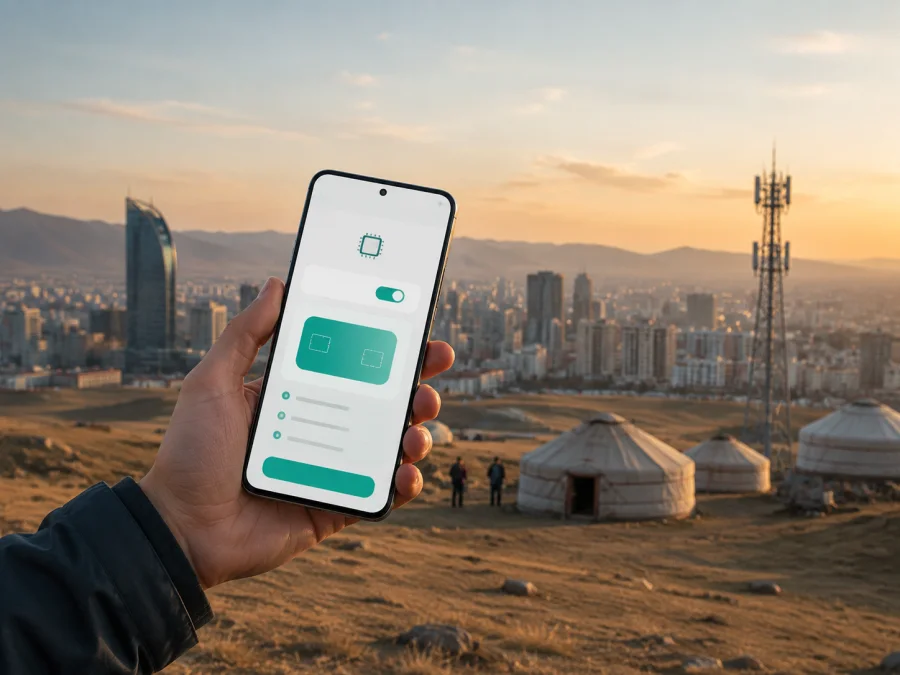
Mobicom eSIM in Mongolia: connection and travel guide
If you are preparing for a trip to Mongolia and want mobile internet without swapping a plastic SIM card, Mobicom eSIM is a local option to check. Mobicom publishes information about eSIM, supported devices, QR-code activation and a separate tourist purchase flow. The right route depends on whether you are an existing customer, a new visitor or a traveler who needs data for the journey.
This guide summarizes the current public information and explains how to prepare. Conditions can change, so confirm the current details with the relevant provider before you buy or install a profile.
Mobicom in the Mongolian market
Mobicom is a mobile operator serving Mongolia. Its public website presents mobile services for individual users, self-service through the Mobicom application and tools for finding stores and checking network coverage. A local Mobicom eSIM therefore creates a relationship with the Mongolian operator and its support channels.
The public information reviewed for this article was checked on September 7, 2026. The Mobicom Help Center page “What is an eSIM?” describes a non-physical SIM profile, QR activation and the need for a compatible phone or tablet. Its separate “Tourist SIM” page says the tourist offer can be obtained in eSIM or physical-SIM form through the Mobicom website. The pages describe different customer journeys; follow the instructions for the service you are actually ordering.
Is Mobicom eSIM available in Mongolia?
Yes, Mobicom's current public support information confirms eSIM as part of its services. The regular eSIM page says a digital profile is installed by scanning a QR code and that the device must support eSIM. It also describes eSIM use with prepaid and postpaid services in general terms. The same page says that obtaining a regular eSIM online requires registration with e-Mongolia, which may be a limitation for a short-term visitor.
Mobicom's tourist-specific page explicitly describes the tourist offer as available in eSIM as well as physical-SIM form. Its online sequence includes choosing the tourist service, selecting eSIM after a device check, entering an email address, confirming an emailed one-time code and completing the payment step. Activation information is then sent to the registered email address. This confirms a public tourist eSIM route, but eligibility and screens should still be checked at the time of purchase.
The two routes matter. An existing customer may see account or identification requirements intended for local users. A visitor may instead see the tourist service page and email verification. If the eSIM option is missing or the order stops at a requirement you cannot meet, ask Mobicom to confirm the current procedure.
Check the device before purchase
An eSIM is a digital profile stored in the device rather than a removable card. The phone or tablet must support eSIM and must not be carrier-locked. Regional variants can differ, so a model name alone is not enough.
Before ordering, check the exact model and regional version, the eSIM option in settings, unlock status, current operating-system support, dual-SIM behavior and access to stable internet during installation. Also make sure your email can receive the QR code or activation message.
Mobicom's tourist page says a supported-device list appears when the eSIM option is selected. Use that list as the relevant checkpoint. If your exact model is absent, pause and ask support. The regular eSIM page likewise warns that the phone or tablet must support digital SIM technology.
The Kaspersky eSIM Store Mongolia page, checked on September 7, 2026, also instructs users to check device compatibility before selecting and activating a travel eSIM. That check does not override a carrier lock or the conditions of a local operator.
How Mobicom eSIM activation generally works
The screens may change, but Mobicom's public instructions describe this sequence.
1. Choose the correct route
Existing customers should distinguish a new eSIM request from recovery of a number they already use. Visitors should look for the tourist service rather than assume that the regular local-customer application is available to them. Note whether the page asks for e-Mongolia registration, an account, a phone number or email verification.
2. Confirm, verify and receive the code
Select eSIM only after the page or support flow confirms that your device is compatible and unlocked. The tourist instructions describe entering an email address, receiving a one-time code and finishing the payment step. Mobicom's regular eSIM guidance says that a QR code and relevant security details are sent to the registered email address. Use an inbox you can open and keep the message private.
3. Install and select the profile
On iPhone, open mobile or cellular settings and add an eSIM or mobile plan. On Android, open SIM manager or mobile-network settings and add a mobile plan. Scan the QR code or use the installation option in the order flow. Label the profile “Mongolia data”, select it for mobile data and keep the home line's roaming setting separate.
4. Wait for registration
Registration can take a little time. If the phone does not connect, check that the profile is enabled, the data line is selected and the device has a usable signal; restarting may help. Do not repeatedly delete and reinstall a profile because some activation codes are intended for one device or one installation.
Tourist requirements and travel restrictions
The existence of an eSIM is only one part of a successful setup. The regular online eSIM path refers to e-Mongolia registration, which may be difficult for a visitor without a local account or the required verification. The separate tourist page describes a web route with email confirmation, but it does not mean every visitor or device will pass automatically. Review the current requirements during checkout and contact Mobicom if the page asks for information you cannot provide.
The installation email matters. You need access to the inbox used for the order and internet on the device while scanning the QR code. If you install after arrival, arrange Wi-Fi or another temporary connection first. Adding a profile and activating service are related but separate steps: installation alone does not guarantee that mobile data is selected or that the device has registered on the network. Follow the activation message.
If the tourist service is intended primarily for data, confirm voice and messaging conditions before relying on it for ordinary calls or SMS. Mongolia includes cities, long road journeys and remote natural destinations. A general statement about national reach cannot promise service at every point on a route. Check the current coverage tool for the places you will actually visit and keep offline maps, reservations and emergency contacts available.
If you want to arrange mobile data before landing, choose an eSIM plan for Mongolia in Kaspersky eSIM Store after checking compatibility and the conditions shown for your destination.
Technologies and coverage
Mobicom's current public network-coverage and Help Center pages, checked September 7, 2026, describe 4G LTE service and publish separate information about 5G locations. The coverage page provides a location-checking tool. The Help Center identifies 5G availability in Ulaanbaatar, provincial centers and selected other locations, while the 5G page explains that the service can fall back to 4G where 5G is unavailable.
These pages confirm the presence of the technologies; they do not justify a promise that every eSIM, device or destination will use 5G. Coverage is a location-specific question affected by settlement, terrain, indoor conditions, handset support, network conditions and the service being used.
Use the official coverage tool before visiting remote camps, border areas or long stretches between settlements. Check the route rather than only the arrival city. If a specific point is unclear, ask Mobicom support and plan for possible periods without a signal. That is a travel precaution, not a judgment about network quality.
Local Mobicom eSIM or travel eSIM?
The useful comparison is about purpose. A local Mobicom eSIM is tied to the Mongolian operator's customer and support processes. A travel eSIM is organized around mobile data for a destination or region.
A local Mobicom eSIM may fit when you want local support, a local account or a local-number use case and can complete verification. A travel eSIM may fit when your priority is data and you want to prepare online before arrival, but it normally does not supply local voice and SMS service. Check data-line and roaming settings before departure.
Kaspersky eSIM Store as a travel-data alternative
Kaspersky eSIM Store is an application and website that help users choose, purchase and activate an eSIM with a data plan for an international trip. It is not a mobile operator, does not own a Mongolian radio network and does not replace Mobicom's customer support. It is a separate travel-data route for users who want to prepare a destination eSIM online.
The current Kaspersky eSIM Store Mongolia page, checked on September 7, 2026, lists Mongolia as a destination and explains the general sequence: check compatibility, choose the destination, activate the eSIM and manage the profile and data through the website or app. Kaspersky's official blog describes the same model and says to select the eSIM for mobile data. These descriptions concern the travel service, not Mobicom's local conditions.
The distinction is important. The Kaspersky travel eSIM for Mongolia is data-only and does not come with a separate local phone number for ordinary calls and SMS. Internet messaging and calling applications can work when their accounts are already set up and the eSIM has data access, but that is different from receiving a local operator number. If local voice, SMS or numbering matters, ask Mobicom about the current local eSIM requirements.
Kaspersky's public instructions also note that installation requires compatibility and internet access; on some devices, data roaming must be enabled for the travel profile.
Before departure
Use this short checklist: confirm the exact phone model and unlock status; check eSIM support; decide whether you need a local Mobicom relationship or only travel data; match your visitor status to the regular or tourist route; make sure the order email can receive the QR code; save support details; download offline maps; install with stable internet; label the line; and check roaming separately for both SIMs.
Do not remove your primary SIM until you know how you will receive essential authentication messages. Do not leave both lines configured for mobile data unless you understand which one the phone will use.
If activation fails
Confirm that the profile is enabled, the phone is unlocked, the intended data line is selected and the required roaming setting is on. If the QR code is not recognized, increase the display brightness, use manual entry if available and confirm that it is the correct code.
If the profile installs but there is no service, restart the phone and review network selection. Do not change advanced settings unless support instructs you to do so. For a travel eSIM, follow that service's instruction about data roaming. For a Mobicom order, contact Mobicom through its current support channel and quote the order details without sharing the QR code publicly.
An eligibility or identity error will not usually be solved by reinstalling the profile. Ask which customer route applies and whether a current visitor restriction affects the order.
FAQ
Does Mobicom support eSIM in Mongolia?
Yes. Mobicom's current Help Center describes eSIM and QR-based installation, and its tourist page describes a tourist offer in eSIM form. The route and requirements depend on the service and customer, so confirm the current process before purchase.
Can a visitor use the regular online process?
Do not assume so. The regular instructions refer to e-Mongolia registration, while the tourist instructions describe a separate website and email-verification flow. Check the page shown for your order and ask Mobicom if your status is unclear.
Will Mobicom eSIM work everywhere in Mongolia?
No blanket guarantee should be inferred. Mobicom publishes coverage tools and technology information, but service depends on the exact location, terrain, device and current conditions. Check your route and keep offline information.
Does the Kaspersky travel eSIM include a local number?
No. The current Mongolia travel page describes it as data-only. It can support internet applications, but it is not a substitute for a local voice-and-SMS number.
Final checklist for a connected trip
Decide whether you need a local Mobicom account or a separate travel-data eSIM. Verify the device, unlock status, route and activation method. Distinguish Mobicom's regular instructions from the tourist flow and confirm visitor requirements.
After installation, label the line, select the correct data profile and review roaming settings for both SIMs. On arrival, allow time for registration and test a map or message. In remote parts of Mongolia, use coverage information as a planning aid and keep essential details offline.
Mobicom and Kaspersky eSIM Store are separate services, and Kaspersky eSIM Store is not affiliated with, endorsed by or an official partner of Mobicom. Availability, device lists, activation steps, coverage and conditions may change; confirm details with the relevant provider before you buy or activate.
If travel data fits your itinerary, go to the Mongolia eSIM selection after completing the compatibility check and reviewing the current conditions.


