Travel connectivity guide
Mobily eSIM in Saudi Arabia: what to check
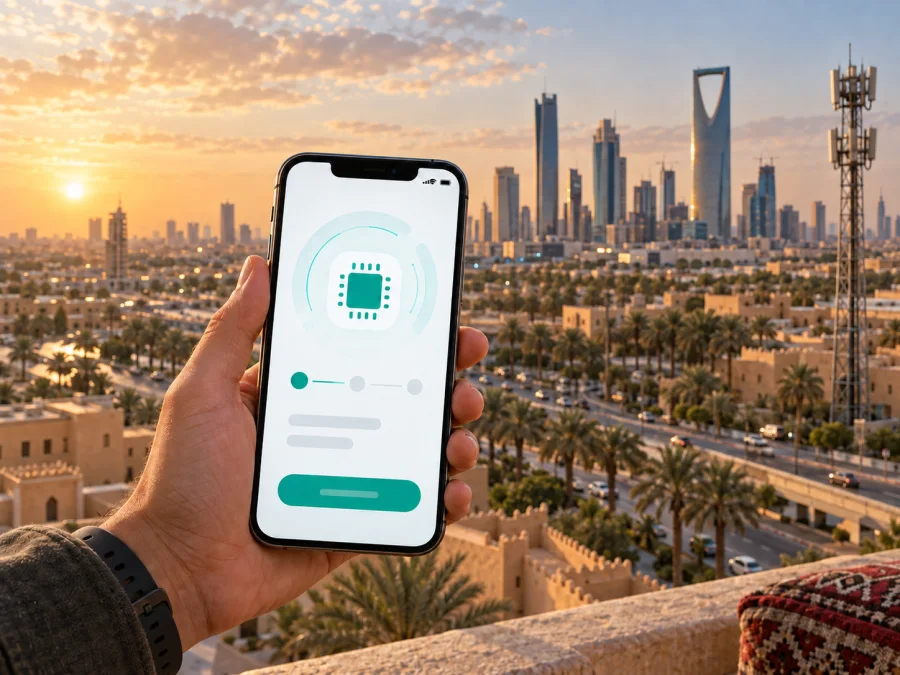
Mobily eSIM in Saudi Arabia: connection, activation, and travel tips
If you are planning a trip to Saudi Arabia and searching for “Mobily eSIM”, the first thing to establish is what kind of connection you need. Mobily is a Saudi telecommunications operator with consumer mobile services, prepaid and postpaid options, visitor offers, and SIM-management services. Its current public information confirms that Mobily supports eSIM for eligible devices. A local Mobily eSIM can therefore be relevant when you need a Saudi mobile line, while a travel eSIM can be more convenient when your priority is arranging mobile internet before departure.
This guide explains what Mobily currently publishes about eSIM, how activation works, what a traveler should check, and how a travel eSIM differs from a local operator line. The aim is practical preparation rather than a recommendation of one connection type for every itinerary.
Information in this article was checked on September 19, 2026, against Mobily’s current public eSIM, prepaid, visitor, 5G, and coverage pages, the Saudi Communications, Space and Technology Commission coverage-map service, and the Kaspersky eSIM Store Saudi Arabia page. Services, eligibility, device lists, coverage, and purchase conditions may change, so confirm the current terms with the relevant provider before you travel.
Mobily’s place in the Saudi Arabia mobile market
Mobily serves the Saudi Arabia consumer market through mobile, prepaid, postpaid, data, visitor, roaming, and SIM-management services. Its public catalogue separates visitor connections from ordinary local lines, which is an important distinction for travelers.
Mobily’s eSIM is a digital profile installed on a compatible device. The operator describes issuing a new Mobily number as an eSIM or replacing an existing physical SIM. It also publishes prepaid and visitor categories. These are useful routes to investigate, but “available” does not mean that every traveler can complete every route online. Check eligibility, identity verification, registration, and any branch requirement for your status.
Does Mobily support eSIM in Saudi Arabia?
Yes. Mobily’s current eSIM information confirms support for an embedded SIM in Saudi Arabia. The page explains that the profile is activated with a QR code and that a new QR code is required if the same number is activated on another device. It also notes that an eSIM and a physical SIM can be active on one device at the same time, subject to the device and line limits.
Mobily says an eligible customer can request an eSIM through its website, through the Mobily app, or at a Mobily branch. For an order made through the app, the QR code is shown after the process and sent by email; the website and branch routes can have their own current steps. Keep the QR code private and use it only on the device that will carry the line.
The official eSIM page checked on September 19, 2026, also displays a compatibility area for selected Apple, Samsung, and Huawei devices. This is useful evidence that support is model-specific rather than universal. The list can change as devices and software versions change, so use Mobily’s current compatibility information for the exact model you carry. A phone may also be restricted by a carrier lock or by a regional variant, even when the model family is commonly associated with eSIM.
Prepaid and visitor options: what a traveler should understand
Mobily’s public catalogue includes prepaid services and a visitor area for people coming to Saudi Arabia. This confirms that visitor-oriented offers exist in general, but it does not mean that every traveler can order every route online. Check where the line can be issued, which identification is accepted, whether eSIM is available for that route, and how activation works after arrival. If a branch is required, allow time for the visit.
A prepaid connection may suit someone who prefers to manage an account by recharging rather than using a recurring arrangement. The exact balance, renewal, voice, messaging, data, and validity conditions are service-specific and must be checked on Mobily’s current page. This article does not reproduce plan names, prices, data amounts, validity periods, or included-service tables. For a short stay, compare the setup and number requirements of a local Mobily line with the data-only nature of a travel eSIM.
Mobily eSIM activation step by step
The exact labels differ between iOS and Android, but Mobily’s QR-based process follows a clear pattern. Prepare a stable internet connection for installation, especially if the profile is downloaded after arrival.
1. Check the phone and eligibility
Confirm that the exact model supports eSIM, that it is not carrier-locked, and that its software is current. Check Mobily’s device list rather than relying on the model family alone. If you are keeping a home SIM active, check the device’s line limits and decide which line will handle mobile data.
2. Choose the Mobily route
Use the official Mobily website, app, or branch. Decide whether you need a new line, a replacement for a physical SIM, or information about a visitor or prepaid route. As a traveler, confirm eligibility, identity-verification requirements, and whether the selected route can be completed online.
3. Get and protect the QR code
Mobily describes QR-code activation. Keep the email or account that contains the code available; if it is displayed on the same phone, use another screen or the supported in-app flow. Do not share or scan the code on several devices. Mobily states that another device requires a new QR code for the same number.
4. Add the eSIM profile
Keep the phone connected to Wi-Fi or another reliable internet source. On iPhone or iPad, open cellular settings and choose the option to add a cellular plan. On Samsung, open Connections, SIM Manager, and add a mobile plan. On a supported Huawei device, open Mobile Network, SIM Management, and add eSIM. Scan the code and follow the on-screen prompts.
5. Select the line and test it
Label the new line clearly, choose which line provides mobile data, and turn off automatic data switching if needed. Review roaming settings for the line you intend to use; local Mobily and travel eSIM settings are not necessarily the same. After registration, test data and the voice or SMS functions included in the selected service. If a local identity or branch step is required, a settings change alone will not finish activation.
Coverage and supported mobile technologies
Mobily’s current 5G page describes 5G access when the phone supports 5G and the location is covered. It lists many Saudi cities, including Riyadh, Jeddah, Makkah, Madinah, Dammam, Al Khobar, Abha, and Tabuk. This indicates the operator’s stated 5G footprint, not guaranteed indoor service at every address.
Mobily also refers to 4G and 5G coverage-check tools. The Saudi Communications, Space and Technology Commission provides an interactive map where users can select a location and view coverage status for communication networks. Check the actual accommodation, route, or work site when possible. Terrain, buildings, congestion, device bands, infrastructure, and maintenance can affect service.
A 5G icon is not a promise of a particular speed or constant 5G use. A compatible phone may fall back to 4G, and an eSIM cannot change local radio conditions.
A practical coverage check
- List the arrival point, accommodation, work site, and main stops.
- Check Mobily’s coverage tool and the CST map for those locations.
- Confirm that the phone supports the relevant 4G/5G modes.
- Keep key addresses and booking information offline.
Mobily local eSIM or a travel eSIM?
These are different ways to prepare connectivity in Saudi Arabia. A Mobily eSIM is a local operator profile that can be connected to a local number, account, support channel, and registration process. It fits travelers who need a Saudi line and are prepared to follow local onboarding requirements.
A travel eSIM is a separate digital service for mobile data abroad. It can often be prepared before departure while the home SIM stays in the phone. The Kaspersky eSIM Store Saudi Arabia page describes its travel eSIM as data-only, without a standard phone number for ordinary calls and texts. Messaging or internet calling can still work through accounts you already use, subject to the app and local conditions.
Kaspersky eSIM Store is an app and website that helps users choose, arrange, install, and activate an eSIM with a travel data plan. It is not a mobile operator, does not own Mobily’s network, and does not provide radio coverage. Its Saudi Arabia page identifies local telecommunications providers for the service; current availability and network selection are shown in the product information at order time.
If you want to prepare a data connection before leaving home, you can choose an eSIM plan for Saudi Arabia. Review the current product conditions, check device compatibility, and decide which line will be used for mobile data before activating anything.
When a local Mobily line may fit
Investigate the local-operator route when you need:
- a Saudi mobile number;
- local voice or SMS functions offered by the selected service;
- a direct relationship with Mobily for the line;
- an operator branch or local support channel;
- a local prepaid or visitor setup that you are eligible to register.
When a travel eSIM may fit
A travel eSIM can fit when your priority is mobile internet and you want to arrange the profile before the flight. It may let you keep the home SIM available for messages, subject to your home operator’s settings, but it does not automatically provide a local number. If both services allow dual-SIM use, select one line for data and monitor roaming settings.
What to check before you travel
- Confirm exact-model eSIM support, software readiness, and the absence of a carrier lock.
- Confirm whether the selected service is a local line or data-only travel eSIM.
- Ask Mobily which registration and identity requirements apply to your visitor status.
- Save the activation email, QR code, support details, and booking information securely.
- Decide which line is for data, calls, and messages; review roaming settings.
- Check the locations you will actually visit and keep key information offline.
Do not delete a working profile just to pause it. Mobily says that moving the same number to another device requires a new QR code. Contact the relevant service before changing phones.
Common questions
Can I get a Mobily eSIM as a traveler?
Mobily publishes eSIM support and visitor-oriented mobile offers, but eligibility is service-specific. Confirm whether the chosen route supports eSIM, which identity checks apply, and whether online activation or a branch visit is required.
Do I need Wi-Fi?
You need a working internet connection during QR download and activation. Mobily specifically advises keeping the device online until the process is complete.
Will it give me a phone number?
Mobily describes both new-number issuance and conversion of an existing line, so the result depends on the selected route. Confirm voice, SMS, and number conditions for that service. A Kaspersky eSIM Store travel eSIM is different: its Saudi Arabia information describes a data-only service without a standard phone number.
Can I keep my home SIM active?
A compatible dual-SIM phone may keep a physical SIM and eSIM profile active, but combinations vary by device. Select the intended data line and review roaming settings to avoid using the home line unintentionally.
Does eSIM guarantee 5G?
No. Mobily says that 5G requires a supported device and a covered area. The phone may use 4G where 5G is unavailable.
Can I move the eSIM to a new phone?
Mobily says a new QR code is required for the same number on another device. Contact Mobily before changing phones.
Is Kaspersky eSIM Store affiliated with Mobily?
No. They are separate services. Kaspersky eSIM Store is not Mobily, its owner, or its network provider, and does not claim to be Mobily’s official partner or distributor. It helps users arrange a travel eSIM while Mobily operates its local mobile services.
Final travel decision
Mobily eSIM is a confirmed local option in Saudi Arabia for compatible devices, with QR activation described through the operator’s website, app, and branches. Mobily also publishes prepaid and visitor categories, 4G/5G information, and tools for checking coverage. The important practical limits are eligibility, registration, device compatibility, QR-code handling, and the fact that coverage varies by location.
If you need a Saudi number and local operator relationship, confirm Mobily’s current visitor or prepaid route before departure. If you mainly need mobile data and want to prepare online, Kaspersky eSIM Store can help arrange a travel data eSIM, but it is not the local operator and does not replace Mobily’s support or registration rules.
For a travel data option, review the current Saudi Arabia eSIM destination page, check compatibility, and read the conditions shown at the time of purchase. Before relying on any service, recheck Mobily’s official pages, the CST coverage map, and the service’s current support information on the date of your trip.
This article is informational and is not an offer from Mobily or a statement of affiliation. Mobily, Kaspersky eSIM Store, and other referenced names remain the property of their respective owners. Conditions for eSIM, prepaid, visitor services, registration, coverage, activation, and support can change; verify them with the relevant official service before purchase or travel.


