Travel connectivity guide
Mohale’s Hoek eSIM: Mobile Internet in Lesotho
Mohale’s Hoek eSIM: mobile connection and internet for your trip
Mohale’s Hoek is a district town in southern Lesotho, not an airport hub or a large city with a dense transit network. A reliable way to check maps, message your accommodation and coordinate a road transfer can make the first hours easier, especially if your itinerary continues beyond the town. An eSIM can provide mobile data without replacing the physical SIM in your phone, but service depends on the selected plan, its partner network and local signal. Treat it as a travel tool to prepare and verify, rather than a guarantee of coverage at every stop.
The guide focuses on the town itself: arrival planning, getting around, accommodation, work and onward trips. It also separates Mohale’s Hoek town from Mohale Dam, a separate destination reached by road in the wider region. Before travel, confirm the route, opening hours and service conditions that matter to your own itinerary.
What to expect in Mohale’s Hoek
Mohale’s Hoek is both the name of a Lesotho district and its urban centre. In the 2021 Lesotho Demographic Survey, the Bureau of Statistics lists 45,468 people in the urban centre. This is a dated population figure, not a current visitor count or measure of mobile coverage.
The town is a practical stop for local services and journeys through the southern lowlands. It is not Mohale Dam, a separate road destination in the wider region. LHDA describes dam access from the Maseru–Roma route via the Roma–Mohale intersection and mountain passes. Check your booking and transport plan so you do not confuse the town with the dam.
| Trip detail | Practical meaning |
|---|---|
| Destination | Mohale’s Hoek town in southern Lesotho; verify your address. |
| Arrival | Road travel is central. Confirm pickup points with your driver. |
| Air | Moshoeshoe I International Airport is in the Maseru area, not in town. Arrange onward transport separately. |
| Beyond town | Signal and services can vary on rural roads. Save maps and contacts offline. |
| eSIM | Check plan destination, network partner, validity, device support and activation terms. |
Plan for connected and offline moments. A map, a saved address and a confirmed pickup are useful even when data is available.
Arrival: prepare before you leave the airport or border
If you fly into Lesotho, your arrival point is not Mohale’s Hoek. The Ministry of Home Affairs lists Moshoeshoe I International Airport under Maseru district. Arrange the onward leg separately and confirm the vehicle, pickup point and how you will identify one another. If entering overland from South Africa, check the border post and current operating arrangements; the ministry lists Makhaleng and Sephapho in Mohale’s Hoek district, but neither is necessarily convenient for your route.
Save the accommodation name, contact details, address or pin, and driver information before setting off. Share them with a companion. For a late arrival, agree on a clear meeting point and ask your host whether it is easy to identify. Confirm payment methods with the accommodation or driver instead of assuming cards or mobile wallets will be accepted.
Arrival checklist
- Save the destination pin and a written description of the meeting place.
- Download offline maps for town and the expected road journey.
- Keep bookings and essential contacts available offline.
- Agree what to do if you lose data or cannot reach your driver.
- Charge your phone and carry a power bank for a long transfer.
- Check border hours and entry requirements with official authorities if crossing a border.
eSIM at the point of arrival
An installed eSIM can be used for maps, messages and booking updates once its plan is eligible to connect and local service is available. Installation and activation timing depend on plan conditions; they are not always the same event. Read the terms and do not delete a profile simply because it has not connected yet.
If installing after landing, you will need internet access for setup. Wi-Fi availability can change, so install before travel when allowed. Keep your primary SIM active if you need its number for calls or verification messages, and check which line is selected for mobile data.
Getting around town and keeping navigation useful
Mohale’s Hoek is smaller than a major capital, but do not assume every address is easy to locate from a pin alone. Ask your guesthouse or contact for a landmark or pickup description. Confirm where a pre-arranged driver will wait, and send updates before leaving your previous stop while you still have a connection.
Journey times and road conditions depend on route, weather and works. The Roads Directorate publishes road information, and the Government of Lesotho has reported rehabilitation activity in the district; project announcements are not live traffic updates. Check locally on the day and allow a buffer. Conditions outside town may differ from those in the centre.
Make navigation more reliable
- Download an offline map for town and planned road exits.
- Save your accommodation address in text as well as on the map.
- Confirm the route and landmarks with your host or driver.
- Start with a charged phone and avoid large downloads en route.
- If signal drops, follow the saved route and do not make a sudden turn just because an offline map recalculates.
Mobile data helps refresh directions, but it cannot replace local advice on unfamiliar roads.
Moving between town and rural stops
Before leaving for a village, viewpoint or dam visit, ask whether any part of the route is remote. Save directions, share your itinerary and expected return time, and agree on a meeting point if plans change. Mohale Dam is a separate excursion, not a neighbourhood of town. LHDA describes road access via the Maseru–Roma route, Roma–Mohale intersection, and passes toward Mohale village and the information centre. Its visitor information also describes dam visits, recreation and a small cruise operated by the Lesotho Tourism Development Corporation. Access and services can change; confirm with the venue or tour provider before travelling.
Choosing an eSIM plan for Mohale’s Hoek
A city name may not appear as a separate eSIM destination. Mohale’s Hoek is in Lesotho, so check whether a plan explicitly covers Lesotho. Review its destination, data allowance, validity, disclosed network or roaming partner, activation window, tethering rules and fair-use limits before paying.
Estimate usage against your actual itinerary. Messages and booking checks use less data than video meetings, uploads or cloud photo backups. Download maps in advance and pause automatic syncing if you have a limited allowance. For road travel beyond town, allow headroom for navigation and coordination while keeping offline alternatives.
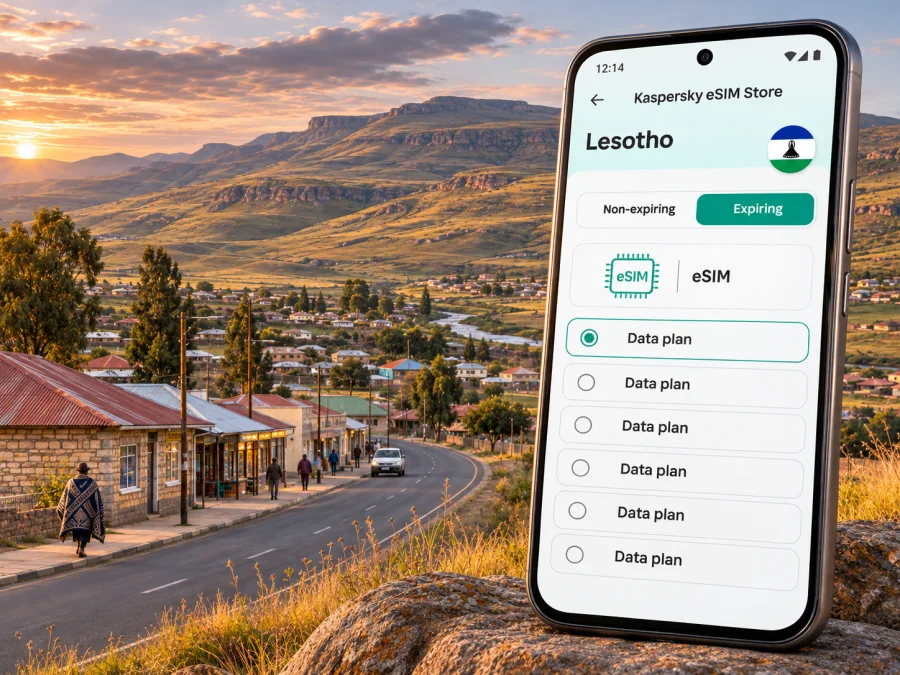
You can review eSIM options for Lesotho in Kaspersky eSIM Store, an app and website for choosing, arranging and activating an eSIM with a suitable travel data plan. Check the current country listing and specific plan terms; availability, partner network and conditions can vary.
| Use | Planning approach |
|---|---|
| Messages and booking checks | Keep confirmations and addresses offline. |
| Frequent navigation | Download maps, then reserve data for live updates. |
| Work email and documents | Pause large uploads and automatic syncing. |
| Video calls | Check allowance and signal; keep a backup meeting plan. |
| Multi-stop road trip | Verify all countries on the route and save offline resources. |
These are usage patterns, not speed or coverage promises. Experience depends on local signal, terrain, device, congestion and the plan’s roaming arrangements.
If your route crosses into South Africa
A Lesotho-only plan may not cover the South African part of an itinerary. Check all countries on the route and compare the plan’s listed destinations with any regional option. Do not assume a network name guarantees service everywhere or that a local coverage map describes roaming access for a travel eSIM. If the plan does not disclose a partner and you are relying on it outside town, ask support before travel.
Check your device before purchase
An eSIM plan is only useful if your phone can install and use it. Device support can vary by model, software version and the market where the phone was sold. The handset also needs to be unlocked if it is restricted to a particular operator. Check the manufacturer’s instructions and your device settings, then check whether your device supports eSIM before you choose a plan.
Before travel, confirm all of the following:
- Your exact phone model and regional variant support eSIM.
- The device is not carrier-locked.
- The operating system is up to date enough for the installation method.
- You can access the email, QR code or in-app instructions used for setup.
- You know how to select the travel eSIM for mobile data while keeping your primary line available if needed.
- You understand whether data roaming must be enabled for the travel profile under its instructions.
Do not remove an eSIM profile to troubleshoot unless the plan’s support guidance tells you to. Some profiles cannot be reinstalled after deletion or may have a limited number of installation attempts. If installation fails, take a screenshot of the message, note the phone model and software version, and use the support channel listed with your purchase.
Install and activate in a calm moment
When the plan allows pre-installation, set up the eSIM before the day you travel, while you have stable Wi-Fi and time to follow the prompts. Read the activation conditions first: installing a profile and starting the plan’s validity are not always the same event. Keep the QR code or setup details accessible on another device if you need to scan them. If you install manually, enter the details exactly as supplied.
For the device-specific sequence, follow the Android eSIM installation instructions or the iPhone and iOS eSIM installation instructions. The labels in settings can vary between devices. Avoid changing multiple network settings at once, so you can identify which step resolves an issue.
After installation:
- Label the new line “Travel” or another name you will recognise.
- Keep your existing number as the default for calls and messages if you still need it.
- Select the travel profile for mobile data when the plan is ready to use.
- Enable data roaming for that profile only if its instructions require it.
- Turn off data switching between lines if you want to prevent the phone from unexpectedly using your primary SIM for data.
- Test maps or a small webpage when the plan should be active, then check which line is carrying data.
If the profile shows no service, check that the destination is covered by the plan, that the plan’s validity has begun, and that the correct data line is selected. Restarting the device can help after configuration changes. If there is still no connection, use Wi-Fi to consult the plan instructions or support rather than repeatedly deleting and reinstalling the profile.
Staying connected during a work visit
For work, mobile data can support email, messaging and calendar changes between meetings, but it should not be your only connection for a critical call or file. Ask the venue about Wi-Fi, download essential documents offline and share a backup contact method with colleagues.
If using a laptop hotspot, check that tethering is allowed by the selected plan. Pause cloud backups and updates, carry charging equipment, and follow your organisation’s security practices on public Wi-Fi. Outside town, confirm connectivity at the exact location; arrange a Wi-Fi venue or reschedule if a stable meeting connection is essential.
Accommodation, messages and useful offline backups
Before booking, ask about the exact location, check-in time, road directions and whether Wi-Fi reaches the room or only shared areas. If your host offers pickup, agree on the time and meeting point directly.
Keep these items available offline:
- Reservation and accommodation contact details.
- A downloaded map or screenshot of the route.
- The address written in text, plus the map pin.
- Essential travel details stored securely.
- A brief itinerary shared with a trusted contact.
Messaging apps need data or Wi-Fi and cannot guarantee contact if the other person is offline. Agree on a fallback meeting place if pickup depends on a message. A travel eSIM is generally for data; it does not automatically provide a local number, calls or SMS unless the selected plan says so. Check home-SIM roaming charges if keeping that line active.
Weather and road planning
The United States Department of State’s Lesotho travel advisory, checked on 3 November 2026, notes that the country’s mountainous terrain can bring rapid weather changes, seasonal rain and snow in highland areas; it warns that weather can affect mountain-pass access. Mohale’s Hoek town and surrounding routes do not all sit at the same elevation, so do not apply a single town forecast to a full-day drive. Check a current forecast and local road updates before setting out, especially when your route includes passes or rural roads.
A weather disruption can also change your connectivity plan. A delayed transfer may mean you use more data for messages and revised bookings; a remote route may have limited service. Before departure, download maps and confirmations, tell your accommodation about changes, and keep enough battery for navigation and communication. If conditions deteriorate, follow local guidance and prioritise safe travel over reaching a planned viewpoint or attraction.
Common travel scenarios
You arrive late and need to find your host
Confirm pickup beforehand, save contact details and address offline, and keep your phone charged. If the eSIM has not connected, use the agreed meeting plan rather than relying on airport Wi-Fi.
You spend a day in town, then continue south
Download the route, verify plan coverage for every country on the itinerary and tell the next host your expected arrival time before leaving town.
You plan to visit Mohale Dam
Treat it as a separate excursion. Confirm access, tour arrangements and road suitability with the relevant provider, then save directions in case mobile data is unavailable.
You need to join a work call
Test venue Wi-Fi, download documents and prepare a dial-in or rescheduling option. Do not assume mobile data will provide adequate speed at a particular location.
Frequently asked questions
Is Mohale’s Hoek a city or a district?
The name refers to both the district and its urban centre. Confirm whether an address is in town or elsewhere in the district. The Bureau of Statistics’ 2021 Demographic Survey lists an urban-centre population of 45,468; it is a dated figure, not a current district-wide estimate.
Is Mohale Dam in town?
No. It is a separate destination requiring a road journey. LHDA describes access from the Maseru–Roma route via the Roma–Mohale intersection. Verify the route and visitor arrangements before setting out.
Will an eSIM work throughout Mohale’s Hoek?
Do not assume that any plan works at every address or along every road. Coverage depends on plan arrangements, local signal, terrain and device. Check exact terms and save offline maps.
Can I use an eSIM for ordinary calls and SMS?
Only if the selected plan expressly includes them. Travel data plans focus on internet access; messaging and voice apps may work over data. Your existing SIM may remain available subject to your home operator’s roaming terms.
Should I install before travelling?
If the plan permits pre-installation, set it up over reliable Wi-Fi. Check whether installation starts validity, and do not delete the profile while troubleshooting without consulting support.
Do I need a Lesotho plan if I am passing through?
Check every country on your itinerary. A plan for another country may exclude Lesotho, and a Lesotho plan may exclude South Africa.
What if there is no signal?
Check the selected data line, plan validity and country coverage. Restart once after reviewing settings. Use saved maps and contacts offline, then contact support over Wi-Fi.
Prepare your mobile connection for Mohale’s Hoek
Before departure, confirm the location, transport and current road conditions; save key details offline; and check that your phone supports eSIM and is unlocked. Compare the plan’s destination, allowance, validity and activation terms with the full itinerary, including any crossing into South Africa. Keep a backup plan for rural stretches where a data connection may be uncertain.
When you are ready, choose an eSIM plan for Lesotho through Kaspersky eSIM Store. Review the current options and plan conditions, then install and activate the selected eSIM according to its instructions so your trip to Mohale’s Hoek is easier to navigate and coordinate.


