Travel connectivity guide
Mokhotlong eSIM: Mobile Internet for Travel
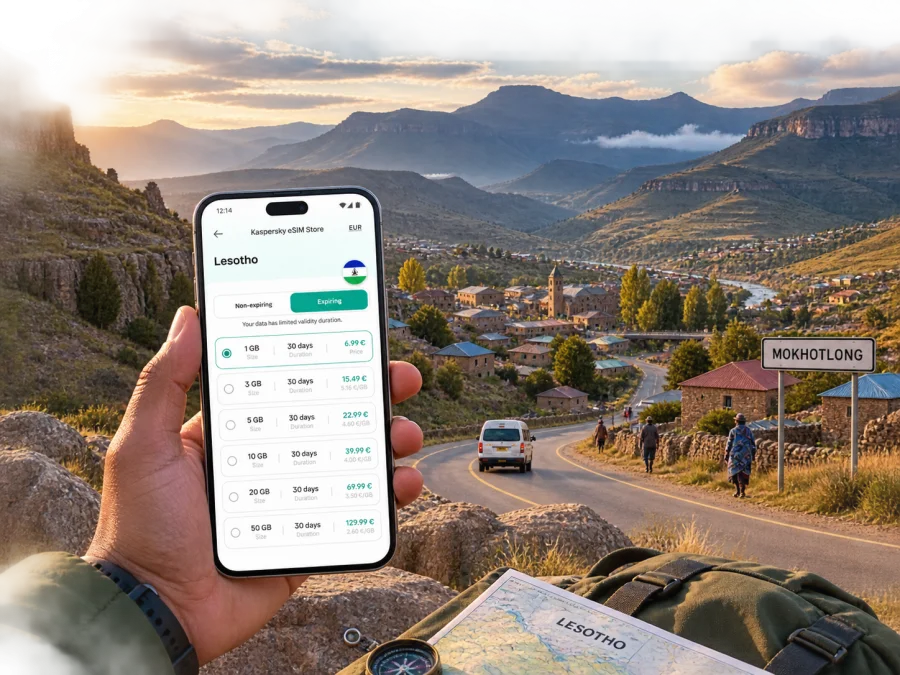
Mokhotlong eSIM: a dependable mobile connection and internet for a highland trip
Mokhotlong is not a city where every part of a trip can be improvised at the last minute. The town sits in the eastern highlands of Lesotho, surrounded by mountain roads, open valleys and widely scattered settlements. You may arrive after a long road journey, need directions to a lodge, coordinate a pickup, check a weather update or stay in touch with colleagues. Mobile internet is useful before the journey becomes complicated.
An eSIM, or digital SIM, can help you prepare a data connection for Lesotho without waiting to find a physical SIM card after arrival. Kaspersky eSIM Store is an app and website where you can choose, arrange and activate an eSIM with a suitable plan for mobile internet during an international trip. The available plan conditions still matter: check the destination, data allowance, validity period and any activation requirements before you confirm your choice.
Why mobile data matters in Mokhotlong
Mokhotlong is the seat of Mokhotlong District and one of Lesotho’s highland centres. Its setting changes the way you plan a connected trip. A map is not only for finding a café or a museum. It may be needed to locate a meeting point, check the position of a turn, share your arrival with a driver or confirm the route to a remote accommodation address.
A short answer for travellers
An eSIM for a trip to Mokhotlong is a digital SIM profile used for mobile data on a compatible, unlocked phone. It can be prepared before departure or arranged after arrival, depending on the plan. It does not automatically replace every local mobile service: ordinary calls and SMS are not included unless the selected plan says so. Messaging, voice calls and video meetings can instead use apps over mobile data.
Useful preparation is simple:
- Check that your phone supports eSIM and is not locked to another operator.
- Choose a plan whose country or regional coverage includes Lesotho.
- Compare the data allowance and validity period with the length of your stay.
- Keep the installation details available offline in case you arrive with limited access.
- Leave your primary SIM active for calls only if you understand how your phone will charge roaming data.
Arriving in Mokhotlong
Most international visitors plan a multi-stage arrival. A common pattern is reaching Lesotho through Maseru or travelling overland from South Africa, then continuing into the highlands by road. The exact route, border conditions, road status and transport availability can change, so treat any itinerary as a plan to confirm rather than a guarantee.
Mokhotlong also has an airport serving the town, but you should not assume that a convenient scheduled flight will match your dates. Check current availability with the relevant travel provider and keep a road-based alternative in mind. If your final leg is by shared minibus, arranged transfer or private vehicle, download the essential address and contact details before setting off.
What to prepare before the final leg
The following small pack of information is more valuable than a long list of bookmarks:
| Information | Why it helps in Mokhotlong |
|---|---|
| Accommodation name and full address | A driver may need more than a pin or a shortened booking name. |
| Local contact number or message thread | Useful when pickup timing changes or the vehicle cannot reach the entrance. |
| Road itinerary | Helps you recognise the next settlement, turn or fuel stop. |
| Offline map area | A backup when the signal changes on a mountain road. |
As soon as you have a usable connection, send a short arrival message and confirm the next step. That can prevent a simple delay from becoming an evening search for an unfamiliar address.
Moving around the town and highlands
Mokhotlong is best approached as a road-based destination. Shared minibuses and taxis can be practical for local and inter-district travel, while an arranged transfer may be more suitable when you have a fixed meeting time, bulky luggage or an early start. Availability and departure times are not something to infer from a generic city timetable, so confirm locally.
Navigation is most useful when it supports a transport plan rather than replacing one. Before setting off, look at the complete route, save the destination name, note the expected direction and send the plan to someone travelling with you. If you are hiring a vehicle, check the road surface, daylight, fuel and weather assumptions with a local provider. Mountain driving calls for more margin than a short urban journey.
Three practical movement scenarios
- Short town stay: use data for maps, messages, payments and booking details, but keep the accommodation address offline and ask locally about the best walking route.
- Business visit: confirm the meeting point and arrival window by message. Occasional email and maps may need less data than video calls or frequent file transfers.
- Mountain excursion: save the route, tell the accommodation when you expect to return and confirm the meeting point with the driver, lodge or guide before leaving.
Choosing an eSIM plan for Mokhotlong
There is no single correct data allowance for every visitor. The right choice depends on how much time you spend in the town, whether your accommodation has usable Wi-Fi, how often you use maps, and whether your work requires uploads or calls. A useful way to estimate is to separate essential use from optional use.
| Trip pattern | Likely mobile-data use | What to check |
|---|---|---|
| One or two days of transit | Messages, maps and booking details | Short validity and enough data for the final leg |
| Several days in town | Navigation, messaging, weather and browsing | Validity through the whole stay, not only arrival day |
| Work plus travel | Email, cloud files, calls and maps | Data allowance, hotspot rules and a backup Wi-Fi plan |
At this point in your planning, you can choose an eSIM plan for a trip to Lesotho and compare the conditions that apply to the destination. Kaspersky eSIM Store helps you select, arrange and activate an eSIM for the trip; it is not the mobile network itself. Read the plan information carefully, because the data volume, duration, supported destination and activation terms can differ.
Data habits that reduce surprises
Before departure, review which apps may use mobile data in the background. Map downloads, photo backups and automatic video playback can consume more data than a short navigation check. You can:
- turn off automatic photo and video backup while travelling;
- download language packs, maps and booking confirmations when connected to Wi-Fi;
- use lower-quality video for calls if the plan is limited;
- save important addresses and phone numbers in a note that is available offline;
- monitor the eSIM data counter in your phone’s settings.
These are general device settings, not promises about a particular plan. Always use the plan’s stated allowances and validity as the basis for your choice.
Staying connected in accommodation and work settings
Guesthouses, lodges and small hotels can differ in Wi-Fi quality and coverage. Ask at check-in where the connection is strongest and whether there is a suitable place for a call. For work, keep presentations and itineraries on the phone, carry a charging cable and check whether the selected eSIM plan permits hotspot use before sharing data with another device.
A simple room-and-work checklist
- Confirm the accommodation address and check-in time before leaving the transport stop.
- Test mobile data outside the building as well as inside it.
- Choose which SIM is used for mobile data and which line handles calls.
- Keep the eSIM installation details and booking contact in a secure offline note.
- Charge the phone before a long meeting or mountain transfer.
This checklist separates three issues: whether the eSIM is installed, whether the phone has selected it for data, and whether the current location or building provides a usable connection.
eSIM compatibility and installation
Before you choose a plan, verify that your phone supports eSIM and is not operator-locked. Device support can vary by model, regional version and software configuration. You can check your device compatibility before completing the purchase. If the compatibility window or your phone settings are unclear, use the manufacturer’s current device information or ask the relevant support team.
Have a stable internet connection for the installation itself. That may be your home Wi-Fi, a trusted connection before departure or another available connection after arrival. Keep the QR code or activation details accessible, and do not delete the original message until the profile is working.
When you are ready to install, follow the instructions for your operating system: Android installation guide or iOS installation guide. The exact menu names can differ between phone models, but the sequence usually follows the same logic:
- Open the mobile-network or cellular settings.
- Select the option to add an eSIM or mobile plan.
- Scan the QR code or enter the activation details as instructed.
- Label the new line clearly, for example “Lesotho travel”.
- Select the eSIM as the line for mobile data when you are ready to use it.
- Check whether data roaming must be enabled for that eSIM under the plan instructions.
Keep your primary SIM available for ordinary calls or verification messages if needed, but make sure the phone is not silently using it for roaming data. On dual-SIM phones, check the data selector after a restart or software update.
Navigation, safety and low-signal planning
Mobile internet supports decisions but cannot remove the realities of mountain travel. Routes may take longer than expected, weather may change an excursion and a map may not show the practical entrance to a lodge. Use three layers: check live directions and messages before departure, save the destination and contacts offline, then confirm the last turn and arrival window with a local driver, guide or accommodation.
This is useful whether you are crossing the highlands from another part of Lesotho or approaching Mokhotlong from South Africa. Keep documents, transport contacts and timing organised instead of relying on one live map screen.
From Mokhotlong to nearby experiences
Mokhotlong can be a destination or a base for mountain viewpoints, rural settlements, pony trekking, hiking and longer drives toward another district. The right plan depends on season, road conditions, transport and available daylight. Before leaving town, decide what needs live data, save the first meeting point and ask a local guide or driver to confirm the route. A phone signal is not an emergency plan, so carry the equipment and route details appropriate to the excursion.
For a short stopover, prioritise accommodation, the next vehicle and the person meeting you. For a longer stay, use mobile data for weather checks, messages, route changes and occasional uploads while reserving heavier activity for reliable Wi-Fi.
Before an onward journey
Use this departure check:
- Is the next destination written down exactly as your driver or accommodation uses it?
- Do you know the pickup location, departure window and fallback contact?
- Is your eSIM selected for mobile data, with enough validity remaining?
- Are maps, tickets, booking details and essential messages available offline?
- Is the phone charged, and do you have a power bank if the route is long?
- Have you allowed time for weather, road works, border procedures or an unscheduled stop?
Common questions about eSIM use in Mokhotlong
Can I prepare an eSIM before travelling to Mokhotlong?
Often, an eSIM can be selected and installed before departure, provided the phone is compatible and you have the required connection and activation details. Check when the plan starts counting its validity, because activation rules differ. If you prefer to install after arrival, keep the plan details accessible and arrange a dependable connection for the setup.
Will an eSIM replace a local phone number?
Not necessarily. In this context, an eSIM plan is generally intended for mobile internet and may not include an ordinary phone number, voice calls or SMS. Confirm the selected plan’s conditions. You can continue using messaging and calling apps over data when that suits your contacts and the service.
What if my phone shows the eSIM but has no data?
First check that the eSIM line is switched on and selected for mobile data. Then review the plan’s destination and validity, the data-roaming setting required by the instructions, and the phone’s network selection. Restarting the device can help it register again. If the issue continues, record the phone model, eSIM status and error message before contacting support.
A calm connection plan for your Mokhotlong trip
Before departure, check the phone, destination, data allowance and validity period. Install the eSIM with a stable connection, choose the correct line for mobile data and keep essential details offline. After arrival, confirm the next road leg with a local contact and combine live data with local guidance and sensible mountain-travel margins.
When your plan is clear, choose an eSIM plan for your trip to Lesotho through Kaspersky eSIM Store, then review compatibility and the installation steps for your device. That gives you a practical starting point for staying connected while you arrive in Mokhotlong, work from town, move through the highlands or continue to the next stop.


