Travel connectivity guide
Moldtelecom eSIM in Moldova: what to check
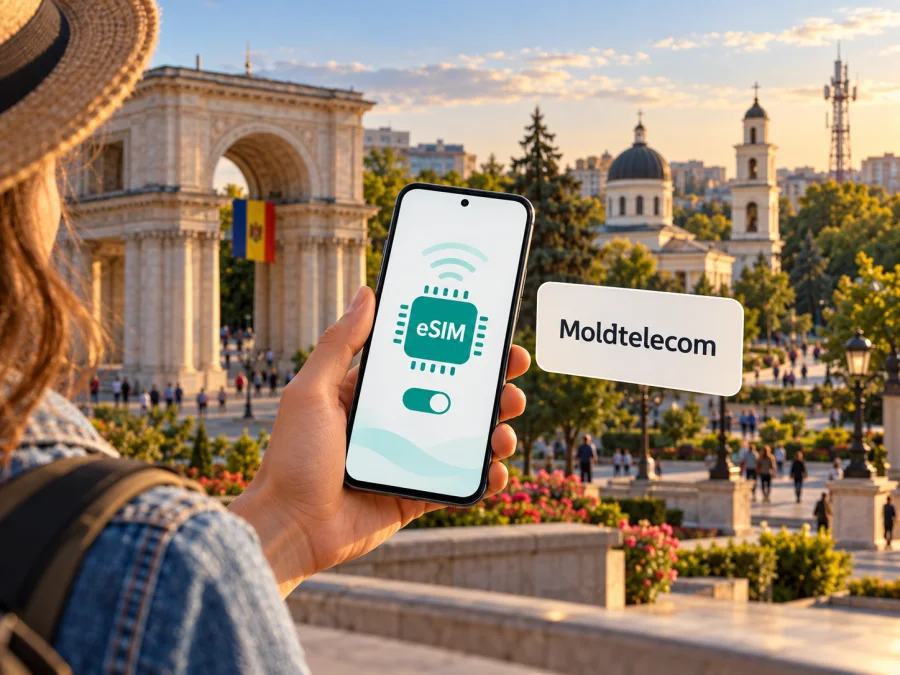
Moldtelecom eSIM in Moldova: activation, coverage and travel options
Moldtelecom eSIM can be useful if you need a Moldovan mobile line and your phone supports digital SIM profiles. The operator’s current public information describes eSIM for new prepaid customers and for existing customers moving from a physical SIM, with activation through the My Moldtelecom app or a Moldtelecom shop. A traveler should still check eligibility, identity requirements, device compatibility and the intended use before starting: a local operator eSIM is different from a data-only travel eSIM.
This guide focuses on Moldtelecom in its Moldovan market: its current eSIM routes, device and coverage checks, installation basics, and the difference between a local line and a travel eSIM.
Moldtelecom and mobile service in Moldova
Moldtelecom is a communications provider operating in the Republic of Moldova. Its Moldovan website presents mobile, prepaid, eSIM and network coverage information for the local market.
An eSIM is a digital SIM profile, not a separate network. A compatible device still needs coverage, and the selected service determines whether it includes a Moldovan number, voice, messaging, mobile data or a combination. Check its conditions rather than assuming that every eSIM for Moldova works in the same way.
Moldtelecom’s official eSIM page and its mobile FAQ currently confirm that eSIM is available. The FAQ describes a new prepaid number request through My Moldtelecom and a switch from a standard SIM to eSIM for existing customers. It also lists Moldtelecom shops as an option. The operator describes profile download by QR code and provides separate activation routes for new and existing customers. These details were checked on 18 October 2026 on Moldtelecom’s eSIM page, mobile FAQ and published eSIM regulation. Availability and procedures can change, so verify them with the operator before relying on a particular route.
Is Moldtelecom eSIM suitable for a visitor?
It may be suitable when you specifically want a Moldovan mobile line from Moldtelecom, can meet the operator’s registration conditions, and have a compatible unlocked phone. The official page says a new eSIM number can be requested online through My Moldtelecom, including while the customer is outside Moldova. However, the process includes customer steps and payment or identity checks may apply. The website’s FAQ says an identity document is needed when obtaining eSIM in a shop; it does not establish that every visitor can complete every route under identical conditions. Check the requirements that apply to your citizenship, location, payment method and chosen service.
Existing Moldtelecom customers can request a physical-SIM replacement through the app or at a shop, subject to account checks. Ask whether a shop can handle your specific account and device before visiting.
Visitors who mainly need data for maps, messaging, transport or bookings can compare a travel eSIM with a local line. A travel eSIM may be data-only, while a local Moldtelecom service may include a domestic number. Check the service description for calls, SMS, data and signup requirements.
If a Moldovan number matters, ask Moldtelecom which customer route fits your status. If you only need data, compare travel eSIM setup, destinations and service terms. Keep your regular SIM available for important messages and check how your phone handles two lines.
What Moldtelecom says about eSIM access
Moldtelecom’s current mobile FAQ describes new prepaid requests through the app’s “add a new number” option and existing-customer conversion through its eSIM section. Its regulation also lists shops as a route. The profile is delivered by QR code; the online flow may involve email or account validation and payment, while existing customers may need SMS verification. App wording and eligibility can change.
Before beginning, check the following:
- Your exact phone model and regional variant support eSIM. Similar model names can cover different hardware versions.
- The phone is not carrier-locked in a way that prevents adding a Moldtelecom profile.
- You can access My Moldtelecom or a Moldtelecom shop and can complete any account, email, identity or payment checks requested for your case.
- You have a stable internet connection, preferably Wi-Fi, while downloading the profile.
- You can display the QR code on another screen or use the operator’s in-app method if offered.
- You understand whether the service is a new line, a SIM replacement, or another type of mobile service, and what happens to your existing SIM during the change.
Do not delete a working eSIM profile simply to troubleshoot a connection issue. Moldtelecom’s published regulation says a previously supplied QR code cannot be reused to install the profile again after deletion. Contact the operator to confirm the recovery or replacement process before removing a profile or changing phones.
Coverage and supported mobile technologies
Moldtelecom publishes an interactive coverage map for the Republic of Moldova with 3G, 4G and 5G layers. Its mobile FAQ says service can fall back to 4G or 3G where 5G is unavailable, depending on coverage and device compatibility. The map is a planning aid, not a promise of service at every address, indoors or at a particular speed; buildings, congestion and device bands affect connection.
Check the towns and areas on your itinerary, not only the airport or capital, and keep essential maps or travel details available offline. The national regulator also provides coverage information. Domestic maps do not establish roaming reach outside Moldova.
eSIM support alone does not guarantee that a handset can use every network generation or band. Regional variants can differ, so check the full model identifier with the phone manufacturer and ask Moldtelecom about network compatibility. The operator says 5G access depends on a compatible phone, an active SIM or eSIM, coverage and available spectrum; a 5G indicator is not assured everywhere.
Local operator eSIM and travel eSIM: what is different?
The distinction is the service purpose. Moldtelecom eSIM is the digital SIM format for a Moldtelecom service and may be linked to a local number. A travel eSIM is arranged for a destination or region and may focus on data. Provider, network access, activation, number availability and support can differ.
| Question | Moldtelecom eSIM | Travel eSIM |
|---|---|---|
| Main use | A Moldtelecom mobile service for the Moldovan market | Mobile data for a destination or route, depending on the selected offer |
| Local number | May be part of the local service; verify the selected service | Often data-only; confirm whether a number or SMS is included |
| Setup | My Moldtelecom or an operator shop, with operator account steps | Usually selected online or in an app, then installed before or during travel |
| Network access | Subject to Moldtelecom coverage and device compatibility | Subject to the destination, partner network and offer conditions |
| Best next check | Eligibility, identity steps, number and service conditions | Destination coverage, supported device, data terms and activation timing |
Dual-SIM behavior varies by device. Check which line handles data, calls and SMS, and whether both profiles can remain enabled. Ask your home provider about roaming settings before departure.
For a trip where mobile data is the primary need, browse current eSIM options for Moldova and review the specific destination and service details shown there. Kaspersky eSIM Store is a website and app that helps travelers choose, purchase and activate an eSIM plan. It is not a mobile operator, does not own a mobile network, and is not itself the provider of mobile internet. The network service is supplied by the relevant provider described with the selected offer.
Installing an eSIM on a compatible phone
Use the method supplied by Moldtelecom. Menu labels vary by phone and software version; keep Wi-Fi available until installation and network registration are complete.
Before installation
- Confirm the exact device variant supports eSIM and is unlocked.
- Complete the Moldtelecom request and have the current QR code or in-app method ready.
- Connect to Wi-Fi and keep the phone charged.
- For a SIM replacement, confirm when the old card will stop working; keep the QR code private.
General iPhone steps
Open Settings, then Mobile Service or Cellular. Choose Add eSIM and follow the prompts to scan the QR code or use the operator’s supported method. Label the line and choose which profile handles mobile data. Apple's menu terms vary by version and region.
General Android steps
Open Settings and look under Network & internet, Connections or SIM manager. Choose Add SIM/eSIM, then scan the QR code or follow the app flow. Menu names differ by Android manufacturer. After installation, choose the correct profile for mobile data.
If My Moldtelecom offers automatic activation, follow its prompts. The QR code may be single-use. If scanning fails, confirm it is unused and that internet access is available, then contact Moldtelecom if needed.
For a travel eSIM selected through Kaspersky eSIM Store, use the installation instructions associated with that eSIM and device. You can also check whether your device supports eSIM before arranging a plan. Compatibility databases are starting points: confirm the full model number and the device’s regional specification with its manufacturer, since some country variants omit eSIM support.
After installation: setting the line up for travel
Once installed, label the profile clearly, select the intended line for mobile data, and decide whether calls and messages should continue through your usual line. Review defaults; installation may not change them automatically.
Before crossing the border, check whether your Moldtelecom service includes roaming for your destination. Domestic coverage does not establish international availability; review current conditions before enabling data abroad.
For a travel eSIM, follow the activation timing stated for the selected offer. Keep confirmation and installation details accessible, and avoid deleting the profile if you may need support.
Troubleshooting checklist
The phone does not show “Add eSIM.” Check the manufacturer’s specifications for your exact regional model and ask whether it supports eSIM. A similar model name is not enough to establish compatibility.
The QR code cannot be scanned. Increase screen brightness, reduce glare and show the full code on another screen. Use the operator’s app method if available, and confirm whether the code is unused.
The profile downloads but does not connect. Check that it is enabled, assigned for mobile data and airplane mode is off. Restart the phone and test in a mapped coverage area. Outside Moldova, confirm roaming is included and enabled.
The phone connects but data does not work. Confirm the correct line is selected and the service is active. Change APN or device settings only if Moldtelecom instructs you to.
The old SIM stopped working during conversion. Check My Moldtelecom to confirm the replacement and contact the operator if unclear. Keep Wi-Fi available while travelling.
The eSIM was deleted or the phone was replaced. Moldtelecom’s published regulation says a QR code cannot be reused after installation. Ask the operator how to obtain a replacement profile.
Frequently asked questions
Does Moldtelecom currently support eSIM?
Yes. Moldtelecom’s official eSIM page and mobile FAQ describe eSIM for new prepaid customers and for existing customers replacing a physical SIM, with activation through My Moldtelecom or a shop. Confirm the available route and current requirements with the operator before applying.
Can I request Moldtelecom eSIM before arriving in Moldova?
Moldtelecom’s eSIM page says a new eSIM number can be obtained online through My Moldtelecom while abroad. Whether you can complete the process depends on the current app flow and the checks for your situation. Confirm payment, identity and account requirements directly with Moldtelecom.
What should I do if installation fails?
Keep the phone on Wi-Fi, confirm the QR code is current and unused, and check model compatibility. If the issue continues, contact Moldtelecom. Do not delete the profile or share the QR code publicly while troubleshooting.
Choose the option that matches your trip
Moldtelecom’s published information confirms eSIM access through the app and operator shops, but the right route depends on whether you are opening a new prepaid service or converting an existing line. Check the current requirements, compatibility and coverage details with Moldtelecom, and plan separately for roaming if you will leave Moldova.
If your priority is mobile data for a visit, browse current eSIM options for Moldova and check the specific offer details before choosing. Kaspersky eSIM Store helps travelers select, purchase and activate a travel eSIM; it is not affiliated with Moldtelecom and is not a mobile network operator.
Kaspersky eSIM Store is not affiliated with Moldtelecom. Operator information was checked against Moldtelecom’s public eSIM page, mobile FAQ, eSIM regulation, coverage map and mobile network information on 18 October 2026. Confirm current requirements and availability with Moldtelecom.


