Travel connectivity guide
Monaco Telecom eSIM in Monaco: what to check
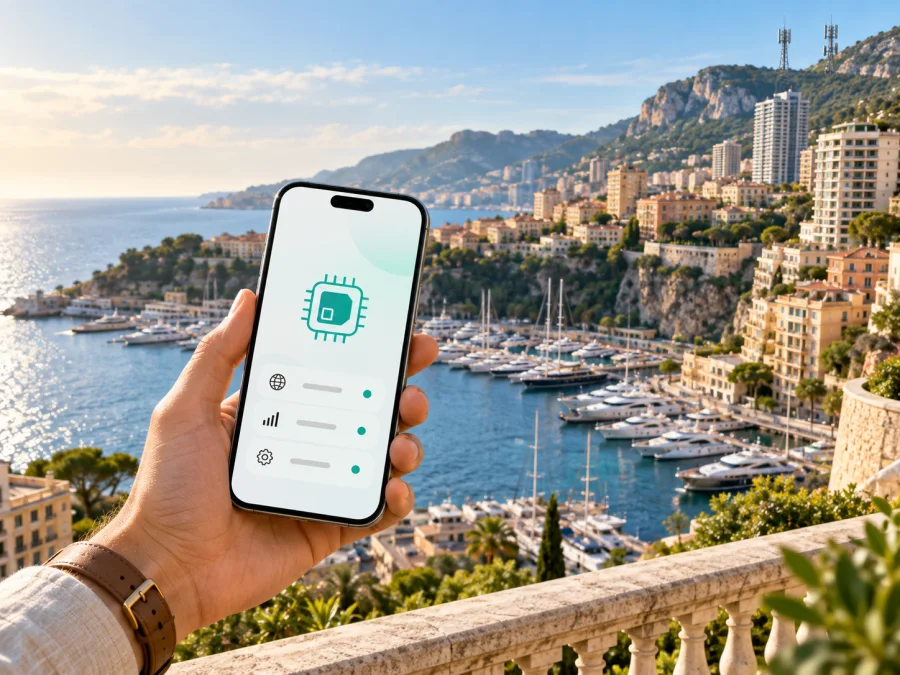
Monaco Telecom eSIM in Monaco: connection for a trip
If you are planning a trip to Monaco, an eSIM can help you arrange mobile internet without searching for a physical SIM after arrival. Monaco Telecom is the local telecommunications operator named in the country’s mobile market. Its public support materials describe eSIM installation, QR-code activation and using an eSIM alongside a physical SIM. That makes Monaco Telecom eSIM worth investigating, although the route depends on your device, customer status and current conditions.
This article was checked on September 20, 2026. Monaco Telecom’s current English Mobile Support page documents installation on iPhone and Samsung devices, selection of the line for mobile data and recovery of an eSIM through a QR code received by email or customer support. Apple’s current public operator list also names Monaco Telecom under Monaco for alternative eSIM activation methods. A separate prepaid or tourist offer for a new visitor was not confirmed in the current public operator materials reviewed. Before travelling, ask Monaco Telecom whether you qualify, whether an account or local eligibility is required and how the profile is issued.
Kaspersky eSIM Store and Monaco Telecom are separate services. Kaspersky eSIM Store is not Monaco Telecom, is not its official partner by virtue of appearing on this page and does not own or operate the Monaco Telecom network. Brand names belong to their respective owners; this article does not imply affiliation, endorsement or a distribution relationship.
Monaco Telecom in the local market
Monaco Telecom provides mobile telecommunications in Monaco alongside other digital and fixed-line services. Its public website presents the company as a national operator serving residents, organisations and users of communications services in the Principality. For a resident or a traveller with an eligible local arrangement, a Monaco Telecom profile can be part of a regular mobile line rather than a temporary travel-only connection.
A local operator profile and a travel eSIM can both use the eSIM function in a phone, but they are obtained under different conditions. A local profile may be linked to an account, identity check, service agreement or support channel. A travel eSIM is normally prepared for a destination and managed online. Do not assume that a travel eSIM is a Monaco Telecom subscription, or that every short-term visitor can order a Monaco Telecom eSIM in the same way.
Is Monaco Telecom eSIM available in Monaco?
Current public evidence supports Monaco Telecom eSIM as a technology and activation option, but it does not promise access for every traveller. The operator’s Mobile Support page has separate instructions for installing an eSIM on an iPhone and a Samsung phone. Both flows refer to a QR code and require an internet connection while the profile is installed. The same support area explains how to choose which SIM or eSIM handles calls, messages and mobile data when two lines are present.
The support page also explains that a deleted profile may be reinstalled with the QR code received by email or with help from customer service. This supports the conclusion that the operator has an established eSIM lifecycle. It also shows why an activation QR code should be kept private and treated as a credential for the designated device.
Apple’s public operator list gives the same country-specific signal by listing Monaco Telecom under Monaco. That is a compatibility reference, not a guarantee that every iPhone model, regional version or customer type will qualify. The safe conclusion is that Monaco Telecom eSIM is publicly documented, while order, identity and account requirements still need to be confirmed with the operator.
Prepaid and tourist access: what to verify
A short stay creates a different question from technical compatibility: can someone who is not already a Monaco Telecom customer obtain the service? The current pages reviewed describe mobile service, eSIM support and travel-related use for customers, but they do not clearly establish a universal prepaid or tourist eSIM offer for visitors arriving in Monaco. Do not assume that a QR code will be issued remotely or that a local profile is available without an account.
Contact Monaco Telecom through its current customer-service or sales channel and ask whether new visitors are accepted, whether an application must be made in a store, which identity documents are needed, whether a local address or link to Monaco is required, and whether the eSIM is for a new line or a conversion. Ask how approval and activation work and what support is available if the QR code does not install. These are eligibility checks, not tariff comparisons.
| Traveller question | What to confirm |
|---|---|
| Can a short-term visitor apply? | Whether current rules include visitors without an existing line. |
| How is the profile issued? | QR code, email, store visit or another current method. |
| Which documents are needed? | Identity, account, address or other requested information. |
| Can the phone use two lines? | Support for the exact model and regional version. |
| Who helps if activation fails? | The current Monaco Telecom support channel. |
Technologies and coverage in Monaco
Monaco Telecom’s public 5G page describes 5G availability across Monaco. That is an operator statement about the intended network footprint, not a promise of a particular speed or indoor result for every user. The same page presents 5G as part of the mobile network, while support material refers to 4G in some device and roaming guidance. The technology shown on your phone depends on supported bands, software, the SIM profile, local signal conditions, network load and the applicable service arrangement.
Monaco’s compact geography does not remove the need to check your route. A phone can encounter different conditions inside buildings, along steep streets, near the coast, underground or at busy events. If your itinerary includes nearby France, treat the border crossing as a separate roaming question. Confirm which network the selected line may use, whether data roaming is required for that line and how to stop the primary SIM from using mobile data unintentionally.
Local eSIM or travel eSIM?
A Monaco Telecom eSIM can be appropriate when you need a local operator relationship, a local line or the support path associated with an existing Monaco Telecom account. It may suit residents, people with an established service arrangement or travellers who have confirmed eligibility. The practical question is not only whether the phone can read an eSIM, but whether Monaco Telecom can issue and activate the requested profile for your situation.
A travel eSIM is usually selected for a destination before a trip, installed on an unlocked compatible phone and used for mobile data while travelling. It can let you keep your primary physical SIM available for selected functions. However, it is not automatically a local Monaco Telecom number and may not include ordinary voice calls or SMS unless its own conditions say so. Check the product description, activation rules, support route and restrictions before purchase.
The two arrangements can coexist on many recent phones, but one line must be selected for mobile data. The primary line may incur roaming charges if it is allowed to use data. A travel eSIM may also require data roaming on that profile. Follow the chosen service’s instructions and review the data-line setting after landing.
How to prepare a Monaco Telecom eSIM
Use this sequence if Monaco Telecom confirms that you can obtain its eSIM. Menu names vary by operating system and software version, so the operator’s current instructions take priority.
-
Check the device. Confirm eSIM support, that the phone is not locked to another operator and that the regional version is approved. An eSIM menu alone is not a complete compatibility guarantee.
-
Arrange internet access. Monaco Telecom says the phone must be connected to the internet before QR-code installation can be completed. Use stable Wi-Fi or an existing mobile connection; do not wait until the profile is your only possible connection.
-
Obtain official activation details. Use the route confirmed for your account. The public support flow refers to a QR code, including one delivered by email for the eSIM subscription. Do not accept a code from an unofficial seller or forward it unnecessarily.
-
Install the profile. On an iPhone, scan the QR code with the camera and follow the cellular-plan steps described by Monaco Telecom. On compatible Android, scan the code, choose the option to add the plan and finish the configuration. Keep the phone connected until installation completes.
-
Label and select the line. Give the profile a clear label, then choose the intended line for mobile data. Review the default line for calls and messages separately. Decide whether the primary line should stay active and whether its data roaming should be disabled.
-
Test and protect recovery details. Check network registration, data, essential applications and the ability to switch back to the primary line. A deleted eSIM may be reinstalled with the original QR code or with support, but a profile may not be transferable to another device after activation. Ask before changing phones, resetting the device or removing the profile.
Travel eSIMs are often designed around mobile data. They may not provide a local phone number, ordinary voice calling or SMS, and hotspot use can depend on the selected service. Messaging apps, email, maps and online check-in can work over data, but verification codes may still be sent to the primary number. Check how your bank, airline and accommodation provider will contact you before switching off the main line.
Activation, installation and the start of use are not necessarily the same event. Read the current instructions so you do not install a profile too early or assume that installation alone starts connectivity. The phone must be unlocked, the destination must be supported and any refund or cancellation rule depends on the selected service’s own terms.
Kaspersky eSIM Store as a travel alternative
When a visitor does not have confirmed access to a local Monaco Telecom account, Kaspersky eSIM Store can be considered as a separate travel-oriented route. It is an app and website where you can select a destination, arrange an eSIM with a suitable plan for a foreign trip and activate it on a compatible device. The Kaspersky eSIM Store page for Monaco is publicly available, and its general flow places the purchased eSIM in the user profile in the app or website for installation.
Kaspersky eSIM Store is a selection, purchase and activation service for travel eSIM plans; it is not a mobile network operator, does not own Monaco Telecom’s network and should not be described as providing radio coverage itself. Underlying network access and technical limits depend on the travel eSIM product and the current local provider arrangement described at purchase. Verify the destination, device support, activation conditions, data-only limitations and support options.
If you choose this route, prepare the phone while you have dependable internet, install the profile according to on-screen guidance and assign it as the data line only when ready to use it. Keep the primary SIM available if you need its number for incoming messages, but check roaming controls. A travel eSIM may be practical when local visitor eligibility is unclear; it is not evidence that Monaco Telecom issued or endorsed that profile.
Choose an eSIM plan for Monaco
Frequently asked questions
Can I buy a Monaco Telecom eSIM as a tourist?
Current public materials confirm Monaco Telecom eSIM support, but the reviewed pages do not clearly confirm a universal prepaid or tourist offer for every short-term visitor. Ask the operator whether a new visitor can apply, where the profile is issued and what documents are required. Do not treat technical eSIM support as automatic tourist eligibility.
Does it work on every phone?
No. The phone must support eSIM, be compatible with the relevant service and not be operator-locked. Compatibility can vary by model, region and software. Check the exact device before arranging activation.
Can I keep my main SIM active?
Many compatible phones support a physical SIM and an eSIM at the same time. You still need to choose which line handles mobile data and review the default line for calls and messages. Keep data roaming under control on the line you do not intend to use for data.
Does a travel eSIM give me a Monaco phone number?
Not necessarily. Many travel eSIMs focus on mobile data and do not replace a local voice-and-SMS line. Check the selected product’s conditions and keep your primary number available if you need verification messages or ordinary calls.
Conclusion
Monaco Telecom eSIM is publicly documented for Monaco, with current support instructions covering QR-based installation, device setup and dual-SIM selection. The open question for a visitor is eligibility: the public material checked on September 20, 2026 did not clearly establish a general prepaid or tourist offer for all short-term travellers. Confirm the application route, documents and activation timing with Monaco Telecom before relying on a local profile.
If you need a travel-focused option that can be arranged online, Kaspersky eSIM Store offers a separate way to choose and activate a destination eSIM on a compatible device. Compare routes by access requirements, device support, data-only limitations, activation steps and support during the trip. Conditions, coverage arrangements and product availability can change, so recheck current official information before purchase.


