Travel connectivity guide
Monaco-Ville eSIM: Mobile Internet Guide
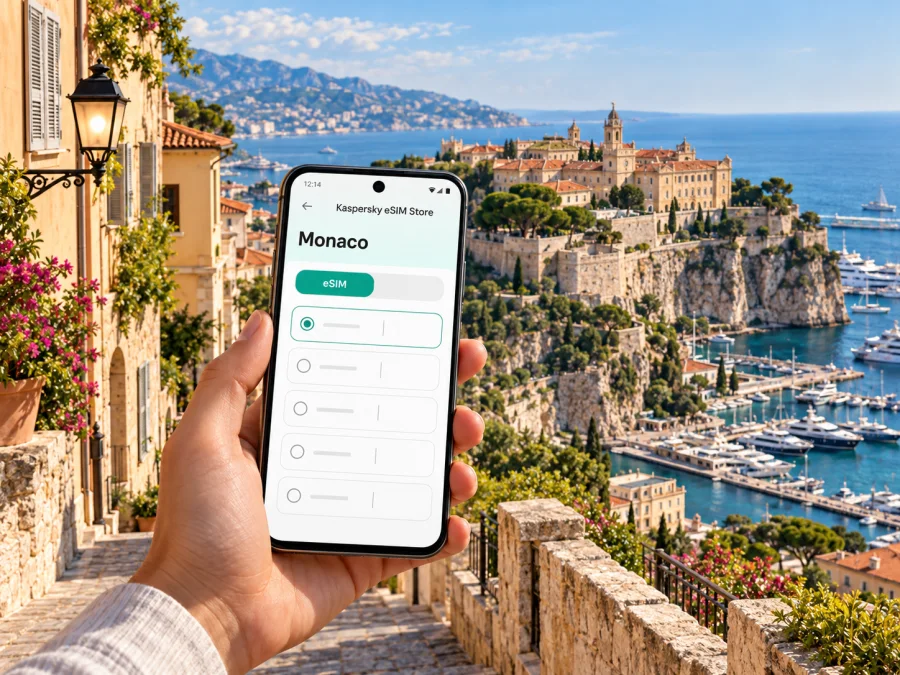
Monaco-Ville eSIM: Mobile Connection and Internet for Your Visit
Monaco-Ville, also called Le Rocher, is the old town on the rocky headland above Port Hercule. It is a district of the Principality of Monaco, a sovereign state on the Mediterranean coast next to France. That distinction matters when you plan mobile internet: a route may pass through France, but a destination plan labelled for France should not be assumed to include Monaco. Check the country or region listed in the terms of the specific eSIM plan before you buy.
A connected phone is useful here for walking directions through narrow lanes, checking museum hours, coordinating a meeting, arranging a taxi, or finding the way back down to the port. The historic centre is compact, but its slopes, stairways and pedestrian-only streets can make the last part of a route less straightforward than the map suggests. A little preparation helps you use mobile data where it matters and keep a paper or offline backup for moments when the signal, battery or data allowance is limited.
First, understand the destination
Monaco-Ville is not a separate country or a French town. It is the historic district commonly known as Le Rocher, set within Monaco. The Palace, the Cathedral and the Oceanographic Museum are among the landmarks that give the quarter its identity. You may also see “Monaco-Ville” used as a stop name, a map label or part of a route description; in each case, it points to this same old-town area rather than to the whole Principality.
The district is best explored on foot. Cars do not make the narrow lanes easier to navigate, and a route that looks short on a screen can involve a climb, steps or a detour around a pedestrian area. Use the map to understand the direction of travel, then follow local signs and the actual access route to your destination. If you have mobility needs, luggage or a tight appointment, check the route grade and access details in advance instead of relying only on the distance shown by your map app.
| Place or journey | What to expect | Why mobile data helps |
|---|---|---|
| Monaco-Ville / Le Rocher | Historic lanes and major sights on a rocky promontory | Walking directions, opening information and meeting points |
| Port Hercule | Waterfront below the old town | Finding the right ascent, quay or pickup point |
| La Condamine and the railway station | A useful connection area outside the old town | Checking onward rail or local transport information |
| Monte-Carlo | Another district of Monaco, not a synonym for Monaco-Ville | Comparing routes across the Principality |
| Nice Côte d’Azur Airport | The principal air arrival point commonly used for Monaco trips | Coordinating the onward bus, train, transfer or pickup |
The table is a planning aid, not a promise of a particular route or transport timetable. Service patterns, access restrictions and opening hours can change. Recheck them close to departure, especially during major events, road works or busy visitor periods.
Arriving from the airport
Monaco does not have a conventional commercial airport. Many visitors arrive at Nice Côte d’Azur Airport in France and continue to Monaco by road, train connections or a pre-arranged transfer. The best option depends on your arrival terminal, time of day, luggage, budget and final destination. From the airport, a published intercity bus route serves Monaco and Menton; rail journeys connect Monaco with Nice and other Riviera towns, with the airport linked to Nice’s rail network by local transport. Check current departures and ticket arrangements before you leave the terminal.
For a direct transfer, confirm the pickup point and whether the driver can reach your accommodation or will meet you at a nearby accessible location. Monaco’s steep terrain and restricted streets mean “drop-off nearby” may still leave a walk uphill. Save the hotel’s full address, a map pin and a telephone contact before landing. If your data connection is not yet active, these details can help you find the correct stop or meet a driver without searching through email in the arrivals hall.
A practical arrival sequence
- At home or before departure: download the booking details, hotel address, tickets and any route information you may need. Save a map area for offline use if your navigation app offers it.
- At Nice Airport: connect to Wi-Fi if available, confirm the bus or rail option and identify the right terminal or station access. Do not assume that an airport Wi-Fi connection will remain available for the entire journey.
- Before boarding: verify your ticket, destination and stop. Keep the route visible in case you lose data while moving between France and Monaco.
- On arrival in Monaco: check the final walking route to the accommodation. A route to the district centre may not be the easiest route to a specific building on the Rock.
- Once settled: test the eSIM connection and keep your primary SIM settings clear, so you know which line is being used for mobile data.
The airport-to-city leg crosses an international boundary. A French mobile network may be visible before Monaco, and network selection can change as you travel. This does not establish that a France-only eSIM tariff covers Monaco. Read the plan’s stated destination list and roaming conditions; if the itinerary includes both countries, make sure both are included or arrange a suitable alternative for the uncovered part.
Why mobile internet is useful on the Rock
Mobile internet can help you check walking directions between the Palace Square, the museum and Port Hercule, confirm opening information, coordinate with your travel group or look up a return connection. The district is compact, but its slopes, steps and pedestrian-only lanes make the final part of a route important. Pause somewhere safe to read your screen, follow street signs, and save essential addresses or tickets offline before setting out. Maps and messaging use less data than video calls or repeated media uploads; your device’s data-usage settings can help you keep track.
Choose an eSIM plan for the actual itinerary
An eSIM is a digital SIM profile that can provide mobile data without inserting a physical SIM card. In Kaspersky eSIM Store, the app and website help you select and arrange an eSIM plan for an international trip. The relevant choice is the destination coverage and terms shown for the plan, not simply the name of the airport, nearest city or neighboring country.
For a stay centred on Monaco-Ville, start with Monaco as the destination. Then review the current plan details: included data, validity period, supported destination or region, activation conditions, and whether top-ups or tethering are described. These details can vary by plan and may change, so do not rely on an old screenshot, a price shown in a travel article or a recommendation for a different trip.
If your plans include a day in Nice, Menton, Èze or elsewhere in France, check whether the selected plan covers those places too. A Monaco-specific plan may not automatically include France, and a regional plan may have its own limits. The same caution applies when you cross a border by train or bus: the country shown by a phone’s network indicator is not a reliable substitute for checking the written destination list.
You can review eSIM plan options for Monaco and compare the terms that fit your trip. Treat this as a starting point for checking current Monaco options, not as a guarantee that any one plan includes every nearby country or use case.
A simple way to estimate data
Estimate your likely use instead of choosing by trip length alone. A weekend visit with maps, messaging and occasional browsing can have a different pattern from a week of video calls, cloud backups and hotspot use. Consider:
| Your usage pattern | What to account for |
|---|---|
| Light: messaging, short map checks, email | Keep large media uploads and app updates on Wi-Fi |
| Moderate: navigation, browsing, social apps, regular messaging | Leave room for maps to refresh and for unexpected changes |
| Heavy: video, frequent calls, hotspot or cloud syncing | Review plan limits carefully and manage background data |
These are categories, not promised data amounts. Your device, apps and settings affect consumption. Before departure, disable automatic updates over mobile data if you do not need them, and check whether photo backup is set to use cellular data. If you run low, avoid assuming that a top-up is available until you have confirmed it in the plan conditions.
Check compatibility before purchase
Not every phone supports eSIM, and a compatible model can still be locked to a particular carrier. Support also varies by exact device variant and by the market where the phone was sold. The safest approach is to confirm eSIM support for your exact model and make sure the phone is unlocked before purchasing. You can check whether your device is compatible.
Do not decide from a family name alone. Two phones with similar names may have different regional hardware or software support. Check the device maker’s specification for the exact model number, or use the phone’s settings to see whether an option to add an eSIM or mobile plan is available. If the menu is missing, contact the manufacturer or your carrier before relying on eSIM for the trip.
A quick pre-purchase check:
- your exact device variant supports eSIM;
- the device is not carrier-locked;
- the operating system is updated and the phone can access the internet during installation;
- you can receive and store the activation instructions or QR code securely;
- the eSIM profile can be installed under the conditions stated for that plan.
Some eSIM profiles are intended for one installation or one device. Do not delete a working profile to troubleshoot unless the plan instructions say it can be reinstalled. If you are upgrading or replacing a phone, verify transfer rules before moving your trip setup.
Install before travel, activate at the right time
Installation and activation are not always the same step. A profile may be installed before departure while its validity begins only after a defined network connection, or a plan may follow another activation rule. Read the plan instructions so you know when the validity period starts. If the plan activates immediately on installation, waiting until closer to the trip may be more appropriate; if setup requires a stable internet connection, complete it before leaving home when the terms allow.
Keep your usual number available if you need calls or SMS on your primary line, and select the travel eSIM for mobile data only when appropriate. A data-only eSIM does not automatically provide a regular phone number, voice service or SMS. You can use internet-based messaging and calling apps when connected, subject to their own requirements and the other person’s availability.
For platform-specific steps, follow the Android eSIM installation instructions or the iOS eSIM installation instructions. Menu names can differ by operating-system version and device maker, so use the instructions displayed on your phone and the plan’s current setup guidance together.
Before you leave home
- Confirm the exact destination coverage and validity trigger in the plan details.
- Install the eSIM while you have reliable Wi-Fi, if the plan rules allow advance installation.
- Label the new profile clearly, for example “Monaco trip,” so you can distinguish it from your home line.
- Keep mobile data assigned to the intended profile; avoid changing SIM settings unless you understand the effect.
- Save the plan instructions and the account or support details somewhere accessible offline.
- Check that your phone’s battery and charging setup will last through arrival and the first journey.
On arrival, turn on the eSIM line and select it for mobile data according to the plan instructions. Some plans may require data roaming to be enabled for that line; only change the setting if the plan’s setup guidance tells you to. Keep your main SIM’s data roaming disabled if you want to avoid unintended usage there, but remember that calls and texts on that line follow your carrier’s conditions. After setup, open a simple webpage or map to confirm data works before relying on it for navigation.
Getting around Monaco-Ville
Le Rocher is compact enough to explore in one visit, but walking routes are shaped by elevation and access points. If you approach from the port, identify the ascent you intend to use and check whether lifts, escalators or pedestrian passages are available and operating. Monaco has public pedestrian connections designed to make movement between levels easier, but the route you need depends on your start and destination. Use an up-to-date map or local signs to choose the right connection rather than assuming every lift is beside the landmark you want.
Local buses connect Monaco-Ville with other parts of the Principality. The Compagnie des Autobus de Monaco lists routes linking Monaco-Ville with areas including Saint-Roman and Jardin Exotique; exact stops, directions and timetables should be checked on the day. A route planner can help you compare a bus ride with a walk, but do not plan around a remembered timetable. Service may vary by day, event or operating notice.
For a short stop, walking may be simplest if you are comfortable with the slope. For luggage, a meeting with a driver, or limited mobility, plan a specific accessible route and leave extra time. A moving map can help at junctions, but the final few metres may be pedestrian-only. Confirm the entrance or meeting point with your hotel, venue or host rather than choosing the nearest road pin automatically.
Use a map without draining your data
Search for the destination while connected, save an offline map if your app supports it, and compare its suggested route with local signs. Offline maps may not show live closures or updated transport details. Pause somewhere safe before checking directions.
Where you stay changes the connection routine
Monaco-Ville is close to the main sights but its slopes can make the final walk difficult with luggage. If you stay near the station, Port Hercule, La Condamine or Monte-Carlo, save the route to the correct ascent or bus stop. Confirm your building entrance and pickup point with the hotel or host. Indoor reception can differ from the street, so ask about Wi-Fi before relying on it for an important work call. Keep files available offline and check plan conditions before using a hotspot, which can consume data quickly.
Day trips and border changes
Rail and bus links make it possible to combine Monaco-Ville with nearby Riviera destinations. If your route includes France, check that both Monaco and France appear in the plan’s stated coverage. A phone may switch networks automatically at the border, but that does not change the tariff terms. Before travelling, confirm the validity period, how much data remains and where to find current return information. For a Monaco-only plan, arrange a separate connection for a French side trip if needed.
Troubleshooting a connection
If data does not work, check that the eSIM line is on, selected for mobile data, and active under the plan’s conditions. Turn off airplane mode; enable data roaming for that eSIM only if its instructions require it. Near the border, confirm your current country is covered. Avoid deleting the profile unless the instructions say it can be reinstalled. If service remains unavailable, use trusted Wi-Fi to review the setup guidance or contact support.
| Symptom | First check |
|---|---|
| No data after arrival | eSIM selection, activation conditions and Monaco coverage |
| Data stops near a border | Whether the new country is included |
| Calls or SMS do not work | Whether the plan explicitly includes voice or SMS |
Frequently asked questions
Is Monaco-Ville a city or a country?
It is a district of the sovereign Principality of Monaco, also called Le Rocher. Use Monaco as the eSIM destination and Monaco-Ville for local maps.
Is there an airport in Monaco?
There is no conventional commercial airport in Monaco. Many visitors arrive at Nice Côte d’Azur Airport in France and continue by bus, rail connections or a pre-arranged transfer.
Will a France eSIM work in Monaco?
Do not assume so. Check that the specific plan names both Monaco and France if your trip covers both.
Does a data eSIM include calls and SMS?
Not by default. Check the plan terms; many travel eSIMs provide data only.
Can I use eSIM on any phone?
No. Check eSIM support for the exact model variant and confirm the device is unlocked before purchase.
Should I install before travelling?
Installation can be convenient on reliable Wi-Fi, but follow the plan’s activation rules and check when validity begins.
Prepare your connection before you go
For a smoother visit to Monaco-Ville, confirm the destination coverage, check your exact phone variant, read the validity and activation terms, and save the arrival and walking details for offline access. After installation, choose the intended eSIM for mobile data and test it before relying on it for a transfer or appointment.
When you are ready, choose an eSIM plan for your Monaco trip in Kaspersky eSIM Store, the app and website for selecting, arranging and activating a travel eSIM. Review the current plan details for Monaco and any other country on your itinerary, then install and activate the profile according to its instructions.


