Travel connectivity guide
Monastir eSIM: Mobile Internet in Tunisia
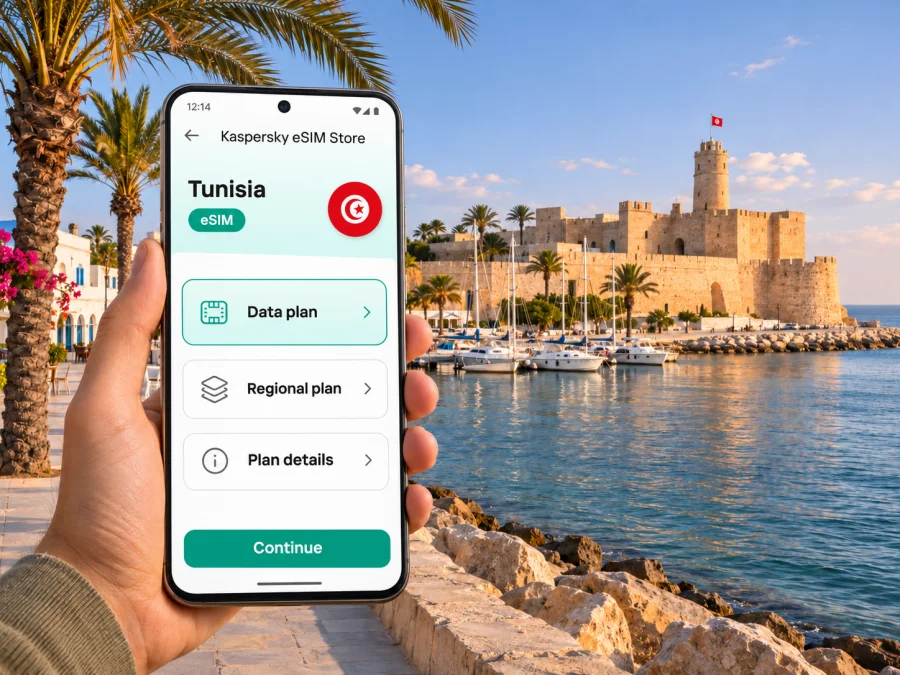
Monastir eSIM for mobile connection and internet in Tunisia
Monastir is a compact coastal city, but a visit can quickly combine an airport arrival, a hotel transfer, time around the medina and Ribat, and day trips along Tunisia’s Sahel coast. A travel eSIM can make it easier to use maps, contact your accommodation, check transport information and message your companions without changing the physical SIM in your phone. The practical details matter: an eSIM is a digital mobile-data profile, and the service available to you depends on your device, the selected Tunisia plan and the local network it can use.
This guide focuses on staying connected in Monastir and planning a route around it. It does not promise a particular signal level at every hotel, beach or train stop. Check the terms shown for the plan you choose and keep an offline copy of essential information in case you temporarily lose data coverage.
Why mobile internet helps in Monastir
Monastir’s historic centre and waterfront make for an easy day of walking, while the airport, resort areas and nearby towns add journeys that benefit from a working map. You may want mobile data to:
- message a hotel or driver after landing and share your arrival details;
- navigate between the medina, Ribat, marina, seafront and your accommodation;
- check opening information or booking messages while moving around;
- coordinate a meeting point if members of your group split up;
- look up the next leg of a journey toward Sousse, Moknine or Mahdia;
- use translation, ride-hailing or payment apps when their services are available to you;
- contact family or colleagues through internet-based messaging and calling apps.
An eSIM can be useful if your phone supports it and is not locked to a home network. It lets you add a travel data profile without removing your usual SIM. You can keep your primary number available for incoming calls or texts if your plan and phone allow, while selecting the travel eSIM for mobile data. Your home carrier may charge for roaming on its line, so check the settings and terms before departure.
First hours after landing at Monastir airport
Habib Bourguiba International Airport serves Monastir and the surrounding Sahel coast. After landing, you may need to confirm a transfer, look up your hotel address or tell someone where to meet you. Save the accommodation name and address offline before leaving home, and take a screenshot of any transfer confirmation. That gives you a fallback if you need time to install the eSIM or mobile data is not immediately available.
At the airport, choose your transfer based on your arrival time, luggage and destination. The airport’s official passenger information covers available transport and terminal services; arrangements and operating details can change. If you are taking a taxi or prearranged transfer, confirm the destination and fare method with the provider before setting off. Mobile data helps with messages and maps, but it does not replace confirming the pickup point.
Getting around between the airport, city and coast
The official Tunisian railway network describes the Sahel Metro as a regional service linking Sousse and Mahdia through Monastir. Its stops include the airport and tourist areas. This makes rail worth checking when you are planning a trip between coastal towns, but a route on a network map is not a promise that a particular train will match your flight or hotel location. Check current timetables, station access and service notices close to your travel date, and keep another option in mind if you arrive late or have bulky luggage.
In town, taxis can be practical for a direct trip between the airport, accommodation, station and central sights. For a walkable day, group nearby stops together rather than relying on constant transfers: the medina, Ribat, Bourguiba Mausoleum, marina and seafront form a useful cluster to explore at your own pace. The exact distance and ease of walking will depend on where you stay, the heat, mobility needs and the time of day.
| Travel need | A useful way to prepare | What mobile data can help with |
|---|---|---|
| Airport to hotel | Save the address and confirm pickup details in advance | Messaging, map directions and checking a booking |
| A day in central Monastir | Pin the Ribat, medina, marina and meeting point | Walking directions and sharing your location |
| Sahel coast excursion | Check current rail or road options before leaving | Rechecking service information and coordinating changes |
| Late arrival or changed plans | Keep a taxi or hotel contact available offline | Sending an update when a connection is available |
Use mobile data for trip coordination, not as your only record of reservations or tickets. Download confirmations, addresses and maps before you leave Wi-Fi. If you are traveling with other people, agree on a simple meeting point such as the hotel entrance or a named public landmark in case one phone loses power or signal.
A connected walk through Monastir
The Ribat is one of the city’s most recognizable landmarks, set beside the waterfront and close to the old town. The area around the fort, the marina, the fishing harbour and the Bourguiba Mausoleum gives you a natural route for a first exploration. The medina’s lanes and souks are better navigated at a relaxed pace than by watching a screen continuously: pin your next stop, then put your phone away while you walk and browse.
A practical half-day plan might look like this:
- Start with the location of your accommodation saved offline.
- Walk or take a short local ride to the Ribat and check the entrance and visiting information on the day.
- Continue toward the nearby seafront and marina, allowing time for a break.
- Visit the medina and souks, keeping a saved pin for your return route.
- Set a meeting point if anyone in your group wants to explore separately.
Mobile internet is helpful when a route changes or you need to contact someone, but GPS positioning and mobile data are different functions: a map may show your position with downloaded map data even when the phone has no connection, while searching for a new place or loading current information usually needs data. Download the map area in advance, keep battery power for the return journey, and carry a written version of your hotel address if you are unfamiliar with the area.
At the waterfront, weather and light can make a difference to how long you want to walk. If you plan to climb the Ribat’s watchtower or visit a museum, verify opening and access details locally rather than relying on an old saved schedule. Data is useful for checking a change, but it cannot guarantee that a page is current or that a venue is open when you arrive.
Choosing an eSIM plan for Monastir
Monastir is a city, not a separate mobile-plan market. Start by checking whether the plan is for Tunisia and whether its terms cover the whole itinerary you have in mind. If your trip continues to Sousse, Mahdia, Tunis or elsewhere, confirm that the same destination plan applies to those places. Do not infer coverage from a city name or from a map pin alone: availability depends on the local network partner, network conditions and the exact plan.
A Tunisia destination page is available in Kaspersky eSIM Store, where you can review the current choices and their stated conditions. Explore eSIM options for a trip to Tunisia and compare the plan validity, data allowance, activation details and any restrictions against your travel dates. The displayed options and terms can change, so use the live page at the time you are preparing your trip. It is a country-level page, not a claim that a particular package is a Monastir-only tariff or that one network is guaranteed at every point in the city.
Estimate data use by what you will do rather than by the number of days alone. Text messages and occasional map checks use less data than frequent video calls, cloud photo uploads, streaming or using your phone as a hotspot. Hotel Wi-Fi may be available, but do not assume its quality or availability; plan enough mobile data for navigation and essential communication while away from your accommodation.
| Your travel pattern | Questions to ask before choosing |
|---|---|
| Short city break | Will you mainly use maps, messaging and booking details? How many days is the plan valid? |
| Beach holiday with hotel Wi-Fi | How much time will you spend away from the hotel, and do you need mobile data for transfers or excursions? |
| Remote work | Does the allowance suit video meetings and file transfers? Is tethering permitted by your plan and device? |
| Monastir plus several Tunisian towns | Does the destination plan apply throughout your route, and what are the conditions at each stop? |
| Multi-country itinerary | Does a regional option explicitly include every country you will visit? Read its coverage list and validity rules. |
A plan’s headline allowance is not a speed guarantee. Indoor reception, congestion, terrain, the handset’s radio bands and the host network can all affect your experience. For a work trip, arrange a backup connection or alternate workspace rather than relying on an unverified signal at a specific hotel or venue.
Check your phone before you buy
eSIM support varies by device, model, sales region and carrier restrictions. A product family name alone is not enough to confirm compatibility. Check the manufacturer’s information and the phone’s own settings, and make sure the device is not network-locked. If you are unsure, check whether your device supports eSIM before purchasing. Also check whether your phone can keep your home SIM active alongside a travel eSIM; dual-SIM behavior varies.
Before checkout, review these points:
- Destination: Tunisia is included in the plan’s stated coverage.
- Validity: The active period matches your dates, including arrival and departure days.
- Data: The allowance suits your expected map, messaging, browsing and work use.
- Activation: You understand whether the plan starts on purchase, installation, or first connection, as specified in its current terms.
- Device: Your model and regional variant support eSIM and are not carrier-locked.
- Hotspot: If you need to share data with a laptop, confirm that tethering is supported by both your device and plan.
- Voice and SMS: A data eSIM does not automatically provide an ordinary local phone number or traditional calls and texts. Check the plan details; use internet messaging for calls where appropriate.
Install and activate before your trip
Whenever possible, install the profile before you travel, while connected to dependable Wi-Fi. Keep the QR code or installation instructions available on another screen or in a safe place, because the same phone cannot scan its own displayed QR code. The exact menus differ between iOS and Android versions, so follow the instructions provided for your device.
- Confirm that the phone is compatible, unlocked and connected to Wi-Fi.
- Select the Tunisia plan that fits the route and dates, then read the activation and validity terms.
- Open the purchase confirmation or the eSIM section in your account and begin installation as instructed.
- Label the new line something recognizable, such as “Tunisia data”.
- Keep your home SIM as the default for calls or SMS if you need it, and choose the travel eSIM for mobile data when appropriate.
- Follow the plan’s instructions for data roaming on that eSIM; keep roaming disabled on your home line if you want to avoid home-carrier charges.
- After arrival, allow the phone to register and test a simple page or message before relying on the connection.
For device-specific steps, see the Android eSIM installation guide or the iOS eSIM installation guide. If you prefer to wait until Monastir, keep the installation details accessible and use a reliable Wi-Fi connection first. Avoid removing the profile as a troubleshooting shortcut; check the plan instructions or contact support before making changes that may be irreversible.
Avoid common setup problems
Set the travel eSIM as the mobile-data line and disable automatic data switching if it might use your home SIM. Calls on your primary line may still incur roaming charges. Use trusted Wi-Fi for large downloads, and check usage in your phone settings or account when available. Installation, activation and the start of data use can be separate events under the plan terms.
If data does not connect, confirm mobile data is enabled for the travel profile, airplane mode is off, and the plan’s roaming instructions are followed. Restart the phone if needed. Contact support through your account before deleting an installed profile.
Common Monastir travel scenarios
Late arrival: Save your hotel address, booking and pickup point in advance. Once the eSIM connects, use a map and send an arrival update; if setup takes longer, your offline details remain useful.
A day around the Ribat and marina: Download a central map, pin your accommodation and agree on a meeting point. Use data for route changes, and keep battery power for the return journey.
Regional train or remote work: Check current train details before leaving and retain an offline copy of your plans. For work calls, confirm the accommodation’s Wi-Fi and arrange a backup; neither indoor mobile reception nor hotel bandwidth is guaranteed.
When Monastir is one stop on a longer route
Many visitors use Monastir as a base for nearby coastal and heritage trips. The Sahel rail corridor connects the city with Sousse and Mahdia; road journeys may take you toward Moknine, Lemta, El Jem or farther inland. These destinations are not interchangeable with Monastir: transport frequency, travel time and connectivity can differ from one leg to another. Confirm the day’s transport before you leave, particularly if you have a timed return, a tour reservation or a flight.
For each excursion, save the destination name in the spelling used by your booking, save the return point and take a screenshot of any reservation. If traveling by shared transport or taxi, confirm where you will be collected and how you will pay. Mobile data can help with last-minute messages and directions, while offline notes provide a backup if the route crosses a weak-signal area.
If Tunisia is part of a wider international itinerary, compare a country plan with any regional alternative only after checking the full list of included destinations and the validity rules. A regional label does not by itself confirm that every country on your route is included. Avoid buying a plan based on a general map image; rely on the current written conditions shown for that plan.
Short checklist
Before departure, verify eSIM support for your exact phone variant, check for a carrier lock, review the Tunisia plan’s coverage and validity, and save your accommodation details and an offline map. After landing, select the travel eSIM for data, follow its roaming instructions and test a basic page before setting off.
Frequently asked questions
Is there a separate eSIM for Monastir?
The destination selection is Tunisia; Monastir is a city within the country. Review the current Tunisia plan’s terms and confirm it suits every stop on your route. A city-specific page is not required to plan mobile data for Monastir.
Does a Tunisia eSIM guarantee signal inside my hotel or on the beach?
No. Reception can vary with the local network, building materials, congestion, device and exact location. Check the plan’s stated coverage and treat indoor performance as variable. If reliable service is essential for work, arrange a backup.
Should I install the eSIM before flying?
Installing before departure can make setup easier because you can use stable Wi-Fi and keep the instructions at hand. Follow the plan’s activation rules: installation does not necessarily mean that validity or data use begins at that moment. If you wait until arrival, use dependable Wi-Fi and keep your purchase details ready.
Can I use the same eSIM in Sousse or Mahdia?
Check the current Tunisia plan conditions for country coverage and any stated restrictions. The fact that the Sahel rail service connects these cities does not establish signal quality or a guarantee at every station, hotel or attraction.
What should I do if data does not connect?
Check that mobile data is enabled for the travel profile, review the plan’s roaming instructions, and restart the phone if needed. If service still does not work, contact support through your account before deleting or reinstalling the profile.
Prepare your Monastir connection
A little preparation makes it easier to move from the airport to your accommodation and between the old town, seafront and wider Sahel region. Check compatibility, choose a Tunisia plan whose written conditions fit your travel dates and data needs, and save essential directions offline. Kaspersky eSIM Store is an app and website where you can choose, purchase and activate an eSIM with a suitable plan for mobile data on an international trip.
When you are ready, review current eSIM options for Tunisia, then follow the installation instructions for your phone. Check the destination, validity and activation terms at the time of purchase, and keep a backup of your important travel details for the parts of the trip when mobile data may be unavailable.


