Travel connectivity guide
Monrovia eSIM: Mobile Internet for Liberia Travel
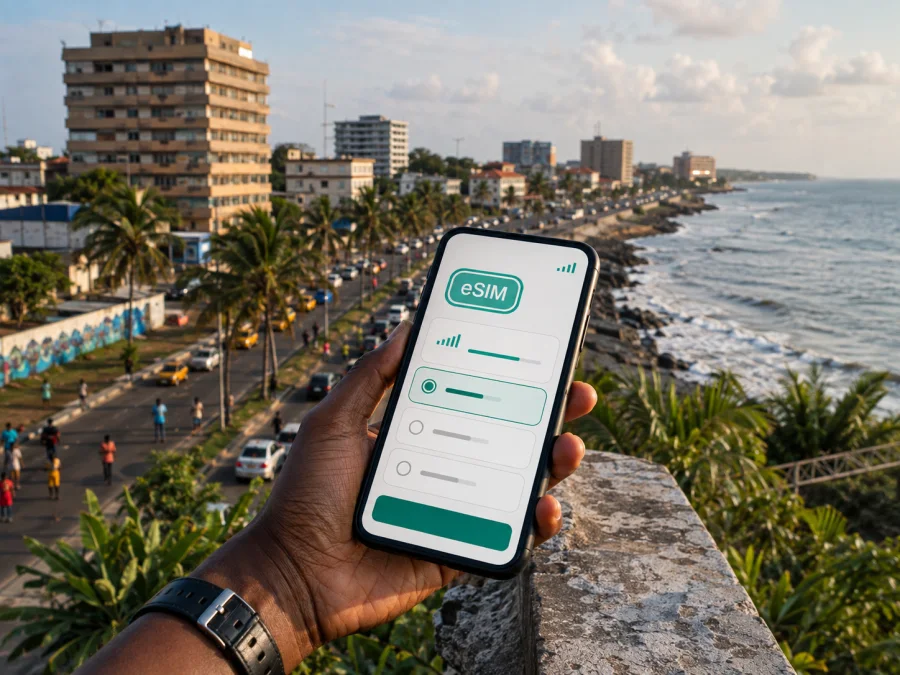
Monrovia eSIM: mobile connection and internet for your Liberia trip
Monrovia is the first practical reference point for many journeys through Liberia. You may land outside the city, travel by road into the capital, stay near Sinkor or Mamba Point, cross between central Monrovia and Paynesville, or use the city as a base for meetings. Mobile internet helps with maps, messages, bookings and work documents when the route changes.
An eSIM is a digital SIM that can provide mobile data without inserting a physical card. For a trip to Monrovia, it can be a convenient way to prepare a data connection before departure or soon after arrival. Kaspersky eSIM Store is an app and website where you can choose, arrange and activate an eSIM with a suitable plan for mobile internet during an international trip. The eSIM is used on a compatible, unlocked device, and the conditions depend on the plan you select.
Why mobile internet matters in Monrovia
Monrovia is a coastal capital spread across a busy urban area rather than a compact resort centre. Your day can combine a hotel in Sinkor, a meeting in central Monrovia, a stop on Bushrod Island and an evening return through roads with changing traffic. A data option helps you make those transitions with less friction.
Useful moments include:
- checking the route from Roberts International Airport to your accommodation;
- confirming a hotel location before a driver sets off;
- using maps while moving between Mamba Point, downtown, Sinkor and Paynesville;
- sending a location pin when a meeting point is difficult to describe;
- checking a reservation or work file;
- translating a short message or keeping in touch with family.
Mobile internet is especially useful when a flight is delayed, a transfer takes longer than expected, or rain and traffic change the order of your plans. Hotel Wi-Fi may be available later, but a prepared eSIM profile gives you another way to reach maps, messages and travel information during the first part of the journey.
Arrival in Monrovia: plan the first connection
For international arrivals, Roberts International Airport is the airport commonly associated with travel to Monrovia, although it is located in Robertsfield rather than in the city centre. Liberia’s tourism authority advises travellers to allow about an hour by road to central Monrovia and longer when weather or traffic slows the journey. Treat that as a planning estimate, not a guaranteed transfer time.
This makes the first hour different from an arrival at an airport beside downtown. Before leaving the terminal, you may need to contact a driver, check the accommodation address or confirm a meeting point. If the eSIM is ready, these tasks do not have to wait until you reach a hotel.
Prepare the arrival sequence in advance:
- Save the accommodation name, exact address and reservation in your notes.
- Agree on the meeting point and contact method with your transfer provider.
- Download essential booking information for offline access.
- Install the eSIM over stable internet if your device and plan allow pre-installation, then keep the QR code or activation details accessible.
If you use James Spriggs Payne Airport, confirm the airport shown on your ticket and arrange the next leg accordingly; Roberts International Airport is the airport linked with the longer road transfer from Robertsfield.
Moving between Monrovia’s areas
Names on a booking, map or invitation can refer to parts of the wider urban area rather than the same compact centre. Central Monrovia is the administrative core; Mamba Point is associated with diplomatic, hotel and business activity; Sinkor is a common base for visitors and offices; Bushrod Island lies across the water near port and industrial activity; and Paynesville is a major adjoining area east of the centre.
These labels help you orient yourself, but they do not replace the exact address. Ask for the street, nearby landmark or a shared location, then compare the suggested route with the actual destination. A meeting described only as “in Monrovia” can require a different transfer depending on its area.
For central Monrovia, keep directions and meeting-point messages ready. In Mamba Point and Sinkor, save office and hotel details before leaving. For Bushrod Island, allow time for the crossing; for Paynesville and the eastern side, check the full route rather than relying on a neighbourhood name alone.
Mobile data helps you compare the address, contact the host and share a location when plans change. Use the city name to orient yourself, but use a precise address and current route information to make the decision.
Transport and navigation: use data as a travel tool
Taxis, shared taxis and kehkeh, or motorised tricycles, are part of the transport picture in Monrovia. Availability, permitted routes, fares and local enforcement can change, so do not rely on an old fare table or assume every vehicle can take you to every area. Ask about the destination and price before setting off.
Your eSIM supports the information around the journey:
- send the exact destination to the person meeting you;
- compare the route with the address from a hotel or organiser;
- check the driver’s name and contact number;
- save a screenshot of the route if battery or data access becomes limited.
Walking may be practical in one part of the city and unsuitable in another, while a short distance can take longer by car at a busy time. Identify the area, verify the entrance, choose available transport and update the person waiting for you.
Navigation checklist for a busy day
- Charge your phone before leaving the hotel.
- Carry a power bank if you expect several transfers.
- Keep your accommodation address in English and in the format supplied by the hotel.
- Send the next destination before getting into a vehicle.
- Recheck the route after crossing into another part of the metropolitan area.
- Download or screenshot essential booking details.
- Use the eSIM line for mobile data and watch the active profile when switching between lines.
How to choose an eSIM plan for Monrovia
The right plan is determined by your itinerary, not by the city name alone. Start with Liberia as the destination, then check whether the plan’s scope and validity match your dates. If your route continues to another country, verify that the plan includes it.
| What to compare | Why it matters for Monrovia |
|---|---|
| Destination or region | A Liberia plan fits time spent in Monrovia; onward travel may need a different scope. |
| Validity period | It should cover the days when you need maps, messages and data. |
| Data allowance | Navigation and messaging use less than frequent video or large files. |
| Activation conditions | Check when validity begins and what is required before first use. |
| Top-up or renewal terms | Useful for a longer stay or an unpredictable schedule. |
| Device requirements | The phone must support eSIM and be free of operator restrictions. |
For a weekend stopover, you may mainly need airport coordination, directions and messages. A business trip can add documents and tethering. A longer stay calls for a closer look at allowance and renewal conditions.
You can review eSIM options for a trip to Liberia once you know the dates and data pattern you expect. Check the displayed destination, allowance, duration and conditions before completing the order. Kaspersky eSIM Store helps you choose and activate an eSIM for the trip; it does not replace the local mobile network or determine the conditions of the selected plan.
Three common Monrovia scenarios
A short stopover. Prioritise saved transfer details and enough allowance for maps, messages and booking checks.
A business week. Allow for email, documents, internet-based calls and possibly tethering. Check hotspot conditions and select the correct data line.
A city base with onward travel. Confirm that the plan remains valid for the next Liberian destination and covers the route. An international border may require a separate option.
Install and activate your eSIM
Installation is easier when you separate setup from first use. Setup adds the eSIM profile; first use selects it for mobile data and activates it according to the plan’s conditions. Menu names vary by operating system and model.
Before starting, make sure that you have:
- a phone that supports eSIM and has no operator restriction;
- a stable internet connection for downloading the profile;
- the QR code or activation details from your account;
- enough battery to complete the process.
If you want a device-specific walkthrough, use the Android installation guide or the iOS installation guide.
A careful setup sequence
- Open the mobile-network or cellular settings on your phone.
- Choose the option to add a mobile plan or eSIM.
- Scan the QR code or enter the activation details supplied with your order.
- Label the new profile clearly, for example “Liberia trip”, so it is easy to identify.
- Decide which line will handle mobile data when you are ready to use the plan.
- Keep your primary line for calls or messages if you need it and if your device supports that arrangement.
- Turn on data roaming for the eSIM only when the plan instructions require it.
- Check that the eSIM profile is active and test a simple webpage or message.
The exact moment when data begins to count depends on the selected plan. Read the conditions before activation. If the connection does not appear, first check the selected data line, mobile-data settings, required roaming setting, signal conditions and operator lock.
What to check before purchase and after landing
Before purchase, check whether your device is compatible and confirm that it is not locked to a mobile operator. Some models and regional versions differ, so the name of a phone family alone is not enough. Also check the plan’s destination, validity, data allowance, activation rules and top-up conditions.
After landing in Liberia, use this short sequence:
- Keep the home SIM from automatically using mobile data if you want to avoid unexpected roaming charges.
- Select the Liberia eSIM profile for mobile data.
- Enable data roaming for that eSIM only if the plan’s instructions call for it.
- Confirm that the phone shows a mobile-data connection before leaving the airport or hotel.
- Open a low-data page or send a short message to test the setup.
- Save battery by turning off background updates and automatic video playback when the connection is needed for navigation.
If the phone shows no data, move to an open area, wait briefly for registration and review the profile settings. If the issue continues, check the plan instructions and contact support through the appropriate channel. Give support the device model, operating system, eSIM status and the step where the problem appears.
Hotels, work and everyday use
At an accommodation in Monrovia, mobile data can help you confirm a pickup, share the entrance and keep a booking available away from the lobby. For work or an evening walk, download essential documents and keep an offline bundle with the address and next reservation. Check your allowance before large files or video.
A simple departure checklist
Before travel, confirm Liberia and the dates, verify compatibility and operator-unlock status, install the eSIM over stable internet if appropriate, and save the QR code, order details, bookings and first transfer information. At the start of the trip, select the eSIM for mobile data, test it before the road transfer and keep the airport-to-hotel address easy to send. During the stay, monitor validity, save the next destination, recheck routes after weather or traffic changes and keep battery in reserve.
Frequently asked questions
Is an eSIM useful if I am staying only in Monrovia?
Yes. A short stay can involve the road transfer from Roberts International Airport, changing meeting points and several journeys between accommodation and appointments. A data eSIM can help with maps, messages, reservations and coordination.
Can I use the eSIM for ordinary phone calls and SMS?
Usually, a travel eSIM plan is intended for mobile data rather than a separate phone number. Calls and SMS are not included unless the specific plan says otherwise. Internet-based apps can work when the data connection and app account support them.
What if my phone does not connect after landing?
Check that the eSIM is enabled, selected for mobile data and configured with any required roaming setting. Confirm that the device is unlocked, wait for registration and try again. If the problem persists, follow the plan instructions and contact support with device and profile details.
Can I use one plan for a trip beyond Monrovia?
Possibly, but do not assume it. Check whether the plan applies to the next Liberian destination and covers the whole route. An international border may require a separate option.
Stay ready for Monrovia
Prepare the eSIM around your real movements: a road arrival from Robertsfield, a hotel in Sinkor, meetings in Mamba Point or central Monrovia, a crossing to Bushrod Island, a journey toward Paynesville and schedule changes. Choose the destination and plan conditions carefully, install the profile on a compatible unlocked device, and keep the first route offline.
When you are ready to prepare your mobile internet for the trip, choose an eSIM plan for Liberia. Review the destination, allowance, validity and activation conditions, then follow the installation steps. This gives you a starting point while you arrive, move around Monrovia and continue your journey.


