
Travel connectivity guide
Montenegro eSIM for mobile internet
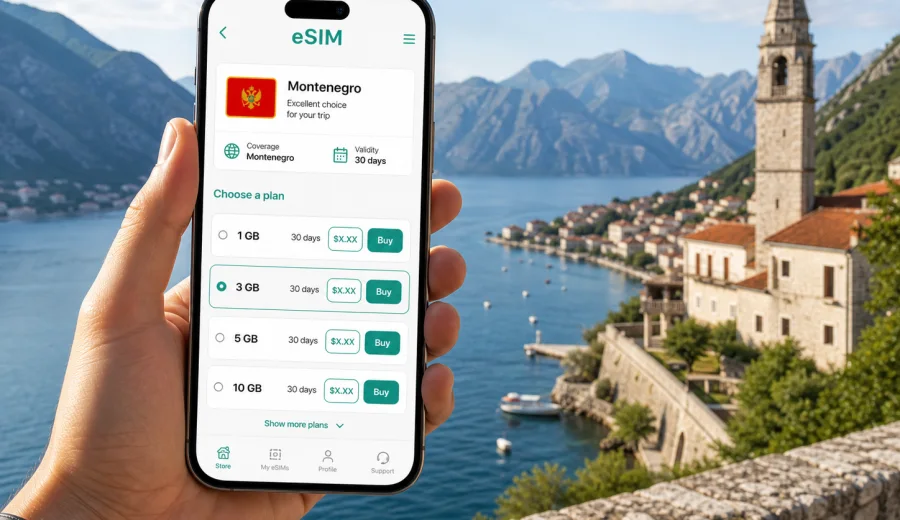
eSIM in the Republic of Montenegro: mobile connection and internet for your trip
The Republic of Montenegro is a compact country, but a trip there often includes very different mobile internet scenarios in a short time: arrival at Podgorica or Tivat airport, navigation along the Bay of Kotor, hotel check-ins in Budva, mountain roads near Durmitor, and ferry or border crossings on a wider Balkan route. In all of these moments, eSIM can help you stay online without looking for a physical SIM card after landing.
An eSIM is a digital SIM profile installed on a compatible smartphone or tablet. For travel, it is useful when you mainly need mobile data: maps, messaging apps, ride-hailing, hotel confirmations, online banking, translation, route planning, and work tools. Kaspersky eSIM Store is an app and website where you can quickly choose, arrange, and activate an eSIM with a suitable data tariff for international travel.
This guide explains how to prepare mobile connection and internet for Montenegro, how to estimate the amount of data you may need, what to check before buying, and how to install an eSIM without turning a simple travel task into a search for a local shop.
Why eSIM is useful for Montenegro
Montenegro is easy to underestimate from a connectivity planning point of view. Distances are short on the map, yet travel days can include coastal roads, old towns with narrow streets, mountain areas, national parks, ferries, tunnels, and border crossings. A mobile data connection is helpful because many everyday travel actions now happen online.
Common situations where eSIM can help:
- opening a booking confirmation at the airport or hotel reception;
- using maps between Tivat, Kotor, Perast, Budva, Cetinje, Podgorica, and Zabljak;
- messaging a host, driver, guide, or family member;
- checking ferry, bus, or flight updates;
- translating menus, signs, and local service messages;
- confirming card payments or banking notifications;
- sharing a hotspot with a laptop when your tariff and device allow it.
The main advantage is preparation. You can select a data tariff before departure, install the eSIM on a compatible device, and then turn on mobile data for the eSIM profile when you are ready to use it. This reduces dependence on airport Wi-Fi, hotel networks, and offline SIM card counters.
What eSIM does and does not replace
For a Montenegro trip, an eSIM is best understood as a mobile data tool. It helps your device connect to mobile internet through a digital profile. It is not the same as getting a full local mobile contract, and the exact tariff conditions matter.
| Travel need | How eSIM helps | What to check |
|---|---|---|
| Maps and navigation | Mobile data can support live routes and location services | Data volume and coverage conditions of the selected tariff |
| Messengers | Calls and chats can work through internet apps | Voice calls and SMS are usually not included unless stated |
| Hotel and transport apps | You can open bookings and receive updates while moving | Validity period and when the tariff starts being used |
| Work on the go | Email, documents, and video meetings may work over mobile data | Data allowance and hotspot rules |
| Multi-country route | Regional options may fit Balkan or European trips | Countries included in the selected tariff |
If you need a regular phone number for local calls or SMS, read the tariff conditions carefully. Travel eSIM data tariffs usually focus on mobile internet. For calls and messages, many travelers use messaging apps over data instead.
Montenegro travel scenarios that affect data use
Your ideal data amount depends less on the country size and more on how you travel. A weekend in Kotor with hotel Wi-Fi is different from a two-week route through the coast and mountains.
Short city and coast stay
If you stay in one town, use hotel Wi-Fi, and need mobile data mainly for maps, messages, and bookings, a modest data allowance may be enough. This is common for trips to Budva, Kotor, Tivat, Herceg Novi, or Podgorica.
Typical usage:
- navigation and walking routes;
- restaurant searches and reservations;
- messenger calls in short bursts;
- uploading a few photos;
- checking flight or transfer details.
Road trip across the coast and mountains
If you rent a car, travel between the Adriatic coast, Cetinje, Lake Skadar, Niksic, Durmitor, or Biogradska Gora, mobile data becomes more important. You may rely on maps, weather updates, road information, and communication with accommodation providers in places where public Wi-Fi is not always convenient.
For this scenario, choose a tariff with a larger data allowance and enough validity days for the whole route. It is also useful to download offline maps before long drives, because mobile signal conditions can vary by terrain and local network availability.
Workation or business trip
If you plan video calls, large file transfers, cloud documents, or frequent hotspot use, estimate data more carefully. A single video meeting can use much more data than a day of messaging and maps. Check whether the selected tariff permits tethering and whether your device settings allow the eSIM profile to be used for personal hotspot.
Balkan itinerary
Many travelers combine Montenegro with Croatia, Albania, Bosnia and Herzegovina, Serbia, or other countries in the region. In that case, compare a Montenegro-only option with a regional or European option if available for your route. The right choice depends on how many days you spend in each country and whether you prefer one profile for several destinations.
How much mobile internet do you need?
There is no single correct amount of data for Montenegro. Use your travel behavior as the starting point, then add a buffer. It is better to choose a tariff that fits your real routine than to rely on a generic number.
| Traveler profile | Typical trip length | Data pattern | Practical approach |
|---|---|---|---|
| Light traveler | 2-4 days | Maps, messengers, bookings | Smaller data package, hotel Wi-Fi for media |
| Standard tourist | 5-8 days | Maps, social media, photo uploads, browsing | Medium data package with some buffer |
| Road trip traveler | 7-14 days | Navigation, weather, bookings, hotspot sometimes | Larger package and offline maps |
| Remote worker | Any length | Email, documents, video calls, hotspot | Larger package, careful app settings |
| Multi-country traveler | 1-3 weeks | Several countries, transport apps, maps | Check regional validity and included destinations |
Practical data-saving habits:
- download offline maps before driving into mountain areas;
- update apps before the trip, not over mobile data;
- switch off automatic cloud photo backup on mobile data;
- use lower video quality when streaming;
- keep hotel Wi-Fi for large downloads;
- monitor data use in your phone settings during the trip.
When to set up eSIM for Montenegro
The most comfortable time to prepare eSIM is before departure, while you still have stable home internet and time to check your phone settings. Installation and activation are separate concepts: you may install the eSIM profile in advance, but the moment when data validity begins depends on the selected tariff conditions.
A practical setup timeline:
1. A few days before travel, check that your phone supports eSIM and is not locked to a single mobile operator.
2. Choose a tariff for Montenegro or for the region that matches your route.
3. Install the eSIM while connected to reliable Wi-Fi.
4. Keep your primary SIM active if you need your regular number for calls, SMS, or banking messages.
5. On arrival, select the eSIM profile for mobile data and follow the activation instructions.
6. Check data roaming settings for the eSIM if the instructions or your device require it.
At this point, you can prepare an eSIM tariff for your trip to Montenegro through Kaspersky eSIM Store and review the available data amount, validity period, destination, and price before you decide.
How to choose an eSIM tariff for the Republic of Montenegro
Start with the country, then check the trip details. A suitable tariff should match where you travel, how long you stay, and how intensely you use mobile data.
Use this checklist:
- Destination: the tariff should include the Republic of Montenegro, or a region that covers it.
- Validity: the number of days should cover your arrival, stay, and departure.
- Data amount: choose enough data for maps, messaging, browsing, and any work needs.
- Activation rules: check when the validity period starts and what action activates the tariff.
- Hotspot: if you plan to use a laptop or share data, check whether tethering is allowed.
- Refill options: see whether top-up is available for the selected tariff or whether you would need another package.
- Device support: make sure the phone or tablet is compatible with eSIM and not carrier-locked.
Avoid choosing purely by price. A small package may work well for a light weekend, but it can become inconvenient if you rely on navigation all day or need video calls. A larger package may be excessive for a short stay if your hotel and cafes provide stable Wi-Fi. The best choice is the one that fits your actual route and habits.
Device compatibility: check before you buy
Before purchasing an eSIM tariff, confirm that your device supports eSIM. Compatibility depends on the exact device model, market version, operating system, and operator restrictions. Some phones have eSIM in one region but not in another, and some devices can be locked by a mobile operator.
Before your Montenegro trip, check your device and review these points:
- the device supports eSIM profiles;
- the operating system is up to date enough for eSIM installation;
- the phone is not locked to one carrier;
- you have a stable internet connection for installation;
- you know which SIM profile should be used for mobile data;
- you understand whether your regular SIM should remain active for calls or SMS.
If you use dual SIM, give the travel eSIM a clear label such as "Montenegro data" or "Travel eSIM". This makes it easier to select the correct profile for mobile data and avoid accidental roaming on your primary SIM.
How to install and activate eSIM
Install the eSIM while connected to stable Wi-Fi. After arranging the tariff, the eSIM profile appears in your account or app, and installation usually follows on-screen instructions or a QR code. The exact steps vary by device, operating system, and tariff conditions.
For detailed setup, use the official installation guides:
General installation flow:
1. Open the eSIM details in the app, website profile, or email instructions.
2. Add the eSIM profile to your device using the QR code or manual details.
3. Name the new profile clearly.
4. Keep your primary SIM as the default for calls if you still need it.
5. Set the eSIM as the mobile data line when you are ready to use it.
6. Enable data roaming for the eSIM if the instructions say it is required.
7. Open a simple webpage or map to confirm that mobile data works.
Do not delete the eSIM profile after installation unless you are sure it is no longer needed. Some eSIM profiles cannot be reinstalled or moved to another device after activation, depending on the tariff and profile rules.
eSIM compared with roaming, Wi-Fi, and a local SIM
Different connection methods solve different problems. eSIM is not the only option, but it is often convenient when you want mobile internet prepared before arrival.
| Option | Strengths | Limitations |
|---|---|---|
| Travel eSIM | Can be arranged before arrival; no physical SIM card; clear data package and validity | Requires compatible unlocked device; usually focused on data |
| Home operator roaming | Keeps your usual SIM active; simple if your roaming package is suitable | Cost and limits depend on your home operator |
| Public Wi-Fi | Useful in hotels, cafes, and airports | Not always available when moving; may be slower or less convenient |
| Local physical SIM | May include local calls or SMS depending on product | Requires time, store availability, and a physical SIM slot |
For many travelers, the best setup is hybrid: keep the regular SIM for your main number, use eSIM for mobile data, and use trusted Wi-Fi for large downloads. This gives you more control without depending on one connection method for everything.
FAQ about eSIM for the Republic of Montenegro
Can I install eSIM before arriving in Montenegro?
In many cases, yes. You can usually install the eSIM profile before the trip while connected to Wi-Fi. Check the tariff conditions to understand when data validity starts and when you should activate mobile data.
Does eSIM include calls and SMS?
Travel eSIM tariffs are usually designed for mobile data. A regular phone number, voice calls, and SMS are not included unless the specific tariff says otherwise. You can use messaging and calling apps over mobile internet.
Should I turn on data roaming?
For some travel eSIM profiles, data roaming must be enabled on the eSIM line for mobile data to work. Follow the instructions for your tariff and make sure your primary SIM is not using data roaming unless you want it to.
Can I use eSIM and my normal SIM at the same time?
Many compatible phones support dual SIM use, where your regular SIM remains active for calls or SMS and the eSIM handles mobile data. The exact options depend on your device.
What if I run out of data?
Check the profile or app for remaining data and available options. Depending on the tariff, you may be able to top up or arrange another package. Conditions vary, so review them before relying on a refill during a busy travel day.
Is eSIM enough for a road trip in Montenegro?
It can be a practical mobile data option, especially with offline maps as backup. For mountain routes and remote areas, plan with the assumption that signal conditions can vary, keep key information saved offline, and carry a charged power bank.
Final preparation before your trip
Before leaving for the Republic of Montenegro, make mobile internet part of your travel checklist alongside tickets, insurance, accommodation, and payment cards. Confirm that your device supports eSIM, choose a data allowance that fits your route, install the profile on reliable Wi-Fi, and label the mobile data line clearly.
Kaspersky eSIM Store helps you choose, arrange, and activate an eSIM with a suitable tariff for international travel. For Montenegro, you can review the available options, compare data volume and validity, and choose an eSIM tariff for your trip before you need mobile internet at the airport, on the coast, or on the road.