Travel connectivity guide
Montevideo eSIM: Mobile Internet for Your Trip
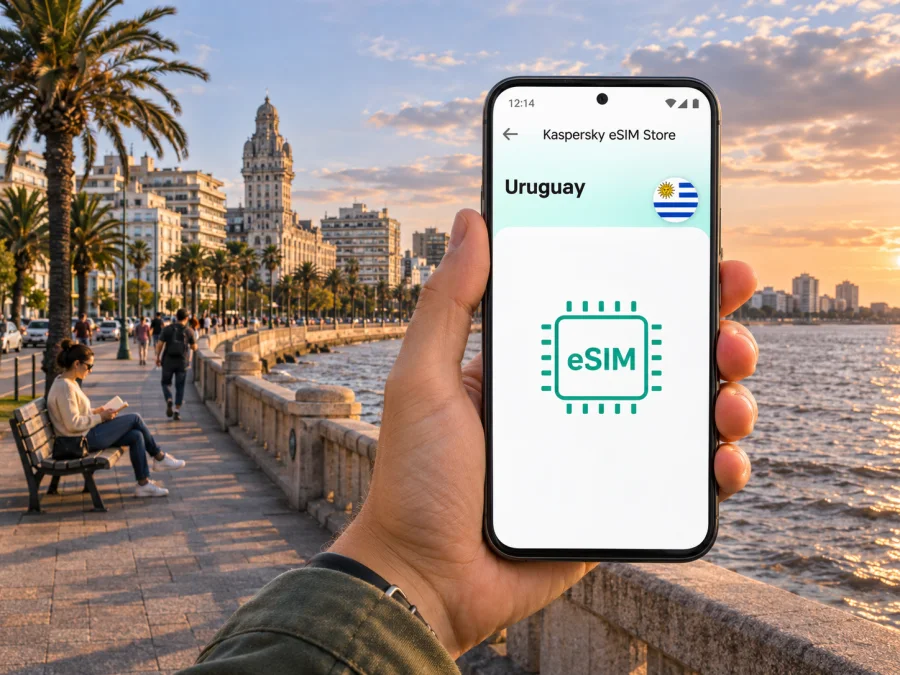
Montevideo eSIM: mobile connection and internet for your city trip
Montevideo rewards a flexible itinerary: a morning in the historic centre, a long walk beside the Río de la Plata, and an evening in a different neighbourhood can all fit into one day. Mobile internet helps with maps, bus times, ride bookings, messages and last-minute changes. An eSIM can provide mobile data without replacing the physical SIM already in your phone, provided the device supports eSIM and is unlocked for another provider.
This guide covers airport arrival, city navigation and what to check when choosing an eSIM for Uruguay. Availability and performance depend on provider, location, device and plan.
First, know where you are arriving
Montevideo is Uruguay’s capital, on the Río de la Plata. Its best-known urban route is the Rambla, a long coastal promenade linking waterfront neighbourhoods and beaches. The historic centre, Ciudad Vieja, sits by the port; Avenida 18 de Julio runs through the central area toward Plaza Independencia and the old town.
International visitors usually arrive at Carrasco International Airport. Although it is commonly called the Montevideo airport, it is in Ciudad de la Costa, in Canelones Department, outside Montevideo proper. The airport is roughly 23 kilometres from downtown according to the city’s visitor guide, so allow time for the transfer and confirm your destination before choosing a route. This geographic distinction matters when comparing a map pin, arranging a pickup or checking whether a local service covers the airport as well as the city.
Before leaving the terminal, confirm your accommodation address and transfer route. Save them offline as a fallback.
Where mobile internet helps around Montevideo
Montevideo is a city of connected but distinct areas, and an online map is most useful when you are moving between them rather than staying on one block.
| Area or trip | How data can help |
|---|---|
| Ciudad Vieja | Find pedestrian streets such as Sarandí, locate Plaza Matriz and Plaza Independencia, and check opening hours before walking to a museum or the Mercado del Puerto. |
| Centro and Avenida 18 de Julio | Follow the main central corridor, find a café or service, and check bus options when you are ready to move toward the coast. |
| Barrio Sur and Palermo | Navigate between the waterfront, cultural venues and nearby streets without repeatedly retracing your route. |
| Parque Rodó and Punta Carretas | Compare walking directions with bus routes, locate a meeting point, and check the position of a restaurant or the lighthouse area. |
| Pocitos and Buceo | Follow the Rambla, find the Montevideo sign, and plan a return journey after a beach or waterfront walk. |
| Carrasco and the eastern coast | Confirm the correct neighbourhood and route; distances across the city can be longer than a short map glance suggests. |
The Rambla is not one identical promenade throughout. The city describes it as a roughly 30-kilometre public waterfront route, with beaches, green spaces, landmarks and different neighbourhood settings along the way. For a walk, choose a manageable section in advance, download the map, and check the return route before you set off. Mobile data is useful for orientation, but a walking route displayed on a phone does not replace awareness of traffic, weather, daylight or local conditions.
Group nearby stops: visit Ciudad Vieja, Plaza Independencia and the central avenue together, then set aside another outing for Parque Rodó, Punta Carretas and Pocitos. Check actual travel time between areas rather than assuming neighbouring names mean a short walk.
Public transport and practical navigation
Montevideo’s public transport system is known as STM. The Intendencia’s official Cómo Ir service provides STM information and route planning, including real-time bus locations in its current version. Check routes and schedules close to travel, since details can change.
For a bus trip, confirm the stop’s direction and side of the street. For a taxi or app-based ride, check that the pickup pin and destination entrance are correct. A useful routine is to search the exact place name, compare the route with your location, check the return journey, keep your phone charged and save essential addresses offline. Use local signs and judgement if a route looks wrong.
Choosing an eSIM for Montevideo
A city-specific search can make it seem as if there must be a separate Montevideo package. In practice, the destination to check is Uruguay: the tariff’s country or regional coverage terms determine where it can be used, not the city name in an article. A Uruguay plan may be relevant for a stay in Montevideo and onward travel, but you should confirm each destination and any limits in the selected plan’s terms.
Uruguay has local operators that publish eSIM options, including Antel and Claro. Their offers and activation rules are not interchangeable: device eligibility, customer type, purchasing channel and activation steps can differ. An eSIM bought through a local operator is a separate product from a travel data plan selected in an eSIM store. Do not assume that a plan shown for Uruguay uses a particular local network unless its own terms say so. If a specific operator or network matters to you, verify it directly in the plan details before purchase.
Kaspersky eSIM Store is an app and website where you can select, arrange and activate an eSIM with a suitable plan for mobile internet while travelling abroad. It is a way to prepare a travel connection, not a promise about a particular network, signal level, speed or citywide coverage. To check the current destination options, browse the available eSIM plans for Uruguay. Review the destination, data allowance, validity period, price, start conditions and any usage restrictions shown for the option you choose.
Match the plan to the way you travel
Estimate your use first. Navigation and messages differ from a work trip with video calls, cloud files or hotspot use. Photo backups, automatic updates and streaming can consume more data than expected.
Use this checklist when comparing plans:
- Destination: Does the plan explicitly include Uruguay? If your itinerary crosses a border, check that country separately.
- Data amount: Estimate maps, messaging, ride services, email and work use. Treat video and cloud uploads as high-use activities.
- Validity: Check when the validity period begins. It may start at purchase, installation, first network connection or another event stated in the terms.
- Network details: Check whether the plan names a local partner network and whether any speed or tethering conditions apply.
- Calls and texts: A data-only eSIM may not include a regular phone number, voice calls or SMS. Keep your regular SIM available for services that rely on your number, and use internet messaging where appropriate.
- Device restrictions: Verify eSIM compatibility and make sure the phone is not carrier-locked.
- Installation conditions: Confirm whether installation needs an internet connection and whether a QR code can be scanned on the same device or requires another screen.
For a Montevideo stay, compare data allowance and validity rather than assuming a separate city tariff exists. For onward travel to Colonia del Sacramento, Punta del Este or beyond, check that the plan applies at every stop. A regional plan may suit cross-border travel, but verify its listed destinations.
Before buying: device and account checks
Not every phone variant has the same eSIM capability. Support may differ by exact model, sales region, software version or carrier lock. The model name on the box alone may not settle the question, especially for regional variants. Check the manufacturer’s support information and your device settings; if the phone is locked, ask the original carrier whether it can be unlocked. Check whether your device supports eSIM before paying for a plan.
Keep access to the order account and an internet connection for installation. Do not delete a profile to troubleshoot until you have checked its reinstallation and transfer rules.
If you need your home number for calls or verification, check dual-line settings and roaming charges with your home provider. Depending on the device, you may keep the physical SIM for calls and texts while routing data through the travel eSIM.
Install before departure, activate when appropriate
If the plan allows advance installation, setting it up while you have reliable internet can make arrival simpler. Installation and activation are not always the same event: adding the profile may happen before travel, while data service or validity may begin only under the plan’s stated activation conditions. Read those conditions so you do not start the validity period earlier than intended.
- Check the phone. Confirm eSIM support, carrier-unlocked status and sufficient battery.
- Open the order details. Read the destination, validity, activation instructions and any network-selection notes.
- Add the eSIM. Follow the device prompts or scan the supplied QR code. Keep the installation email or account accessible until setup is complete.
- Label the lines. Use a clear label such as “Travel data” so you can distinguish it from your home SIM.
- Choose the data line. In mobile settings, select the travel eSIM for mobile data when you are ready to use it.
- Check roaming settings. Enable data roaming for the travel line only if the provider’s instructions require it. The required setting depends on the plan.
- Test carefully. After arrival, allow the phone time to register, then open a simple webpage. If it does not connect, check the selected line, data settings and plan instructions before changing other settings.
For device-specific steps, use the Android eSIM installation guide or the iPhone and iOS eSIM installation guide. Menu names vary by operating-system version, so follow the prompts displayed on your device.
If the connection does not work
If data does not start, confirm that the eSIM is installed, enabled and selected for mobile data. Check airplane mode, the plan’s destination and activation conditions, then follow the provider’s directions for network selection and roaming. If it still does not connect, contact the seller with your device model and the steps tried. Airport or hotel Wi-Fi can help; keep an offline map as a backup.
Plan by itinerary
Short city break. Save the hotel address and decide whether you need data throughout the stay. If the plan is limited, prevent automatic photo uploads from using it in the background.
Work trip. Check Wi-Fi availability at your accommodation and meeting venues. If video calls or hotspot use matter, verify the plan’s data and tethering terms.
Cruise or ferry stop. Save a map and meeting point before going ashore, note your return time, and verify country coverage. Shipboard connectivity is separate from local mobile service.
Multi-stop trip. Check that the same plan applies in each Uruguayan destination. Argentina and Brazil are separate countries; verify regional coverage before crossing a border.
Common questions
Is there a separate eSIM for Montevideo?
A plan may be listed for Uruguay rather than for an individual city. Check the plan’s country coverage and terms; the city name does not independently guarantee service or identify the local network.
Does an eSIM give me a Uruguayan phone number?
Not necessarily. Many travel eSIMs are designed for mobile data and do not include a regular phone number, calls or SMS. Check the selected plan’s details. You can often keep your usual number available for calls and verification while routing mobile data through the travel eSIM, subject to your device and home-carrier settings.
Will the eSIM work at Carrasco Airport?
That depends on the plan, network arrangement, device and conditions. Carrasco is in Canelones Department, outside Montevideo proper; keep your transfer details offline.
Can I use the eSIM for buses and maps?
Yes, if the plan is active and includes data. Cómo Ir provides STM route-planning information; verify current routes and save key details offline.
Is a local operator’s eSIM the same as a travel eSIM?
No. Local operators’ eSIMs and travel data plans are separate offers with their own eligibility, activation and use conditions. Official Uruguayan operators publish their own instructions, but those terms should not be applied to a plan purchased elsewhere.
A simple arrival checklist
Before you leave home, make sure you can answer these questions:
- Is my exact phone variant eSIM-compatible and unlocked?
- Does the chosen plan list Uruguay, and do its validity and data allowance fit my stay?
- Do I know when the plan starts and whether it requires data roaming?
- Have I saved the Carrasco airport transfer, hotel address and first destination offline?
- Is my home SIM set so it will not use roaming data unintentionally?
- Do I know how to contact the seller if installation or activation needs help?
Explore Montevideo with a plan tied to your Uruguay itinerary, and keep saved maps and transport details as a backup.
Prepare your eSIM for Montevideo
Kaspersky eSIM Store’s app and website help you select, arrange and activate an eSIM plan for mobile internet during an overseas trip. Before you travel, confirm your device and review the plan’s country, data, validity and activation conditions. Explore the current eSIM plan options for Uruguay and choose the one that matches your Montevideo stay and any onward travel.


