
Travel connectivity guide
Montpellier eSIM: Mobile Internet Travel Guide
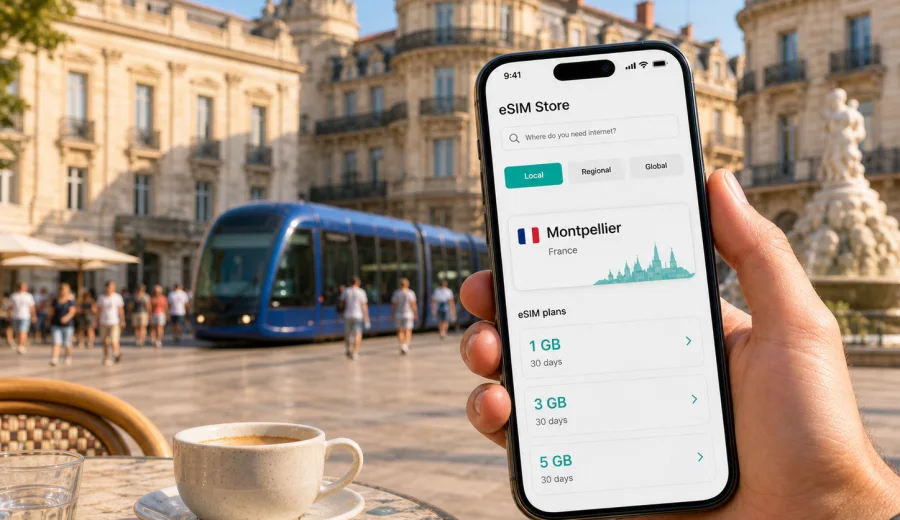
Montpellier eSIM: mobile connection and internet for your trip
Montpellier is easy to enjoy when your phone is ready before you start moving. The city is compact enough for walking, but a typical trip quickly uses mobile internet: checking the tram from the airport shuttle stop, opening a hotel booking near Comedie, finding a route through Antigone, booking a table in Ecusson, or deciding whether to continue to the beaches near Palavas-les-Flots and Carnon. An eSIM can make that first hour simpler because you do not need to look for a physical SIM card after arrival.
This guide is about using eSIM for mobile internet in Montpellier, France. It focuses on practical travel situations: airport arrival, local transport, navigation in the historic center, business days around Port Marianne and the conference areas, hotel check-in, short stopovers, and trips from Montpellier to nearby towns. The aim is not to replace your main mobile operator, but to help you prepare a separate data option for the trip.
Why mobile internet matters in Montpellier
Montpellier is a city where routes often combine several small decisions. You may take the airport shuttle to Place de l'Europe, switch to a tram, walk through narrow streets in the old town, then continue to a hotel, meeting, restaurant, or beach bus. Public Wi-Fi can help in some places, but it is not a reliable travel plan by itself.
Mobile internet is useful in Montpellier for:
- checking tram lines and walking routes between Comedie, Saint-Roch station, Antigone, Port Marianne, Boutonnet, and the university areas;
- using translation apps in restaurants, pharmacies, transport stops, and hotel reception areas;
- receiving check-in messages from hotels or short-stay apartments;
- opening digital tickets, maps, ride-hailing apps, and train bookings;
- staying reachable during business meetings, conferences, or family travel;
- comparing routes to the Mediterranean coast without waiting for a Wi-Fi connection.
The city center can feel simple on a map, but the old streets around Ecusson are not always intuitive on the first visit. A working data connection helps you avoid circling the same lanes with luggage, especially if you arrive late or in hot weather.
Where an eSIM helps during arrival
Most international visitors reach Montpellier through one of three routes: Montpellier-Mediterranee Airport, Saint-Roch railway station in the city center, or Sud de France station outside the historic core. Each arrival point has a different connectivity problem.
| Arrival point | Typical situation | Why eSIM helps |
|---|---|---|
| Montpellier-Mediterranee Airport | You need shuttle, taxi, hotel, and map details quickly. | You can open routes before leaving the terminal. |
| Saint-Roch station | You are already near the center, but streets and tram exits can be busy. | You can navigate directly to your hotel or meeting point. |
| Sud de France station | You are outside the center and usually need a transfer. | You can compare tram, bus, taxi, and pickup options. |
| Road trip arrival | You may park outside the old town and continue on foot or tram. | You can find car parks, low-traffic areas, and walking routes. |
If you install your eSIM before departure, you can keep your main SIM for calls where needed and use the eSIM profile for mobile data in France. Before buying, check that your phone supports eSIM and is not locked to one operator. You can check your device before you choose a plan.
City areas where data is especially useful
Montpellier is not only Place de la Comedie and the old town. A good day may include Ecusson for restaurants and narrow lanes, Saint-Roch for train links, Antigone for river walks, Port Marianne for modern offices and hotels, and Boutonnet or Beaux-Arts for cafes and university life. Mobile internet helps you move between these areas without guessing which tram stop, street exit, or walking route is best.
Coastal trips add another layer. Montpellier is inland, so beach outings usually require a planned transfer to Palavas-les-Flots, Carnon, La Grande-Motte, or another seaside stop. Data helps you check timing before you commit to the route.
How much data to plan for
Your data needs depend on how you travel. A light traveler who uses maps, messaging, and restaurant searches may need far less than someone who works remotely from a hotel, joins video calls, backs up photos, and streams media.
| Trip style | Common phone use | Practical data approach |
|---|---|---|
| Weekend in the center | Maps, messages, tickets, restaurant search | Choose a small package with enough margin for navigation. |
| Business trip | Email, calendar, documents, taxi apps, video calls | Choose more data and check the validity period carefully. |
| Family trip | Shared planning, maps, photos, messaging | Allow extra data because several decisions may depend on one phone. |
| Beach and day trips | Maps, transport checks, weather, photo sharing | Add buffer for travel outside the city center. |
| Long stay in southern France | Montpellier plus nearby cities | Consider a plan with longer validity and more data. |
As a working estimate, maps and messaging are usually light, while video calls, cloud backups, social video, and hotspot use consume data quickly. If your accommodation has stable Wi-Fi, your eSIM can mainly cover movement around the city. If you expect to work between hotels, stations, cafes, and client sites, choose a larger allowance.
Choosing an eSIM plan for Montpellier
For a Montpellier city trip, the destination is France. Kaspersky eSIM Store is an app and website where you can quickly choose, arrange, and activate an eSIM with a suitable data plan for mobile internet in a trip abroad. You choose the destination, review the data volume, validity period, and price, then install the eSIM on a compatible device.
When comparing options, focus on four questions:
1. How many days will you be in Montpellier and the surrounding area?
2. Will you only use maps and messages, or will you also work and stream?
3. Do you need the plan to cover only France, or a wider European route?
4. Is your phone eSIM-compatible and unlocked for mobile data on another profile?
For a trip centered on Montpellier, you can choose an eSIM plan for mobile internet in France and match the data package to your itinerary. This is the first point in the planning process where the country landing page is useful: the city is Montpellier, but the plan destination is France.
A practical setup before you travel
Prepare the eSIM while you still have a stable connection at home, at the office, or in your hotel before changing cities. This reduces the chance of trying to install a mobile profile while standing in a station hall or airport arrival area.
Recommended sequence:
1. Check that your device supports eSIM and is not operator-locked.
2. Choose France as the destination for a Montpellier trip.
3. Review the data amount, validity period, and any conditions of the selected plan.
4. Complete the purchase flow through Kaspersky eSIM Store.
5. Install the eSIM using the instructions on your device.
6. Keep your primary SIM active for calls or SMS if you still need them.
7. Set the eSIM profile as the mobile-data line when you are ready to use it.
If you need installation guidance, use the official Android eSIM instructions or iOS eSIM instructions. Installation can take a few minutes and may depend on the device, operating system version, and local mobile network conditions. In some cases, data roaming must be enabled for the eSIM profile.
Montpellier transport scenarios
Montpellier's tram network is one of the easiest ways to move around the city, but visitors still need data for details: which stop is closest, which direction to take, whether a route is interrupted, and how long the final walk will be. Typical mobile-internet moments include finding the route from Place de l'Europe after the airport shuttle, checking a connection from Saint-Roch to Port Marianne, comparing taxi and tram options late in the evening, and checking trains for Nimes, Sete, Avignon, Marseille, or Barcelona connections.
An eSIM is especially useful when the day includes transfers. You may arrive at Sud de France station, continue to a hotel in the center, meet colleagues near Port Marianne, and end the evening in Ecusson. Each step is simple on its own; the total day is smoother when maps, messaging, and transport updates are available.
Hotel and apartment check-in
Many Montpellier stays involve digital communication. Hotels may send check-in instructions, apartment hosts may use access codes, and business accommodations may require you to confirm arrival time. Before arrival, save the hotel address, nearest tram stop, booking reference, reception contact, and a screenshot for the final walk. Then use mobile internet for live decisions: route changes, arrival messages, door codes, taxi pickup points, and translation.
Business trips to Montpellier
Montpellier is a practical destination for meetings, academic events, medical and research visits, technology companies, and regional conferences. Business travelers usually need mobile internet for more than maps. Calendar changes, document access, team chat, authentication codes, and transport updates can all matter during the same morning.
For business travel, choose a data amount with a margin. A plan that is enough for a tourist weekend may feel tight if you use video calls, tether a laptop, download presentations, or spend time between meeting sites. If you expect hotspot use, check whether it is allowed by your selected plan and monitor data consumption in your device settings.
Useful business checklist:
- Install the eSIM before travel, but activate data use according to the plan conditions.
- Keep your main number available if your company uses SMS or voice verification.
- Save meeting addresses and contact names offline.
- Keep a power bank, because navigation and hotspot use drain battery faster.
- Set app updates, photo backup, and video autoplay to Wi-Fi only.
Kaspersky eSIM Store helps you choose and activate an eSIM for mobile internet, but the actual experience depends on your selected plan, compatible device, settings, and local mobile network conditions. This framing is important: the product helps with the choice and activation flow; it is not a mobile operator and does not own the network.
Short stopovers and one-day visits
Montpellier is also a stopover city. You may have only a few hours between trains, a day before heading to the coast, or one night before continuing through southern France. In these cases, mobile internet is less about heavy data use and more about reducing friction: open maps from the station, reach Place de la Comedie, find luggage storage or check-in details, and return to Saint-Roch or Sud de France station on time.
Trips from Montpellier
Montpellier is a strong base for nearby day trips. Mobile internet helps because travel often combines regional trains, local buses, walking routes, and changing plans.
Popular directions include Sete for canals and sea views, Nimes for Roman sites, Aigues-Mortes and the Camargue area for scenic routes, Palavas-les-Flots or Carnon for beach time, and Avignon or Marseille for longer rail days. Download an offline map as a backup, but keep mobile data available for live details such as route changes, opening times, and messages from travel companions.
eSIM, roaming, local SIM, and Wi-Fi: what changes in practice
Different connectivity options suit different travelers. The best choice depends on your phone, trip length, budget, and tolerance for setup steps.
| Option | Practical advantage | Limitation to consider |
|---|---|---|
| eSIM for France | Can be prepared before travel and used without a physical SIM card. | Requires a compatible, unlocked device. |
| Standard roaming | Uses your existing mobile plan. | Costs and data limits depend on your home operator. |
| Local physical SIM | May suit longer stays or local voice needs. | Requires finding a point of sale and changing SIM cards. |
| Public Wi-Fi | Useful in hotels, cafes, and some public areas. | Not available continuously while moving around the city. |
For many visitors, eSIM works well as the travel data layer: your main SIM can remain in the phone, while the eSIM profile handles mobile internet. eSIM data plans usually do not include a regular phone number, voice calls, or SMS unless the selected plan says otherwise.
Data-saving settings for Montpellier
A few settings can stretch your data allowance during a city break: download offline maps, set cloud photo backup to Wi-Fi only, disable app updates on mobile data, use lower video quality away from hotel Wi-Fi, close navigation when you no longer need it, and check which line is selected for mobile data after installing the eSIM. A short video call or background cloud backup can use more data than a full day of maps and messaging.
Common mistakes to avoid
The most common eSIM problems are usually preparation problems, not city problems.
Avoid buying a plan before checking whether your exact phone model supports eSIM, assuming all eSIM plans include calls and SMS, deleting an eSIM profile before confirming whether it can be reinstalled, starting installation on a busy platform, selecting the wrong line for mobile data, or using hotspot mode without checking your plan conditions.
If you are traveling with family or colleagues, decide whose phone is the primary navigation device. That person should have enough data, battery, and offline backups. It is also useful for one more traveler to have independent mobile data, especially if the group may split up in the old town or at the beach.
Quick answers about eSIM in Montpellier
Do I need a Montpellier-specific eSIM?
No. For a Montpellier trip, you normally choose France as the destination. The city matters for your travel scenarios, but the plan destination is the country or region shown in the plan conditions.
Can I install eSIM after I arrive?
Yes, if you have internet access for the installation process and your phone is compatible. It is usually calmer to install it before travel, then enable mobile data when appropriate under the plan conditions.
Will eSIM give me a French phone number?
Usually no. eSIM data plans for travel are mainly for mobile internet. Calls and SMS are not included unless the selected plan states otherwise.
Is public Wi-Fi enough for Montpellier?
It may be enough for a very limited trip, but it is less convenient for station transfers, tram decisions, apartment access codes, translation, and day trips.
Can I use eSIM for a wider France route?
Yes, if the selected plan covers France and fits your validity period and data needs. Always check the plan details before purchase.
Final checklist before you go
Before leaving for Montpellier, make sure you have checked eSIM compatibility and operator lock status, chosen France as the correct destination, selected enough data for maps and work needs, installed the eSIM while you still have stable internet, saved hotel and station details offline, and reviewed whether calls, SMS, hotspot, and validity rules match your expectations.
Montpellier rewards flexible movement: a morning coffee near Comedie, a tram to Port Marianne, a walk through Ecusson, an afternoon by the Lez, and a possible trip to the coast. Mobile internet keeps those decisions practical. Before your trip, you can prepare an eSIM plan for France with Kaspersky eSIM Store and arrive in Montpellier with your data option already planned.