Travel connectivity guide
Moov Africa eSIM: travel in the Central African Republic
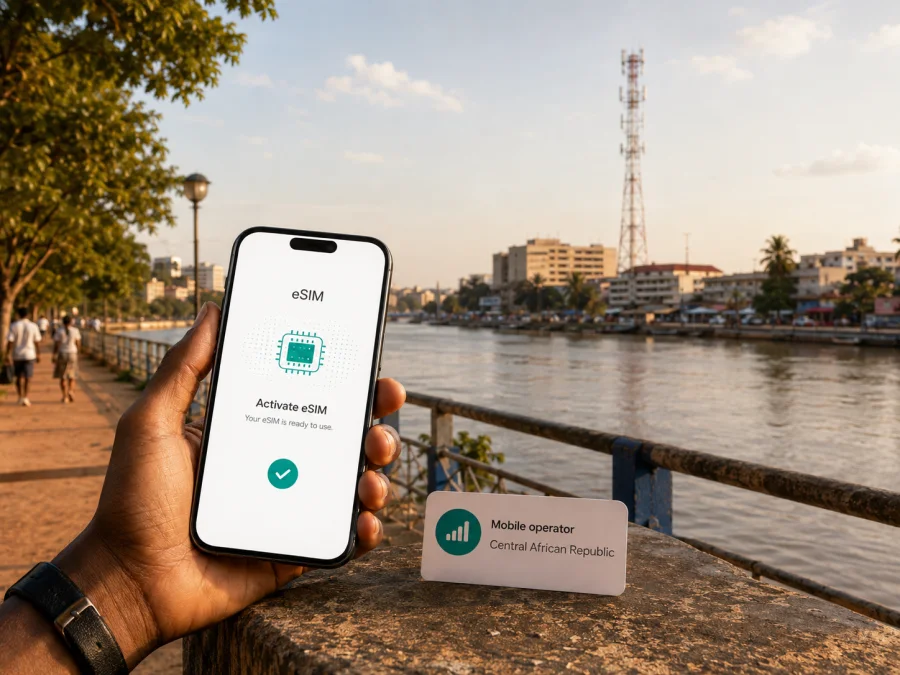
Moov Africa eSIM in the Central African Republic: what travelers should check
If you are planning a trip to the Central African Republic and use Moov Africa, you may be deciding between keeping your usual line, asking the operator about a local eSIM, or preparing a separate travel eSIM for mobile data. The right choice depends on your phone, account, route, and current rules. This guide separates confirmed information from points that need a direct check.
The key caveat is eSIM availability. On September 3, 2026, I could not find a current public Moov Africa page confirming eSIM availability for customers in the Central African Republic. The operator’s public website was displaying a technical-maintenance notice when checked. This does not prove that eSIM is unavailable; it means that support must not be presented as confirmed. If a Moov Africa eSIM is important for your trip, ask the operator whether it can issue or activate one for your customer type and intended use.
Moov Africa in the Central African Republic
Moov Africa is a mobile operator active in the Central African Republic. Maroc Telecom’s Central Africa profile, checked September 3, 2026, describes the local business as offering prepaid and postpaid mobile services, with voice and data offerings. It also describes roaming for subscribers abroad and for customers of foreign partner operators visiting the country. These are general descriptions of the operator’s business, not a promise that a visitor can obtain a particular line or eSIM.
The latest corporate information checked for this article is Maroc Telecom’s 2025 Universal Registration Document, in the section describing Moov Africa’s Central African Republic operation. It describes a mobile base that is almost entirely prepaid and reports the operator’s position in the local market. That context helps identify Moov Africa as an established local mobile business, but it does not confirm a digital-SIM product or explain the current process for foreign visitors.
The official Moov Africa website serving Central African Republic, checked on the same date, said that the site was temporarily unavailable during technical updates and directed visitors to its local contact channel for urgent matters. Because a current operator eSIM page or visitor help article could not be verified, do not infer Moov Africa eSIM support from a phone’s eSIM menu or from general eSIM information published for another market.
What the current sources establish
| Topic | Practical reading on the verification date |
|---|---|
| Local operator | Moov Africa operates a mobile business in the Central African Republic. |
| Prepaid service | The corporate profile describes the local customer base as predominantly prepaid. |
| Roaming | The corporate profile describes roaming for subscribers abroad and visiting partner customers. |
| Moov Africa eSIM | No current public operator confirmation was found on September 3, 2026. |
| Network technology | A 2025 corporate document confirms a 4G launch; access still depends on location and account. |
| Visitor requirements | Current public operator instructions for foreign visitors were not available for verification. |
How to verify Moov Africa eSIM support
Contact Moov Africa through a current official channel before you travel. Say that you need service in the Central African Republic and explain whether you are an existing subscriber, returning resident, or short-term visitor. Customer category can affect registration, line activation, and support.
Ask whether eSIM is currently issued in the Central African Republic, whether an existing physical SIM can be replaced or used alongside an eSIM, and whether the request can be completed remotely. Confirm how the profile is delivered, whether activation must happen at an official point of service, and which identity or account checks apply. Also ask whether activation is possible before travel and what to do if the profile does not register. Keep any case number or written answer for reference.
No current public Moov Africa help-center page with visitor eSIM instructions, device rules, or a published activation workflow could be confirmed during this check. The safe conclusion is not that the service does not exist, but that public confirmation was not found on the verification date. Check current operator support shortly before departure, especially if you need a local number, voice calling, SMS, or an account that must be registered in a particular way.
Technology and coverage for a travel itinerary
Coverage is location-specific. It depends on the town, road, building, device, local power and backhaul conditions, account type, and the network available at the moment of use. If your route goes beyond Bangui, plan for each location instead of treating the capital as a proxy for the whole country.
Maroc Telecom’s 2025 Universal Registration Document reports the launch of 4G for Moov Africa’s Central African Republic operation and describes a change in the reported coverage rate for Bangui. This is a dated corporate disclosure, not a guarantee of a usable signal at every address. It supports the careful statement that 4G launch information is publicly documented; it does not support a blanket promise about service continuity.
The public nPerf page checked on September 3, 2026, for the Moov network in the Central African Republic provides a user-measurement coverage view and shows layers for 2G, 3G, 4G, and 5G. nPerf explains that its data comes from tests on users’ devices and that the map is still being populated. Use it as indicative local evidence, particularly for a named town, rather than as an official service guarantee. A layer in a mapping interface should not be read as proof that every technology is commercially available to every Moov Africa customer.
Local service and travel eSIM are different options
A local Moov Africa line is tied to the operator’s customer process, network, identity rules, and service conditions in the Central African Republic. It may be the appropriate route when you need a local number, a local account, ordinary calling and messaging, or direct operator support. Since the current Moov Africa eSIM process was not publicly confirmed during this check, ask the operator about the exact route instead of assuming that digital activation is available.
A travel eSIM is designed around mobile data for a trip. It can help you prepare connectivity before departure, keep your primary SIM in the phone, and reduce the need to search for a physical SIM point after landing. It remains a separate service: it does not replace a Moov Africa account, local number, or local regulatory process, and it does not guarantee a signal. The networks available to the travel service depend on the chosen destination and its current arrangements.
Kaspersky eSIM Store is the app and website that helps a traveler choose, arrange, and activate an eSIM with a travel data plan for an overseas trip. It is not a mobile operator, does not own Moov Africa’s network, and must not be described as the provider of Moov Africa coverage. The official Kaspersky blog and the Store’s public installation instructions, checked September 3, 2026, describe checking device compatibility, selecting a destination, completing an order, installing from a profile or QR code, and selecting the eSIM for mobile data.
For a trip to the Central African Republic, choose an eSIM destination for the Central African Republic after checking the destination, device, and current conditions. It does not confirm Moov Africa eSIM support or make Kaspersky eSIM Store a local operator.
Check your device and install carefully
Confirm that the exact phone model supports eSIM and is unlocked. Regional versions can differ, and employer-managed phones may restrict new mobile plans. Look for “Add eSIM” or “Add mobile plan” in mobile-network settings and use the manufacturer’s current model information or the Kaspersky eSIM Store compatibility check. A device check does not confirm Moov Africa’s local eSIM policy.
Install with stable Wi‑Fi and keep the confirmation email, QR code, or profile screen available. Open mobile-network settings, add the eSIM, and follow the displayed instructions. Label it “Travel” so it is not confused with your primary SIM or a local Moov Africa line. When ready, select it for mobile data and turn off automatic data switching if needed. Some travel eSIMs require data roaming on that profile; follow the chosen service’s instructions and review the regular line separately. Registration can take several minutes. Do not delete a profile while troubleshooting unless support instructs you to do so.
Limitations to consider before departure
An eSIM is a profile in a compatible device, not a promise that every service works in every place. A Kaspersky eSIM Store travel eSIM is intended for mobile data and should not be assumed to supply a local telephone number, ordinary voice calling, or SMS. Messaging apps may work when data is available, but their accounts are separate from the eSIM.
Installation and activation are separate steps: a profile may be installed before a flight and selected for data later. The start of service depends on the current conditions shown for the chosen product. Some profiles may be bound to the activating device, so do not move one between phones unless current instructions permit it. Hotspot use is also device- and product-dependent.
Local rules can apply to visitors. A current public Moov Africa page describing documents and registration requirements specifically for foreign visitors was not available for verification on September 3, 2026. Do not rely on a claim that registration needs no documents; ask Moov Africa what applies to your customer category and intended line.
Troubleshooting after arrival
If a travel eSIM does not connect, check that it is turned on, selected for mobile data, and using the required roaming setting. Confirm that automatic switching has not moved data to the home line; then move to an open location or restart the phone. If the issue remains, use trusted Wi‑Fi and the service’s support route.
For a Moov Africa line, contact the operator through its current official channel and provide the location, phone model, line type, and error message. Do not post activation codes publicly. If two profiles are active, temporarily disable the one you are not testing. Kaspersky eSIM Store’s official Help Center and iOS instructions explain its own travel-data setup; Moov Africa support handles the local operator line.
FAQ
Does Moov Africa offer eSIM in the Central African Republic?
Current public confirmation was not found during verification on September 3, 2026. The operator website was under technical maintenance, and no current public Moov Africa eSIM page could be confirmed. Check current support before travel; do not treat availability as established until Moov Africa confirms it.
Can I use a travel eSIM instead of a Moov Africa line?
You can consider one for mobile data if the destination is offered, the phone is compatible and unlocked, and the current conditions fit your journey. It remains separate from a local Moov Africa account, number, and support process.
Can I keep my regular number active?
A compatible dual-SIM phone can often keep the regular line available while another profile handles data. Exact behavior depends on the device. Check the selected data line and disable automatic switching if necessary.
Will an eSIM provide calls and SMS?
Do not assume so. The Kaspersky eSIM Store travel use case is data-focused and is not a local telephone line. If voice, SMS, or a local number is essential, confirm that requirement with Moov Africa or the separate service.
Will 4G work everywhere in the Central African Republic?
No universal guarantee should be inferred. A 2025 corporate disclosure confirms a 4G launch for Moov Africa’s Central African Republic operation, while public coverage mapping is location-specific. Check each important location, device compatibility, and current operator information.
Is Kaspersky eSIM Store affiliated with Moov Africa?
No affiliation is implied. Kaspersky eSIM Store is an app and website that helps users choose, arrange, and activate travel eSIM data services. It is not Moov Africa, does not own its network, and is not presented here as its official partner. Names and trademarks belong to their respective owners.
Final checklist
- Confirm the current Moov Africa eSIM position directly with the operator if you need a local eSIM.
- Check the exact phone model, eSIM compatibility, and unlock status.
- Decide which line handles mobile data and review roaming settings.
- Install a travel eSIM with stable internet and keep its activation details available.
- Check every city and route segment; do not generalize from Bangui to the whole country.
- Save maps, reservations, emergency contacts, and support information offline.
- Recheck prepaid, roaming, tourist, and eSIM availability close to departure.
If you need travel data, use the Kaspersky eSIM Store destination page after reviewing current conditions and compatibility guidance. If you need a Moov Africa number or local account, continue with Moov Africa’s current support route. The two options serve different travel needs.
This article was checked on September 3, 2026. The public website, support routes, eSIM availability, visitor requirements, activation process, technology access, roaming conditions, and coverage information may change. Moov Africa eSIM availability was not confirmed by a current public operator source on that date, so verify it directly with Moov Africa before relying on it. Kaspersky eSIM Store is not affiliated with Moov Africa and is not the owner of its network or a mobile operator.


