Travel connectivity guide
Moov Africa Gabon Telecom eSIM in Gabon: what to check
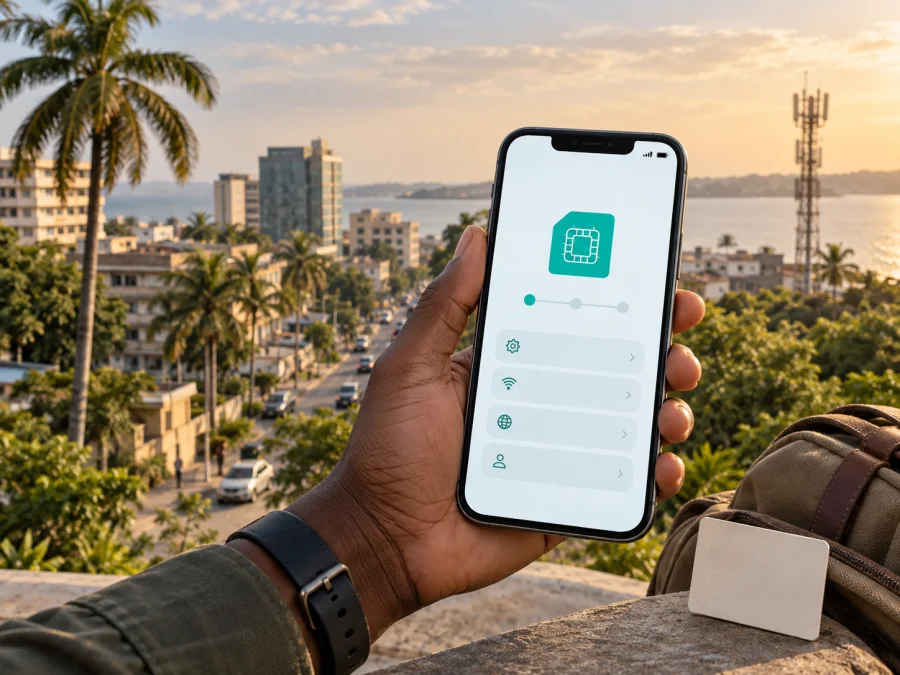
Moov Africa Gabon Telecom eSIM in Gabon: connection and travel guide
If you are preparing a trip to Gabon and want mobile internet without changing a physical SIM card, it is useful to understand how Moov Africa Gabon Telecom eSIM works. The operator has a public eSIM page explaining the service, device compatibility and QR activation. A local eSIM and a travel eSIM serve different purposes: one is tied to a local mobile line, while the other is prepared for travel data.
This guide summarizes current public information for visitors. Conditions, registration rules, sales channels and network access can change, so confirm current terms before activating a local line. It reflects operator, regulator and Kaspersky pages checked on September 19, 2026.
What Moov Africa Gabon Telecom eSIM means
An eSIM is a programmable SIM profile built into a compatible smartphone. Instead of inserting a physical card, you add activation information in the phone’s mobile-network settings and select the profile for data, calls or messages according to the service conditions.
The official Moov Africa Gabon Telecom eSIM page describes its eSIM as a way to access the operator’s mobile services without first obtaining a physical SIM. It also says that an eSIM can be used alongside a physical SIM in a compatible phone. This can be useful for a traveler who wants to keep a home line available while adding a local profile. The exact combination of active lines depends on the device model, software version and the way the phone was sold.
The same page explains that a phone can store several eSIM profiles, although only one eSIM profile may be used at a time on some devices. A physical SIM and an eSIM can support a dual-line setup on compatible hardware. Manufacturers, regional variants and operating-system settings may differ.
Moov Africa Gabon Telecom’s public site presents the company as a telecom provider in Gabon with consumer mobile, fixed, internet and enterprise sections. Its main portal also exposes prepaid and postpaid categories. That confirms that both types of mobile service are part of the operator’s public market structure, but it does not make every option available to a visitor or confirm the conditions at the moment of purchase. A separate current page confirming a tourist-only offer was not found during this verification, so a traveler should ask the operator whether a visitor-oriented eSIM or prepaid activation is currently available.
Is Moov Africa Gabon Telecom eSIM available in Gabon?
Yes, the operator’s public eSIM page currently documents the service. It explains the embedded SIM, use with a physical SIM, QR activation for iPhone and Samsung, and a non-exhaustive list of compatible phone families.
The page does not mean that every visitor can complete the whole process remotely or that every eSIM profile is sold through the same channel. Before travelling, confirm visitor eligibility, the activation channel, required registration documents and acceptance of your phone’s regional version.
The public pages reviewed do not establish a universal visitor exemption from local registration requirements. Do not assume that an eSIM removes identity checks, local account rules or any requirement to present documents. Ask the operator for the current process before relying on local service immediately after landing.
Activation methods described by the operator
Moov Africa Gabon Telecom describes QR-code activation for both iPhone and Samsung. The wording and menu names can change with the phone’s language and operating-system version, but the general sequence is stable: make sure the device supports eSIM, open the mobile-network settings, add a cellular or mobile plan, scan the QR code, and complete any requested confirmation.
iPhone and Samsung activation
For iPhone, the operator describes scanning the QR code with the camera or opening mobile-data settings and choosing the command to add a cellular plan. The phone may ask for a line label or an activation PIN. For Samsung, the documented route starts in Connection settings and SIM manager, followed by adding a mobile plan and scanning the QR code. Menu names vary by model and software.
After the profile is added, select the intended line for mobile data. Keep the QR code, any PIN and a stable internet connection available during setup. The operator’s page says the eSIM becomes operational after the required confirmation steps, but the timing can depend on the phone, account, local network and registration. Do not delete a profile during troubleshooting until you know how it can be issued again.
Compatibility and device restrictions
The public Moov Africa Gabon Telecom page lists several iPhone and Samsung families as examples, including recent iPhone generations and selected Galaxy, Fold, Flip and Note devices. The list is explicitly non-exhaustive. It should be treated as an indication, not as a complete compatibility database.
Before choosing a local eSIM, check the exact model number and its country version. Some phones have different capabilities in different markets. A device can have an eSIM menu and still be restricted by a carrier lock. Used phones may also retain an operator lock, and corporate devices may have a policy that prevents adding a second mobile profile.
| Check | Why it matters |
|---|---|
| Exact model and region | A family name may hide regional differences. |
| Operator lock | A locked phone may reject another network’s profile. |
| Software and profile space | Menus and active-line limits vary by device. |
| Data-line settings | The phone may select the wrong SIM for internet. |
If your phone does not support eSIM, a physical SIM remains the relevant local option. If it is company-managed, check whether an administrator has disabled adding profiles.
Coverage and technologies in Gabon
Moov Africa Gabon Telecom has a public mobile coverage section labelled 3G/4G. This supports a cautious description of the technologies the operator presents for mobile coverage. It does not justify saying that 3G or 4G is available in every location, at every time, or at a guaranteed speed. Coverage can vary between Libreville, other urban areas, roads, rural communities, indoor spaces and areas affected by terrain or local infrastructure.
The operator’s public portal also refers to mobile internet and 4G+ in its service navigation, but that is not a performance measurement for a specific address. Coverage and access can depend on the subscriber profile, device bands, settings, local congestion, buildings and terrain. Check the route and test the intended line after activation.
ARCEP, Gabon’s electronic communications regulator, published a notice on June 11, 2026, about validation of an infrastructure-sharing agreement involving Moov Africa Gabon Telecom and passive infrastructure such as towers. This is market context, not a guarantee at an individual address. An ARCEP notice reviewed in the same search also discussed conditions and prospects for 5G deployment, so confirm 5G access rather than assuming it.
Local operator eSIM or travel eSIM?
A local Moov Africa Gabon Telecom eSIM is the natural subject to investigate when you need a Gabonese mobile line and want to use the operator’s own customer channels. It may be suitable for a longer stay, a local service relationship or a situation where a local number and local account are important. The operator can also explain current registration, support and recharge procedures.
A travel eSIM serves a different preparation scenario. It is designed for mobile data during a trip and can be arranged before departure through an app or website. It usually does not replace your home number, and the available service depends on the destination, the selected option, the device and the underlying network arrangements. It can be convenient when you want to arrive with a data connection ready, but it should not be described as a local Moov Africa Gabon Telecom line.
The practical distinction is not a ranking. Choose the local-operator route when a local relationship, local number or operator-specific service matters. Consider a travel eSIM when you mainly need mobile data for navigation, messages, translation or work. If both profiles are installed, keep the home SIM available only after checking dual-line and roaming settings. Confirm whether the travel product supports data only, since it may not replace ordinary calls or SMS.
Kaspersky eSIM Store can be considered in the second scenario. It is an app and website for choosing, arranging and activating an eSIM with a travel data option for the selected destination. It is not a mobile operator, does not own Moov Africa Gabon Telecom’s network, and should not be presented as the provider of local network coverage. The official Kaspersky travel guide explains that a user can prepare the eSIM before arrival, follow on-screen or QR-based installation instructions, and select the eSIM for data after reaching the destination. The service’s own current availability and device check should be reviewed before purchase.
Explore eSIM options for Gabon
How to prepare before leaving for Gabon
Keep the local and travel scenarios separate. If you want Moov Africa Gabon Telecom eSIM, contact the operator through its current official channel and ask which customer category, documents and activation location apply. If you are considering a travel eSIM, check the destination page, device compatibility and installation instructions in the service you choose.
- Decide whether you need a local Gabonese line, travel data, or both.
- Check the exact phone model, regional version and lock status.
- Confirm the activation channel and documents for a local eSIM.
- Install with stable internet, select the data line and test it.
- Keep a fallback connection and support contact.
What can stop activation?
Activation can fail if the phone is locked, the regional model lacks eSIM support, the QR code was used on another device, the download was interrupted, or another line remains selected for data.
Check that the profile appears in SIM settings, is switched on and is selected for data. Follow the relevant roaming instruction, move to a usable-signal area, wait a few minutes and restart only after recording the settings. If the issue remains, contact support with the device model and exact error message.
Avoid judging coverage from one failed connection; the operator is the right party to confirm account status and the current local activation process.
Traveler questions
Can I get Moov Africa Gabon Telecom eSIM before arriving?
The public eSIM page confirms the service and QR activation, but not one universal remote-purchase process for every traveler. Ask whether your customer type can receive the profile before arrival, whether an agency visit is required and what documents apply.
Does eSIM work on every phone?
No. The exact regional model must support eSIM and must not be locked. The operator’s list is non-exhaustive, so use current device checks rather than relying on a family name.
Can I keep my home SIM?
Often, if the device supports dual-line use. The operator’s eSIM page describes use alongside a physical SIM. Configure the home and data lines deliberately and check roaming settings.
Does a travel eSIM replace a local number?
Not necessarily. Travel eSIMs are commonly intended for mobile data and may not include an ordinary number, calls or SMS. Check the selected service. For a local number, ask Moov Africa Gabon Telecom what is available under current registration rules.
Do I need a passport or other document?
The checked public pages do not establish one rule for every local eSIM or prepaid activation. Requirements may depend on the customer category and channel. Confirm current documentation with the operator; digital delivery does not necessarily remove registration obligations.
Is Kaspersky eSIM Store a mobile operator?
No. Kaspersky eSIM Store is an app and website that helps the user choose, arrange and activate an eSIM travel option. It is not Moov Africa Gabon Telecom, it does not own a Gabonese network, and it does not replace the operator’s support for a local line.
Is Kaspersky eSIM Store a VPN?
No. It is not a VPN or a tool for bypassing restrictions. Its role in this travel scenario is to help prepare an eSIM for mobile internet. Use the service only for the purpose and locations described in its current terms and instructions.
Final checklist for a Gabon trip
- Decide between a local Moov Africa Gabon Telecom line and a travel eSIM.
- Check the exact phone model, regional version and operator-lock status.
- Confirm documents, eligibility and activation channel for a local eSIM.
- Keep the QR code, PIN or account access available during installation.
- Select the correct data line and test it with a stable connection.
- Review coverage for important stops and keep a fallback contact.
For a travel-data route, you can choose an eSIM option for Gabon after checking compatibility and the current service conditions. If you prefer a local mobile line, contact Moov Africa Gabon Telecom and confirm the current eSIM, prepaid and registration process before relying on it.
A note about independence and changing conditions
This independent guide is not affiliated with, sponsored by or endorsed by Moov Africa Gabon Telecom. Availability, registration, activation, coverage and travel-service conditions may change. It reflects public pages checked on September 19, 2026; verify current details before purchase or activation.


