Travel connectivity guide
Moov Africa Niger eSIM in Niger: what to check
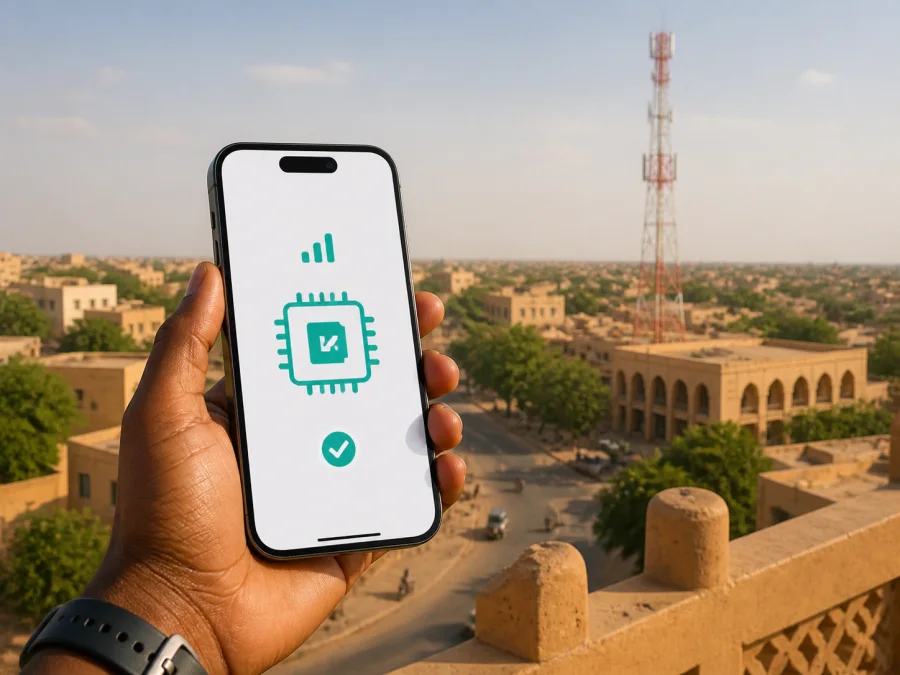
Moov Africa Niger eSIM in Niger: what travelers should check
Travelers searching for a Moov Africa Niger eSIM in Niger usually want to know whether they can connect without changing a physical SIM, how activation works, and what to prepare. These are separate questions: whether Moov Africa Niger issues an eSIM profile in Niger, and whether a phone is unlocked, compatible and ready for mobile data.
An eSIM is a digital SIM profile, not a promise that every operator offers it in every market. A local operator eSIM belongs to the local mobile relationship; a travel eSIM is prepared for a journey and may connect through an available local network. Keeping those routes separate prevents a generic announcement from being mistaken for confirmation of a Niger-specific product.
What is confirmed about Moov Africa Niger
Moov Africa Niger is a mobile operator serving the Niger market. Its official website presents consumer, enterprise, mobile-money and internet sections, along with customer agencies and current news. The regulator ARCEP’s public operator register lists MOOV AFRICA NIGER S.A. in mobile telephony and mobile internet. These facts describe the operator’s market presence; they do not, on their own, confirm eSIM issuance.
The operator’s public consumer pages also show that prepaid service is part of its general structure. Its mobile-service information distinguishes prepaid and postpaid customers, and its consumer area publishes internet and other mobile-offer sections. This supports a general statement that prepaid options exist. It does not confirm that every prepaid option is available to a foreign visitor, nor does it establish a current tourist offer. The pages checked during this run did not clearly identify a Niger-specific tourist package.
As of 3 September 2026, current public pages from Moov Africa Niger that were checked did not confirm Niger-specific eSIM availability. No clear public eSIM purchase, compatibility, activation or help page for Moov Africa Niger was found during this verification. That does not prove that an eSIM cannot be offered through a store or customer channel; it means the availability could not be verified from a current public source. If a local Moov Africa Niger eSIM is important to your trip, ask the operator to confirm the current position before relying on it.
What the local route and a travel eSIM do differently
A local service may suit travelers who need an ongoing local account, a local number, or local support. Depending on the current procedure, it may require an agency visit, identity checks, a local payment method, or eligibility as a new customer. The exact process is controlled by Moov Africa Niger and applicable Niger requirements.
A travel eSIM is considered when the immediate goal is mobile internet during a journey. It can reduce the need to search for a physical SIM after landing and lets the primary SIM remain in the phone. It is not automatically a complete local subscription. Depending on the selected service, it may be data-focused and may not include a local number, ordinary voice calls or SMS. Messaging and calling apps can work over mobile data, subject to the app, phone and network conditions.
For that reason, “Moov Africa Niger eSIM” should not be treated as proof that a travel product is supplied by Moov Africa Niger. Check who provides the service, which destination is supported, and whether the phone can use the profile. If local eSIM is not confirmed, treat a travel eSIM as a separate option.
Technologies and coverage in Niger
Technology information should be read as a dated fact, not as a promise about a particular street or route. Moov Africa Niger’s official news page reports the launch of 4G on 17 July 2025. The ARCEP operator page viewed for this article lists the operator under 2G and 3G licence categories. These pages have different purposes and describe different snapshots, so they should not be expanded into a claim about uniform nationwide 4G access or present-day network performance.
The safe traveler-facing summary is that public materials document mobile service in Niger and a published 4G launch announcement, while a route-specific coverage result still needs to be checked. Coverage can differ between urban areas, highways, rural destinations and indoor locations. A signal icon is not a coverage map, and a technology label does not guarantee an identical experience at every destination.
The phone is equally important. A device may support eSIM in one regional version and omit it in another. A handset bought through a carrier may be locked. Older software, enterprise restrictions or a phone that has reached its eSIM profile limit can also complicate setup. Check the official specifications for your model, install available updates, and confirm that the device can add an eSIM before purchase.
Choosing a setup path
There is no universal answer for every visitor. Choose the local Moov Africa Niger route if you need an ongoing local account, local number or local customer channel, after confirming eligibility and the current registration process. Consider a travel eSIM if you need mobile data for a supported destination and prefer to prepare before departure. A local route and a travel route have different providers, conditions and support channels; compare only those general characteristics and review current commercial details in the relevant service interface.
For a travel eSIM option for Niger, choose an eSIM plan for Niger through Kaspersky eSIM Store. The destination page is where you can review what is currently offered; recheck the current conditions before purchase.
Prepare before activation
Keep the primary SIM active if you need its number for banking codes or incoming messages, but decide which line will be used for mobile data. Carry a valid passport and travel information when visiting a local customer channel so you can respond to a current request, but do not assume a document list until Moov Africa Niger confirms it.
For a local service, confirm:
- whether eSIM is currently issued in Niger;
- whether a new visitor is eligible;
- whether the request is online, in an agency or through another channel;
- which identity document is required;
- whether the phone must be unlocked and locally compatible;
- whether an existing local line or account is needed;
- where to obtain help if the profile does not install or connect.
For a travel eSIM, prepare an unlocked compatible phone, stable internet, account access, the installation details or QR code, a charged phone, and offline travel essentials. Do not delete the primary SIM before testing the profile or scan an activation code on another device just to test it. Some profiles have transfer restrictions, so contact support before moving or removing one.
Installing and activating a travel eSIM
The sequence below describes a travel eSIM prepared for mobile data. It does not claim that Moov Africa Niger currently offers the same workflow.
1. Check compatibility
Confirm that the model and regional version support eSIM and that the phone is not carrier-locked. Use the device compatibility guide, then confirm the result in the phone settings.
2. Connect to the internet
Use stable Wi-Fi or mobile data. Keep the phone charged and avoid starting setup during a transfer or where losing connectivity would leave you without instructions.
3. Add the eSIM
Open mobile-network settings and choose the option to add a mobile plan or eSIM. Labels differ across Android and iOS versions, so follow the current path for your model.
4. Scan or enter the details
Use the QR code or manual details supplied in your account or purchase message. Keep the code private. If it is displayed on the same phone, use another screen or manual entry when available.
5. Select the data line
Label the new profile clearly. Choose it for mobile data only after checking the selected service instructions. If the instructions require data roaming for that profile, enable it for the travel eSIM and keep roaming disabled on the primary line unless you deliberately need it.
6. Activate and test
Some services are installed before departure and activated after arrival; others use a different sequence. Follow the current conditions shown for the selected service. After arrival, wait a few minutes for registration, then test a simple web page or messaging app.
If data does not work, check the selected line, roaming setting, airplane mode, signal conditions and any supplied access-point instructions. Avoid reinstalling or deleting the profile until support advises you to do so.
Restrictions travelers should understand
Local physical-SIM and travel-eSIM processes may have different identity and eligibility rules. Ask Moov Africa Niger directly about registration for visitors. Confirm visitor eligibility, accepted documents, payment methods and activation channels close to departure.
A travel eSIM does not make a locked phone compatible and does not guarantee access in every room, road segment or remote area. Border crossings and regional journeys can require a different destination setup. Check the current destination description before leaving.
An eSIM profile is not necessarily a complete local mobile subscription. Data-only service may not provide a local number, ordinary calling or SMS. If you need codes sent to your normal number, keep the primary line available. If you need voice service for work or safety, confirm that requirement separately instead of assuming a data eSIM includes it.
When Kaspersky eSIM Store may help
Kaspersky eSIM Store is an app and website where a traveler can choose, arrange and activate an eSIM travel plan for mobile internet. It is not a mobile operator, does not own the Moov Africa Niger network, and is not the provider of local coverage. Conditions depend on the selected travel eSIM service and destination networks.
For someone researching Moov Africa Niger eSIM in Niger, this is a possible alternative when local eSIM availability is unclear or an agency visit is inconvenient. It can help prepare a supported travel eSIM, but it does not turn an unverified local operator eSIM into a confirmed product or replace every local mobile service. Check the destination, current conditions and device compatibility. The service generally focuses on mobile internet; do not assume a local number, ordinary calls or SMS.
Kaspersky eSIM Store is not affiliated with Moov Africa Niger. The names are mentioned together only to explain two different ways to prepare mobile connectivity for Niger. Check each service’s current conditions with the relevant provider before use.
Questions travelers ask
Does Moov Africa Niger currently offer eSIM in Niger?
Current public official confirmation was not found on 3 September 2026. The operator’s public pages confirm mobile and prepaid services, but the pages checked did not clearly confirm a Niger-specific eSIM issue or activation path. Ask Moov Africa Niger to verify the current position before relying on a local eSIM.
Can I use prepaid service as a visitor?
Prepaid service is part of the operator’s public consumer structure, but visitor eligibility and registration conditions should be confirmed directly. Do not assume that every prepaid option is available to a foreign visitor or that a purchase can be completed online.
Does the 4G announcement guarantee coverage on my route?
No. The operator’s official news page reports a 4G launch on 17 July 2025, while the regulator’s public listing presents licence categories. Neither is a route-specific coverage result. Check current information for the places you will visit and keep offline essentials.
Is Kaspersky eSIM Store a mobile operator?
No. Kaspersky eSIM Store is an app and website that helps travelers choose, arrange and activate an eSIM travel plan for mobile internet. It does not own a mobile network, provide Moov Africa Niger coverage or act as Moov Africa Niger.
A practical checklist
Before leaving for Niger:
- Decide whether you need a local number or only mobile data.
- Ask Moov Africa Niger whether a current local eSIM is available to your customer type.
- Confirm identity, agency and payment requirements.
- Check that the phone is unlocked and supports eSIM in its regional version.
- Review the current destination conditions for any travel eSIM.
- Install only through the official account, QR code or instructions supplied for that service.
- Select the correct data line and review roaming after arrival.
- Keep offline maps, reservations, support details and an alternative contact method.
Final takeaways
Moov Africa Niger is a recognized mobile operator in Niger, with public information covering mobile internet and prepaid service. Its official website reports a 4G launch in July 2025, while the regulator listing provides a separate licence snapshot. These facts describe the market, but do not promise coverage on a specific route or confirm visitor eSIM access.
Public confirmation of Moov Africa Niger eSIM availability was not found on 3 September 2026. Contact the operator about issuance, visitor eligibility, documents and activation. If a supported travel eSIM option is shown for Niger, Kaspersky eSIM Store may help after you check compatibility and current conditions.
Review eSIM options for Niger and confirm every condition before purchase. Moov Africa Niger and Kaspersky eSIM Store are independent services, and this article does not indicate an affiliation, endorsement or distribution relationship between them.
Information checked on 3 September 2026. Operator pages, coverage, eSIM availability and visitor requirements can change. Confirm current details before departure.


