Travel connectivity guide
Moov eSIM in Ivory Coast: activation guide
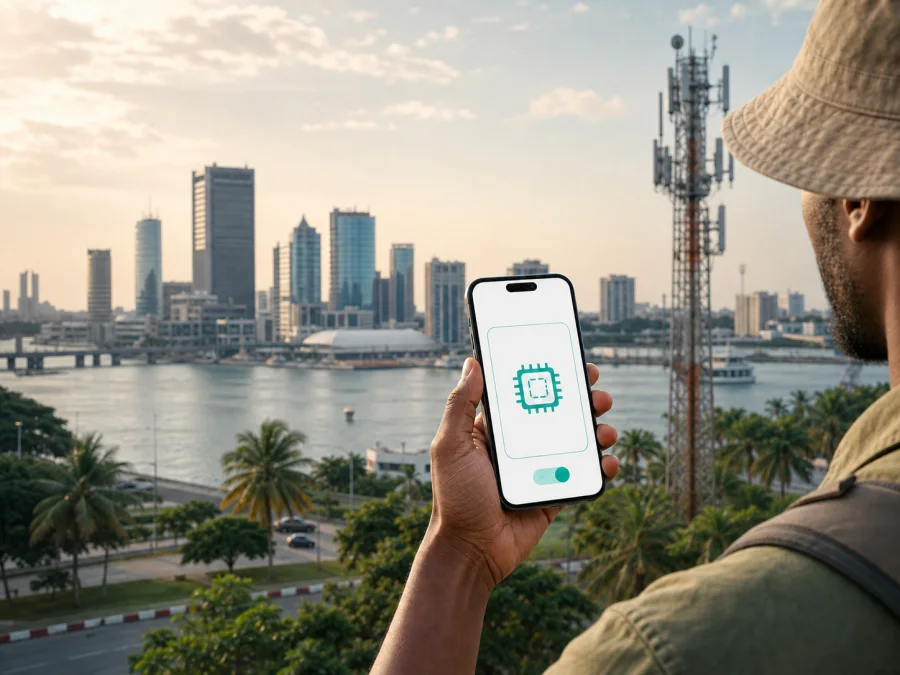
Moov eSIM in Ivory Coast: activation, compatibility, and travel notes
If you are travelling to Ivory Coast and want to keep your main SIM in your phone, Moov eSIM is a local option to investigate. An eSIM is a digital SIM profile built into a compatible device. It can sit alongside a physical SIM, allowing you to select which line handles mobile data and which line remains available for your usual number, subject to the device and service settings.
Moov publishes an eSIM service for Ivory Coast. Its public eSIM page says that a compatible smartphone is required and that the profile is installed by scanning a QR code. This confirms that eSIM is available as part of Moov’s local mobile offer at the time of verification. The current point of issue, identification process, and visitor eligibility can change, so check the latest Moov instructions before travelling.
Moov in the Ivory Coast mobile market
Moov is a mobile telecommunications operator serving customers in Ivory Coast. Its public website presents mobile voice, messaging, mobile internet, prepaid and postpaid services, roaming, agencies, and customer support. Its general subscription conditions describe the operator’s electronic communications network and the services available within its coverage area.
Moov’s eSIM information says that an existing number can be transferred to an eSIM and that several profiles can be stored on a compatible device, although the number of active lines depends on the handset. A local Moov profile can suit someone who wants a local line without a physical SIM.
Moov also publishes prepaid and roaming services. Its roaming information describes mobile data and mixed roaming options for prepaid customers travelling abroad. The relevant conclusion is general: prepaid and travel-related connectivity options form part of Moov’s published service structure.
The public eSIM page and the general subscription conditions were checked on 2 September 2026. Moov’s current eSIM page confirms the service and QR-code activation.
Is Moov eSIM available in Ivory Coast?
Yes. Moov’s current public eSIM page describes eSIM activation for its service in Ivory Coast. It says that a customer first needs a compatible smartphone and can download an eSIM profile through a QR code. The page describes two routes: a public QR code displayed in a place such as an airport or hotel, and an individual QR code supplied by a Moov agent.
This confirms the technology and the existence of a local eSIM process. It does not mean that every visitor can use every channel. Ask Moov which point of issue is open to visitors, which documents are accepted, and whether you receive a new local number or transfer an existing one.
What to check before activation
Use this pre-departure checklist for any eSIM in Ivory Coast:
- Confirm that the phone supports eSIM and is not locked to another operator.
- Check the exact device model and regional variant, not only the family name.
- Make sure the phone can connect to the internet while the profile is downloaded.
- Keep the QR code or activation details accessible on another screen or in your account.
- Decide which line will handle mobile data and check whether roaming must be enabled.
- Keep the physical SIM active only if you understand your home operator’s roaming rules.
Moov’s public eSIM page lists iPhone models from the XS/XR generation onward, many Samsung Galaxy and Google Pixel devices, and selected models from other manufacturers. It also lists selected watches, tablets, and computers. A published list is a starting point, not a substitute for checking your exact regional version; carrier locks and software differences can affect compatibility.
Documents and visitor restrictions
Local mobile registration can involve identity checks. Moov’s general subscription conditions, checked on 2 September 2026, state that non-national customers must provide an accepted identity document before subscribing. The listed examples include a biometric passport, a biometric identity card issued by a member state of the Economic Community of West African States, a consular card for nationals of Burkina Faso, or another biometric identity document issued by a legally authorised body.
Treat this as a requirement to verify, not a promise that every document will be accepted in every eSIM channel. The general conditions cover Moov subscriptions; the current eSIM process may direct you to a particular agency or request a particular document. Carry the original document used for travel and ask about registration before attempting activation.
How to activate Moov eSIM in Ivory Coast
Moov’s public eSIM instructions describe QR-code installation. The following sequence reflects that route while leaving room for the operator’s current customer checks.
1. Arrange the local service
Check the exact model, software version, eSIM capability, and operator-lock status. Then establish whether you are requesting a new eSIM, a physical-SIM replacement, or a transfer of an existing number. Confirm the documents and point of issue before planning to use the line.
2. Obtain the QR code
Moov says the profile may be downloaded by scanning a public QR code or an individual QR code supplied by an agent. Make sure the code belongs to your service and keep it private. If it has already been used or the scan fails, ask Moov for the recovery procedure.
3. Add and label the profile
Open mobile-network settings, choose the option to add an eSIM, and scan the QR code. Follow the on-screen instructions while the phone has internet access. Label the line “Ivory Coast” or another clear name so you can distinguish it from your home SIM.
4. Select data and test
Choose the intended line for mobile data. If you keep your home SIM for calls or messages, check that the phone does not use it for background data. Enable data roaming for the Moov profile only if the current instructions require it. Allow a few minutes for registration, then test a simple webpage or messaging application.
If the profile is installed but there is no service, review the active data line, roaming setting, network selection, and local coverage, then contact Moov support if needed. Menu names vary between iOS, Android, and manufacturers; the eSIM compatibility guidance can help with the device side of the process.
Technologies and coverage
Moov’s official 4G guidance identifies 4G with LTE and says that a compatible device, a suitable SIM or eSIM service, and a 4G-covered area are needed for that generation. The same page explains that a phone can move between 4G, 3G, and 2G depending on the available signal. A 4G-capable handset therefore does not make every location a 4G location.
Moov’s published subscription conditions describe GSM/GPRS, EDGE, UMTS, and LTE. These are descriptions of supported network standards, not a guarantee of a particular speed or indoor result. The experience depends on the serving cell, local demand, terrain, building materials, handset bands, network configuration, and the conditions of the active service.
The general conditions describe Moov’s service across the territory of Ivory Coast, while the 4G guidance refers specifically to being in a 4G coverage area. The practical conclusion is that coverage is location-dependent. Abidjan, airports, coastal routes, inland towns, and rural roads can present different conditions, and a general territory statement cannot predict the result inside a particular building or along every route.
Download maps and essential reservations for offline use. Give the phone time to register when you move between areas.
Local Moov eSIM or travel eSIM?
Both options use a digital SIM profile, but the customer journey is different.
| Question | Local Moov eSIM | Travel eSIM for Ivory Coast |
|---|---|---|
| Main purpose | Local mobile service and, where applicable, a local line | Mobile internet prepared for a trip |
| Activation | Moov QR-code and customer process | Travel service app or website and device settings |
| Identity checks | May be required under local rules | Depends on the travel service’s conditions |
| Voice and SMS | Confirm with Moov for the selected service | Do not assume a regular phone number |
| Coverage | Depends on Moov’s local network and location | Depends on the selected travel service and local network |
This is a non-tariff reference table and does not rank either option. A local Moov profile may suit someone who needs a local identity or direct operator support. A travel eSIM may suit a visitor who wants to prepare mobile data before flying.
If you use both profiles, select one for data and disable automatic data switching unless you want the phone to change lines. Keep the home line active only when its roaming rules are understood. Messaging applications can use the active data connection, while ordinary calls and SMS depend on the selected line and service.
Kaspersky eSIM Store as a travel option
Kaspersky eSIM Store is an application and website that help you choose, arrange, and activate an eSIM with a mobile-internet tariff for a foreign trip. It is not a mobile operator, does not own Moov’s network, and should not be described as the provider of Moov coverage. The mobile service depends on the travel eSIM conditions and the local networks used for the destination.
For a trip to Ivory Coast, the general workflow is:
- Check that your phone supports eSIM and is unlocked.
- Select Ivory Coast and review the current conditions in Kaspersky eSIM Store.
- Complete the order and install the eSIM while you have a stable internet connection.
- On arrival, select the profile for mobile data and enable any required roaming setting.
Kaspersky’s official guide, checked on 2 September 2026, describes installation through the app or website, advance preparation, activation, and data-focused use. It also explains that the regular physical SIM can remain in the handset. The conditions shown at the time of selection take priority.
This travel route is not automatically a replacement for a local operator. A travel profile may suit data use, while a local Moov service may be needed for a local number. Kaspersky eSIM Store does not provide a regular phone number through every travel eSIM, so ordinary voice calls and SMS should not be assumed.
To review the destination option, choose an eSIM tariff for Ivory Coast. Follow the current conditions shown there; this article does not reproduce specific commercial parameters.
A short arrival scenario
If you arrive in Abidjan with an unlocked, compatible phone, you can use the local Moov QR-code and identity route if the current channel accepts your documents. If you prepared a travel eSIM, select it for mobile data after landing and keep the physical SIM for your usual line. Test a basic connection before leaving the airport. If a QR code fails, check its ownership and ask the issuing service for help rather than deleting profiles.
Frequently asked questions
Does Moov support eSIM in Ivory Coast?
Yes. Moov’s current public eSIM page confirms an eSIM service in Ivory Coast, requires a compatible smartphone, and describes QR-code activation. Confirm the current route and customer requirements before travel.
Which technologies does Moov describe?
Moov’s public materials describe 4G/LTE and explain that the phone may fall back to 3G or 2G according to the signal. The general conditions also refer to GSM/GPRS, EDGE, UMTS, and LTE. Actual access depends on device compatibility, location, and service conditions.
Final checklist
- Your phone is eSIM-compatible and unlocked.
- The exact model variant is supported by the selected service.
- You know whether you want a Moov local profile, a travel eSIM, or both.
- You have checked identity requirements for a local Moov subscription.
- The QR code or app account is accessible while you have internet.
- You know which line will be used for data after arrival.
- You have reviewed whether data roaming is needed for that line.
- Essential travel information and support contacts are available offline.
- You understand that coverage and network technology can vary by location.
- You will confirm current conditions before activation.
Conclusion
Moov eSIM in Ivory Coast is a confirmed local option built around a compatible device and QR-code installation. It can suit travellers who need a local mobile service or already use Moov, but visitor eligibility, identification, point of issue, number handling, and current service conditions should be checked before arrival. Moov’s materials describe 4G/LTE together with 3G and 2G fallback, while coverage remains dependent on location, device, and network conditions.
Kaspersky eSIM Store addresses a different travel scenario: its app and website help you prepare and activate a travel eSIM for mobile internet without presenting Kaspersky as a mobile operator or network owner. Choose the route that matches your need for a local number and advance preparation, then verify the current conditions before activating.
If you want to prepare mobile data before travelling, go to the Ivory Coast eSIM selection and review the information shown for your device and trip.
This is independent editorial information. Kaspersky eSIM Store is not affiliated with Moov and is not presented as Moov’s official partner, agent, or distributor. Moov, Ivory Coast, network coverage, device compatibility, identification rules, and travel eSIM conditions can change. The facts in this article were checked against public Moov and Kaspersky pages on 2 September 2026; confirm the latest requirements with the relevant service before activation.


