
Travel connectivity guide
Morocco eSIM: mobile connection and internet
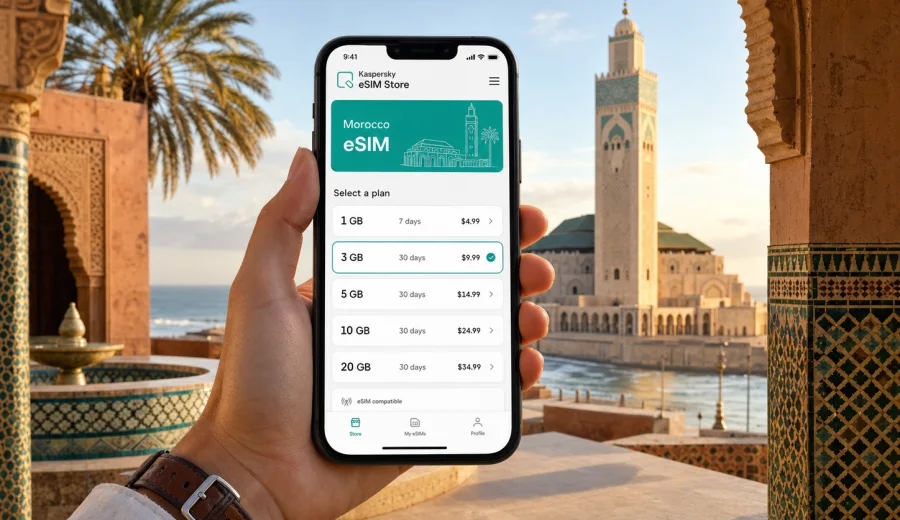
Morocco eSIM: mobile connection and internet for your trip
Planning mobile connection and internet for Morocco is easier when you prepare your data setup before the trip. An eSIM can help you use mobile internet without looking for a physical SIM card after landing, which is useful if your first hours include airport transfer, hotel check-in, navigation, ride apps, translation, or messages to family and colleagues.
A mobile internet for a trip to Morocco can be a practical option if you travel with a compatible smartphone or tablet and want a clear mobile data plan for your route. Kaspersky eSIM Store is an app and website where you can quickly choose, arrange, and activate an eSIM with a suitable plan for mobile internet during an international trip. It is not a mobile operator and does not replace local network conditions, but it can make travel data preparation simpler and more predictable.
This guide explains how to choose an eSIM plan for Morocco, what to check before buying, how installation works, and how to manage data during the trip.
Quick answer
An eSIM for Morocco is a digital SIM profile that lets a compatible device use mobile data without inserting a plastic SIM card. It is useful for travelers who want internet access for maps, messengers, booking apps, email, transport, banking apps, and everyday browsing while moving between cities or regions.
Before you choose a plan, check three things: your device must support eSIM, it must not be locked to another carrier, and the selected plan must cover Morocco for the dates and data volume you need. Travel eSIM plans usually focus on mobile internet. They may not include a local phone number, voice calls, or SMS unless the plan conditions say so.
Why eSIM is useful in Morocco
Morocco is a country where a trip can move quickly from city streets to mountain roads, coastlines, desert-edge towns, train stations, and small riads hidden in medinas. Mobile internet helps you keep the practical parts of the journey under control: maps, messages, confirmations, translation, taxi pickup points, banking apps, and changes to bookings.
An eSIM can be useful when you need to:
- open navigation after arriving at Casablanca, Marrakech, Rabat, Tangier, Agadir, or Fez;
- contact a driver, hotel, apartment host, guide, or tour operator;
- translate menus, short messages, station signs, or address details;
- check train, bus, ferry, or domestic flight information;
- use maps in medinas where street names and lanes can be confusing;
- keep your home SIM available for calls or banking messages while using eSIM for data;
- avoid depending on public Wi-Fi every time you need a simple online task.
The main benefit is preparation. You can review the destination, data amount, validity period, and price before you travel, install the eSIM on a compatible device, and choose when to switch mobile data to the travel profile. This gives you a clearer setup than trying to compare options after a long flight.
Where mobile internet matters most
Your data needs in Morocco depend on the route. A city weekend in Marrakech is different from a two-week trip through Rabat, Fez, Chefchaouen, the Atlas Mountains, and the Sahara gateway towns. Think through the moments when you will actually need mobile data, not only the total number of days.
| Travel scenario | Why data helps | Planning tip |
|---|---|---|
| Airport arrival | Transfer details, maps, messaging, hotel address | Install the eSIM before departure and switch data after landing if the plan conditions allow it. |
| City stay | Navigation, bookings, restaurant searches, translation | A moderate data plan often fits if you also use trusted Wi-Fi at the hotel. |
| Multi-city route | Train times, intercity buses, map checks, contact with hosts | Choose validity that covers the full route, including arrival and departure days. |
| Desert or mountain trip | Messaging, route updates, guide coordination | Download offline maps because local network conditions can vary by area. |
| Remote work | Email, video calls, hotspot, cloud tools | Choose more data and check whether hotspot use is allowed by the plan conditions. |
An eSIM does not guarantee that every remote area will have the same mobile experience as a city. It helps you prepare a mobile data profile for the trip, while real connection quality still depends on device settings, local network availability, terrain, buildings, and the selected plan.
How to choose an eSIM plan for Morocco
Start with your route and the type of online activity you expect. A short stay with occasional maps and messaging needs a different data amount than a work trip with hotspot use and video calls. In Kaspersky eSIM Store, you can compare plan details before arranging one, including the destination, data volume, validity period, and price.
Use this simple method:
1. Write down your travel dates, including arrival and departure days.
2. List your main stops: Casablanca, Marrakech, Rabat, Fez, Tangier, Agadir, Essaouira, Chefchaouen, or other places.
3. Estimate whether your use is light, moderate, or heavy.
4. Decide whether you need hotspot mode for a laptop or another device.
5. Check that the validity period covers the whole trip.
6. Read the plan conditions before payment.
For many travelers, the best option is not automatically the largest plan. It is the plan that matches real use with a small reserve. If you have reliable Wi-Fi at the hotel and mostly need maps, messages, and occasional browsing, a moderate package may be enough. If you plan to work, upload many photos, stream video, or share data through hotspot, choose more data and manage background app use.
Estimate your data needs
Exact data use depends on your apps, video quality, cloud backups, map settings, and phone behavior. The table below is a planning guide, not a guarantee.
| Usage style | Typical behavior | What to consider |
|---|---|---|
| Light | Maps, messaging, email, boarding passes, occasional browsing | Works best for short trips or travelers who use trusted Wi-Fi often. |
| Moderate | Daily navigation, social media, photos, bookings, translation | Often suitable for a one-week route with regular movement between places. |
| Heavy | Video calls, streaming, hotspot, cloud backups, remote work | Choose a larger data amount and turn off automatic background downloads. |
To make the plan last longer, download offline maps for the cities and regions you plan to visit, save hotel addresses and tickets offline, disable automatic app updates on mobile data, and pause cloud photo backup until you are on Wi-Fi you trust.
What to check before buying
Device compatibility is the first check. eSIM works only on devices that support it, and some phone models differ by country or region of sale. A phone can also be locked to a carrier, which may prevent adding another mobile plan.
Before arranging a plan, check your device and confirm:
- your phone or tablet supports eSIM;
- the device is not locked to a carrier;
- your operating system is up to date enough for eSIM setup;
- you have stable Wi-Fi or mobile internet for installation;
- the selected plan covers Morocco;
- the data amount and validity period fit your trip;
- you understand when validity or data usage starts;
- you know whether hotspot mode is allowed by the plan conditions.
Also decide how you want to use your main SIM. Many travelers keep their home SIM available for calls or banking messages while assigning mobile data to the eSIM. Your phone settings usually let you choose which SIM handles mobile data, calls, and messages.
Practical preparation before departure
You can often handle the main setup before leaving home, when Wi-Fi is stable and you are not trying to solve everything at the airport. This is especially useful for Morocco because the first travel moments may include immigration, baggage, a transfer driver, a taxi pickup point, or a train connection.
A practical preparation flow looks like this:
1. Choose Morocco as your destination.
2. Select a plan based on data amount and validity.
3. Complete the arrangement process.
4. Install the eSIM profile using the on-screen instructions or QR code.
5. Label the profile clearly, for example "Morocco travel data".
6. Keep your primary SIM as default for calls if you need it.
7. Save installation details in case you need to check them later.
8. On arrival, select the eSIM profile for mobile data and check whether data roaming must be enabled for that profile.
If you need a data plan for the trip, you can choose an eSIM plan for Morocco and compare available options for your dates and expected use. Review the plan details carefully so the selected option fits your device, route, and data needs.
How to install and activate an eSIM
The exact installation path depends on your phone, but the general idea is simple: arrange the plan, add the eSIM profile to your device, and select that profile for mobile data when you want to use it.
For detailed setup, use the official installation guides: Android instructions and iOS instructions.
Typical steps:
1. Connect the device to stable Wi-Fi.
2. Open the eSIM installation details after arranging the plan.
3. Add the eSIM profile through phone settings or by scanning the QR code.
4. Give the profile a clear name.
5. Keep your main SIM for calls and messages if you need it.
6. Select the eSIM profile for mobile data when ready.
7. Wait a few minutes for the connection process to complete.
8. Enable data roaming for the eSIM profile if the plan or device requires it.
Do not delete the eSIM profile unless you are sure you no longer need it. In many cases, deleting a travel eSIM profile does not mean it can be installed again on another device.
When to activate mobile data
Installation and activation are not always the same thing. Installation adds the eSIM profile to your device. Activation or first use depends on the plan conditions and device behavior. Some plans start validity when the eSIM connects to a supported network; others may follow different rules. Read the plan details before you travel.
For more control, install the profile before departure while you have reliable Wi-Fi, but switch mobile data to the eSIM only when you are ready to use it. After arriving in Morocco, open mobile network settings, choose the travel eSIM for mobile data, and confirm whether data roaming should be enabled for that profile.
If the phone does not connect immediately, wait a few minutes, restart the device if needed, and check that the eSIM profile is selected for mobile data. This is often enough to resolve simple setup issues.
Morocco routes and data planning
Morocco trips often combine several environments. Your mobile internet plan should cover the way you travel, not just the country name.
For a city-focused trip, such as Marrakech, Casablanca, Rabat, or Fez, mobile data is often used in short bursts: maps, restaurant bookings, ride apps, translation, and messaging. A moderate plan can work well if hotel Wi-Fi is available for large downloads.
For a coastal route through Tangier, Rabat, Casablanca, Essaouira, or Agadir, you may use data for transport updates, accommodation messages, photos, and navigation between stations or pickup points. Validity becomes important because travel days can stretch from early morning to late evening.
For an Atlas Mountains or desert-edge route, download offline materials before leaving the city. Mobile data remains useful for messages and route coordination, but terrain and local availability can affect connection quality. Keep essential addresses, maps, tickets, and contact numbers available offline.
For business travel, prioritize reliability in your own setup. Install the eSIM in advance, test that the profile is visible in settings, check hotspot conditions if you need a laptop connection, and keep video calls on Wi-Fi when possible to preserve data.
How to reduce data use during the trip
Small phone settings can prevent unnecessary data loss:
- download offline maps for Marrakech, Casablanca, Rabat, Fez, Tangier, Agadir, and planned regional routes;
- save hotel addresses, tickets, insurance files, and booking confirmations offline;
- turn off cloud photo backup on mobile data;
- disable automatic app updates over mobile data;
- reduce video streaming quality;
- send compressed photos in messengers when high quality is not needed;
- use trusted Wi-Fi for large downloads;
- check mobile data consumption every day or two;
- keep the home SIM from using roaming data unless you intend to use it.
These steps are useful even with a larger plan. They help preserve data for the tasks that matter during travel: navigation, messages, confirmations, and urgent online access.
Common mistakes to avoid
Most eSIM issues are simple, but they can be stressful when you are already moving through an airport, station, or unfamiliar neighborhood.
Avoid these mistakes:
- choosing a plan before checking eSIM support;
- assuming every version of the same phone model has identical eSIM support;
- installing the eSIM on the wrong device;
- deleting the eSIM profile too early;
- leaving mobile data assigned to your home SIM;
- forgetting to enable data roaming for the travel eSIM when required;
- choosing a validity period that ends before the trip does;
- using video calls, cloud backup, or streaming without checking data use;
- relying only on mobile data for remote routes without offline maps.
If something does not work, start with the basics: confirm the profile is installed, select it for mobile data, check roaming settings for that profile, restart the device, and make sure you are in an area where a local mobile network is available.
Mini checklist for Morocco eSIM preparation
Before departure:
- confirm that your device supports eSIM;
- check that it is not locked to a carrier;
- choose Morocco as the destination;
- select data amount and validity for the full trip;
- install the eSIM while you have stable Wi-Fi;
- save installation details if provided;
- download offline maps and key documents;
- label the eSIM profile clearly.
After arrival:
- select the eSIM for mobile data;
- keep your home SIM from using roaming data unless you intend to use it;
- enable data roaming for the eSIM profile if required;
- wait a few minutes for network registration;
- test maps, messaging, and browser access;
- monitor data use during the trip.
FAQ
Does an eSIM for Morocco include calls and SMS?
Usually no, unless the plan conditions specifically say otherwise. Travel eSIM plans through Kaspersky eSIM Store are focused on mobile internet. For calls and messages, you can use internet-based apps over mobile data.
Can I install the eSIM before flying to Morocco?
Yes, in many cases you can install the eSIM before departure while connected to Wi-Fi. Check the plan conditions so you understand when validity starts and when you should switch mobile data to the eSIM profile.
Do I need to remove my physical SIM?
Usually no. Many compatible phones let you keep a physical SIM for calls and messages while using an eSIM for mobile data. Check your phone settings carefully so mobile data uses the travel eSIM, not your home SIM.
What if my phone does not support eSIM?
You will need another connectivity option, such as a roaming plan or a physical SIM. Do not arrange an eSIM plan until you have confirmed compatibility and carrier unlock status.
Can I use hotspot mode with an eSIM in Morocco?
It depends on the plan and device settings. If hotspot is important for work or for sharing data with another device, check the conditions before choosing the plan.
Is eSIM better than public Wi-Fi?
It depends on the situation. eSIM can be more convenient for movement, maps, transport, and messaging because it is not tied to one building or login page. Public Wi-Fi can still be useful for large downloads when the network is trusted and stable.
What should I do if the eSIM does not connect?
Check that the eSIM profile is installed, selected for mobile data, and allowed to use data roaming if required. Restart the phone, wait a few minutes, and confirm that you are in an area with local mobile network access. If the issue remains, contact support with your device model and plan details.
Choose an eSIM plan for Morocco
For a smoother trip, prepare mobile internet before you need it at the airport, station, riad entrance, taxi pickup point, or tour meeting place. Kaspersky eSIM Store helps you choose, arrange, and activate an eSIM with a suitable plan for mobile internet during your Morocco trip, while keeping the key checks visible: destination, data amount, validity, device compatibility, and installation steps.
Choose an eSIM plan for Morocco, install it on a compatible device, and keep your travel data ready for maps, messages, bookings, translation, and everyday online tasks throughout the journey.
Before departure, open Kaspersky eSIM Store and review mobile internet options for your destination. Choose the data volume and validity period deliberately, then install the eSIM on a compatible device over a stable Wi-Fi connection.