Travel connectivity guide
Moscow eSIM: Mobile Internet for Travel
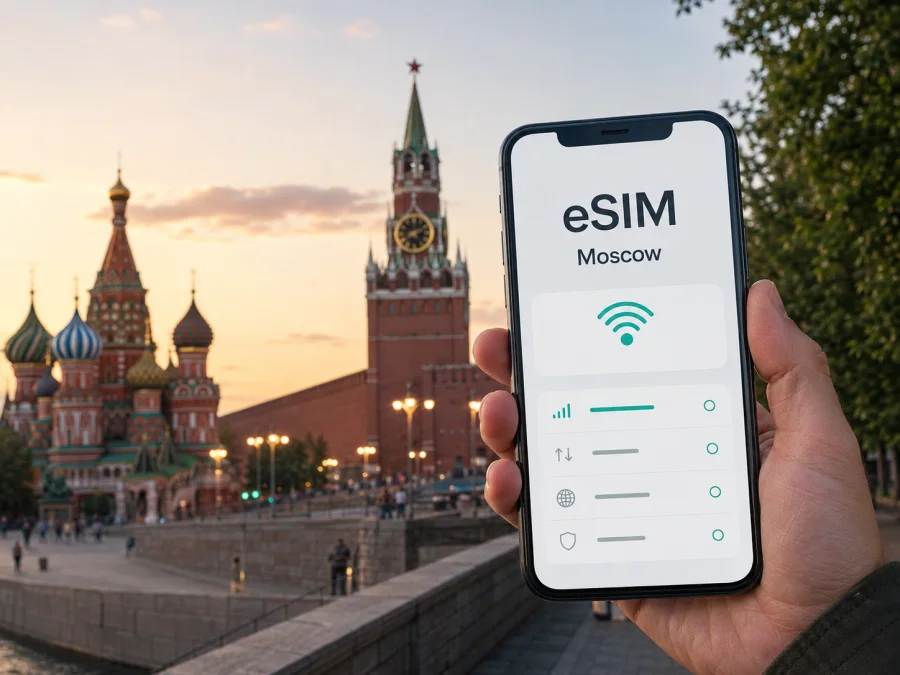
Moscow eSIM: Mobile Connection and Internet for Your Trip
Moscow is a city where a working mobile internet connection is useful from the first minute: you may need to find the right airport transfer, open a map, read a transit notice, contact a hotel, or meet someone at a large railway station. An eSIM can help you prepare that connection without removing your physical SIM card. This guide explains how to plan mobile internet for Moscow, choose a suitable eSIM plan, and avoid common problems during arrival, city travel, business meetings, and short stopovers.
Why an eSIM can be useful in Moscow
Moscow trips often combine several types of movement. A visitor can land at Sheremetyevo, Domodedovo, or Vnukovo, travel toward the centre, change from a train to the metro, and then walk through a district where street names and entrances are not immediately familiar. Mobile data is useful for each part of that sequence, but the amount of data you need depends on the trip rather than on the size of the city alone.
An eSIM is a digital SIM profile installed on a compatible device. It can be prepared before departure or installed after arrival, depending on the plan and your situation. You do not have to take out your everyday physical SIM card, which makes it easier to keep access to your usual number for important messages while using the eSIM for mobile data. The exact setup and activation conditions depend on the selected plan and phone.
For Moscow, a reliable connection can support practical tasks such as:
- opening a map while walking between a hotel, metro entrance, and meeting point;
- checking a route when a surface street is congested or a transfer changes;
- ordering or coordinating a taxi after a flight or late arrival;
- using a messenger to contact a host, colleague, or family member;
- translating a sign or message when you are moving through an unfamiliar area.
The practical benefit is continuity: you can use mobile data leaving the airport, travelling to your accommodation, and starting a walk around Moscow instead of depending entirely on public Wi-Fi.
Arrival in Moscow: plan the first hour
The first hour after landing is when a data connection is most valuable. Airports serving Moscow are outside the city centre, and the best route depends on the airport, time of day, luggage, and final destination. Even with a planned transfer, you may need to confirm a terminal, meeting place, train departure, or taxi detail.
Before leaving the airport, check four things on your phone:
- The eSIM profile is installed and selected for mobile data, if you activated it before the flight.
- Data roaming is enabled for that eSIM when the plan instructions require it.
- Your main SIM is not accidentally selected for mobile data.
- The address of your accommodation and one backup contact method are available offline or in a saved message.
If you are installing after arrival, use a trusted internet connection and keep the purchase email or QR code accessible on another device when possible. Once the profile is active, open a map or send a short message before crossing the city; this confirms that the data line and settings are working together.
Airport-to-city scenarios
Whether you are heading to a central hotel, a meeting outside the centre, or a short stopover, save the destination address, airport name, and return route before you leave the terminal. A route can include a long walk to a station or exit, so use the map together with a simple written plan and leave extra time for luggage and transfers.
Moving around Moscow without losing your route
Moscow is broad, and the surface distance between two points can be misleading. The metro is often useful for crossing the city, while buses, trams, the Moscow Central Circle, and the Moscow Central Diameters can be practical for other routes. The best option changes with the district, time of day, transfers, accessibility needs, and the exact entrance you need.
Use this simple routine for each unfamiliar trip:
- search for the destination by its full name and compare the route with the area where you actually need to arrive;
- note the metro station, exit, transfer, and final walking segment;
- save the destination before going underground or entering a large building;
- leave extra time for a flight, business appointment, or timed admission because conditions and schedules can change.
Choosing an eSIM plan for a Moscow itinerary
Choose the plan by the way you will use your phone in Moscow. A short city break, a week of meetings, and a multi-city trip through the Russian Federation have different data patterns. The plan destination should cover the country or region where the eSIM will be used, not just the name of the city written in your hotel booking.
Consider these questions:
- How long will the eSIM need to remain active? Compare validity with the time between installation, arrival, and departure. Installing a profile and beginning to use data may be different events, so read the plan conditions.
- What will consume most of the data? Maps and messages differ from video calls, streaming, photo backup, hotspot use, or laptop work.
- Will you leave Moscow or share data with another device? Confirm the plan’s area of validity and any tethering conditions for the whole itinerary.
The plan details to compare are straightforward:
| Item | What to check before purchase |
|---|---|
| Destination | The country or region covered by the selected eSIM plan |
| Validity | How long the plan remains available and when its term begins |
| Data allowance | The amount of mobile data included for maps, messages, work, and media |
| Activation | Whether activation starts on installation, first use, or under another condition in the plan |
| Device rules | eSIM compatibility, carrier lock status, and any setup requirements |
Kaspersky eSIM Store is an app and website that helps you choose, arrange, and activate an eSIM with a suitable plan for mobile internet during an overseas trip. The available conditions are shown with the selected option; the cost, data allowance, validity, and other terms depend on that option. To prepare a Moscow trip, you can choose an eSIM plan for the Russian Federation after checking the route and expected use.
Do not buy the largest allowance automatically. A visitor who mainly walks, checks maps, and uses messages has a different need from a remote worker who joins video meetings or uploads files. If the trip has several stages, estimate the heaviest day rather than only an average.
Prepare the phone before departure
Compatibility and carrier lock
Before you purchase, check whether your exact phone model and regional version support eSIM and whether the phone is carrier-unlocked. Regional versions can differ. If you are unsure, use check your device compatibility before selecting a plan.
Use this pre-purchase checklist:
- [ ] The phone supports eSIM in its exact model and region.
- [ ] The phone is not restricted by an operator lock.
- [ ] You know which line will be used for mobile data after arrival.
- [ ] You know whether the plan requires data roaming to be enabled for the eSIM.
- [ ] You have access to the purchase email, account, or QR code and a connection for installation.
Keep the two SIM lines clear
If your phone supports two lines, label them clearly, for example “Everyday” and “Travel data”. Keep your everyday line available for important calls or SMS if needed, but review its data-roaming setting so it does not become the unintended data line. Menu names differ between Android and iOS.
The eSIM provides mobile data according to the selected conditions; it is not automatically a replacement for an ordinary telephone number. Voice calls and SMS are not included unless the specific plan says otherwise. Use internet-based messengers while data is available, or keep your normal line enabled for the services you need.
How to install and activate an eSIM
- Confirm the phone is unlocked and connected to the internet.
- Open the eSIM section, add a mobile plan, and scan the QR code or use the supplied activation method.
- Label the new line, such as “Moscow trip”, then select it for mobile data when ready.
- Enable data roaming for the eSIM only if the plan instructions require it, and keep the primary line’s data setting under review.
- Test a map or message and check the plan status in the profile or app.
For device-specific steps, use the Android installation instructions or the iOS installation instructions. Installation and connection can take several minutes and depend on the device and local network. Do not delete a profile just because the first connection needs time to complete. If an activated profile cannot be transferred, keep it on the original phone.
If you install before the flight, check whether the selected plan starts on installation. If you install after landing, use a dependable connection and allow time for setup before leaving the airport.
Moscow districts, work, and events
The same plan can feel different across Moscow. Around Red Square, Zaryadye, Tverskaya Street, and the Arbat, maps, reservations, and meeting points support walking and short metro journeys. Around Moscow City, calendars and route changes may matter more; at VDNH, Sokolniki, or Luzhniki, the station may still be some distance from the correct entrance.
Choose the plan for the whole pattern of movement, not only the hotel district. If you will work from a laptop, check tethering conditions, limit background synchronisation, and keep important files offline. A plan cannot guarantee the same performance in every building; device, indoor reception, local network, and traffic affect the result. For a timed meeting or event, keep the address, ticket, and return route available offline.
Stopovers and trips from Moscow
For a short stopover between an airport, railway station, and hotel, maps, messages, and timing may matter more than high-volume media. Save the terminal, next address, reservation number, and return route. If you continue to another city in the Russian Federation, confirm that the plan’s scope and validity cover it; a cross-border route should be checked country by country.
If the eSIM does not connect
Start with the basics and change one setting at a time:
- Confirm that the eSIM is on and selected for mobile data.
- Check whether data roaming is required and enabled on that line.
- Turn airplane mode on and off, move outside a basement or lift, and retry a map action.
- Restart the phone, then re-read the activation conditions and destination scope.
- Contact support with the device model, eSIM status, and steps already tried if the problem continues.
Avoid deleting the profile as a first reaction. Depending on the plan and device, an activated eSIM may not be transferable or reinstalled in the same way. Keep screenshots of relevant settings and your order details before making a change. If your primary SIM has also been enabled for data roaming, check that line separately so you understand which connection is being used.
FAQ about eSIM in Moscow
Can I keep my usual phone number?
Usually, yes, if your phone supports two lines and your everyday SIM remains active. The eSIM plan is for mobile data and does not automatically include a normal number, voice calls, or SMS.
Should I install the eSIM before flying to Moscow?
You can prepare it before departure when the plan supports that workflow. If activation starts at installation, consider whether installing early reduces useful validity. Check the specific plan terms.
Will an eSIM replace public Wi-Fi?
It gives you another way to use mobile data, so you can be less dependent on Wi-Fi in an airport, café, hotel, or station. Wi-Fi can still be useful for large downloads.
Can I use an eSIM for a day trip outside Moscow?
That depends on the plan’s country or regional scope and validity. Check the coverage before leaving the city, and verify each additional country separately.
Is a bigger data package always better?
No. Choose according to maps, messages, work, media, and hotspot use. Compare the allowance with the validity period and your heaviest day.
A practical Moscow departure checklist
Before departure, check compatibility, carrier lock, destination, allowance, validity, activation conditions, and the QR code. Save the airport, accommodation, first transfer, and meeting addresses. On arrival, select the eSIM for data, enable roaming only if required, test a map or message, and save the nearest useful station. During the stay, monitor data, keep critical details offline, and confirm plan scope before leaving Moscow.
Prepare your mobile internet for Moscow
An eSIM is most useful when it is part of a small, clear arrival plan: check the device, choose a destination-appropriate plan, understand when validity begins, install the profile, and test mobile data before the first transfer. In Moscow, that preparation can help with airport arrival, metro and surface transport, district-to-district navigation, hotel communication, business appointments, events, and short trips beyond the city.
Review the conditions for your itinerary, then prepare an eSIM plan for a trip to Moscow through Kaspersky eSIM Store. The app and website help you choose, arrange, and activate an eSIM for mobile internet abroad; the precise allowance and validity depend on the selected plan. If you need help after purchase, check the installation steps first and contact support with your order and device details.


