Travel connectivity guide
Moshi eSIM: Mobile Internet for Your Trip
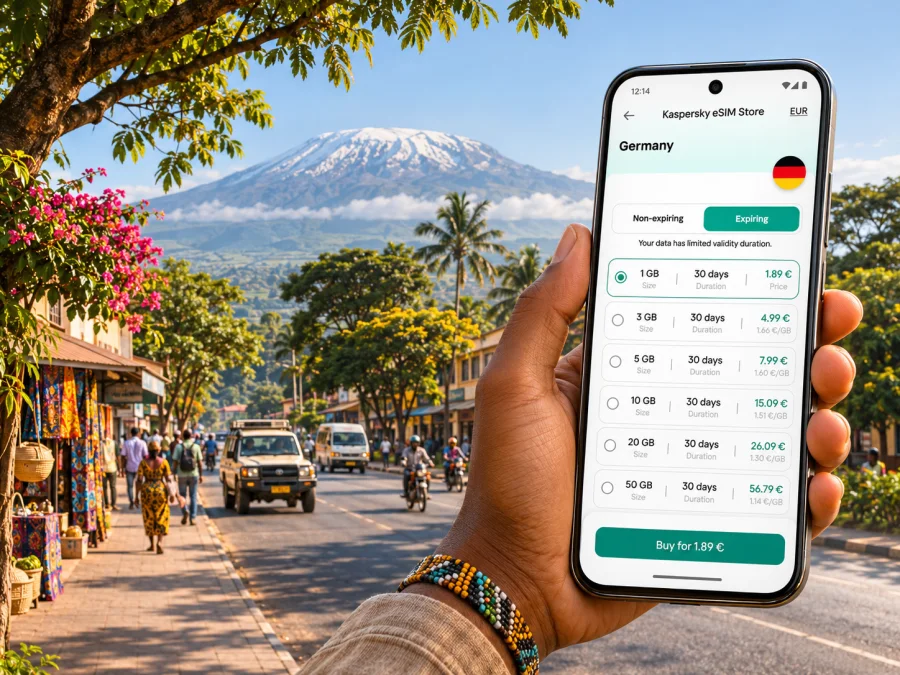
Moshi eSIM: mobile connection and internet for your trip
Moshi is a practical base for journeys around the Kilimanjaro region: you might arrive through Kilimanjaro International Airport, check into a lodge or guesthouse, meet a mountain guide, then spend the next day moving between town, trail access points and nearby places. A working mobile data connection helps with maps, messages, booking details and coordinating a pickup, especially when plans change after arrival.
An eSIM can make that first day easier without replacing the physical SIM in your phone. Before travelling, choose a plan that explicitly includes the United Republic of Tanzania, check the data allowance and validity against your dates, and confirm that your device can use eSIM. Local reception, roaming partner availability and performance still depend on the network and exact location; no plan guarantees a signal in every building, road or mountain area.
Why mobile data is useful in Moshi
The town is not simply a stop between the airport and Mount Kilimanjaro. Travellers use Moshi as a place to rest, arrange transport, meet tour operators, shop for supplies and return after a climb. That creates several small moments when reliable access to your trip information matters more than streaming or constant high-speed browsing.
On arrival, you may need to message your accommodation, share a location with a driver, open a booking confirmation or check whether a transfer is still on schedule. In town, maps help you orient yourself between your lodging, cafés, shops and meeting points. Before an early departure, mobile access can make it easier to confirm the pickup location and contact your guide if the plan changes.
City connection and mountain route are different situations
Moshi’s town streets and a mountain route should not be treated as one continuous coverage area. Kilimanjaro National Park lists access from the Moshi/Arusha area and several different gates, including Marangu, Machame, Lemosho and Rongai. The route, elevation, terrain and distance from settlements change as you travel. Coverage can weaken or disappear during a transfer or hike, regardless of which city plan you choose.
Use mobile data in Moshi for coordination and preparation, then follow your licensed guide’s instructions in the park. Keep offline maps and emergency details available before leaving town. Do not rely on a phone signal for navigation on a climb, and do not assume that the eSIM’s advertised country coverage means reception on every trail.
| Moshi situation | What mobile data can help with | A sensible backup |
|---|---|---|
| Arrival at Kilimanjaro International Airport (JRO) | Contacting a prearranged driver or accommodation and opening booking details | Save the driver’s name, number and meeting point before boarding |
| First trip into town | Checking a route, sharing your location and sending an arrival update | Keep the hotel address offline and ask your accommodation about its preferred pickup point |
| Town errands | Finding a shop or meeting point and checking messages | Save the destination name and address in writing |
| Early mountain departure | Confirming a pickup and receiving a guide’s update | Agree on a time and place in advance; do not depend on a last-minute message |
| Return from a hike | Telling your lodging that you are on the way and checking onward plans | Keep the operator’s contact details and transport arrangement accessible offline |
Arriving in Moshi: prepare before leaving the airport
Kilimanjaro International Airport is the main international arrival point commonly used for trips to Moshi and the wider northern circuit. The airport is on the Arusha–Moshi corridor, while the town is a separate onward destination. Your transfer may take longer than a map estimate because of traffic, weather, a late arrival or a stop along the way, so it is useful to have the essentials ready before landing.
If you have arranged a driver, confirm the name, meeting location and phone contact in advance. Save these details as a screenshot or note. When you connect after landing, use the data connection to send a short message or share a location if needed. If mobile data does not connect immediately, use the details already saved and follow airport staff or your accommodation’s directions rather than searching for an unfamiliar ride while tired.
A simple arrival checklist:
- Save your accommodation name, address and phone number offline.
- Keep the transfer confirmation, driver details and meeting point available without data.
- Download the Moshi area in your preferred map app before departure.
- Keep your passport, phone and charging cable accessible; carry a power bank for a long transfer day.
- Wait until you are settled before changing network or data settings you do not understand.
Avoid making the first eSIM installation depend on an airport connection. If your plan allows installation before travel, set it up while you have stable Wi-Fi and time to read the prompts. If you plan to install it after arrival, make sure you have access to Wi-Fi or another internet connection for the setup process, and keep the activation details available on a second screen or printed page if the instructions require scanning a QR code.
Getting around town and planning a Kilimanjaro day
Moshi trips often mix short urban journeys with prearranged longer transfers. You may walk around your accommodation area, take a taxi or private transfer to a meeting point, or leave town early for a park gate. The best navigation setup depends on the leg: online maps are convenient for a changing city route, while an offline map is more dependable when your data connection is unavailable.
Do not assume every driver or service will use the same pickup convention. Share the exact place name and, where possible, a pin; ask your accommodation or tour operator to confirm the location in words. If a map pin seems to point to a road entrance rather than the actual meeting point, call or message the contact before you set out. Keep enough battery for the return journey and for your ticket or booking documents.
For a climb or park visit, mobile internet is most useful before and after the route: confirming a transfer, receiving schedule changes, contacting your accommodation and letting someone know you have returned. The park’s gates are outside the town centre, and the appropriate access point depends on the route you booked. Arrange the journey with your operator instead of treating a map app as a substitute for local route planning.
Town errands, cafés and work calls
If you are staying for several days, routine tasks may use more data than expected. Messaging, maps and email are usually lighter than video calls, uploading large photos or backing up a phone gallery. For a work trip, check whether your accommodation has dependable Wi-Fi and test it before relying on it for a meeting. Keep mobile data as a flexible connection for messages and essential access when you are away from the room.
A practical way to conserve data is to disable automatic app updates and photo backups over mobile data, download music and maps before leaving Wi-Fi, and use lower video quality where a call must be made on cellular service. These settings are more useful than selecting a large allowance without estimating your actual use.
Choosing a travel eSIM plan for Moshi
Start with destination coverage, not the advertised data amount. The plan needs to state that it applies in the United Republic of Tanzania. Then compare validity dates, included data, activation terms and any restrictions on tethering or top-ups. The available plans and conditions can change, so read the live details before purchase rather than relying on an old screenshot or a figure quoted elsewhere.
Kaspersky eSIM Store is an app and website where you can select, arrange and activate an eSIM with a suitable mobile data plan for an international trip. To review what is currently listed for this destination, browse the United Republic of Tanzania plans. This is the country page, not a Moshi-specific tariff: check each current plan’s coverage description and terms before deciding whether it fits your route.
A quick comparison method:
- Check the route. Confirm the country or regional footprint covers every destination on your itinerary. If you travel onward from Moshi, check each border crossing separately.
- Match validity to dates. See when the plan starts counting days. Some plans begin on installation or activation; the exact rule is plan-specific.
- Estimate data use. Include navigation, messaging, browsing and any calls. Video, cloud photo backup and hotspot use can consume substantially more data.
- Read the service description. Confirm whether the plan is for mobile data and whether voice calls, SMS, tethering or top-ups are included. Do not assume they are.
- Check your device and settings. Confirm eSIM support, carrier-unlock status and the steps required to select the travel line for mobile data.
A country label alone does not establish that a particular trail, building or road has coverage. Network access depends on the local network, its roaming arrangements, signal conditions and your device. Tanzania’s regulator publishes periodic service quality measurements that include Kilimanjaro among measured areas, but national or regional reports do not predict the signal at a specific lodge, street corner or mountain location. Treat coverage maps and plan descriptions as planning information, not a promise of uninterrupted service.
Travel eSIM or local SIM: know the difference
A travel eSIM plan and a locally issued subscriber line may have different registration rules, supported services and activation steps. For example, Airtel Tanzania’s published local eSIM guidance describes registration through an Airtel shop and specifies a NIDA identification number for eligibility. That local process should not be confused with a travel eSIM selected for a visitor’s trip; check the requirements for the exact service you intend to use.
A data-only travel plan may not provide a Tanzanian phone number or ordinary voice calls and SMS unless the plan details say otherwise. Keep your existing number available for account verification if needed, and use internet-based messaging or calling where appropriate. If you need a local number for a particular booking or business purpose, verify that separately before arrival instead of expecting it from a data plan.
Check your phone before buying
The word “eSIM” on a product page does not mean every phone can use it. Support varies by manufacturer, exact model, regional variant and carrier-lock status. A phone purchased for one market may have different SIM capabilities from a similarly named model sold elsewhere. Check the full model variant and the manufacturer’s documentation, then confirm that the device is unlocked and able to add an eSIM profile.
Check whether your device is compatible before selecting a plan. If you cannot find an EID or an option to add a mobile plan in your phone settings, verify the exact model with the manufacturer or your carrier. Do not delete an active eSIM profile as a troubleshooting shortcut unless the provider’s instructions tell you to; reinstalling can require a new activation step.
Before purchase, check:
- Your exact phone model and regional version support eSIM.
- The device is not locked to a home carrier in a way that prevents another plan from connecting.
- You can access the email, app or QR code needed for installation.
- Your operating system is current enough for the manufacturer’s eSIM setup flow.
- You know which line will handle mobile data and which one will handle calls or SMS.
Dual-SIM menus differ between devices and operating system versions. Read the on-screen labels carefully. Keeping your home line enabled may help receive messages, but your home carrier can charge roaming fees for calls, texts or data. Review those settings with your carrier before travel, and turn off data roaming on the home line if that is your preference.
Install and activate before the journey
If the plan supports pre-travel installation, completing setup while you have stable Wi-Fi leaves more time to resolve a device prompt. Follow the plan’s own activation timing: installing a profile and starting its validity period are not necessarily the same event. If the plan says to activate on arrival, leave the relevant setting unchanged until you reach Tanzania.
For step-by-step device instructions, use the Android eSIM installation guide or the iOS eSIM installation guide. Menu wording can differ by device and software version, so follow the instructions shown on your phone and in the plan details.
A careful setup sequence:
- Confirm that the phone is compatible and unlocked.
- Connect to reliable Wi-Fi and open the installation instructions for your operating system.
- Add the eSIM using the method provided for your plan, such as an in-app flow or QR code.
- Label the line clearly, for example “Tanzania travel data,” so it is easy to identify later.
- Check the plan’s activation guidance and wait to enable it if the validity period should begin on arrival.
- When ready to use it, select the travel eSIM for mobile data and enable data roaming for that eSIM only if its instructions require it.
- Keep your home SIM’s roaming and default voice settings aligned with your carrier’s advice.
If the eSIM does not connect in Moshi, check that the profile is enabled, the travel line is selected for mobile data, and any required roaming setting is on for that line. Toggle airplane mode once or restart the phone, then give it time to register. If service still fails, compare your location with the plan’s coverage description and contact the plan’s support using Wi-Fi. Do not repeatedly delete and reinstall the profile without guidance.
Frequently asked questions
Will an eSIM work everywhere in Moshi?
No mobile plan can guarantee service in every place. Reception depends on the local network and signal conditions, and it may vary inside buildings or along a route. Check the plan’s listed coverage, but keep maps, contact details and bookings available offline.
Can I use an eSIM at Kilimanjaro International Airport?
A travel eSIM may connect if its Tanzania plan is active, compatible with your phone and able to register on an available roaming network. The specific result depends on the plan and local conditions. Complete installation in advance where allowed, and keep your transfer details offline in case data is not available on arrival.
Does the travel eSIM include a phone number?
Not necessarily. Many travel plans are intended for mobile data. Check the specific plan terms for calls, SMS and a local number. You can continue using internet-based messaging when connected, while your regular number remains on its own SIM if your device and settings allow it.
Can I use it on a Kilimanjaro climb?
Do not rely on a town plan for a signal on the mountain. The park has several access routes and conditions change with distance and terrain. Follow your guide’s communication and safety instructions, and download essential information before leaving Moshi.
Should I buy a local SIM instead?
That depends on your identity documents, length of stay and need for a local number. Local subscriber products can have their own registration and in-person requirements. Compare those conditions with a travel data plan and verify the current rules with the relevant provider before making a decision.
What if the phone says the eSIM is unsupported?
Check the exact regional model, carrier-lock status and manufacturer settings. A device family name alone is not enough to confirm support. If compatibility is unclear, verify it before purchase rather than assuming that another variant’s specifications apply.
A simple final checklist
Before leaving for Moshi, make sure you can answer yes to these questions:
- Does the plan explicitly include the United Republic of Tanzania?
- Do its validity dates and data allowance fit the trip I have planned?
- Is my exact device variant compatible and unlocked?
- Do I know when the plan’s validity begins and how to select it for mobile data?
- Are my pickup, accommodation and guide details saved offline?
- Have I downloaded maps and essential travel documents for places where reception may be limited?
- Do I understand which line handles mobile data, calls and SMS?
A little preparation makes the connection easier to use for the parts of a Moshi trip where it matters most: finding your accommodation, coordinating a transfer, checking plans in town and staying in touch before or after a mountain journey. Keep expectations realistic outside populated areas, and preserve offline access to the details you cannot afford to lose.
Prepare your connection for Moshi
Use the Kaspersky eSIM Store app or website to review available options and choose a plan that matches your dates, route and data needs. Check device compatibility and the full plan terms before activating. You can review current options for the United Republic of Tanzania and prepare the eSIM before your journey, following the plan’s activation instructions.


