Travel connectivity guide
Mosul eSIM: Mobile Internet & Travel Guide
Mosul eSIM: Mobile Connection and Internet for Your Trip
Planning a visit to Mosul means thinking about more than getting from the airport to your accommodation. You may need a working map while crossing the city, a way to message your host, access to a booking confirmation, or mobile data for a work call. An eSIM can help you prepare for those tasks without changing the physical SIM in your phone, provided your device supports eSIM and the selected plan is available for Iraq.
There are two separate questions to settle before you travel: whether you can and should make the trip under current travel conditions, and which mobile-data option fits your itinerary. The second question depends on your phone, the plan’s destination and terms, and the networks it can use. A city name alone does not guarantee that a plan works in every part of Mosul or elsewhere in Iraq.
Check travel conditions before planning a route
Mosul is in Nineveh (Ninawa) Governorate in northern Iraq, and travel advice can differ by governorate as well as change quickly. As of 27 October 2026, the UK Foreign, Commonwealth & Development Office advises against all travel to Ninawa Governorate. Check the current advice issued by your own government, confirm that your trip is appropriate, and review insurance and security arrangements before booking or setting out. Do not treat a mobile-data plan as a substitute for local security information or a reliable transport plan.
If your trip proceeds, confirm each leg with your airline or travel organiser close to departure. Do not assume that an airport, flight, road transfer, or border connection is operating on the schedule shown in an older itinerary. Keep the contact details of your host and driver somewhere accessible offline, and agree in advance where to meet if your phone cannot connect immediately.
Why mobile data can be useful around Mosul
Mosul is a city on the Tigris, with urban areas and landmarks on both sides of the river. A visitor may move between a hotel, a meeting, a family visit, and sites in the historic centre in one day. The practical value of mobile internet is often simple: checking a pin, confirming a pickup point, translating a short message, or letting someone know that plans have changed.
The Old City is also a place where a route should be treated as a sequence of destinations rather than a single point on a map. UNESCO’s reconstruction work has included prominent sites such as the Al-Nouri Mosque complex and Al-Hadba Minaret, Al-Tahera Church, and the Convent of Our Lady of the Hour. Iraq inaugurated these restored landmarks in September 2025. That does not mean every building or street in the surrounding area is open to visitors at all times. Confirm access locally, follow posted instructions, and use a current map as an aid rather than as authority on entry or safety.
Mobile data can support several parts of a visit:
| Situation | How a connection may help | What to prepare as a backup |
|---|---|---|
| Arrival and pickup | Message your host, share an estimated arrival time, or confirm a meeting point | Save the pickup instructions and phone number offline |
| Moving between addresses | Open a map, check a route, or send a location pin | Download an offline map area before leaving reliable Wi-Fi |
| Hotel or guesthouse check-in | Retrieve a booking message or contact the property | Keep the address written in a note or on paper |
| Work visit | Reach colleagues, open cloud documents, or join a call when the connection is suitable | Download files in advance and arrange a voice-call alternative |
| Exploring the historic centre | Check opening information and coordinate with a local guide | Confirm access and timing directly with the guide or venue |
| Day trip beyond Mosul | Contact your driver and check the return arrangements | Agree a meeting time and place that do not depend on live data |
Think about the route, not only the city label
For a short stay in central Mosul, the main data tasks may be messaging, map checks, ride coordination, and viewing reservations. A business traveller who regularly joins video meetings or transfers large files may use substantially more data. A longer route from Mosul to another Iraqi city adds uncertainty: a plan sold for Iraq may have terms that differ from a local SIM, and coverage or network selection can vary along the route.
Estimate your data needs
| Travel pattern | Likely data pressure | A useful preparation step |
|---|---|---|
| One-day stop with maps and messages | Light to moderate | Save the route and accommodation details offline |
| Several days with regular navigation and browsing | Moderate | Check how your map, messaging, and travel apps use data |
| Remote work with calls and shared files | Moderate to high | Test your work apps on Wi-Fi and plan a backup connection |
| Phone used as a hotspot for a laptop | Variable and potentially high | Check tethering terms and monitor the remaining allowance |
Choose between a travel eSIM and a local operator option
An international travel eSIM and an eSIM issued by a local Iraqi operator are not necessarily the same product. A travel plan may be data-only and operate under its own destination and roaming terms. A local operator line may have different identity, purchase, activation, number, and bundle requirements. Do not assume that one can be used in the same way as the other.
The Iraq destination page in Kaspersky eSIM Store currently lists KOREK and ASIACELL as local telecommunications providers for its displayed travel packages. Zain Iraq separately describes its own eSIM service and an in-store QR-code activation process; Apple’s carrier support information also lists Zain for eSIM activation methods in Iraq. These are distinct offers and activation routes. The provider listing for a travel package does not guarantee reception at every address in Mosul, and it does not establish that every visitor can obtain a local Zain eSIM. Check the current terms and eligibility directly with the relevant provider before relying on either option.
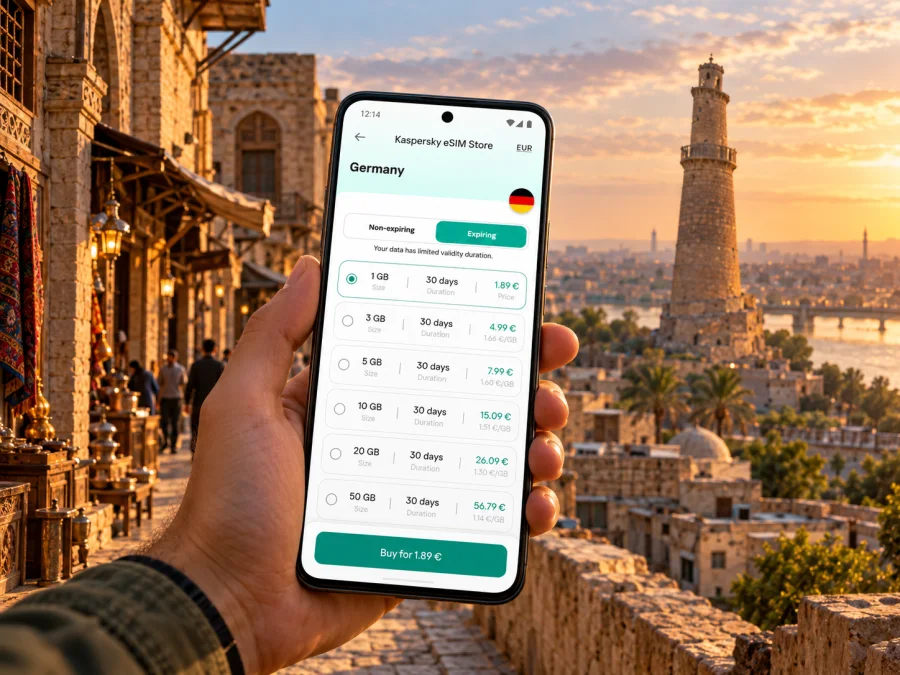
In Kaspersky eSIM Store, you can use the app or website to review available destination options, compare the terms shown for a plan, and choose whether it fits your trip. Availability and plan conditions can change. Confirm that Iraq is explicitly included, check the validity period and data allowance, and read any network, activation, or tethering restrictions before completing a purchase. If the exact destination option is not available, do not substitute a neighbouring country’s plan on the assumption that it will work in Mosul.
Once you have checked the route and the plan conditions, review the available eSIM options for Iraq and compare them with the length and data needs of your stay. This is a country-level destination page, not a promise of a Mosul-specific tariff or local coverage result.
Compatibility depends on the exact device variant
An eSIM-capable product name does not prove that every version of that device supports eSIM. Manufacturers can sell different regional variants, and support can also depend on software, carrier restrictions, and whether the device is locked to another provider. A model sold in one market may differ from the same family name sold elsewhere. Check the precise model or model number in the manufacturer’s settings and documentation, then verify that it supports eSIM and is not carrier-locked. Check whether your device is compatible before choosing a plan.
Do not rely on a general list of popular phone models alone. Pay particular attention if your device was purchased in a market where eSIM configurations differ, if it is a carrier-branded handset, or if it was imported. If you are unsure, ask the device manufacturer or original carrier to confirm support for the exact variant. Keep your existing physical SIM active if you need its phone number for calls or text messages; a travel data eSIM may not provide a local number or standard SMS service.
Prepare the eSIM before you leave
Install while you have a stable internet connection and enough time to read the on-screen instructions. Kaspersky eSIM Store’s current Iraq page says data consumption starts when the eSIM connects to a local network at the destination; the chosen package’s terms and activation options still matter, so review them before completing the order. Avoid deleting the eSIM profile after setup unless support or the plan instructions tell you to do so; some profiles cannot be installed again after removal.
Installation checklist
- Confirm compatibility. Verify eSIM support for your exact device variant and check that the phone is unlocked.
- Read the plan details. Confirm Iraq is included, then review data, duration, activation timing, and any restrictions.
- Keep the installation information accessible. Save the QR code or in-app setup instructions somewhere you can open on a second screen if needed.
- Add the eSIM profile. Follow your phone’s mobile-network settings and the plan’s installation directions.
- Label the line clearly. For example, use “Travel data” so you can distinguish it from your home SIM.
- Choose the data line deliberately. Keep your regular number selected for calls or messages if that is your preference, and select the travel eSIM for mobile data when appropriate.
- Check data roaming settings for that line. Enable roaming only if the plan’s instructions require it, and understand the terms before doing so.
- Test after arrival. Give the phone time to register, then check the selected data line and restart it if the provider’s instructions recommend that step.
For device-specific steps, use the Android eSIM installation instructions or the iPhone and iOS eSIM installation instructions. Menu names vary by phone and operating-system version, so follow the instructions displayed on your device.
What to do if data does not connect
Start with settings you can verify without changing the plan:
- Check that the eSIM profile is enabled and selected for mobile data.
- Confirm that airplane mode is off and mobile data is on.
- Check whether the plan requires data roaming for its eSIM line.
- Wait briefly for network registration; a first connection may not be immediate.
- Restart the phone if the plan or device instructions recommend it.
- Review the plan’s status, validity, and remaining data in the relevant app or account.
- If manual network selection is mentioned in the instructions, follow the provider’s exact guidance rather than selecting networks at random.
- Contact the provider or service support using Wi-Fi if the problem continues.
Practical scenarios in Mosul
You are arriving for a pre-arranged visit
Before departure, save your accommodation address in both its written form and a map app. Ask your host where to meet and what to do if the expected flight or transfer changes. Once you have a data connection, send a short message to confirm arrival. Do not wait until you are standing outside with no signal to look up a contact or booking reference.
You have meetings in different parts of the city
Store each destination in your calendar or notes, including the person to contact and a realistic arrival window. Use live maps when useful, but let your local contact or driver confirm which route is appropriate at that time. For sensitive or time-critical journeys, a map’s suggested shortcut should not override local advice.
You want to visit heritage sites
The restored Al-Nouri Mosque complex and other UNESCO-supported landmarks are significant parts of Mosul’s historic centre. Confirm visiting arrangements with a local host or guide before travelling to a site. Save the agreed location and return plan offline, and respect access controls, worship, and photography rules. Connectivity can help you coordinate, but it does not confirm a site is open or suitable to visit that day.
You will continue to another city
Check whether your plan covers the full route, not just the time spent in Mosul. Review validity dates, data remaining, and the terms for other destinations in Iraq. If your itinerary crosses administrative or security boundaries, verify the route and travel advice independently and arrange transport in advance. A country label on a data plan cannot tell you whether a road is open or a journey is advisable.
You are working remotely
Download documents and meeting details before the workday. For calls, choose a quiet location with reliable Wi-Fi or test your mobile connection before a scheduled meeting. Do not assume that a mobile-data plan guarantees the bandwidth, latency, or uninterrupted service required for a business call. Consider telling colleagues which communication method to use if your connection drops.
A compact pre-trip checklist
Use this list when reviewing your arrangements:
- [ ] Check the latest travel advice for Nineveh Governorate and the route you plan to take.
- [ ] Confirm flights, airport arrangements, transfers, and accommodation directly with the relevant providers.
- [ ] Save addresses, reservation details, emergency contacts, and meeting points offline.
- [ ] Verify eSIM support for the exact phone variant and confirm the device is unlocked.
- [ ] Check that your chosen plan explicitly covers Iraq and matches your dates and expected data use.
- [ ] Understand when validity begins and whether data roaming or hotspot use is permitted.
- [ ] Install only when you have a stable connection and can follow the plan instructions.
- [ ] Keep a fallback for navigation and contacting your host if mobile data is unavailable.
Frequently asked questions
Can I use an eSIM in Mosul?
Possibly, if your exact device variant supports eSIM and your selected plan includes Iraq. Network availability and plan terms can vary. Check the plan details and current local conditions rather than assuming that every eSIM works in every part of the city.
Does an Iraq travel eSIM give me a local phone number?
Not necessarily. Many travel eSIMs are designed for mobile data and do not include a standard phone number, voice calls, or SMS. Check the specific plan terms. You can continue to use your regular SIM for calls or messages if your device supports dual SIM and your home provider’s charges are acceptable.
Is Zain’s eSIM the same as a travel eSIM?
No. Zain Iraq’s operator-issued eSIM and an international travel eSIM can have different eligibility rules, purchase steps, numbers, data bundles, and network terms. The operator’s public information confirms its eSIM service, but you should ask Zain about current visitor eligibility and conditions. Separately, check the destination and network terms of any travel plan you consider.
Will a plan that covers Iraq work everywhere in Mosul?
No plan should be treated as a guarantee of service everywhere. Reception can vary by location, building, network, and temporary operating conditions. Keep key directions and contacts offline.
Should I install the eSIM before travelling?
Often, installing before departure is convenient because you can use a stable connection and read the instructions carefully. First check when the plan’s validity begins. If installation starts the validity period, you may prefer to install closer to travel or follow the provider’s timing instructions.
What if my phone was bought outside my home country?
Check the exact model number and regional version with the device manufacturer. Product-family names alone are not enough: some market variants differ in eSIM support, and a carrier lock can prevent activation even when the hardware supports eSIM.
Choose a plan that fits your itinerary
For a trip to Mosul, the useful starting point is not a promise of coverage but a clear checklist: verify current travel conditions, confirm your route and accommodation, check the exact device variant, and read the destination, data, duration, and activation terms of any eSIM plan. Keep essential information offline and use local guidance for access and transport decisions.
When those checks are complete, use the Kaspersky eSIM Store app or website to review current destination options and choose a suitable plan for the trip. Explore the available Iraq eSIM options and confirm the terms that apply before completing your selection.


