Travel connectivity guide
Motorola Edge 40 Neo 128GB eSIM: compatibility
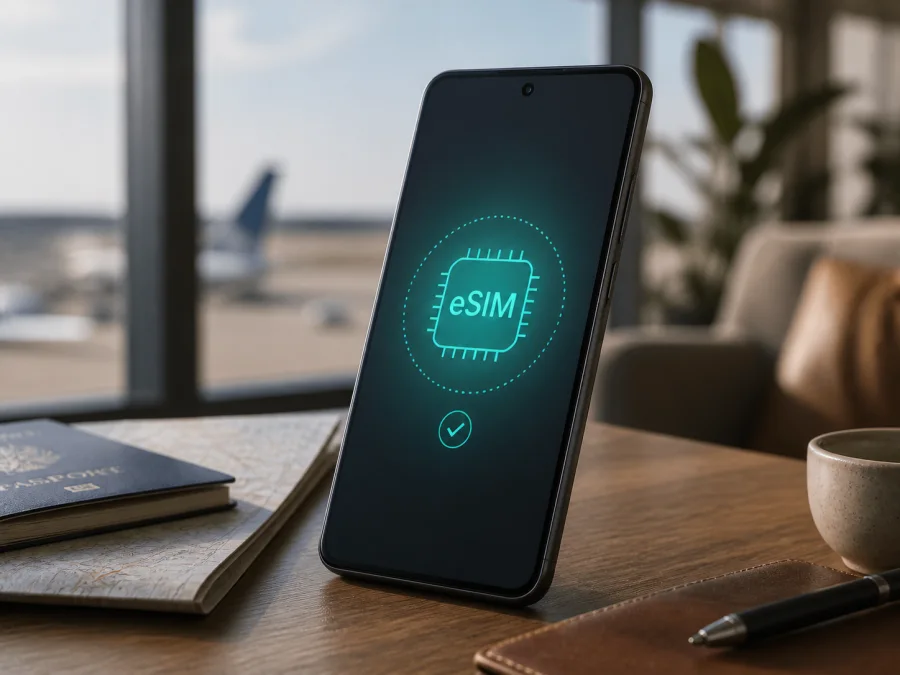
Motorola Edge 40 Neo 128GB eSIM compatibility and setup
If you are checking whether the Motorola Edge 40 Neo 128GB can use a travel eSIM, the short answer is: it can, when your handset is an eSIM-enabled regional SKU. Motorola’s official Edge 40 Neo information identifies supported variants with one Nano SIM and one eSIM, and its user guide describes a menu for downloading an eSIM. The guide also uses qualified wording and asks users to confirm availability with their carrier. That distinction matters because the same model family can be sold with different SIM arrangements in different markets.
The 128GB label alone does not prove that an eSIM profile can be installed. The decisive checks are the exact regional variant, software, operator lock and the controls visible in Settings. This page keeps the full name Motorola Edge 40 Neo 128GB so the guidance applies to that configuration, not to a shorter or different Edge model.
Quick answer: does Motorola Edge 40 Neo 128GB support eSIM?
Yes, if the exact 128GB unit is the regional Nano SIM + eSIM version; verify the individual phone before buying a plan. Motorola’s official specifications for the Edge 40 Neo family show Nano SIM/eSIM or one Nano SIM plus one eSIM on market pages. The official guide explains how to download and set up an eSIM, but also says that the phone may support one and that the carrier should confirm details.
Therefore, the Motorola Edge 40 Neo 128GB is a suitable travel-eSIM candidate, not an unconditional promise for every retail unit. A marketplace listing may use the same commercial name for an imported or carrier-specific version. Some units may prioritize two physical SIMs, while a carrier can restrict activation even when the phone has an eUICC, the secure component that stores eSIM profiles.
What the official information establishes
- The Edge 40 Neo line includes eSIM-capable variants.
- A supported phone can combine a physical Nano SIM with an eSIM.
- If the eSIM option is missing, Motorola expects the user to confirm the exact phone and carrier conditions.
The storage capacity does not decide eSIM support. Regional SKU, firmware and carrier policy do. An eSIM-enabled Motorola Edge 40 Neo 128GB can install a compatible profile; a version without the eSIM controls cannot be made compatible by changing its settings or storage.
Relevant characteristics of the exact variant
| Item | What it means for this page |
|---|---|
| Exact device | Motorola Edge 40 Neo 128GB; the memory modifier must stay attached to the model name. |
| Software | Android; menu labels can differ after regional updates. |
| Network family | Motorola lists 2G, 3G, 4G and 5G for the family. Network generation support is separate from eSIM support. |
| SIM arrangement | Supported official variants are described as Nano SIM + eSIM; regional arrangements may differ. |
| Storage | 128GB; this identifies capacity, not the presence of an eUICC. |
| Installation | Wi-Fi or another working internet connection is recommended for downloading the profile. |
| Travel purpose | A compatible eSIM plan can be used for mobile data in a selected country, region or route. |
An eSIM is a digital SIM profile stored inside the phone. It is not a second physical card and does not make Motorola or Kaspersky a network provider. Travel eSIM plans are normally for mobile data and may not include a phone number, voice calls or SMS unless their conditions say so. Messaging and calling apps can work over data.
Regional and carrier differences
“Motorola Edge 40 Neo 128GB” is a product name, not a universal SIM specification for every country. Motorola publishes market-specific information, and its support material says to confirm eSIM availability with the carrier. A similar-looking phone can show an eSIM option in one market and only physical-SIM controls in another.
Differences can involve the SIM tray, firmware and carrier policy. Software can expose, hide or rename eSIM controls, and an operator lock can reject a travel profile even when the hardware contains an eUICC. Local network bands also affect registration: a 5G phone may use 4G when 5G is unavailable through the plan or local network.
Motorola’s guide includes a note about two physical SIMs for India, a useful example of regional variation. It is not a promise that every market unit has the same behavior. Ask for the country of sale and exact variant identifier; if you already own the phone, the checks below are stronger evidence than a generic listing.
Compatibility check before buying a travel eSIM
Device compatibility is a condition of any plan purchase. An eSIM profile is intended for a compatible phone and may not be reusable on another device after installation or activation.
Verify the phone in Settings
- Open Settings.
- Search for eSIM, SIM or EID.
- Open Network & internet and then SIMs, SIM preferences or SIMs and mobile network, depending on the Android build.
- Look for Download new SIM, Set up eSIM or Add eSIM.
- Open About phone, Device details or SIM status and look for an EID. This is an identifier for the embedded-SIM component; its presence is a strong sign that an eSIM-capable eUICC is installed.
- Compare the phone’s model and variant information with the seller’s documentation, especially if it was imported.
An EID plus an eSIM setup option is a good basic result. If only the physical SIM slot is shown, do not assume that a QR code will fix the issue. Restart the phone, check for a system update and search again. If no EID or eSIM option appears, ask the seller, carrier or Motorola support to confirm the exact 128GB unit before purchase.
For a compact checklist, use this internal guide: Check your device.
Purchase checklist
- Confirm the full name Motorola Edge 40 Neo 128GB, country of sale and, when available, the exact model or variant code.
- Confirm that the phone is not carrier-locked or subject to an activation restriction.
- Confirm an EID or a visible Add eSIM, Set up eSIM or Download new SIM control.
- Prepare stable Wi-Fi for installation.
- Confirm that the plan covers each country, region or route on your itinerary.
- Read the plan’s data allowance, validity, activation rule, hotspot conditions and refund terms.
- If keeping a home SIM active, decide which line will carry data and check the home operator’s roaming conditions.
Choosing a travel eSIM plan
Choose according to the trip, not the phone’s storage. Review the destination first: a plan for one country may not follow you across a border, while a regional plan is useful only when all stops are included. Match the validity to the trip and find out when it starts. Estimate data for maps, translation, messages, work files and background updates. Confirm hotspot permission if a laptop will use the connection, and understand the prepaid, balance and top-up rules.
Kaspersky eSIM Store is an app and website that helps you choose, arrange and activate an eSIM with a suitable mobile-data plan for a foreign trip. It is not a mobile operator or the provider of mobile internet; coverage depends on the selected plan and its local arrangements. Use the app or site to review the destination, allowance, validity and price for your journey.
How to install and activate the eSIM
Use stable Wi-Fi and keep the purchase details available. Depending on the purchase flow, the QR code may appear in the app, on the site or in a confirmation message. Some Android versions also offer manual activation.
1. Prepare the phone
Charge the Motorola Edge 40 Neo 128GB, connect it to Wi-Fi and install any pending system update. Keep the physical SIM in place unless instructed otherwise, and resolve an operator lock first.
2. Open eSIM setup
Go to Settings > Network & internet > SIMs or SIM preferences. Select Download new SIM, Set up eSIM or the closest equivalent. The Settings search for “eSIM” helps when the wording differs.
3. Add the profile
Scan the supplied QR code or enter the activation details. Keep the code private and wait while the profile downloads; do not repeatedly scan or interrupt Wi-Fi.
4. Select the line
Name the profile Travel data. Select it for mobile data if you want it to carry data, and keep the home SIM for calls or SMS only if needed.
5. Configure roaming
Some travel plans require Data roaming for the eSIM. Enable it only for the travel line when the plan says to do so, and disable it on the home line to avoid unintended charges.
6. Activate at the right time
Plans differ in when validity begins. If the rules permit pre-installation, keep the travel eSIM off or keep the home line as the data line until departure. The selected plan’s conditions determine whether installing early starts the validity period.
See the detailed Android installation instructions and iOS installation instructions. The Motorola Edge 40 Neo 128GB follows the Android path; the iOS page is useful for a companion’s iPhone.
Using eSIM mobile data while travelling
Before leaving, confirm the profile is listed. On arrival, turn off airplane mode, select the travel eSIM for data and wait for registration. It can take several minutes.
Short city trip
Use the travel eSIM for maps, translation, tickets and messaging. Keep the home SIM for important calls or verification messages if required, but stop it from being the data line. Limit large background downloads.
Multi-country route
Confirm coverage for every border crossing. If the connection stops in a new country, check the plan’s destination list before changing advanced settings.
Work and hotspot
Enable the Motorola hotspot only when tethering is allowed. Video meetings and cloud sync consume more data than navigation. 5G does not increase the plan’s allowance.
Keeping the home number
The travel eSIM is generally a data route, not a replacement for the home number. Set it as the data line and turn off automatic switching if that option exists.
Troubleshooting
The eSIM option is missing
Search Settings for “eSIM” and “Download new SIM,” then inspect About phone and SIM status for an EID. Restart and update the phone. If no EID or eSIM control appears, ask the seller, carrier or Motorola support about the exact regional variant.
The QR code will not scan
Increase the brightness of the screen displaying the code, clean the camera lens and hold the phone steady. Use manual activation when supplied. Confirm that the code belongs to this purchase and has not already been used.
The profile downloads but does not activate
Check Wi-Fi, automatic date and time, operator lock and destination rules. Select the profile in SIM settings and follow the activation prompt. Do not delete it unless support instructs you to: Motorola warns that erasing an eSIM removes its calling, messaging and mobile-data capability and may require carrier restoration.
There is no data after arrival
Turn off airplane mode, enable the travel eSIM and select it for mobile data. Turn on data roaming for that line if required. Check the destination, network selection and APN instructions, then restart. If the home SIM is selected for data, the travel plan will not be used.
Data is slow or drops
Move outdoors or to another location, since signal conditions vary indoors and in crowded areas. 4G can still provide usable data when 5G is unavailable. Avoid forcing a network manually unless support recommends it; if the problem continues, share the phone variant and destination with support.
FAQ
Is the Motorola Edge 40 Neo 128GB eSIM-compatible?
It can be, when the exact regional unit is an eSIM-enabled version. Motorola’s official Edge 40 Neo information documents Nano SIM + eSIM variants, while the support guide tells users to confirm availability with the carrier. Check for an EID and eSIM setup option before buying.
Does 128GB guarantee eSIM support?
No. Storage capacity identifies memory, not SIM hardware. Regional SKU, firmware and carrier policy are the relevant variables.
Can I use a physical SIM and eSIM together?
Yes, on a supported dual-SIM version. The usual arrangement is the home physical SIM for calls or SMS and the travel eSIM for data, subject to the phone’s regional configuration and carrier.
Will the travel eSIM provide a phone number?
Usually not. Kaspersky eSIM Store helps you choose and activate plans for mobile internet on a foreign trip. Voice calls, SMS and a regular number are not included unless the selected plan expressly provides them; internet messaging apps can use the data connection.
Is Kaspersky eSIM Store a mobile operator?
No. It is an app and website that helps users choose, arrange and activate an eSIM with a suitable plan for mobile internet during a foreign trip. Network service and coverage depend on the selected plan and its local arrangements.
Final device check and travel eSIM choice
For the Motorola Edge 40 Neo 128GB, treat eSIM support as confirmed only after the individual phone shows an EID or visible Add eSIM, Set up eSIM or Download new SIM control. Motorola’s documentation makes the family a reasonable eSIM candidate, but regional differences make verification essential.
After compatibility is clear, select a plan for your itinerary, match data and validity to the trip, and review activation and roaming rules. Kaspersky eSIM Store can help you select, arrange and activate it through the app or website. Install over Wi-Fi, choose the travel eSIM for mobile data and keep the physical-SIM settings under control. This is the final check before choosing an eSIM for your trip.


