Travel connectivity guide
Motorola Edge 60 Fusion 128GB eSIM: setup
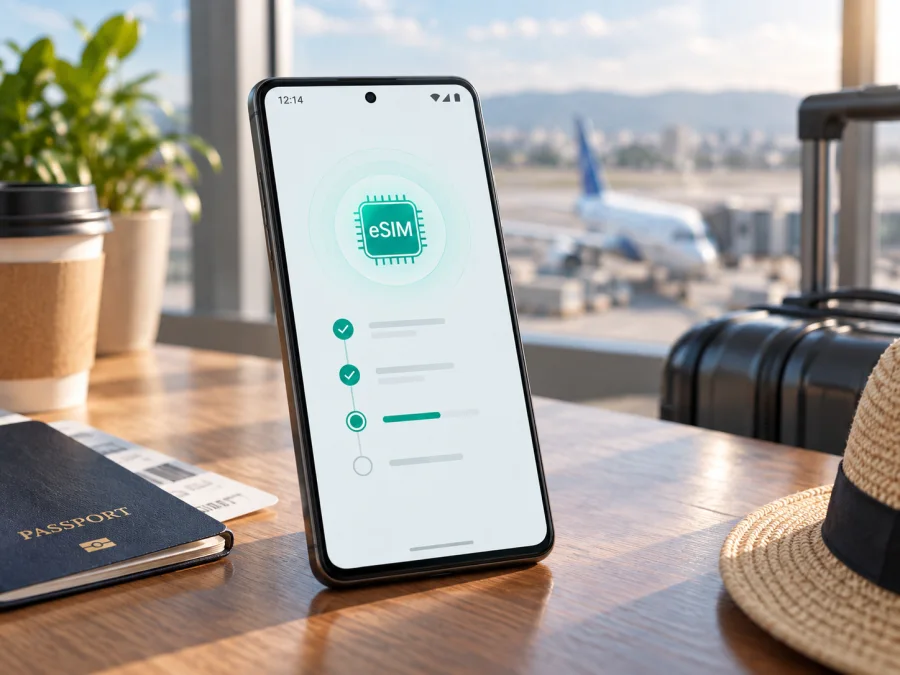
eSIM for Motorola Edge 60 Fusion 128GB: compatibility and setup
The short answer is conditional: Motorola Edge 60 Fusion 128GB can support eSIM, but the exact answer depends on the regional and carrier version of the phone. Motorola’s current support information lists the Edge 60 Fusion as one physical nano-SIM plus one eSIM in other regions, while the India variant is listed with two physical SIMs. The “128GB” storage label does not prove that a particular handset has an enabled eSIM profile. Check the actual phone’s model details, EID and SIM settings before buying an eSIM plan.
This distinction is important for a travel eSIM. Phones with the same commercial name and storage can have different regional hardware, firmware or SIM trays. The safe decision is based on the handset in your hands, not only on a retailer title. If an EID is visible and the phone offers an option to download or add a SIM, it is normally ready for eSIM setup. If neither appears, treat the phone as incompatible until Motorola or the seller confirms the exact SKU.
What current Motorola information confirms
Motorola’s support materials describe eSIM as a possible capability of the Edge 60 Fusion and give the Android setup path Settings > Network & internet > SIMs & mobile network > Download new SIM. Motorola also says to contact the carrier if that option is missing. Its regional specifications distinguish the India configuration from other regions: India is described as physical SIM plus physical SIM, while other regional configurations are described as physical nano-SIM plus eSIM.
That gives a verified but careful answer for Motorola Edge 60 Fusion 128GB:
| Item | Practical meaning |
|---|---|
| Exact variant | Motorola Edge 60 Fusion 128GB; keep the 128GB suffix when checking a listing or invoice. |
| eSIM | Available on many non-India regional versions, but not guaranteed for every market or carrier SKU. |
| India version | Motorola lists two physical SIMs, so do not assume eSIM support. |
| Other regional versions | Motorola lists one physical nano-SIM plus one eSIM. |
| Storage | 128GB identifies the requested capacity, not the SIM configuration. |
| Carrier status | The phone must be unlocked for the intended eSIM service. |
The official information does not justify a universal “yes” for every Motorola Edge 60 Fusion 128GB sold worldwide. It supports a useful rule: eligible regional versions can use eSIM, while regional, carrier and firmware differences must be checked on the individual unit. This matters especially for imported phones and listings that do not show a model number.
Does Motorola Edge 60 Fusion 128GB support eSIM?
For a non-India version that shows an EID and an eSIM control in Settings, yes: it can use a digital SIM alongside a physical nano-SIM, subject to the phone’s dual-SIM behavior and the plan conditions. You can normally select the eSIM for mobile data while keeping another line available.
For an India-market unit, do not assume support. Motorola separates that configuration from “other regions” and lists two physical SIMs. If the phone has no EID and no Download new SIM option, a QR code cannot create eSIM capability that the handset or its regional software does not expose.
Imported phones need the same check. Ask the seller for the precise model or SKU, intended sales region and SIM configuration. Also confirm that the phone is not carrier-locked. An eSIM profile cannot remove a network lock.
Why 128GB is not enough to determine compatibility
“128GB” describes internal storage. It does not say whether the phone is physical-SIM-only or physical-SIM plus eSIM. Two phones with the same name and capacity can therefore give different answers to “Can I add an eSIM?”
Use the full name exactly as it appears on your purchase record: Motorola Edge 60 Fusion 128GB. Do not replace it with a shorter Edge name, another generation or a higher-storage version. Open About phone, compare the model number with the seller’s documentation and then check the live SIM settings. If a listing says 128GB but the handset shows another capacity or market code, pause before buying a plan.
This prevents a common travel mistake: paying for an eSIM before discovering that the phone is a physical-SIM-only regional version. Compatibility is a device check first and a tariff choice second.
What to check before buying an eSIM tariff
Run these checks while you still have Wi-Fi or another reliable connection:
- Confirm the identity. In Settings > About phone, record the model name, model number and storage. Make sure it is Motorola Edge 60 Fusion 128GB, not a nearby Edge or moto model.
- Find the EID. The EID is the identifier associated with the embedded SIM. It may appear in SIM status, About phone or device details. Do not publish the full EID.
- Find the eSIM control. Open SIMs and mobile network and look for Download new SIM, Add SIM, Add eSIM or similar wording. The label can vary by Android version and region.
- Check the tray and region. Motorola distinguishes physical SIM plus eSIM from two physical SIMs. A two-nano-SIM tray with no eSIM option is a warning sign.
- Check for a carrier lock. A locked phone may reject a travel profile even when eSIM hardware is present.
- Use current software. Install stable updates over Wi-Fi, but do not assume an update can turn a physical-SIM-only SKU into an eSIM SKU.
- Read the plan conditions. Check the destination, validity, data allowance, activation rule, hotspot policy and whether it is data-only. A travel eSIM normally does not include a regular number, voice calls or SMS unless stated.
For the quick pre-purchase step, Check your device before choosing a plan. If the EID or eSIM control is missing, ask Motorola support or the seller for confirmation of the exact regional SKU. Do not rely on a product photograph or a generic claim that every Edge phone supports eSIM.
Compatibility checklist
<a id="kesim-device-compatibility"></a>
Use this checklist for the actual phone, not the model family in the abstract:
- [ ] The name and storage in About phone match Motorola Edge 60 Fusion 128GB.
- [ ] The model number or regional SKU matches the purchase documents.
- [ ] An EID is visible in device or SIM information.
- [ ] Settings includes Download new SIM, Add SIM or an equivalent action.
- [ ] The phone is not carrier-locked.
- [ ] Wi-Fi is available for profile download.
- [ ] The destination and validity of the selected plan match the trip.
- [ ] You know whether data roaming is required for the eSIM.
If these checks pass, the handset is a reasonable eSIM candidate. If one of the first four fails, resolve the uncertainty before paying. This live check is more reliable than the 128GB label because it tests the hardware and software exposed by the phone.
How to install an eSIM on Motorola Edge 60 Fusion 128GB
Connect to Wi-Fi, keep the QR code or activation details on another screen, charge the phone and confirm the plan covers the destination. Do not delete an existing profile while troubleshooting.
1. Confirm compatibility
Open About phone and SIM settings. Confirm the EID or an option to add or download an eSIM. If absent, ask support to confirm the model.
2. Open the mobile network settings
Go to Settings > Network & internet > SIMs & mobile network. The control may be called Download new SIM, Add SIM or Add eSIM.
3. Start the download
Tap the eSIM control and follow the instructions. Keep Wi-Fi connected. If the QR code is on the phone itself, use manual activation when available.
4. Scan the QR code
Scan the code from your account or activation message. Keep it private; some codes can be used only once.
5. Download and name the profile
Wait for installation and label the profile “Travel data” or with the destination. A download can take several minutes and may fail if Wi-Fi drops, the code expires or it was installed elsewhere.
6. Select the data line
When Android asks which SIM should handle mobile data, select the travel eSIM. Keep the primary SIM for calls or messages only if needed, and check that it is not selected for data abroad.
7. Check data roaming
Open the travel eSIM’s settings and check Mobile data and Roaming. A partner network may require roaming on that eSIM; follow the plan instructions and avoid enabling it on the wrong line.
8. Test the connection
Turn off Wi-Fi briefly and open a simple webpage. Confirm the travel eSIM is the selected data SIM, then restore Wi-Fi if desired.
For detailed guides, see the Android installation instructions or the iOS installation instructions. Motorola Edge 60 Fusion 128GB follows the Android path.
Install before departure or after arrival
Installing before departure gives you stable Wi-Fi, but read the plan terms first: validity can begin at installation, first connection or another defined event. Installing after arrival may be preferable when activation starts on first use, but airport Wi-Fi may be unreliable. Keep activation details secure. Do not erase a working eSIM casually; Motorola notes that erasing it removes its service from the phone and restoration may require the provider.
Using the eSIM for mobile internet on a trip
Keep the regular SIM for its number and select the travel eSIM for data. Before departure, check the data line, disable automatic switching if available and turn off roaming on the home line if it may incur charges.
Short city break
Choose a plan matching the destination and stay. Install over Wi-Fi, select it after landing, monitor Android’s data counter and postpone large downloads until Wi-Fi.
Multi-country route
Check whether one regional plan covers the itinerary. Coverage and activation conditions belong to the selected tariff; eSIM capability does not guarantee service in every country.
Work and hotspot use
For hotspot use, confirm tethering is allowed and monitor the allowance. 128GB storage does not increase mobile data.
Keeping the usual number reachable
On an eligible version, physical SIM and eSIM can often be used together, but behavior depends on software and networks. A data-only eSIM does not automatically provide a number, voice or SMS; apps can use the data connection.
Kaspersky eSIM Store is an app and website where you can choose, arrange and activate an eSIM with a suitable mobile-internet tariff for an international trip. It is not the operator, network owner or mobile-internet provider. Confirm compatibility and plan conditions; destination, allowance, validity and price depend on the selected offer.
Common problems and checks
| Problem | What to check |
|---|---|
| No Download new SIM option | Check model, region, EID and updates. An India or other physical-SIM-only SKU cannot gain eSIM through a reset; ask Motorola or the seller. |
| QR code will not scan | Brighten the other screen, clean the camera, use Wi-Fi and confirm the code is unused. Try manual activation if offered; keep the code private. |
| Profile will not download | Reconnect to Wi-Fi and check whether the profile expired or was installed elsewhere. Contact support with the error, not the full QR code or EID. |
| Installed but no data | Select the travel eSIM, enable it, check required roaming, toggle airplane mode and confirm destination, validity and allowance. |
| Wrong SIM uses data | Set the travel eSIM as preferred data, disable primary data during testing and review automatic switching and hotspot settings. |
| Calls or SMS fail | Many plans are data-only. Use the regular SIM only if its roaming terms are acceptable, or use internet messaging. |
| Carrier lock | Ask the original carrier to unlock the phone. Kaspersky eSIM Store cannot remove an operator lock; do not erase a working profile first. |
FAQ
Is Motorola Edge 60 Fusion 128GB definitely eSIM-compatible?
Not universally. Motorola lists eSIM for many other-region versions and physical SIM plus physical SIM for India. Confirm the EID and eSIM menu on the handset.
Does 128GB mean the phone supports eSIM?
No. Storage identifies capacity, not the regional SIM configuration. The EID, model number and Download new SIM option are decisive.
Can I use physical SIM and eSIM together?
On an eligible version, Motorola describes one physical nano-SIM plus one eSIM. Exact calling and data behavior depends on software, networks and plan.
Do I need Wi-Fi, should roaming be on, and can I transfer the eSIM?
An internet connection is normally needed, and Wi-Fi is safest. Roaming may be required for the travel eSIM’s partner network. Do not assume transfer is possible; some profiles require replacement.
Final device check and trip eSIM choice
Before buying a tariff for Motorola Edge 60 Fusion 128GB, confirm the exact name and 128GB storage, record the model or regional SKU, locate the EID, find Download new SIM in Settings and verify that the phone is unlocked. Treat an India-market or other physical-SIM-only configuration as incompatible unless Motorola confirms otherwise for that exact unit.
Once compatibility is clear, choose an eSIM option for the country, region or route you will visit. Compare allowance, validity, activation moment, hotspot rules and data-only limitations. Kaspersky eSIM Store can help you choose, arrange and activate an eSIM tariff for mobile internet during an international trip through its app or website; it does not operate the network or provide the underlying mobile service. Install over Wi-Fi, select the correct data line and keep activation details secure.


