Travel connectivity guide
Motorola Edge+ 2023 128GB eSIM Guide
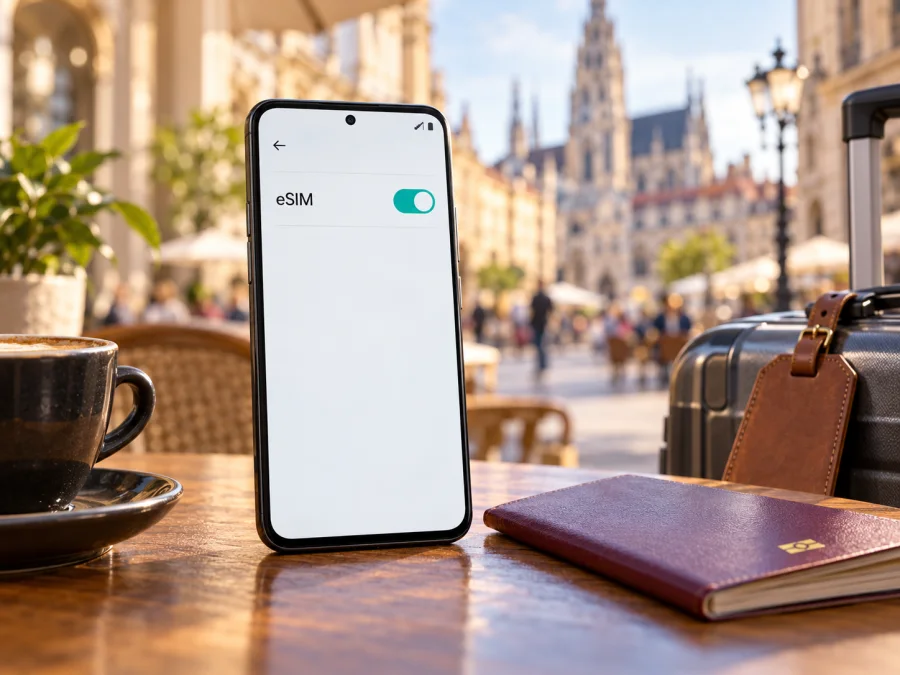
Motorola Edge+ 2023 128GB eSIM: compatibility and setup guide
Short answer: eSIM is supported by at least some versions of the Motorola Edge+ 2023, but the available official evidence does not confirm every regional or storage variant described as Motorola Edge+ 2023 128GB. Motorola’s US specification page lists dual SIM (eSIM + physical SIM) and warns that eSIM may not be available in certain regions. That same page lists 512GB storage for the US specification, not 128GB. So the exact 128GB configuration needs to be checked on the individual phone before you buy an eSIM plan. A storage label alone does not prove whether the phone has an eSIM profile built in.
The practical test is on the handset: look for an EID in the device information screen and an option to download or add an eSIM under SIM settings. Then confirm that the device is unlocked and that the eSIM provider’s activation method works with its software and market version. If those checks pass, you can use a travel data eSIM alongside a physical SIM where the phone’s dual-SIM settings allow it.
What is confirmed about this version?
Motorola’s official US specification for the motorola edge+ (2023) identifies its SIM configuration as “Dual SIM (eSIM+pSIM),” with a note that the option may not be available in certain regions. The manufacturer’s support instructions for the same phone also explain how to download an eSIM, while qualifying that the phone “might” support one and directing users to their carrier for details. Taken together, these sources establish that eSIM exists on supported market versions, not that every handset carrying a similar retail name has the feature enabled.
The “128GB” part of the supplied device name requires particular care. The US specification currently published by Motorola lists 512GB internal storage. It does not list a 128GB configuration of that US model. This does not prove that a phone advertised as Motorola Edge+ 2023 128GB is impossible: it may reflect a market-specific listing, a seller’s description, or a different variant name. But I could not verify that exact storage configuration on Motorola’s official specification page. Do not infer its eSIM capability from another storage variant or from the Edge family in general. Check the exact model/region identifier and the handset itself.
| Item | What can be said about Motorola Edge+ 2023 128GB |
|---|---|
| Exact configuration | The task name includes 128GB; Motorola’s US spec page for motorola edge+ (2023) lists 512GB, so this exact storage variant is not confirmed there. |
| eSIM | Confirmed for at least a regional version: Motorola lists eSIM + physical SIM on its US specification page. Availability can vary by region. |
| Physical SIM | The official SIM instructions describe a physical SIM tray as well as a possible eSIM. |
| EID / setup | Check the phone’s own About phone/device details and SIM settings; menu wording can vary with software and region. |
| Network access | Requires a compatible, unlocked handset, a valid installed profile, a supported local network, and correct mobile-data settings. |
| Recommended decision | Buy a plan only after the phone shows an EID or eSIM download option and the exact unit’s seller or carrier confirms it is eligible. |
This is a device-specific qualification, not a claim that the phone is incompatible. A US-market handset matching Motorola’s supported specification may offer eSIM, while a version sold in another market may omit the option or have different carrier provisioning. Even when an eSIM menu is present, a carrier or plan can apply its own eligibility rules. The model name, storage capacity, local radio support, and eSIM activation are separate questions.
Why the market version matters
A shared family name does not guarantee identical radios, SIM hardware, firmware, or carrier certification. Motorola flags regional availability for eSIM on the Edge+ (2023) and tells users to check with their carrier. The seller’s country may differ from the phone’s original market, especially for an imported unit. Ask for the complete model number or SKU, original sales region, and confirmation that the phone is unlocked.
“Dual SIM” alone is not enough: that can mean two physical cards or a physical SIM plus eSIM. Motorola documents the latter for supported Edge+ (2023) units, but a provider can still apply its own eligibility rules. eSIM capability also does not guarantee coverage, network-band compatibility, or voice and SMS service on a travel plan. Check each of those separately.
Check the phone before buying a plan
Start with the handset itself; menu names can vary by Android version and region.
1. Look for an EID
Open Settings and search for “EID,” or inspect About phone and its device-details screen. An EID is a long identifier associated with eSIM hardware. Its presence is a strong indicator, but activation still depends on the eSIM menu, an unlocked phone, and provider eligibility. Share the EID only with a trusted support channel when needed.
2. Check SIM settings
Motorola’s Edge+ 2023 instructions give this route: Settings → Network & internet → SIMs & mobile network → Download an eSIM. Your software may instead say Add eSIM or Set up an eSIM. If the option is missing, install available updates, restart, and check again. If it remains absent, confirm the model and region with the seller or Motorola rather than assuming the phone supports eSIM.
3. Verify unlock and destination support
Ask the original carrier whether the handset is unlocked for another provider. Then check the plan’s destinations, supported network, activation method, validity start, and any requirement to enable data roaming. A phone may have an EID yet still be locked or incompatible with the intended plan.
Use Check your device before choosing a plan. If the model region is unknown and the phone has neither EID nor an eSIM menu, treat support as unconfirmed and consider a verified compatible phone or suitable physical-SIM alternative.
Compatibility checklist
- [ ] The phone shows an EID or eSIM add/download option.
- [ ] Its full model number and sales region are known; 128GB is not proof of eSIM support.
- [ ] It is unlocked for the intended provider.
- [ ] The plan covers the destination and its activation method is clear.
- [ ] Wi-Fi is available for installation if mobile service is not yet active.
How to install an eSIM on Motorola Edge+ 2023 128GB
Use these steps only if the specific phone passes the checks above. Keep the physical SIM in place if you need it, and follow the plan provider’s directions for its QR code or manual activation details.
- Prepare: connect to Wi-Fi, charge the phone, and check for software updates. Keep the QR code or activation details private; a code may be single-use.
- Open SIM settings: go to Settings → Network & internet → SIMs & mobile network, then choose Download an eSIM, Add eSIM, or the equivalent shown.
- Install the profile: scan the provider’s QR code or enter details manually if offered. If the code is displayed on this phone, use another screen or the manual method.
- Wait and label: keep Wi-Fi on until installation finishes. Name the profile “Travel data” to identify it easily. Installation and the start of plan validity may be separate events, so check the terms.
- Select the data line: choose the travel profile for mobile data. Keep your regular SIM active for calls or SMS only if desired and after checking your home carrier’s roaming charges.
- Activate and test: follow the plan’s timing instructions. When it should be active, enable the travel eSIM, turn on its data roaming if required, switch Wi-Fi off, and test a webpage.
For a walkthrough, see the Android eSIM installation instructions. The iOS installation instructions are for Apple devices, not this Motorola.
Do not erase a profile just to retry. Motorola warns that deleting an eSIM removes its calling, messaging, and data capability from the phone, and restoration may require the carrier. Ask the provider whether a profile can be reissued before deleting it.
Using the eSIM while travelling
A common setup keeps your usual physical SIM in the phone and uses a travel eSIM for data abroad. If the provider allows advance installation, set it up before departure, but check whether installation starts the plan’s validity. Save the activation steps offline. On arrival, select the travel eSIM for mobile data and enable its data roaming only if required. To avoid unexpected charges, review the home SIM’s roaming settings and disable data switching between SIMs if available.
Choose a plan for the full route. A country plan may not cover a layover or a second destination; a regional plan can still have exclusions. Review its data allowance, validity, included destinations, network and tethering rules. Do not assume 5G availability from the phone’s capabilities alone: local bands, coverage, and the plan all matter.
Kaspersky eSIM Store is an app and website where travellers can choose, arrange, and activate an eSIM with a mobile-data plan for an overseas trip; it is not a mobile operator or network. After checking that this exact phone supports eSIM and is unlocked, you can browse current travel eSIM options and review current plan details. The English-language store address redirects to the working homepage; it is not a tariff page for a particular country.
Practical scenarios
- One-country trip: compare the plan validity with your dates, install as allowed, and switch data to the travel eSIM when activation should begin.
- Several destinations: verify that every stop is explicitly included. Do not infer country coverage from a region label alone.
- Keep your usual number reachable: leave the home SIM enabled only as needed, select the travel eSIM for data, and check home-carrier roaming fees. A data-only eSIM does not replace ordinary calls or SMS; internet messaging apps can use its data.
Troubleshooting: eSIM installed but no data
Try these checks before deleting the profile:
- Line selection: make sure the eSIM is enabled and selected for mobile data, not just calls or texts.
- Activation: check the provider account for profile status, validity start, expiry, and remaining data. An installed profile may not be active yet.
- Roaming: enable data roaming for the travel eSIM if the provider requires it. Avoid enabling it on the home SIM unless you accept its charges.
- Reconnect: briefly toggle airplane mode or restart, then wait for the phone to register. Follow provider guidance for manual network selection.
- Coverage and settings: verify that the destination is included and signal is available. Enter an APN only if the provider gives you specific values.
- Preserve the profile: if the phone still cannot connect, contact support with the model, region, and error. Share the EID only through a trusted channel. Ask before erasing the profile or resetting network settings, since the activation code may not be reusable.
If the phone has no eSIM option
Search Settings for “SIM” and “EID,” install updates, restart, and revisit Network & internet → SIMs & mobile network. If there is no EID and no add/download option, confirm the complete model number and region with Motorola or the seller. Given Motorola’s regional caveat, the handset’s own menus matter more than a generic “Edge+ 2023” listing. If unsupported, alternatives include a suitable physical SIM, Wi-Fi where appropriate, or a second compatible device as a hotspot; compare coverage and cost before travelling.
Frequently asked questions
Does Motorola Edge+ 2023 128GB support eSIM?
Some Edge+ 2023 versions do. Motorola’s US specification lists eSIM plus physical SIM and warns that availability varies by region. That specification lists 512GB, not the exact 128GB configuration named here. Check EID, SIM settings, model number, and seller or carrier confirmation on the actual phone.
Does 128GB storage determine eSIM support?
No. Storage alone does not establish eSIM hardware or regional provisioning. Ask the seller to identify the SKU and market version.
Can the physical SIM and eSIM work together?
Supported versions are described as dual SIM, but the exact behavior depends on the handset’s region and software. Check the SIM manager to choose which line handles data.
Can I install the profile before travelling?
Often, if the plan permits it. Installation and activation can be separate; read when validity begins before scanning the code.
Does a travel eSIM include calls or SMS?
Do not assume so. Many travel options are data-only unless the plan says otherwise. Internet calling and messaging apps can use mobile data.
Can I move the profile to another phone?
Check with the provider first. Some profiles are device-bound or require reissue; do not erase it until you know it can be restored.
Before you choose a travel plan
For Motorola Edge+ 2023 128GB, use a handset-level check rather than relying on a broad model-family label. Confirm EID or an add/download eSIM control, identify the full regional model number, and verify that the phone is unlocked. The official Motorola information confirms eSIM on at least some Edge+ 2023 versions but flags regional differences; the exact 128GB configuration remains unverified on its US specifications page.
Once compatibility is clear, choose a plan that covers every destination on your route, check when validity starts, and decide which SIM should handle mobile data. Keep the installation details available, test the connection when the plan becomes active, and preserve the profile if something goes wrong until the provider explains how to recover it. These checks let you prepare for a trip without treating an unverified storage label as proof of eSIM support.


