Travel connectivity guide
Motorola G52J 5G 256GB eSIM Compatibility
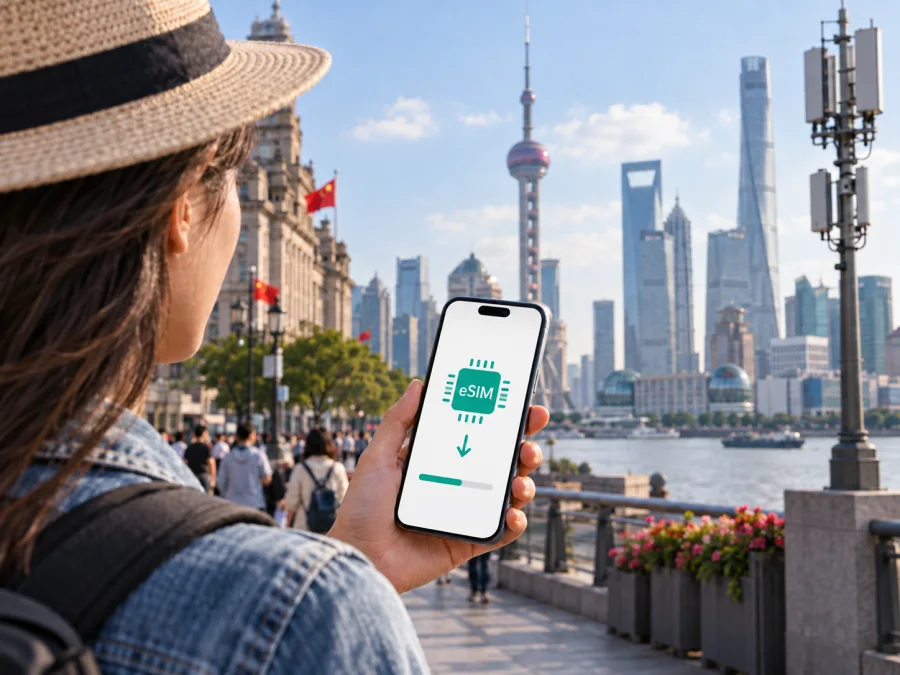
Motorola G52J 5G 256GB eSIM compatibility: what to check
The Motorola G52J 5G 256GB is an eSIM-capable configuration in Motorola’s Japan-market moto g52j product family, in Motorola’s published specifications. It identifies nano-SIM and eSIM support, with a note that eSIM use is not supported by every mobile carrier. That makes the practical answer encouraging but conditional: confirm that your exact handset has an EID and an eSIM setup option, and confirm that it is unlocked and accepted by the eSIM provider you plan to use.
Motorola’s Japanese product information lists multiple storage configurations for the moto g52j, including 256GB, and its support specification describes eSIM as an available SIM type. This does not establish support for every similarly named G52/G52j phone; regional models and carrier revisions can differ. Check the model number and the menus on the phone in your hand before paying for a plan.
Quick compatibility summary
| Item | What is known for Motorola G52J 5G 256GB |
|---|---|
| eSIM hardware | Motorola’s published Japanese specification lists eSIM alongside nano-SIM for the moto g52j family. |
| Storage variant | 256GB is one of the published configurations. This article does not infer an unlisted RAM configuration from storage alone. |
| Network generation | 5G support is part of the device name and product family; 5G availability depends on local bands, network coverage, and the plan. |
| SIM setup | The published specification describes a nano-SIM plus eSIM dual-SIM arrangement. Carrier support may differ. |
| Region | The g52j line is a Japan-market family. Imported or carrier-customized units need an individual check. |
| Before purchase | Confirm EID/eSIM settings, carrier lock status, destination coverage, and the selected plan’s device requirements. |
What the official information does and does not establish
Motorola’s official support specification for moto g52j lists 128GB and 256GB storage options and identifies nano-SIM/eSIM as the SIM configuration. It also states that not every mobile carrier supports eSIM use. Motorola presents this as a Japan-market product family, so the specification is direct evidence for the documented 256GB configuration, not a promise that every similarly named phone sold elsewhere is identical.
The carrier must support eSIM activation for the relevant model and market. The eSIM plan must also accept the handset and cover your destination. A phone can have an EID yet fail activation if it is locked, has carrier-customized software, or the provider does not support its activation method.
Retail listings may shorten product names or omit model codes. Compare Settings > About phone with the box label and ask the seller or carrier whether that exact version is unlocked and supports third-party eSIM profiles. A physical SIM tray alone does not prove eSIM is enabled. If the device is second-hand, check its lock status before you buy a plan.
For a trip, an eSIM can serve as a separate data profile while your usual number remains on a physical SIM, if the phone and carriers permit that arrangement. Calls, messages, automatic data switching, and roaming charges still depend on the selected line and service terms. A travel data plan normally does not replace a phone number, voice minutes, or SMS unless its terms say otherwise; internet messaging apps work when data is available.
eSIM support also does not guarantee 5G in every destination. Network bands, local coverage, and the plan determine whether 5G is available. Before choosing a package, review included countries, data amount, validity, activation rules, speed conditions, and tethering limits. The phone’s storage size does not affect those factors.
Check the exact phone before buying a plan
Use the link below as a starting point, then verify the physical handset itself. These checks matter because regional software and carrier restrictions can change what menus are available even when the product family is listed as eSIM-capable.
Use the compatibility checklist below before you purchase a travel plan.
<a id="kesim-device-compatibility"></a>
Compatibility checklist
- [ ] The name and model number shown in Settings > About phone match the seller’s description and the box label.
- [ ] The device is the Motorola G52J 5G 256GB configuration, rather than another G52-family revision with a similar retail name.
- [ ] An EID is visible in the phone’s status or SIM information, or the system offers an eSIM download/add option.
- [ ] The device is unlocked and the current carrier confirms that it permits third-party eSIM profiles.
- [ ] The eSIM plan covers every country or region on your itinerary and supports the phone’s available network bands.
- [ ] You understand the plan’s data amount, validity start, activation trigger, expiry, and top-up or refund conditions.
- [ ] You have a stable Wi-Fi connection available for installation if the eSIM is not already downloaded.
Find the EID and eSIM controls
Menu names vary by Android version and regional firmware. Start at Settings > About phone > Device details or SIM status and look for an EID. Also check Settings > Network & internet > SIMs for Download a SIM, Add eSIM, or similar wording. You can inspect the option without starting installation.
If neither appears, restart the phone, install available system updates over Wi-Fi, and check the full model number with Motorola, your carrier, or the seller. A missing EID or menu may indicate that this unit’s regional or carrier configuration does not expose eSIM. Do not buy a non-refundable plan based only on the family name; ask the provider to check the exact model code and, if needed, the EID or IMEI.
Do not share EID or IMEI publicly. Provide identifiers only through a secure support channel when an authorized provider requests them. Never share account passwords or one-time login codes.
Check your device and confirm the exact model before choosing a plan.
Install and activate an eSIM
Read the plan instructions first: validity may begin at installation or only after connection to a supported network. Keep the QR code or manual details on another screen or printed page so the phone can scan them.
- Prepare the connection. Connect the Motorola G52J 5G 256GB to reliable Wi-Fi. Charge the phone and have the order code ready. Resolve any carrier lock first.
- Open SIM settings. Go to Settings > Network & internet > SIMs (the wording can vary). Choose Download a SIM, Add eSIM, or the closest equivalent. If Android offers a setup flow, read the prompts before confirming.
- Scan or enter the profile details. Scan the provider’s QR code from another device, or enter the activation code manually if that method is provided. Follow the provider’s steps and wait while the profile downloads. Keep Wi-Fi connected until the setup completes.
- Name the profile. Give the new line a clear label such as “Travel data” or the destination name. This helps distinguish it from your everyday SIM when you choose a line for mobile data.
- Choose how each SIM is used. Keep your everyday SIM assigned to calls or messages if you need it. Select the travel eSIM for mobile data only when its service should begin. Turn off data roaming on your everyday line if you want to reduce the chance of unintended roaming charges; confirm with your home carrier how calls and texts are billed.
- Activate at the right time. Follow the plan’s instructions for when to enable the eSIM and data roaming. Some travel profiles require roaming to connect to a partner network. Enable it only for the travel profile when directed, and verify that the profile is selected for mobile data.
- Test the connection. Once the plan should be active and you are in a covered location, turn Wi-Fi off briefly and open a simple webpage. Check that the mobile data indicator appears and that the correct SIM is selected. Restore Wi-Fi after the check if you want to conserve plan data.
For platform-specific steps, see the Android installation instructions and the iOS installation instructions. The iOS page is for travelers managing an Apple device; this phone uses Android settings.
Do not delete a profile just because it is temporarily offline; a one-time code may require provider reissue. Check validity rules and contact support before removal. Keep the QR code private and do not assume it can be reused on another device.
Use the phone for mobile data while travelling
After landing, open SIM settings, enable the travel profile, and select it for mobile data. Turn on data roaming for that profile only if the plan instructions require it. Keep your everyday SIM available for calls or messages as needed, and disable its data roaming if you want to avoid accidental use. Exact dual-SIM controls depend on the Android version and carrier settings.
For a city break, estimate data use across maps, transport, translation, messaging, and browsing. Video and hotspot sharing use more, so check tethering and monitor the balance. For a multi-country route, confirm every destination is included and download maps or tickets over Wi-Fi before departure.
A data-only travel eSIM can support email and internet calling apps, but it does not automatically replace your usual phone number or receive standard SMS. Before travel, make sure you can access any work or account verification methods tied to your home number.
Kaspersky eSIM Store is an app and website where you can choose, arrange, and activate an eSIM with a mobile data plan for an international trip. Compare destination, data amount, validity, activation timing, and conditions with your itinerary. Network service depends on the plan and local mobile networks.
Troubleshooting: common checks
There is no eSIM option. Check the model number, restart the phone, and install available Android updates over Wi-Fi. Look for an EID under About phone or SIM status. If it is still missing, ask Motorola, the seller, or your carrier about eSIM support for this exact device code; the family specification cannot rule out regional or carrier restrictions.
The QR code will not scan. Show it on another screen at good brightness, or use the manual activation details if provided. Check that the code has not already been used and is intended for this device. Keep QR codes private because they can contain activation information.
The profile downloads but has no service. Confirm the plan is valid in your current country and its activation time has arrived. Check that the travel eSIM is enabled and selected for data. Enable roaming for that profile if required, then toggle airplane mode or restart and allow time to register.
Data does not load or the wrong SIM is used. Check signal, plan balance, expiry, and the default mobile data line. Disable automatic data switching if you want to prevent use of the home SIM. A data saver or private DNS setting can also affect individual apps; test another site before changing settings.
Service is weak or 5G is unavailable. Check the destination’s network coverage and the plan’s supported networks. 5G depends on local coverage and compatible bands; LTE may be the available or more stable option. Storage capacity does not determine coverage.
The profile is missing after a reset or transfer. Contact the provider before erasing, resetting, or moving the phone. Profiles may not transfer automatically, and a one-time activation code may not be reusable. Do not delete a working eSIM as an initial troubleshooting step.
Frequently asked questions
Does the Motorola G52J 5G 256GB support eSIM?
Motorola’s Japanese moto g52j specifications list eSIM and include a 256GB configuration. The documented version is eSIM-capable, but check EID, settings, and the exact model code because regional firmware and carrier restrictions can differ.
Can I use a physical SIM and travel eSIM together?
The published configuration lists nano-SIM plus eSIM. Dual-SIM behavior depends on software and carrier support. Verify which line handles data and what roaming charges apply to your regular SIM.
Does EID guarantee that a plan will work?
No. The phone must also be unlocked, accepted by the plan, and used in a supported destination. Follow the provider’s activation instructions and check its device requirements before purchase.
Will a travel eSIM include a phone number or 5G?
Not necessarily. Many travel plans are data-only, and 5G depends on the device’s bands, the destination network, coverage, and plan. Check the individual plan terms for calling, SMS, and network details.
Can I reinstall the profile on another phone?
That depends on the provider. Ask about transfer or reissue before deleting the profile, resetting the phone, or changing devices; many activation codes are limited to one installation.
Final device check and trip eSIM plan
Before you choose a travel eSIM, match the full model number in Settings > About phone to the purchase record, then confirm the EID and the Add/Download eSIM setting on the handset. For the Motorola G52J 5G 256GB, Motorola’s published Japanese specification supports eSIM, while carrier and regional availability can still differ. If any check is missing, get confirmation for the exact model code from the seller, carrier, or plan provider before purchasing.
Once compatibility is confirmed, compare destination coverage, data amount, validity, activation timing, networks, and tethering terms. Install over Wi-Fi, label the profile, and select it for data when needed. Check regular SIM roaming settings, test the connection at the right time, and keep order details available for support.


