Travel connectivity guide
Motorola Moto G Power 5G 2024 eSIM Guide
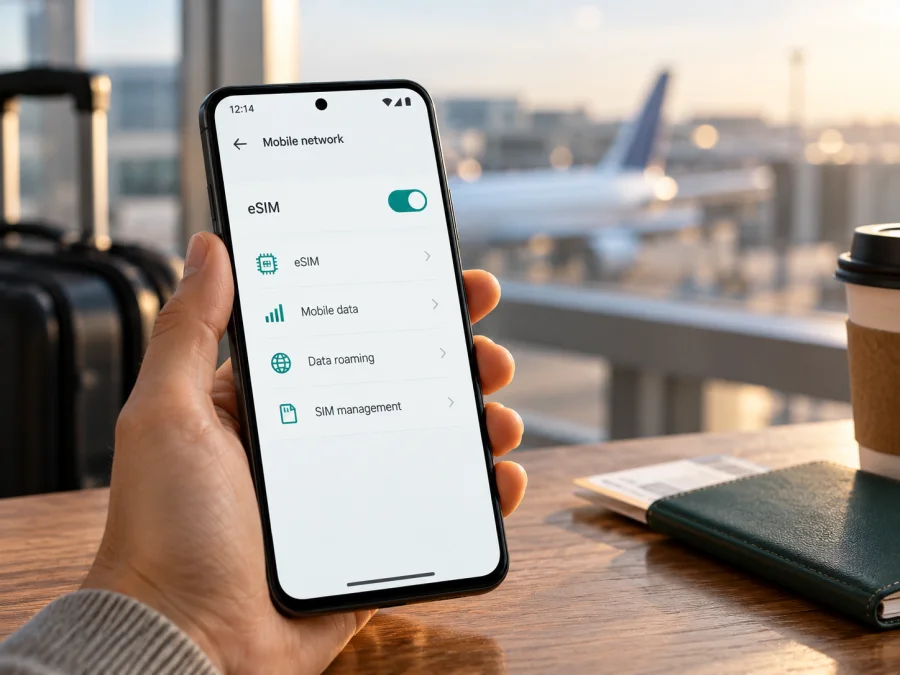
Motorola Moto G Power 5G 2024 eSIM: compatibility and setup guide
The Motorola Moto G Power 5G 2024 can use eSIM in the US retail version documented by Motorola. Motorola’s US specification page lists Dual SIM with one physical nano-SIM and eSIM, and its US support guide explains how to add a profile. That is a useful confirmation for this specific model name, but it does not establish that every device sold under a similar name in every country has the same configuration or that every mobile provider will activate it.
The practical answer is: the US retail version supports eSIM, subject to carrier and device eligibility. Check your own handset before buying a travel plan. If your phone was purchased outside the United States, supplied by a carrier, imported, refurbished, or has different software, use the checks below rather than relying on the model name alone. Motorola’s support wording itself says that the phone “might” support eSIM and directs users to contact their carrier; the detailed US specification lists eSIM. These statements describe a documented capability and carrier-dependent activation, not a guarantee for every regional or operator configuration.
Quick specification and compatibility summary
| Item | What to know |
|---|---|
| Exact device | Motorola Moto G Power 5G 2024 |
| eSIM configuration confirmed by Motorola | US support specification lists one physical nano-SIM plus eSIM and microSD |
| Geographic scope | The confirmation is from Motorola US; it does not verify every regional or imported unit |
| Carrier condition | The carrier or eSIM provider must accept the phone and issue a usable profile |
| Checks on your phone | Look for an EID and an option to add or download an eSIM |
| Setup connection | Wi-Fi or another working internet connection |
| Before travel | Check unlock status, destination, network, data allowance, and plan activation timing |
An eSIM is a digital SIM profile stored in the phone. Hardware capability alone does not guarantee that every carrier or travel plan will activate it. Regional software, an operator lock, provider eligibility, and destination network support can all affect service. Motorola’s US specification confirms the listed US configuration; its setup guide also notes that carrier details matter. Motorola’s public information reviewed for this article does not establish one universal configuration for every country.
Does Motorola Moto G Power 5G 2024 support eSIM?
Yes for the US retail configuration listed by Motorola, subject to carrier and device eligibility. Motorola’s US specification describes Dual SIM as one physical nano-SIM plus eSIM and microSD, and its support page provides an eSIM setup route. This is manufacturer documentation for the US retail model, not a promise that all operator accounts, plans, or regional versions will work.
Regional and operator versions
The specific confirmation comes from Motorola’s US support site for the Moto G Power 5G - 2024. It confirms that geographic configuration; it does not verify every handset sold under a similar name elsewhere. Country-specific stock, model number, software channel, and carrier customization can affect eSIM availability. The Moto G Power name spans multiple generations, so this guide applies to Motorola Moto G Power 5G 2024 only.
If you bought the phone in the United States, confirm that it is the retail model documented by Motorola and ask whether it is unlocked. Motorola separately lists US carrier compatibility, but network compatibility is not the same as eSIM account eligibility. If the phone came from another market, ask the local seller or Motorola support about the full model number and eSIM support for that market. For a carrier-branded phone, ask whether it is unlocked and accepts third-party travel profiles.
The published US specification lists one physical nano-SIM plus eSIM. It does not guarantee every profile combination can be active at once or which SIM Android will use for data. Check SIM preferences on your own handset before relying on a particular dual-SIM arrangement.
Check this handset before buying an eSIM plan
Use the phone as the first check. Menu labels vary with Android version, language, and carrier software.
- Look for an EID. Check Settings > About phone or status information. On some phones,
*#06#in the dialer displays device identifiers; this method may be disabled. An EID strongly indicates eSIM hardware, but it does not prove a particular service will accept the phone. - Open SIM settings. Motorola’s US setup route is Settings > Network & internet > SIM preferences. Search Settings for “SIM” or “eSIM” if needed. Look for Add eSIM, Download a SIM, or similar wording.
- Inspect the add flow. You can check whether the option exists without completing installation. Exit if you are only verifying compatibility.
- Record the exact model. In About phone, note the model number and software version. Compare them with the seller’s description and regional support information.
- Check lock status and plan terms. Ask the original carrier or seller whether the phone is unlocked and accepts third-party profiles. Confirm the destination, data allowance, duration, supported networks, activation deadline, and hotspot terms for the plan.
If the EID and eSIM option are both present, that is encouraging, especially for the US retail configuration. If neither appears, install available system updates, restart, and ask Motorola or the seller to confirm the regional model. Do not assume an update can add missing eSIM hardware.
In the compatibility check section, check your device before choosing a plan. Use the result alongside the EID/menu check and operator-lock status; the general model name alone is not enough.
Before you travel: a short checklist
- Confirm that your phone shows an EID or eSIM setup option and that its exact regional version supports profiles.
- Check that the handset is unlocked if you plan to use another provider.
- Update Android and arrange stable Wi-Fi for installation.
- Read destination coverage, data allowance, validity, supported networks, and activation timing.
- Keep the QR code or activation details private and available until setup is complete.
A physical SIM working in the phone does not prove that a different eSIM service will work. A profile can still be refused because of a device lock, regional software, plan restrictions, or network limitations.
After confirming compatibility and checking the terms, you can browse Kaspersky eSIM Store’s current travel plans. The English homepage lets you explore current destinations and plan details; it is not a country-specific tariff quotation. Kaspersky eSIM Store is an app and website where you can choose, arrange, and activate an eSIM with mobile data for an international trip. Availability, prices, allowances, and validity are shown for each plan and may change.
How to install an eSIM on Motorola Moto G Power 5G 2024
Install the profile over stable Wi-Fi, ideally before departure. The steps follow Motorola’s US support instructions; labels can differ by software and provider. Keep your physical SIM available until the eSIM is working.
- Confirm compatibility, unlock status, destination, and plan activation timing.
- Complete the plan setup in the provider’s app or website. The profile may be installed in-app or delivered as a QR code or manual details.
- On the phone, open Settings > Network & internet > SIM preferences and choose the option to download or set up an eSIM. Search Settings for “eSIM” if the wording differs.
- If asked, scan the provider’s QR code from another screen. If you only have one device, check whether the provider offers in-app or manual installation; the phone cannot normally scan a QR image displayed on its own screen.
- Keep Wi-Fi connected while the profile downloads. Follow prompts, give the line a recognizable label if offered, and review activation instructions before enabling it.
If entering details manually, copy the activation values exactly. Do not guess, share the QR code, or repeatedly reuse a code that may be single-use. Ask the provider whether a failed attempt can be reissued before deleting a profile or purchasing again.
For more detail, use the Android eSIM installation instructions. The iOS installation instructions apply to iPhones, not this Motorola Android device.
When installation is complete, return to SIM preferences and check that the new profile appears. Choose which SIM handles mobile data, calls, and messages. You may keep a home line enabled and use the travel eSIM for data, depending on the handset’s configuration. Installing a profile and starting its validity are not always the same event. Some plans require selecting the travel line for data or enabling roaming on that line; follow the provider’s directions. Avoid enabling roaming on the wrong SIM if your home operator charges for it.
Use the eSIM for mobile data on a trip
Before leaving, install over Wi-Fi if the provider permits it. Leave the profile off if the instructions say to wait until arrival; some plans activate on installation, while others start on a scheduled date or first network connection. Keep order details available offline.
At your destination, enable the profile and select it for mobile data. If required by the plan, turn on Data roaming for the travel eSIM only. Keep roaming off for the home SIM if you want to avoid unexpected charges. Allow time for network registration, then try airplane mode or a restart if needed. Use automatic network selection first; choose a network manually only when the plan provider recommends one.
Travel eSIMs are often data-only and may not provide a phone number for ordinary calls or SMS. Internet calling and messaging apps can use the data connection. Keep your home SIM if you need its number for calls or verification, and check the home operator’s roaming terms.
Choose data based on your itinerary and habits: maps and messages need less than video calls, streaming, or cloud backups. For multi-country travel, confirm that every stop is covered. Review allowance, duration, activation timing, top-up rules, and network availability for the specific plan rather than assuming a regional plan includes every destination.
Common problems and what to check
“Add eSIM” or “Download a SIM” is missing
Search Settings for eSIM and check About phone for an EID. Confirm the exact generation and model number, install available system updates, and restart. If the option remains absent, ask Motorola or the seller about the regional version. A reset or third-party app cannot add eSIM support to a handset without the capability.
The QR code will not scan or the download fails
Use another display, increase its brightness, avoid glare, and make sure the whole code is visible. For a failed download, connect to stable Wi-Fi and check whether the profile was already installed or the code is single-use. Do not share the code. Ask the provider to verify or reissue it if needed.
The profile installs, but there is no internet
Check that the plan includes your current country and has reached its activation time. Make sure the profile is enabled and selected for mobile data; enable roaming for that profile only if its instructions require it. Restart and try automatic network selection. If signal appears without data, check remaining allowance and validity, then enter an APN only if the provider supplies exact values.
The phone rejects the plan or the home SIM stops working
A carrier lock or plan restriction can prevent installation despite an EID. Ask the original operator about unlock and third-party eSIM eligibility. For the home line, review SIM preferences and confirm it remains enabled and selected for the functions you need. Do not erase a working profile as a first step; some codes cannot be reused.
Data works, but calls or texts do not
That can be expected with a data-only plan. Keep your home number active where supported and use internet messaging or calls over data. Check the terms of the exact travel plan for voice and SMS.
Frequently asked questions
Is support confirmed for every regional version?
No. Motorola’s US support specification confirms eSIM for the US retail configuration. The public manufacturer information reviewed here does not establish that every regional or carrier-branded unit worldwide has the same feature. Check your EID, settings menu, model number, and operator policy.
Does eSIM support mean the phone is unlocked?
No. Hardware capability and network-unlock status are different. Ask the original carrier or seller whether this phone can use another provider’s profile.
Can I keep my physical SIM?
Motorola lists one physical nano-SIM plus eSIM for the US configuration. Check SIM preferences for the combinations your own software permits and select the intended line for mobile data.
Should I install before travel, and do I need roaming?
Installing over Wi-Fi before departure is convenient if the plan allows it. Follow its activation timing; some plans start on installation. Data roaming may be needed for a travel eSIM, but apply it to the correct line and follow the provider’s instructions.
What if there is no EID?
Confirm the full model number and software version, then ask Motorola or the seller about the exact regional handset. If no EID or add-eSIM option appears after updates, treat compatibility as unconfirmed and wait for clarification before purchasing.
Final check before choosing a travel eSIM
For the US retail Motorola Moto G Power 5G 2024, Motorola lists an eSIM alongside a physical nano-SIM. For a handset from another market or a carrier-branded unit, that confirmation may not apply; verify the EID and eSIM menu, the exact model number, and the operator’s unlock and activation rules. Then compare the destination, data allowance, duration, supported network, and activation timing of the plan you intend to use.
Once those checks are complete, you can browse the current options on the Kaspersky eSIM Store website or in its app, choose a plan for your trip, and follow its installation steps. The store is a site and app for selecting, arranging, and activating travel eSIM plans; availability and service depend on the specific plan and destination. If your unit’s regional capability remains unclear, ask Motorola or the seller before purchase and use a verified alternative connection for the trip until compatibility is confirmed.


