Travel connectivity guide
Motorola Razr 2019 eSIM Compatibility and Setup
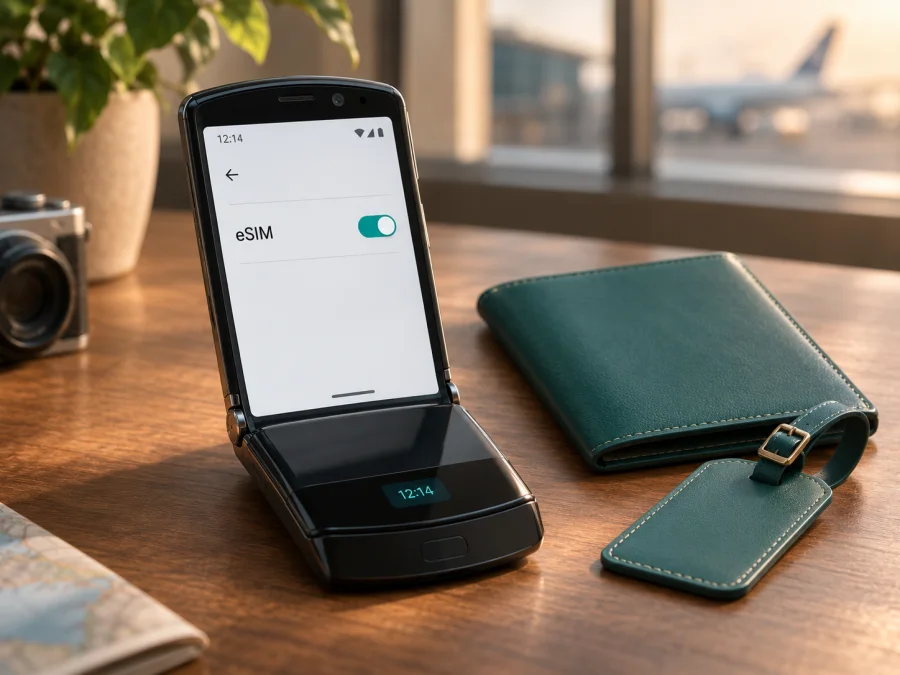
Motorola Razr 2019 eSIM: compatibility and setup guide
The Motorola Razr 2019 has an embedded eSIM, according to Motorola’s user guide for this generation. The eSIM is built into the phone; the guide describes no removable SIM card. That confirms eSIM hardware in the documented model, but it does not guarantee that every carrier, travel eSIM profile, or regional version can be activated. Motorola’s activation guidance says to contact the service provider, and its US carrier compatibility page identifies a Verizon variant. Check the exact phone and intended provider before buying a travel plan.
This distinction matters with an older, carrier-oriented device. A phone can contain eSIM hardware and still reject a profile because of its sales market, carrier lock, software configuration, or the provider’s activation process. For the Motorola Razr 2019, use the phone’s own settings and identifiers as practical checks, then confirm acceptance with the seller or service provider. If the phone does not offer an eSIM function or the provider cannot confirm this exact model, do not assume a newer Razr’s instructions apply.
Does the Motorola Razr 2019 support eSIM?
Yes: Motorola documents an embedded eSIM in the Motorola Razr 2019. Its 2019 user guide says the eSIM is already in the phone and that there are no removable cards. Motorola’s support instructions also say activation requires contacting the service provider. In other words, the hardware support is documented, while activation and network use depend on the particular provider and device configuration.
The device name alone cannot confirm whether a specific used or imported handset is unlocked and ready for a third-party travel plan. Motorola’s US support page shows a Verizon variant for this model and lists many other US carriers as unsupported. That is a carrier-market compatibility statement, not proof that every unit sold elsewhere is Verizon-only. The Indian Motorola product specification also lists eSIM and explicitly says activation depends on the carrier. Treat each market’s device and network compatibility separately.
| Check | What is known for Motorola Razr 2019 | What you should confirm |
|---|---|---|
| eSIM hardware | Motorola’s generation-specific guide says the phone has an embedded eSIM. | Whether your exact handset exposes the eSIM function in its current software. |
| Physical SIM tray | The referenced 2019 guide describes no removable SIM or memory card. | Whether the phone in your possession is the same market variant covered by that guide. |
| Activation | Motorola says to contact the service provider; its carrier guidance names a Verizon variant in the US. | Whether the provider supports this exact model, its IMEI/ICCID, and the intended profile type. |
| Travel eSIM | eSIM hardware is present in the documented model, but this alone does not confirm a travel profile will install. | Whether the travel eSIM provider accepts the handset and its carrier status before payment. |
| Network access | Depends on the provider, destination, supported bands, account status, and local network. | The exact destination and plan conditions, plus data roaming settings when required. |
The manufacturer’s documents do not establish universal support across all countries and operators. They also do not publish one general QR-code workflow for every carrier or travel profile on this generation. A carrier may activate the built-in eSIM through its own process, while another provider may require a downloadable profile. Follow the instructions issued for your specific plan rather than borrowing steps from a different Razr generation.
Regional and carrier versions: what can differ
The Motorola Razr 2019 was sold through carrier and market-specific channels. A US unit associated with Verizon, a phone sold in India, and an imported or refurbished unit may have different software settings, supported cellular bands, network certification, and activation requirements. The physical design can look alike while service eligibility differs.
Motorola’s US compatibility table is especially useful as a warning against assuming broad domestic support: it identifies the Verizon variant and marks a number of other US providers as unsupported for this model. That chart concerns US carrier compatibility. It should not be read as a global operator list or as a statement about every travel eSIM. Conversely, the Indian product specification’s eSIM entry does not prove that every local provider, or a travel-plan provider in another country, will activate the device.
Before relying on a listing that says “unlocked,” ask what it means for this phone. An unlocked handset may accept another provider’s service, but it still needs compatible radio support and a provider that accepts the model. Request the full model number, original sales country, carrier history, and confirmation that the eSIM is available for activation. If the phone has a management profile from a former employer or carrier, ask the seller to remove it and verify the device is ready to use before you pay.
Also keep Motorola Razr 2019 separate from later models such as Razr 5G or newer Razr generations. They have different hardware, software, SIM arrangements, and carrier approval. A search result or setup video for another model is not evidence that its menu path or activation method works on this phone.
Check compatibility before you buy
Use more than one check. A missing menu can be caused by a market or software limitation; a visible eSIM setting still does not guarantee that a provider will accept the device. Together, the device information and a provider confirmation give you a better answer.
On-phone checklist
- [ ] Open Settings and look under Network & internet, Mobile network, or SIMs for an option to add or manage an eSIM. Menu names can vary by software version and region.
- [ ] Dial *#06# in the phone app. If an EID is displayed, record it privately; it is an identifier for the embedded SIM. Do not post it publicly.
- [ ] Check Settings → About phone → SIM status for SIM identifiers. Motorola’s legacy activation instructions refer to IMEI and ICCID; they do not promise that every software build will show an EID in the same place.
- [ ] If the phone has Wi-Fi, connect to it and check for a pending system update. Restart after an update and inspect the mobile-network settings again.
- [ ] Ask the seller whether the handset is carrier-unlocked and whether the eSIM was previously activated or restricted. Ask for the exact model code and original sales market.
- [ ] Give the travel eSIM provider the exact model name and, if requested through a secure support channel, the device identifiers. Ask whether it accepts this model and its carrier variant before placing an order.
- [ ] Confirm that the plan is for your destination and intended dates, and read whether it provides data only, when validity begins, and whether data roaming must be enabled.
You can also check your device before choosing a plan. Compatibility lists are a helpful screening step, but for the Motorola Razr 2019, confirm the particular device and activation method with the eSIM provider. Do not share the EID, IMEI, or account details in a public forum.
What the EID does and does not tell you
An EID is a long identifier associated with the eSIM hardware. Seeing one is useful evidence that the phone has an eSIM component. It does not reveal whether the handset is carrier-locked, whether a particular operator supports it, or whether a purchased profile is compatible. If *#06# does not show an EID, look in the settings and consult the manufacturer or seller; on an older device, absence from that screen is not enough to diagnose the hardware by itself.
Motorola’s guide for this generation explains that the eSIM is built in and refers users to their provider for details. Its activation support page tells customers to have the IMEI and ICCID available. Those are useful identifiers for a provider’s eligibility check. The menu and identifier labels can differ with software region, carrier software, and updates, so treat the path above as a place to investigate rather than a universal guarantee.
Set up an eSIM on Motorola Razr 2019
First confirm that the provider supports the exact handset and has supplied a compatible activation method. You will need a stable internet connection, typically Wi-Fi, and access to the activation instructions or QR code on another screen. Keep the phone charged. Do not delete a working profile or reset the device to try to force an installation; an eSIM profile may not be reusable after removal.
Motorola’s model-specific guidance says that this phone’s embedded eSIM is already installed and that activation is handled by the provider. That may mean provider-side activation rather than adding a new profile from a QR code. If your plan does provide a QR code and your phone displays an Add eSIM or equivalent option, use the plan’s instructions and the steps below. If there is no add option, stop and ask the provider which method it supports on the Motorola Razr 2019.
- Confirm the device is eligible. Give the provider the exact model code and carrier history. Ask whether the eSIM will be activated on the built-in profile or installed as a new profile.
- Connect to Wi-Fi. Keep the connection active while the profile is downloaded or activation is completed. If the provider requires a call or account login, have those details available.
- Open the mobile-network settings. On Android, check Settings → Network & internet and open the SIM or mobile-network section. The precise menu wording may vary. Look for an eSIM or add-profile option only if the provider has instructed you to install one.
- Use the supplied activation method. If instructed to scan a QR code, display it on another device and scan it from the phone’s eSIM setup flow. If activation is handled by the carrier using the built-in eSIM, follow its account or customer-support process instead. Do not scan a QR code intended for another device or plan.
- Wait for confirmation. Allow time for the profile to download and register. Follow any prompts to name the profile, accept the provider’s conditions, or select it for mobile data. A successful profile install does not by itself mean the destination network is available yet.
- Choose when to use data. If you are preparing before departure, leave the travel profile off or keep your home line selected for mobile data until you need the travel plan, following the plan’s activation rules. Some plans start their validity at purchase, installation, or first network connection; check the specific terms.
- Set the data line after arrival. Select the travel eSIM for mobile data when you are in its covered destination. Enable data roaming for that eSIM only if the provider’s instructions require it. Keep your usual line’s roaming settings in mind to avoid unintended charges.
The Kaspersky eSIM Store Android installation guide shows a common QR setup, but its screens are for Samsung and may not match this phone. The iOS installation guide is for Apple devices, not Motorola Razr 2019.
Using a travel eSIM for mobile data
Kaspersky eSIM Store is an app and website where you can choose, arrange, and activate an eSIM with a data plan for an international trip. It is not a mobile network operator; connection depends on the plan, its service provider, destination coverage, and your handset. Before travel, check destination, data allowance, validity, activation timing, and any tethering limits. Do not assume a data plan includes a phone number, regular calls, or SMS.
After arrival, select the travel eSIM for mobile data and confirm that your destination is included. Keep your regular line for calls or texts only if needed, and review its roaming settings. If required by the plan, turn on data roaming for the travel eSIM. Turn off automatic data switching if you want to prevent the phone from using another line. The first network connection can take a few minutes. If the provider gives you an APN, enter that exact value; do not use settings copied from another country or device.
Practical travel scenarios
- Before departure: Confirm model eligibility and activation method while you still have Wi-Fi. Save the instructions securely, and check when the plan’s validity starts. Do not share a QR code; many are single-use.
- After landing: Select the travel eSIM for mobile data, then test a map or webpage. If it does not connect, wait briefly and restart before changing settings.
- Multi-country route: Confirm each country is included. A plan that connects at one stop may not cover the next.
- Hotspot use: Check whether tethering is allowed and monitor data, as laptops may use traffic in the background.
You can browse destinations and current plan details on the Kaspersky eSIM Store site. This is a homepage for browsing, not a country-specific tariff; check the live terms for your route and travel dates.
Common problems and what to check
“Add eSIM” is missing
Install available system updates, restart, and inspect the mobile-network settings again. Motorola’s guide says the eSIM is built in, so the phone may not use the same add-profile flow as newer models. Check the model code and EID where available, then ask Motorola, the seller, or the provider to identify the market version and supported activation method. Do not use another Razr model’s menu path as proof.
A QR code or profile will not install
Check Wi-Fi, confirm the code belongs to this plan, and make sure it has not already been used. If your setup screen allows manual details, use only information supplied by the provider. If Motorola or the provider says this model uses its built-in eSIM, ask for that activation process instead. Share the model code, IMEI/ICCID, and error with support privately; repeated scans or deleting a profile may not help.
The eSIM is installed but there is no signal
Confirm the profile is enabled, airplane mode is off, and the plan is valid in your current location. Restart, wait a few minutes, and check automatic network selection. Verify the selected mobile-data line and any provider-specified APN. Ask whether data roaming must be enabled for that eSIM. An installed profile does not guarantee compatible coverage or remove a carrier restriction.
The wrong line uses data, or data does not load
Set the travel eSIM as the mobile-data line, turn on mobile data, and disable automatic data switching if available. Check remaining data and destination coverage. Toggle airplane mode briefly, then try again. Enable roaming only for the travel profile when the plan requires it; keep your home line’s roaming rules in mind. Contact support with the error and location, but do not post passwords or device identifiers publicly.
The provider says the phone is ineligible
Ask whether the issue is a carrier lock, unsupported model code or bands, or the provider’s activation method. An EID confirms neither an unlocked phone nor acceptance by every provider. If support cannot be confirmed, use a compatible alternative device or another option available at your destination and check its terms before purchase.
Frequently asked questions
Is eSIM built into Motorola Razr 2019?
Yes. Motorola’s guide for this generation documents an embedded eSIM and no removable SIM card. Activation depends on the provider and the exact version.
Will any travel eSIM QR code work?
Not necessarily. Confirm that the provider accepts your exact handset and activation method before buying. Motorola’s model-specific guidance directs users to the provider and does not promise one universal QR setup.
Where can I find the EID?
Dial *#06# and see whether an EID appears, or look in Settings → About phone or SIM status. Menu names vary, and Motorola’s older activation instructions mention IMEI and ICCID. If no EID is visible, ask the seller or Motorola to confirm the variant.
Does a travel eSIM include calls and texts?
Check the plan. Travel eSIMs are often data-only and do not replace your regular phone number. Internet calling and messaging apps may work over data, subject to the plan and app.
Should data roaming be enabled?
Some profiles require it. Follow the provider’s instructions and check that roaming is enabled on the travel eSIM, not inadvertently on your primary line.
Can I transfer the profile to a new phone?
Do not assume so. Profile transfer depends on the provider, and many activation codes can be used only once. Check its policy before deleting a profile or replacing the handset.
What should I check on a used phone?
Confirm the model code, original sales country, carrier lock status, and removal of any former account restrictions. Ask the seller to demonstrate the eSIM settings. A factory reset is not proof that the phone is unlocked.
Before choosing an eSIM for your trip
Motorola documents eSIM hardware in the Motorola Razr 2019, but the exact regional or carrier version and provider activation rules still matter. Check the EID or eSIM setting where available and get confirmation for this handset before purchase. Then choose a plan that covers your destination and fits your data needs, validity dates, and activation timing. If compatibility cannot be confirmed, prepare a compatible alternative. Kaspersky eSIM Store can help you browse and arrange a travel data eSIM through its app or website; verify the phone first, then select the plan.


