Travel connectivity guide
Motorola Razr 2022 128GB eSIM: compatibility
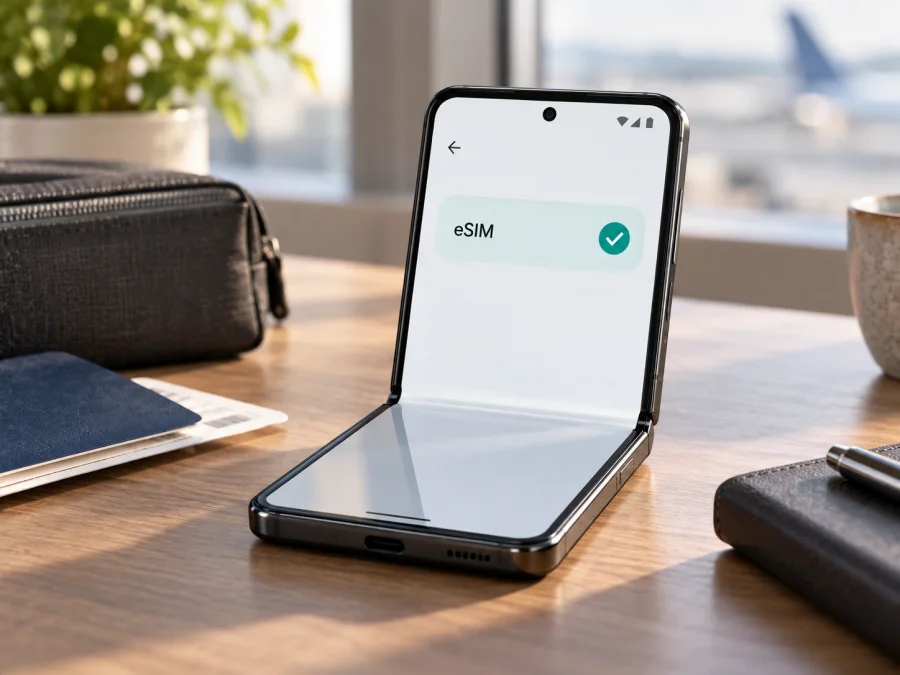
Motorola Razr 2022 128GB eSIM: compatibility, setup and travel use
The Motorola Razr 2022 128GB can support eSIM, but the answer is not universal for every handset sold under that name. Motorola’s official support material for the Razr 2022 describes eSIM as a possibility and explains that the phone may have an embedded SIM alongside a physical SIM. Motorola also notes that eSIM is not supported everywhere and that carrier support matters. In practice, this means that a compatible regional version can use a travel eSIM, while another unit with a similar retail name may not expose the required option.
For this exact device variant, the safe answer is: eSIM is supported on eligible Motorola Razr 2022 128GB units, but you must verify the individual phone before buying a plan. Storage does not prove that eSIM is enabled. Model code, sales region, carrier configuration, software build and network policy matter more. Physical SIM does not rule out eSIM; Motorola’s instructions describe both on dual-SIM versions.
Quick answer for Motorola Razr 2022 128GB
If the phone shows an eSIM setup option in Settings > Network & internet > SIM preferences, it is ready to download an eSIM profile. If the SIM status screen shows an EID, that is another strong sign that the handset contains an eSIM-capable component. If neither the eSIM setup option nor an EID is present, do not assume that a QR code will work. Check the exact model and market with the seller or carrier before purchasing a travel tariff.
| Item | What to expect on an eligible unit |
|---|---|
| Device | Motorola Razr 2022 128GB |
| eSIM | Supported on some units; Motorola describes it conditionally |
| Physical SIM | A physical SIM tray may be present on the same phone |
| SIM arrangement | Physical SIM plus eSIM may be available, subject to carrier and software support |
| Storage | 128GB; storage does not determine eSIM availability |
| Mobile data | One selected SIM profile should be assigned to mobile data |
| Main uncertainty | Region, carrier version, firmware and the exact model identifier |
What eSIM changes for a trip
An eSIM is a digital SIM profile stored in the phone’s embedded hardware. It is downloaded over Wi‑Fi and selected for mobile data; a physical SIM can remain available for calls or messages if the phone and carrier allow it. A travel eSIM in this context normally provides internet, not a new ordinary telephone number. Calls and SMS depend on the active line and tariff, while messaging and calling apps can use the data connection.
Keep the Razr charged and connected to Wi‑Fi. Read the tariff conditions because installation, first connection and validity can be separate events.
Why versions can differ
“Motorola Razr 2022” is a product family, not one identical configuration worldwide. A carrier or regional version may expose an eSIM menu while an imported or carrier-locked unit may not. Firmware, carrier certification and the exact model number can all affect which profiles are accepted. The 128GB label identifies storage, but it does not certify the embedded-SIM configuration; do not use a newer Razr listing or another generation as proof.
Motorola’s official Razr 2022 guidance is cautious: the phone may have an eSIM, support is not available everywhere, and a carrier may need to activate it. Before buying, check Settings > About phone, the original sales region, unlock status, current software, EID and eSIM setup option. Do not erase an existing profile just to test the feature; ask the provider about restoration first.
Check your device compatibility {#kesim-device-compatibility}
The most reliable check is performed on the phone itself. Open Settings > Network & internet > SIM preferences and look for an option to download or set up an eSIM. Android wording may differ after an update, such as Add eSIM or Set up eSIM, but it should clearly refer to an embedded SIM.
Look for the EID as a second check in Settings > About phone > SIM status or a similarly named screen. Some software versions place it under device details or SIM settings. An EID plus the eSIM setup control is a strong sign; if only one appears, confirm with the seller or carrier before payment.
Use this checklist before you choose a plan:
- [ ] The phone is exactly Motorola Razr 2022 128GB, not a different generation or storage variant.
- [ ] Settings > Network & internet > SIM preferences contains an eSIM download or add option.
- [ ] An EID is visible in SIM status or another device information screen.
- [ ] The phone is not carrier-locked, or the carrier has confirmed that another eSIM can be used.
- [ ] The software is current, Wi‑Fi is available and the phone is not carrier-locked.
- [ ] The tariff covers the destination, trip length and required data amount.
- [ ] You understand activation timing, allowance limits and whether reinstalling or transferring is allowed.
Check your device before selecting a travel tariff. This small step prevents a common mistake: purchasing a profile for a phone that has the Razr name but lacks the eSIM option in its regional configuration.
How to install an eSIM on Motorola Razr 2022 128GB
Install the profile with stable Wi‑Fi. Keep the QR code or manual activation details on another screen because the Razr cannot scan its own display.
1. Confirm the conditions
Charge the phone, connect to Wi‑Fi, confirm that it is unlocked, and check the eSIM option and EID. If the menu is missing, confirm the regional version before continuing.
2. Open SIM preferences
Go to Settings > Network & internet > SIM preferences and tap the option to download or set up an eSIM.
3. Scan or enter the profile
Scan the supplied QR code or enter the activation details manually if offered. Keep the code private because many profiles are intended for one installation or device.
4. Wait for the download
Allow the profile to download completely. Installation can take a few minutes; keep Wi‑Fi on and avoid restarting during the download.
5. Name the line
Name the new profile Travel data or after the destination so it is easy to distinguish from the home SIM.
6. Choose the data SIM
In SIM preferences, select the eSIM for mobile data and leave the regular SIM for calls or SMS if that is your plan. Choose each line deliberately when Android asks.
7. Enable the required network settings
Turn on the eSIM and confirm the data assignment. If required by the tariff, enable roaming for the travel eSIM only; keep home-SIM roaming controlled.
8. Test the connection
Turn off Wi‑Fi, open a simple webpage and confirm the travel profile in the status bar. Allow a little time for registration, and restore Wi‑Fi before troubleshooting if data fails.
For more detailed device steps, use the Android installation instructions. The iOS installation instructions are also available for people who prepare a different device, but the Motorola Razr 2022 128GB itself follows Android menus.
Activation and first connection
Installation puts the profile on the phone; activation or registration starts under the tariff’s conditions. Confirm that the eSIM is on, selected for data and connected. Do not repeatedly scan a QR code unless support says it is reusable. If a physical SIM is active, check the dual-SIM profile and test with Wi‑Fi off.
Using the eSIM for mobile internet abroad
The travel setup is easiest when separated into three moments.
Before departure. Verify the eSIM option and EID, select a tariff for the destination and install over Wi‑Fi. Leave the profile off if the terms say to activate later, and keep its details available.
At arrival. Turn on the travel eSIM, select it for data, follow roaming instructions and disable automatic data switching if needed. Give it a few minutes, then test a page or map with Wi‑Fi disabled.
During the trip. Watch data use and the plan allowance. Use the eSIM for maps, bookings and messaging, remembering that a data-only profile normally has no ordinary number for calls or SMS.
Practical scenarios
Short break. Install at home, keep the main line for important messages and select the travel eSIM for maps and transport. Disable automatic fallback to the home SIM.
Two-line work trip. Keep the physical SIM for your normal number and the eSIM for data. Check the data line before using a hotspot, because tethering can consume the allowance quickly.
Multi-country route. Confirm that one regional tariff covers every stop. A country plan may stop registering after a border crossing even though the profile remains installed. If installing after arrival, use stable Wi‑Fi and complete any captive-portal sign-in first.
Common problems and checks
There is no eSIM option
Confirm the full model number and region. Reboot the phone and check for a system update, then look again under Settings > Network & internet > SIM preferences. If there is still no download or add-eSIM control and no EID, treat the phone as not verified for eSIM. Contact the seller or carrier rather than trying to force-install a QR code.
The QR code will not scan
Increase the other screen’s brightness, clean the camera lens and hold the code steady. Confirm that the code belongs to this purchase and has not already been used. If manual activation is available, enter the supplied values exactly and keep them private.
The profile will not activate
Keep Wi‑Fi connected, restart once and confirm that the eSIM is on. Check carrier lock, destination coverage and any provider APN instructions. Do not invent APN values. If the error remains, contact support with the model, error message and EID, without sharing private activation data.
The eSIM is installed but data does not work
Select the travel eSIM for mobile data, turn off Wi‑Fi, check airplane mode and enable data roaming for that profile if required. Check signal, tariff coverage and remaining data, then allow a few minutes for registration.
Data uses the wrong SIM or drops
Disable automatic data switching and select the travel profile manually. Keep home-SIM roaming controlled. For slow or unstable service, test another location, toggle airplane mode and check coverage, congestion, allowance and carrier restrictions before blaming the eSIM.
You want to remove the eSIM
Do not erase it as a first troubleshooting step. Motorola warns that erasing an eSIM removes calling, messaging and mobile-data capability from the phone while the service may not be cancelled. Remove it only with support guidance or when the provider’s transfer rules require it, after confirming whether reinstallation is possible.
FAQ
Does Motorola Razr 2022 128GB support eSIM?
Eligible units can support eSIM, but not every regional or carrier version is guaranteed to do so. Motorola’s official Razr 2022 documentation uses conditional wording and says eSIM support is not available everywhere. Check for an EID and an eSIM setup option on the exact phone.
Can I use a physical SIM and travel eSIM together?
Often, yes, on an eligible dual-SIM configuration. Choose which line handles mobile data and review voice, SMS and data settings separately. The exact combination depends on the handset and carrier.
Do I need an EID to install a travel eSIM?
An EID is a useful confirmation that the phone has an embedded-SIM component, but the practical test is whether the settings offer eSIM download or setup. If neither appears, get confirmation before buying.
Will a travel eSIM give me a phone number?
Not normally. Travel eSIM tariffs in this context are for mobile internet unless the specific conditions say otherwise. Use internet calling and messaging apps for communication over data.
Can I install the eSIM before flying?
Yes, if the tariff conditions allow it and the phone has Wi‑Fi. Check when validity begins: installation and first data use may be treated differently by different plans.
Is Kaspersky eSIM Store a mobile operator?
No. Kaspersky eSIM Store is an app and website that helps you choose, arrange and activate an eSIM with a suitable mobile-internet tariff for an overseas trip. It is not the network owner, mobile operator or provider of the underlying connectivity.
Conclusion: check first, then choose the travel eSIM
The Motorola Razr 2022 128GB is a possible eSIM device, not a guaranteed eSIM device in every market. Motorola confirms the eSIM workflow for compatible units while making regional and carrier availability explicit. Before paying, check SIM preferences, the EID, unlock status and every destination on your route.
Once those checks pass, Kaspersky eSIM Store can help you choose and arrange a travel eSIM tariff for mobile internet. Review allowance, validity and roaming instructions, install over Wi‑Fi, select the profile for data and test it before relying on it. Contact support before erasing or reinstalling a profile.
Final device check and trip eSIM plan
- Confirm that the device is exactly Motorola Razr 2022 128GB and record its model number.
- Find the eSIM setup option and EID in the phone’s settings.
- Confirm that the handset is not carrier-locked for the intended profile.
- Select a travel eSIM tariff for the full destination and trip length.
- Review data volume, validity, activation timing, roaming and transfer conditions.
- Install the eSIM on Wi‑Fi and label it clearly.
- Select the eSIM for mobile data and test it with Wi‑Fi off.
- Monitor usage during the trip and keep the home SIM from using data unintentionally.
If a check fails, pause the purchase and verify the regional version with the seller or carrier.


