Travel connectivity guide
Mount Hagen eSIM: mobile internet for your trip
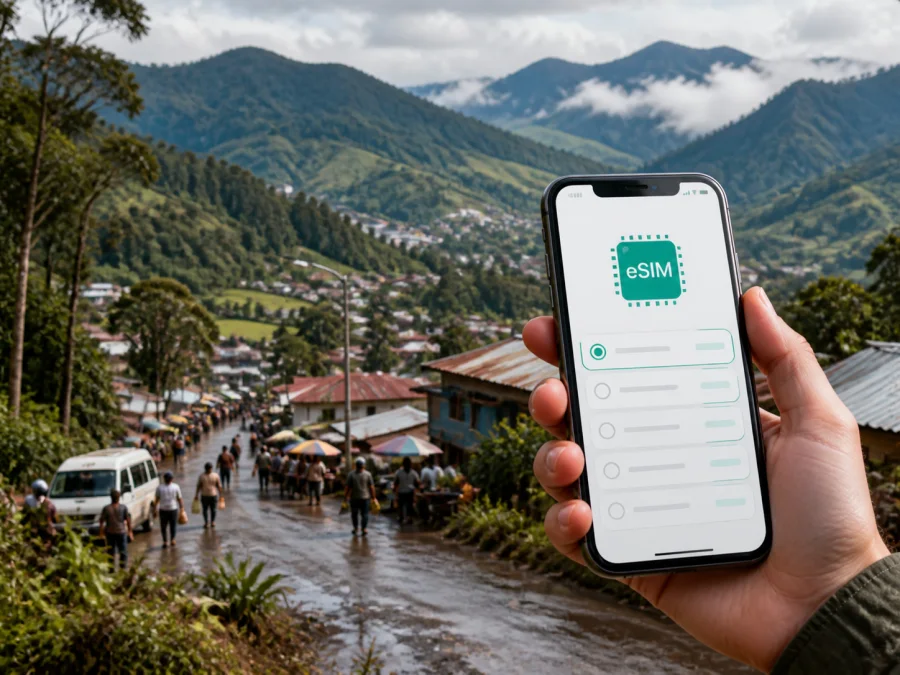
Mount Hagen eSIM: mobile connection and internet for your Papua New Guinea trip
Mount Hagen is a practical base for exploring the Western Highlands of Papua New Guinea, but a trip here is easier when your phone is ready before you leave the airport. You may need mobile internet to coordinate a transfer from Kagamuga Airport, confirm a hotel booking, message a guide, check a route through the Highlands, or let your colleagues know that your schedule has changed.
An eSIM, or digital SIM, can help you prepare that connection without replacing the physical SIM already in your phone. Kaspersky eSIM Store is an app and website where you can choose, arrange and activate an eSIM with a suitable tariff for mobile internet during an overseas trip. This guide explains the option specifically for arrival, movement and work in Mount Hagen.
Mount Hagen at a glance: where mobile internet fits into the journey
Mount Hagen is the capital of Western Highlands Province and sits in the Wahgi Valley at roughly 1,670 metres above sea level. The town is a commercial centre rather than a compact resort, and many visitors use it as a starting point for cultural visits, highland scenery, business appointments and onward travel. That makes a dependable plan for your first hours especially useful.
| Travel situation | What you may need your phone for | A useful preparation |
|---|---|---|
| Arrival at Kagamuga Airport | Transfer coordination, hotel messages, itinerary checks | Install the eSIM before departure and keep the QR code or profile details available |
| First day in town | Navigation, meeting points, messaging and bookings | Save key addresses and keep mobile data available for changes |
| Market or cultural outing | Meeting a guide, translating a message, sharing your location | Carry a charged phone and keep a second way to access important details |
| Road trip from Mount Hagen | Route updates, communication with your driver and accommodation | Confirm the route locally and download essential information before leaving town |
Prepare the eSIM for the Papua New Guinea part of the journey and keep offline copies of booking details and emergency contacts.
Why an eSIM can be useful in Mount Hagen
At Kagamuga Airport
Kagamuga Airport serves Mount Hagen and is the natural starting point for many trips to the city. After landing, you may need to contact a hotel shuttle, driver, colleague or local guide. A working data connection lets you send a message while you are still organising luggage and the next step of the journey. It also helps you check a saved address rather than trying to remember it when you are tired.
Airport Wi‑Fi may help with a short task, but access and login conditions can vary. An eSIM gives you another option while you move to your accommodation.
Around the town centre and market area
Mount Hagen’s town centre and Hagen Market are busy, practical places where you may be checking directions, arranging a meeting or coordinating with other people. The market is known for fresh produce, including sweet potatoes and other garden crops associated with the highlands. If you plan to visit with a guide, agree on the meeting point in advance and keep the address or landmark saved in your phone.
A phone is useful here for checking a route, confirming a driver or moving a meeting. Pause large downloads when using mobile data.
For hotels, lodges and work appointments
Accommodation in and around Mount Hagen can be spread across different parts of the wider urban area. Save the exact booking wording and ask the accommodation about its preferred airport-transfer process.
For a business trip, mobile data can bridge the gap between the airport, hotel and meeting location. Use email, work chat, cloud documents and internet calling apps as needed, but download important files in advance and do not assume that every location will offer the same performance.
Plan your eSIM around the Mount Hagen itinerary
The right tariff depends on the whole route, not just the number of nights in town. A short stopover in Mount Hagen may need enough data for arrival coordination and a few messages. A longer stay with field visits, navigation and frequent uploads calls for a larger allowance or a plan whose conditions suit heavier use. If you will continue to Goroka, Lae, Port Moresby or another destination, check that the selected country or regional tariff applies to the complete itinerary.
Use this simple planning method:
- List the days when you will need mobile data. Include the flight day, airport transfer, hotel check-in, work days and road or air connections after Mount Hagen.
- Separate essential use from optional use. Maps, messages, booking details and work files are different from video streaming, photo backup and social feeds.
- Estimate your route. A city stay and a trip along the Highlands Highway create different communication needs. Keep the final road plan flexible and confirm local conditions before departure.
- Choose by allowance and validity. Compare the available tariff conditions, data volume and duration rather than choosing by price alone.
- Leave a small margin. A delayed transfer, an extra overnight stay or a new route can use more data than expected.
For a useful mid-trip starting point, you can choose an eSIM plan for travel in Papua New Guinea and review the current allowance, validity and destination conditions before completing your purchase. Kaspersky eSIM Store helps you choose, arrange and activate the eSIM; it does not act as the mobile operator.
Check your phone before buying an eSIM
Compatibility is a device question, not a city question. Your phone must support eSIM, and it must not be locked in a way that prevents using a different mobile-data profile. Models can vary by region, so do not rely only on the name of the phone. Check whether your device is compatible before paying for a tariff.
Use this pre-departure checklist:
- Confirm that the phone has an eSIM option in its mobile-network settings.
- Check whether the device is carrier-unlocked or otherwise able to use the selected profile.
- Keep access to the email address or account where the eSIM details will appear.
- Charge the phone before the flight and pack a power bank if your itinerary includes long transfers.
- Keep your regular SIM active if you need its number for calls or messages, but set the travel eSIM as the mobile-data line only when appropriate.
An eSIM for mobile data is not automatically a replacement for a normal phone number. Unless the selected tariff says otherwise, ordinary calls and SMS are not included. You can use messaging or calling apps over the internet, while your primary SIM can remain available for account verification if your home operator’s conditions allow it.
How to install and activate an eSIM for Mount Hagen
You can install the profile before departure if your phone and tariff conditions allow it, then select it for mobile data after landing. Read the plan conditions and activation information shown in your profile.
For device-specific details, read the Android installation instructions or the iOS installation instructions. The menu names can differ by model and software version, but the overall sequence is usually similar.
Five practical steps
- Check compatibility. Confirm that the phone supports eSIM and is not restricted by a carrier lock.
- Open mobile-network settings. Select the option to add a mobile plan or eSIM.
- Scan the QR code or use the profile details. Use the information supplied after you choose the tariff. Keep the display with the QR code available if you are scanning from another screen.
- Select the eSIM for mobile data. Make sure the travel profile, rather than your home SIM, is chosen for data when you want to use the travel tariff.
- Wait for registration. Connection may take several minutes and can depend on the device and local network. If the instructions require data roaming for the eSIM, enable it for that profile only.
If you install the eSIM at home, keep your home SIM as the data line until you are ready to use the travel plan, following the tariff instructions. Installing before the flight also avoids depending on temporary Wi‑Fi after arrival.
Using your phone in Mount Hagen without wasting data
At the start of each day, check which line is handling mobile data and review the eSIM allowance. At the end of the day, check whether automatic backups or streaming used more data than expected.
Navigation and meeting points
Save the hotel name, transfer details, guide’s phone number and appointment addresses. Add landmark descriptions to your notes and share your expected route with a trusted person before leaving for a less familiar area.
Messaging and calls
Agree on one primary messaging app and one backup contact method. Text and short voice messages normally use less data than video. Keep work files locally available and avoid repeatedly sending large attachments.
Hotspot and second devices
A hotspot can use the allowance quickly. Turn it on only when needed, set a password and disconnect it after the task.
Getting around Mount Hagen and travelling onward
For airport arrival, arrange a hotel transfer, trusted driver or other organised pickup in advance. Official travel information places the airport outside the town centre and notes that the road journey into Mount Hagen can take around half an hour, depending on conditions. Use that as a planning estimate, not a fixed timetable. Ask your accommodation about the current pickup point and allow extra time for luggage, traffic and weather.
Inside town, movement is often a combination of arranged vehicles and short local trips. Send the meeting location to your driver and keep the hotel contact accessible. Mobile data helps with changes, but does not replace local advice about routes or road conditions.
The Okuk, also known as the Highlands Highway, links Mount Hagen with other highland centres. Road travel can be affected by terrain, weather and maintenance, so confirm conditions locally. Download essential booking information, share your itinerary and do not depend on live navigation as your only direction.
From Mount Hagen, a city-focused itinerary may include the Western Highlands Cultural Centre, Hagen Market, a guided community experience or a stay outside town for highland scenery. Excursions to places such as Rondon Ridge or the Kuk Early Agricultural Site should be organised with permission and appropriate local guidance.
If your dates overlap with the annual Hagen Show, confirm the current programme, accommodation and transfer arrangements. Large events can change demand and schedules.
Three common Mount Hagen travel scenarios
A business stay
You need email, work chat, internet calls and documents over several days. Choose a plan with enough room for the schedule, prepare offline files and ask the hotel about its Wi‑Fi before planning long video meetings.
A highlands route beginning in Mount Hagen
You use the city as a base, then travel by arranged vehicle along a changing road itinerary. Save contacts, share the route and check the next accommodation while you still have a connection. Confirm that the Papua New Guinea tariff covers the route you intend to take.
Frequently asked questions
Is eSIM useful if I am staying only one night in Mount Hagen?
Yes. It can be useful for the airport transfer, hotel coordination and onward travel. Select a tariff whose validity and destination conditions cover the stopover.
Will an eSIM give me a local phone number in Papua New Guinea?
Not usually. Travel eSIMs in this context are intended for mobile internet and generally do not include an ordinary phone number, calls or SMS unless the tariff says so. Use internet messaging or calling apps and keep your main SIM available if needed.
Can I install the eSIM before flying to Mount Hagen?
Usually, installation can be completed before departure if the device is compatible and the tariff instructions permit it. You may install the profile at home and select it for data after landing.
Can I use the eSIM on the road from Mount Hagen to another highland centre?
The tariff’s destination conditions and the local network available along the route determine whether mobile data works at a given point. Check the plan information and ask local professionals about road conditions. An eSIM is not a guarantee of uninterrupted service in remote or changing terrain.
What should I do if the phone shows no data after activation?
First check that the travel eSIM is enabled and selected for mobile data. Then review the tariff instructions, confirm the required data-roaming setting for that profile, and restart the phone if advised. If the issue remains, use the support route provided with your purchase and keep your booking details ready.
Prepare your Mount Hagen connection before departure
The practical sequence is straightforward: check the phone, estimate the days and route, choose a Papua New Guinea tariff by allowance and validity, install the eSIM, and save the contacts and reservations you will need in Mount Hagen. After arrival at Kagamuga Airport, select the travel profile for mobile data, coordinate the transfer and monitor your use as the itinerary develops.
When you are ready, choose an eSIM tariff for your Mount Hagen trip. Kaspersky eSIM Store helps you select, arrange and activate the eSIM through its app or website, so you can prepare the mobile-internet part of your journey without removing your physical SIM card.


