Travel connectivity guide
Movilnet eSIM in Venezuela: what travelers should check
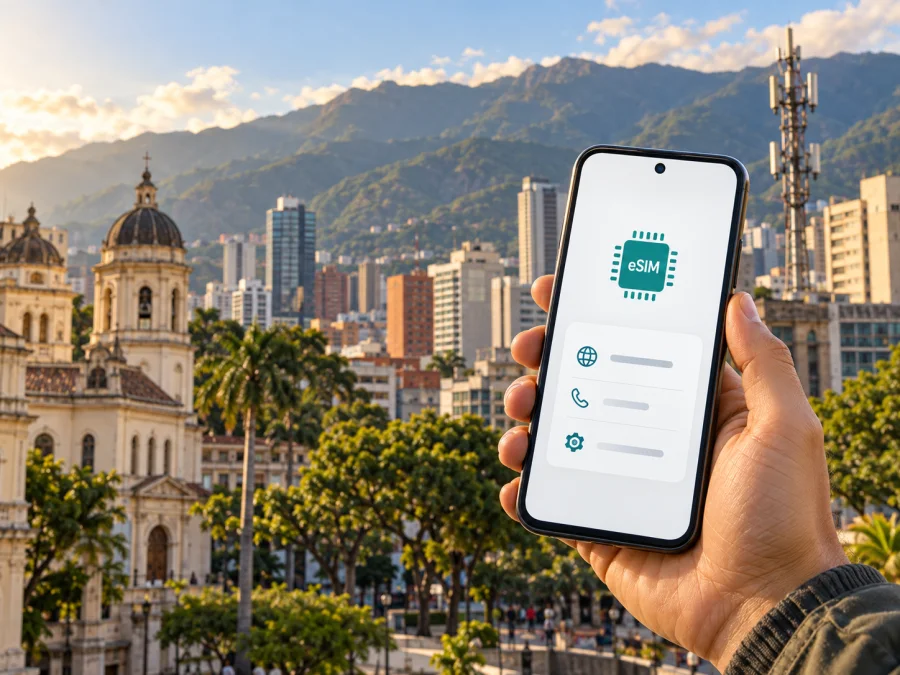
Movilnet eSIM in Venezuela: availability, activation, and travel checks
Movilnet is a mobile operator in Venezuela, and its official public channel confirms that it offers eSIM service. That confirmation comes with practical qualifications: eligibility depends on the offer and line type, and some published activation instructions direct customers to a service office or authorized sales channel. A traveler should therefore confirm the current conditions with Movilnet before planning to obtain service after arrival.
This guide summarizes what a visitor can establish from current public information, what still needs direct confirmation, and how to prepare a compatible phone for mobile data. It does not reproduce operator offers or quote their terms. Movilnet’s official Telegram channel and public service material, Kaspersky eSIM Store’s Venezuela destination page and installation guidance, and nPerf’s independent coverage map were checked on 25 September 2026. Availability, requirements, and network reach can change; confirm them again close to travel.
Movilnet is discussed here for general information. “Movilnet” and related names belong to their respective rights holders. Kaspersky eSIM Store is not affiliated with Movilnet and is not its official partner or distributor.
What Movilnet’s eSIM information confirms
Movilnet’s official Telegram channel, which identifies itself as the operator’s information channel, has published eSIM announcements and activation guidance. One notice says new and existing postpaid customers can request eSIM activation and points them to Movilnet Service and Customer Attention Offices, authorized agents, and integrated commercial agents across Venezuela. The same notice says compatibility depends on the device model and recommends checking with the device manufacturer. A separate operator post describes QR-based eSIM activation for new and existing postpaid customers.
These notices confirm that Movilnet has eSIM service, but they do not establish that every customer can activate it in the same way. Public posts have described eligibility differently at different times, including an announcement mentioning new prepaid and postpaid lines. Treat line type, customer status, and the applicable activation route as details to verify for the particular offer in force. An announcement about a business service or digital QR flow should not be taken as proof that a visitor can complete every step online.
The public instructions point to in-person channels for at least some activations. A traveler who expects to arrive and immediately use an eSIM should ask Movilnet whether remote provisioning is currently available for their case, or whether an in-person visit is required. Confirm the office or agent can handle eSIM specifically, not just a physical SIM or a general account request. Hours and service availability at individual locations may differ.
The public information reviewed does not confirm a tourist-only eSIM offer or provide a complete, current remote activation process for visitors. It also does not set out a definitive list of documents accepted from foreign visitors. Before relying on a local Movilnet eSIM, ask the operator what identification, line registration, payment method, customer category, and presence requirements apply. If you cannot complete those checks before departure, keep another connectivity option available for arrival.
Movilnet also has prepaid mobile service. Its official channel describes methods for recharging prepaid lines. This establishes the general availability of prepaid service, not that every prepaid offer supports eSIM or is open to non-residents. Ask specifically whether a new visitor can register the line as prepaid and use it with an eSIM at the time of travel. Current requirements may depend on identity checks and operator procedures.
How to verify availability before your trip
Treat eSIM support as two separate questions: whether Movilnet can issue an eSIM for your line, and whether your handset can install and use it. A “yes” to one does not guarantee the other. Contact Movilnet through a channel listed on its current official site or official customer-service account, and describe your circumstances rather than asking only whether “eSIM is available.”
When contacting Movilnet, explain that you will visit Venezuela and ask whether a visitor can obtain a new eSIM, whether prepaid and postpaid eligibility differ, and if you must register in person. Confirm accepted identification, payment methods, the current activation route, and whether your exact unlocked phone model is supported. Ask how to get help if a QR code fails.
Public social posts may not include all conditions for an individual transaction. Confirm an office’s current address and eSIM service before visiting, and do not treat a reseller’s general claim as the operator’s answer. Prepare a fallback way to reach accommodation or transport in case local activation is delayed. eSIM installation generally needs an internet connection; having Wi-Fi does not remove an in-person registration requirement.
Network technology and coverage in Venezuela
Movilnet’s public communications refer to its 4G/4GMAX network and describe expansion in particular areas. These statements do not guarantee reception at every address or along a route. Coverage varies with the handset’s supported bands, indoor walls, terrain, congestion, and local network conditions. Venezuela’s cities, coast, mountains, and remote communities cannot be summarized by a single coverage label.
nPerf publishes an independent map based on user measurements and displays 2G, 3G, 4G, and 5G categories for Movilnet. These are mapped categories, not an operator guarantee of current service in every place. Measurements may be sparse or lag network changes. Movilnet’s own public communications checked for this guide specifically refer to 4G/4GMAX, not a complete current band-by-band compatibility list. Ask about specific destinations and confirm that your device supports the network modes used there; do not infer local service from a national map or a future-network announcement.
Local Movilnet service and a travel eSIM serve different needs
A local Movilnet line may suit a visitor who needs a local operator relationship, expects to stay longer, needs ordinary mobile services, or has confirmed that they meet registration and activation conditions. Whether any particular voice, messaging, or data feature is available depends on the service selected and the current operator terms; confirm it with Movilnet. A local line can also involve an office visit, local registration steps, and managing a separate account or recharge process.
A travel eSIM is a different arrangement for mobile data while abroad. It can be installed on a compatible, unlocked device and may let a traveler prepare before leaving home. It does not automatically provide a local Venezuelan phone number or replace every function of a domestic mobile line. The included service, supported networks, activation point, and roaming behavior depend on the specific travel eSIM terms, so read those terms before purchase. Keep your usual SIM available if you need its number for calls or verification messages, and review your home carrier’s roaming settings separately.
Kaspersky eSIM Store is an app and website that helps travelers choose, purchase, install, and activate a travel eSIM for mobile data abroad. It is not a mobile operator, does not own a network, and does not itself provide mobile connectivity. The Venezuela destination page checked for this article displays travel eSIM options and identifies the supplying local telecommunications provider on the product page. That page is a separate travel-data service; it does not mean the eSIM is issued by Movilnet or that Movilnet has partnered with Kaspersky eSIM Store.
If you want to explore a travel-data option for the destination, view eSIM options for Venezuela. Review the current product conditions carefully, including which local network may be used, what type of service is included, when activation occurs, and whether tethering is permitted. Availability and terms may change. Do not assume that a travel eSIM and a Movilnet line use the same network or provide the same services.
Installing a travel eSIM on a compatible phone
Installation details differ by phone and provider. Follow the supplied instructions, install while connected to the internet, and check which line is selected for mobile data. Confirm compatibility for your exact regional model and that the phone is unlocked. Read when service starts; installing a profile and beginning data use may be separate steps.
General iPhone steps
- In Settings, open Cellular or Mobile Data, then select Add eSIM.
- Scan the provider’s QR code or use its supported in-app flow.
- Follow the prompts, then select the travel eSIM for mobile data when you are ready to connect.
General Android steps
- In Settings, open the mobile-network or SIM manager menu and select Add eSIM.
- Scan the QR code or use the provider’s supported in-app flow.
- Complete setup, select the travel eSIM for mobile data, and enable roaming only if its instructions require it.
Menu names vary. For a Movilnet eSIM, follow Movilnet’s issuance and activation directions; these general device steps do not replace registration. Check the selected data line to avoid unintentionally using home-carrier roaming.
During the trip: useful checks
After setup, confirm that the intended eSIM is selected for data and test a basic page before relying on maps. If it will not connect, check the selected line, required roaming setting, device compatibility, and whether the profile has started service. Follow the provider’s troubleshooting steps before deleting a profile, since it may require a new code to reinstall. Contact Movilnet for an unissued or unactivated Movilnet profile, and the travel-eSIM provider for that service. Keep QR codes and one-time codes private, and save support details offline.
Common questions
Does Movilnet offer eSIM in Venezuela?
Yes. Movilnet’s official channel confirms eSIM service, but eligibility and activation vary by offer and customer type. Verify your current route with the operator.
Can a tourist activate it online?
A complete online process for tourists was not confirmed. Ask about accepted documents, remote registration, and any required office visit.
Is prepaid or tourist eSIM available?
Movilnet confirms general prepaid service, but that does not establish prepaid eSIM eligibility. No dedicated tourist eSIM offer was confirmed in the public operator information reviewed on 25 September 2026. Check current visitor options directly.
Will my phone work and have coverage?
That depends on the exact unlocked model, its network compatibility, and your locations. Movilnet recommends checking eSIM compatibility with the device manufacturer. Its public material references 4G/4GMAX but does not guarantee coverage everywhere; verify destinations close to departure.
Is a travel eSIM the same as a Movilnet line?
No. Kaspersky eSIM Store helps users set up a separate travel eSIM for mobile data; it is not Movilnet and does not own or provide a mobile network.
Final preparation checklist
- Confirm the exact eSIM eligibility for your line type with Movilnet.
- Ask whether you need to visit an office or authorized agent and what identification to bring.
- Verify the phone’s eSIM support, unlock status, and network compatibility.
- Check coverage for the places you plan to visit, and keep an alternate way to get online on arrival.
- Install any travel eSIM with reliable internet and follow its own activation instructions.
- Select the intended data line and check roaming settings before using mobile data.
- Save operator and travel-eSIM support details for offline access.
For a separate travel-data option, you can check current eSIM availability for Venezuela. Compare the product’s published conditions with your itinerary and device, and contact Movilnet directly if you want a local line. This guide is general information, not a representation by Movilnet or a guarantee of service at a particular address.


