Travel connectivity guide
Movistar eSIM in Argentina: activation guide
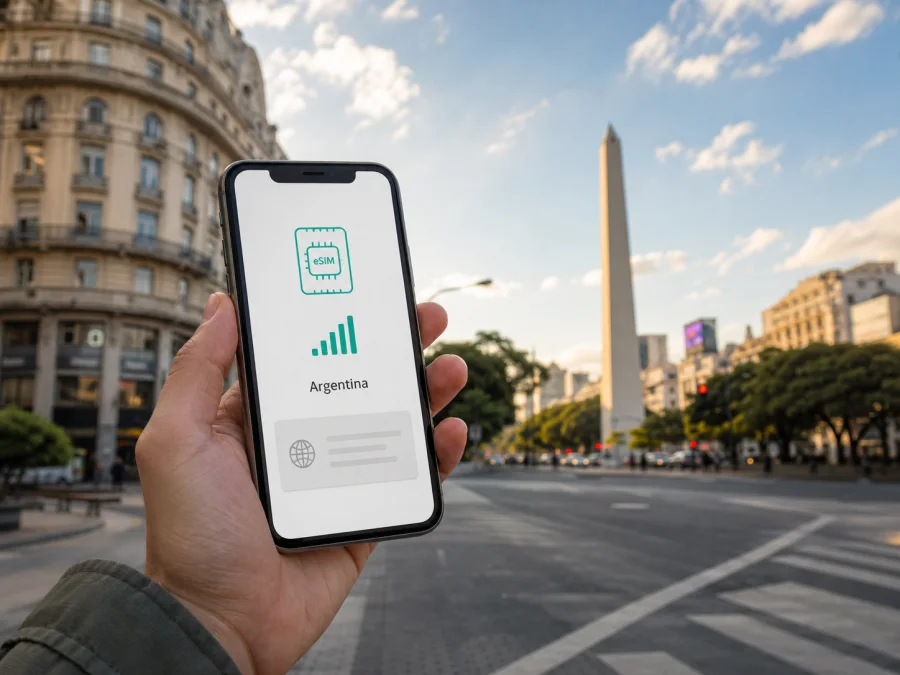
Movistar eSIM in Argentina: activation and travel guide
If you are travelling to Argentina and need mobile data, you may be choosing between a local Movistar line and a travel eSIM. The choice depends on whether you need an Argentine number, how long you will stay, whether you can complete local registration, and how much preparation you want to do before arrival. This guide covers current public information about Movistar eSIM, prepaid and tourist access, activation, compatibility, network technology, coverage and Kaspersky eSIM Store.
Information was checked on September 2, 2026. Operator details were checked against Movistar Argentina’s public website and Help Center. Kaspersky eSIM Store details were checked against Kaspersky’s official blog. Requirements and availability can change, so confirm the current process in the relevant official channel before travelling.
Movistar as a local-operator option
Movistar is a mobile operator serving Argentina. Its Argentine channels cover mobile lines, prepaid service, eSIM support, roaming, customer care and device compatibility. It is therefore a local-operator option for someone who wants an Argentine mobile relationship rather than only a temporary data connection. Movistar also publishes a tourist-focused prepaid page for foreign visitors, giving travellers a starting point for asking about local prepaid service.
A local line and a travel eSIM solve related but different problems. Movistar issues and manages its local lines through its channels, with the registration and identity checks that apply to the selected service. A travel eSIM is a separate arrangement intended for mobile data while visiting a destination. It does not automatically include an Argentine number or the same customer relationship as a local operator.
Movistar’s current prepaid information confirms that eSIM is a digital alternative to a physical SIM, with QR-based activation and a compatible phone and Wi-Fi connection required. The exact route can depend on the line, device, customer status and visitor situation.
When a local line may make sense
A Movistar line may suit you if you need a local number, expect a longer stay, already have a Movistar relationship in Argentina, or want to handle the service directly through the operator. Movistar says that an eSIM can be requested for a new line or used when changing a physical SIM to eSIM while keeping the same number, subject to the applicable requirements.
The local route involves more than changing a phone setting. You may need an operator account, identity validation, the correct document and access to the appropriate app, store or support channel. A visitor should ask which process applies to a passport and the exact device model.
Movistar’s tourist page describes a prepaid SIM route for foreign visitors: obtain the SIM from a kiosk or point of sale, contact the operator’s activation channel, submit the requested information and then select a prepaid option. Because the page focuses on a physical SIM for tourists, it should not be treated as proof that every tourist can receive an eSIM through the same route. Ask Movistar to confirm the current eSIM and registration path for your trip.
Is Movistar eSIM available in Argentina?
Yes. Current Movistar Argentina pages describe eSIM as a virtual chip, allow requests through the Mi Movistar app and other operator channels, and explain activation with a QR code sent by email. The Help Center article “¿Cómo pedir y activar mi chip eSIM QR?” was available when checked on September 2, 2026. It says users can manage a request through the app, a Movistar store or customer-service channels, then scan the emailed QR code and continue activation.
The prepaid page gives the same general picture: eSIM is a digital alternative to a physical SIM, activation uses a QR code, and the phone must support eSIM. The “Pedir nuevo chip” guidance adds that a device not homologated by Movistar may not work. A phone’s regional variant can matter even when another version has the same commercial name.
How Movistar eSIM activation works
Menu names differ between phones, but Movistar’s published sequence has a consistent structure: request the eSIM, receive the QR code, add the mobile plan, complete validation and wait for confirmation.
1. Check the phone
Confirm that the exact device supports eSIM and is not locked to another operator. On many phones, you can check for an EID by entering *#06# in the phone application. Movistar also describes checking device information in system settings. An EID shows that the hardware exposes eSIM functionality, but it does not alone confirm that Movistar accepts the model.
2. Prepare internet access and identification
Have stable Wi-Fi available for downloading the profile. Movistar’s activation guidance also refers to mobile-network access and tells the holder to have the required identity document at hand. A new line, a transfer and a physical-SIM replacement can follow different routes, so confirm the process before deleting a profile or leaving Argentina.
3. Request the QR code
Use the channel Movistar makes available for your line: Mi Movistar, a store or customer support. The operator says the QR code is sent to the email address connected with the request. Keep the message accessible on another screen if the phone cannot scan a code displayed on itself, and do not share the code unnecessarily.
4. Add the profile
Open mobile-network settings and choose the option to add an eSIM or mobile plan. Scan the Movistar QR code and wait while the profile downloads. On Android and iPhone, menu names can vary by model and software version, so follow the wording on the device.
5. Complete validation
Movistar’s Help Center says that after the QR scan the user receives a message with a link to complete identity validation, followed by a confirmation message when activation is complete. It also says an eSIM may be activated on only one device for security reasons. Keep the original phone and requested information available until the process finishes.
6. Select mobile data
If the phone contains more than one SIM profile, choose which line will handle mobile data. If you keep your home SIM active, review settings for calls, messages and data roaming. A Movistar eSIM and a travel eSIM are separate profiles, so label them clearly and check the selection after landing.
Traveller restrictions and activation problems
Activation can stop when the phone is incompatible, the regional model is not accepted, the QR code has already been used, the operating system needs an update or the connection is unstable. Identity validation can also delay the process. Movistar advises that a device with an eSIM already associated with the line may need the old profile removed before a new one is activated. Deleting a working profile can interrupt service, so check the recovery procedure first.
Location can matter. Movistar’s activation guidance says to be in Argentina or to consult its list of countries from which activation is available. The Help Center also describes an app route for some customers outside the country. Another Movistar page explains that activation can depend on whether roaming is enabled where the user is located. The list and customer conditions may change; confirm them before departure.
For a visitor, confirm the device and passport situation with Movistar, keep Wi-Fi available, request the eSIM through the correct channel, and keep the current SIM until you know what replaces it. If QR download or validation fails, use the operator’s support channel.
Movistar technology and coverage in Argentina
Movistar’s Help Center publishes separate information about 5G. The page “¿Dónde tengo red 5G en Argentina?” was checked on September 2, 2026 and says that the 5G network is growing and that more areas have coverage. The requirements page says that a compatible smartphone, current software, the 5G option enabled and a location with 5G coverage are needed. Movistar also says its chips are ready for 5G, but that does not mean 5G is available at every address or on every device.
Treat network technology as conditional. A phone can use 5G only where the local network has relevant coverage and where the device, software and settings support it. Elsewhere it may use another available generation. Movistar’s prepaid activation information refers to a 3G or 4G mobile signal in the physical-SIM context, while its Help Center separately discusses 5G. These pages confirm multiple generations and different conditions; they do not support a universal promise about speed or quality.
Argentina includes dense urban areas, long roads, rural communities, mountains and remote visitor sites. A country-level description cannot guarantee service inside a building, on a road or in a valley. Check current coverage for the route; terrain, indoor conditions, local demand and device bands can affect the result. This article makes no ranking or claim of superior network quality.
Local Movistar eSIM or travel eSIM?
Movistar eSIM is a local operator service in Argentina. A travel eSIM is intended to prepare mobile data for a trip without visiting a local point of sale or removing the physical SIM that carries your usual number. Choose according to your need for a local number, willingness to complete registration, available setup time, device compatibility and itinerary.
Do not decide from a blanket claim about price or network quality. For a local Movistar line, confirm document requirements, activation location, support route and service availability. For a travel eSIM, confirm that Argentina is covered, read what counts as activation, and check whether the service is data-only. In either case, the device must be compatible and unlocked for the intended use.
Kaspersky eSIM Store can be an alternative for the mobile-data part of a journey. Kaspersky’s official blog article “Internet on the go with Kaspersky eSIM Store,” published June 17, 2025 and checked on September 2, 2026, describes an app and website where a traveller can choose, arrange and activate an eSIM for mobile internet in a destination. The article describes the travel eSIM as data-only, without ordinary voice calls or SMS. It is therefore different from a local Movistar line with a mobile-number relationship.
If you want to review the destination option before travelling, choose an eSIM plan for Argentina in Kaspersky eSIM Store. This is a route to the current destination page; it is not a claim that Kaspersky operates an Argentine network or replaces Movistar.
Preparing a travel eSIM
Kaspersky’s official description says installation and activation can be completed at home or in the destination with a stable internet connection. Before departure, confirm that the exact phone model supports eSIM, is not operator-locked, and can handle the SIM profiles you plan to keep active. Select Argentina in the service, review the current coverage and data-only conditions, and check what counts as activation.
Follow the app or website instructions to add the profile. If a QR code is provided, open mobile-network settings, select add eSIM and scan it. Kaspersky’s article says activation may be immediate or scheduled, depending on the conditions shown. After arrival, select the travel eSIM for mobile data and follow its instructions about data roaming. Keep your regular SIM and its account access available. You can check eSIM device compatibility before starting; if the profile does not connect, review the data-line and roaming settings and restart the phone if instructed.
Frequently asked questions
Can I get a Movistar eSIM in Argentina?
Yes. Movistar Argentina describes eSIM requests through its app and other channels, with a QR code sent by email. The route depends on the line, account, device and identity requirements.
Is Kaspersky eSIM Store a mobile operator?
No. Kaspersky eSIM Store is an app and website that helps a traveller choose, arrange and activate an eSIM for mobile internet during an international trip. It is not Movistar, does not own or operate Movistar’s network, and is not a source of local network coverage.
Final decision
Movistar eSIM in Argentina is a current local-operator option with a published QR-based request and activation path. It may fit a traveller who needs a local line, already uses Movistar or is prepared to complete the operator’s account and identity steps. Movistar also publishes general prepaid and tourist information, but the tourist page should not be treated as a universal eSIM promise.
A travel eSIM addresses a different need: mobile data prepared for a visit while the usual SIM remains in the phone. Kaspersky eSIM Store helps users choose, arrange and activate that kind of eSIM through its app or website. It is not an operator and does not provide Movistar coverage. Before choosing, verify compatibility, activation location, identity requirements, mobile-data settings and the current conditions for your itinerary.
If this travel-data route fits your plans, review the Argentina destination option and confirm the conditions before activation. Kaspersky eSIM Store is not affiliated with Movistar, and the operator’s service, coverage, registration rules and commercial conditions remain subject to Movistar’s current official information.
Source and currency note
Operator statements were checked September 2, 2026 against Movistar Argentina’s prepaid, tourist, eSIM, device and 5G Help Center pages. Kaspersky eSIM Store statements were checked against its official blog article “Internet on the go with Kaspersky eSIM Store,” published June 17, 2025. Conditions can change; verify current information before travel.


