Travel connectivity guide
Movistar eSIM in El Salvador: What to Check
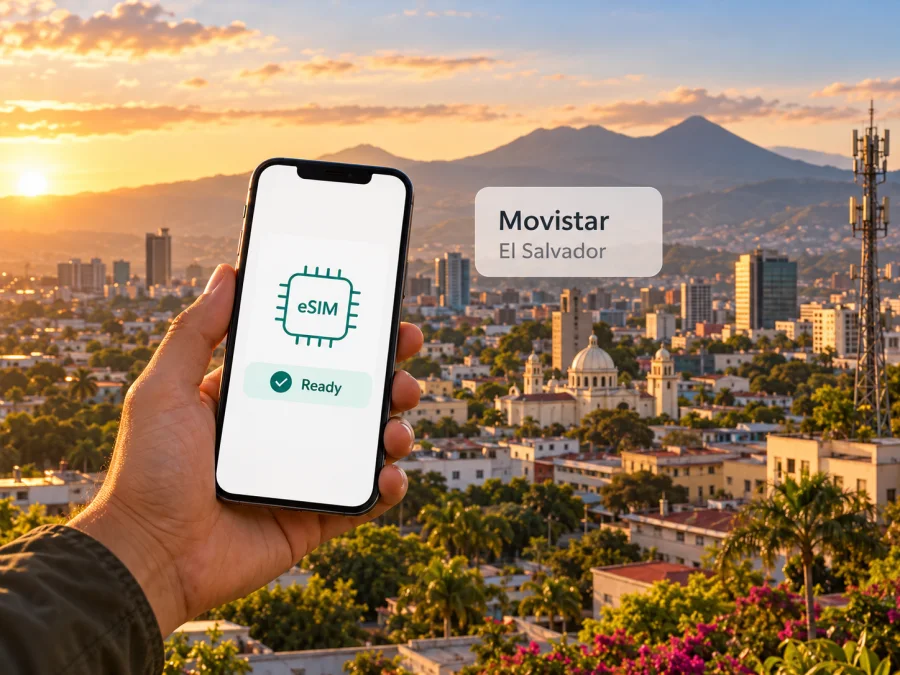
Movistar eSIM in El Salvador: activation, coverage and travel checks
If you are travelling to El Salvador, a Movistar eSIM may be one way to use a local mobile line without inserting a physical SIM. Movistar El Salvador currently describes an eSIM service on its official website, including a QR-code installation process. Eligibility, purchase steps and terms can depend on your line and device, so check the current requirements with Movistar before you travel.
Movistar is the mobile brand presented on the local operator website; that site identifies the local company as Telefónica Móviles El Salvador, S.A. de C.V. This article is independent. Kaspersky eSIM Store is not affiliated with, endorsed by or an official partner of Movistar. Movistar and related names belong to their respective rights holders.
Does Movistar offer eSIM in El Salvador?
Yes. On Movistar El Salvador’s official “eSim by Movistar” page and terms, checked on 1 November 2026, the operator publishes an eSIM service and an online page for getting or renewing a line. Its terms describe eSIM as a virtual SIM containing the identification and connection settings for the Movistar El Salvador mobile network, together with the commercial settings associated with the customer’s service. Apple Support’s carrier-support page for El Salvador, checked on 1 November 2026, also lists Movistar among operators that support other eSIM activation methods, such as scanning a QR code or using an operator app. These are useful confirmations that the service exists; they do not guarantee that every plan, device, customer type or sales channel is eligible at every moment.
The word “eSIM” can also appear in Movistar’s separate “ESIM SV” feature. The operator describes that feature as a virtual SIM with a particular use connected to sending recharges or packages to registered favourite numbers. It should not be assumed to mean the same thing as an ordinary Movistar line installed on a phone using an eSIM profile. When you contact Movistar, say whether you want to convert or obtain a normal mobile line as an eSIM, or are asking about ESIM SV, and confirm what the service includes before proceeding.
Movistar’s eSIM information says customers need to contract the service before downloading and installing the profile. It lists prepaid, residential postpaid and business postpaid customers as eligible in general, subject to having a compatible device. This broad eligibility statement does not settle whether a short-term visitor with no existing Movistar account can obtain a new line remotely, which identity documents are accepted, or whether a particular prepaid offer is currently available. The online page offers a route for new-line enrolment as well as renewal, but a traveller should confirm the live application flow, identity checks, payment options, local contact details and collection or support requirements directly with Movistar. Do not rely on an old screenshot or a third-party description for those conditions.
How to activate a Movistar eSIM
Movistar’s published process uses a QR code. The operator says the phone needs an internet connection to download the profile, and installation can begin from the camera or device settings. Apple’s El Salvador carrier-support page lists Movistar among providers using other activation methods such as QR scanning or an operator app; it does not list Movistar for Quick Transfer in this market. Follow the method Movistar provides for your line.
- Check your exact phone variant. Confirm eSIM support and that the handset is unlocked; regional versions of the same phone can differ.
- Confirm enrolment with Movistar. Ask whether your request is a new line or a conversion/renewal, which documents are required, and how the QR code will be sent. Visitor eligibility and identity checks may depend on your case.
- Connect to the internet. Use Wi-Fi if possible, then scan the QR code and follow the on-screen setup for your model.
- Choose your data line. If you retain a physical SIM, set the preferred line for mobile data and review your home carrier’s roaming settings.
- Test the connection. After activation, check network registration and mobile data before depending on it. Keep the QR message and any error details if you need support.
Movistar says its QR code has a limited number of scans, including initial installation. To move a profile, its instructions say to remove it from the old device and scan the same QR on the new phone over Wi-Fi. Do not delete a working profile casually: recovery may require operator support. Switching off or removing a profile should not be treated as cancelling the service or billing.
Device compatibility: the exact model matters
An eSIM-capable phone needs the right hardware and software in its exact regional version, and it must not be carrier-locked. Check the device’s model code with its manufacturer and confirm acceptance with Movistar; a family name alone may not identify the eSIM variant. Movistar says a compatible smartphone may retain its physical SIM as an additional line, while profile storage and simultaneous active-line limits depend on the handset.
Dual SIM can keep a home number reachable while using a local line for data, but it does not automatically prevent roaming charges. Review your default data and roaming settings before departure. If there is no “add eSIM” option or the QR scan fails, verify the model and lock status before trying again. For help preparing a travel eSIM, use the device compatibility check.
Network coverage and mobile technology
SIGET, El Salvador’s telecommunications regulator, lists Movistar for 4G coverage on its public cellular coverage page, checked on 1 November 2026. Movistar’s official coverage map, checked on 1 November 2026, labels its current network 2G/3G/LTE and provides a department-level view. These sources confirm LTE availability, not uninterrupted service at every address; check the map for your stops and ask Movistar about specific locations if connectivity is essential.
Movistar’s map also uses “5G Ready,” but its explanation says 5G depends on the spectrum needed to activate that technology. SIGET’s public listing identifies Movistar under 4G, so the “ready” label should not be read as a promise of 5G service. Confirm any current local 5G availability directly with the operator.
Signal can vary with terrain, buildings, distance from a site, network conditions and the bands supported by your phone. A travel eSIM may connect through a partner arrangement, so its practical coverage can differ from a direct Movistar line. Download offline maps and key information before journeys outside places you have checked.
Choosing between a local Movistar line and a travel eSIM
A direct Movistar eSIM is attached to a local Movistar line and the service terms Movistar confirms for that account. It may suit someone who needs a Salvadoran line, provided they meet enrolment conditions. The public eSIM page confirms QR activation but does not settle every visitor’s documents, payment method or remote purchase eligibility; ask Movistar before relying on it.
A travel eSIM is intended to help arrange mobile data for a trip. Kaspersky eSIM Store is an app and website for choosing, purchasing and activating a travel eSIM plan. Its El Salvador destination page, checked on 1 November 2026, says eSIM products and related services are provided by technology partner BNESIM Limited, and displays Movistar among local telecommunications providers. This is a travel option, not a Movistar tariff or direct Movistar subscription. Check the current plan description and conditions before checkout.
A local line may offer a local number or calling features under its own terms; travel eSIMs are often data-focused. Verify the exact service rather than assuming voice or SMS is included. Internet calling and messaging apps can work over data if you already have access to the apps and accounts.
If you want to check current destination options, browse El Salvador eSIM options. Review device requirements, activation timing and included service on the live page. Kaspersky eSIM Store helps users prepare mobile internet for travel; it is not a mobile operator, does not own Movistar’s network and does not provide radio coverage.
| Check | Movistar eSIM | Travel eSIM |
|---|---|---|
| Service | Local Movistar line | Travel profile arranged through the store and its service partners |
| Setup | QR after contracting the service | Follow the selected option’s current instructions |
| Number and calls | Confirm features for the local line | Often data-focused; verify voice and SMS |
| Visitor access | Ask Movistar about documents and eligibility | Check destination and purchase conditions |
This is a general distinction, not a comparison of specific plans. Products and eligibility can change.
Before you travel: a short checklist
- Confirm eSIM support for your phone’s exact regional variant and check that it is unlocked.
- Decide whether you need a local number or data only; ask Movistar about visitor enrolment and documents.
- Make sure you can access the QR code and have internet for installation.
- Save setup and support instructions for offline access.
- Check coverage along your route, select the correct data line and review home-SIM roaming settings.
- Avoid deleting a working profile unless following Movistar’s transfer or recovery instructions.
- For a travel eSIM, check destination, device compatibility and current terms.
What to do if activation or data does not work
First check that the phone has internet for profile download, the eSIM line is enabled and selected for data, and the handset is not locked. Confirm that you are in an area shown on the coverage map and that Movistar has provisioned the line. Restart only if consistent with the device instructions.
Avoid deleting the profile as a first step. Movistar describes QR scan limits and says the old profile must be removed before transfer; mistaken deletion may require support. Keep your confirmation email, account details and error message ready when contacting Movistar. If you use a travel eSIM, follow the store or plan’s support instructions instead.
Before a long drive or remote excursion, save maps and essential information for offline use. A backup connection can help with important tasks, but check its compatibility and status before relying on it.
Frequently asked questions
Can a visitor buy a Movistar eSIM online?
Movistar publishes a new-line route and says its service is available to prepaid and postpaid customers with compatible devices. Its public information does not answer every visitor’s document, payment or remote-enrolment question. Confirm your circumstances with Movistar before travel.
Does every eSIM phone work?
No. The exact regional model, software and carrier-lock status matter. Check the model code with the manufacturer and Movistar.
Can I keep my physical SIM?
Movistar says a compatible phone may use an eSIM alongside a physical SIM. Select the data line and check home-carrier roaming settings.
Does “5G Ready” mean 5G is available everywhere?
No. Movistar says 5G depends on spectrum activation; SIGET lists Movistar for 4G. Check current official availability for a specific destination.
Is a Kaspersky eSIM Store option a Movistar contract?
No. Kaspersky eSIM Store helps users choose, purchase and activate travel eSIM plans. Its destination page names BNESIM Limited as technology partner for eSIM products and services. This is separate from contracting directly with Movistar.
Does a travel eSIM include a phone number?
Do not assume it does. Kaspersky eSIM Store describes its travel eSIM as data-only; messaging or internet calls require a connection and access to the relevant apps.
A practical way to decide
If you need a Salvadoran mobile line, verify visitor eligibility, documents, phone support and QR recovery directly with Movistar. Its published instructions confirm QR activation and list prepaid customers among the general eligible groups, but your individual situation still needs confirmation. If local enrolment or timing is uncertain and you mainly need data for the trip, a travel eSIM may be easier to prepare; review its current conditions for your device and route.
For either option, check the exact phone variant, follow the relevant setup flow and test the connection before depending on it. Coverage varies, so prepare offline access beyond areas you have checked. Kaspersky eSIM Store can help you browse and activate a travel eSIM for El Salvador; Movistar remains the contact for its local service.


