Travel connectivity guide
Movistar eSIM in Mexico: What to Check
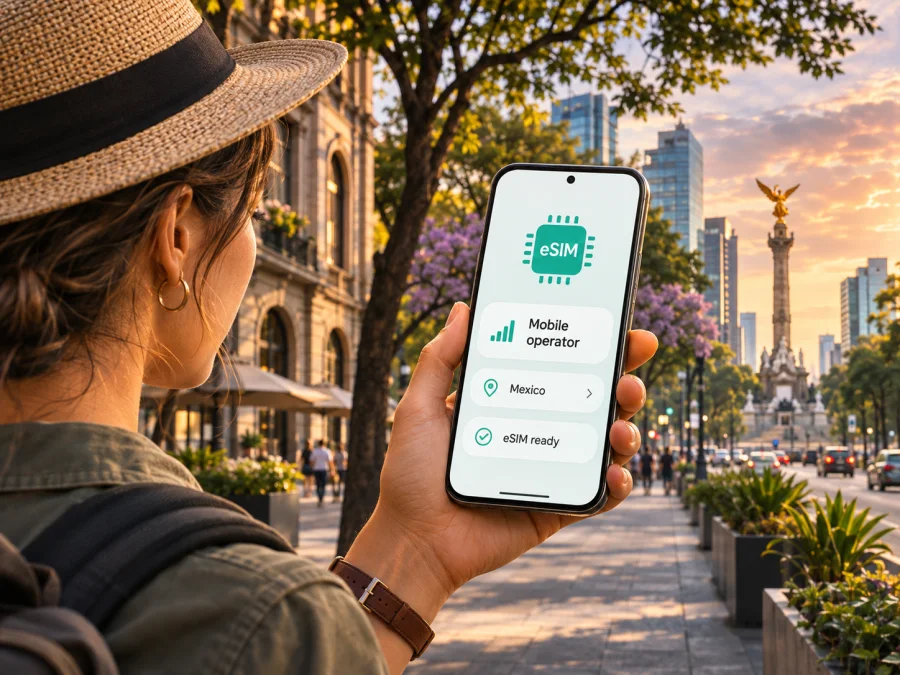
Movistar eSIM in Mexico: activation and travel guide
Movistar eSIM may suit travellers who need a Mexican mobile line without a physical SIM. Movistar México describes online activation for a new line and QR-based activation through selected channels. The process differs for a new line, a replacement or number port, so check the current route for your situation.
This guide concerns Movistar’s Mexican service, not the brand’s services in other markets. Movistar México’s eSIM, coverage and 5G pages were checked on 2 November 2026; conditions can change. This article is independent: Kaspersky eSIM Store is not affiliated with, endorsed by, or an official partner of Movistar or Telefónica.
Does Movistar offer eSIM in Mexico?
Yes. Movistar México’s eSIM page describes a digital eSIM, including online activation for a new line. It also describes QR-based setup and in-person routes through Customer Service and Sales Centres. The current terms distinguish a new line from number porting: online activation is described for a new line, while porting to Movistar is listed as an in-person process at a service centre. Existing customers should confirm the correct route for their account and whether they need a replacement or line conversion.
The operator also describes prepaid eSIM use. Movistar’s current offers and eligibility can vary by channel and account status. Ask Movistar directly for the terms that apply. If you are visiting Mexico from abroad, confirm what identity and registration information is accepted for a new local line; the public eSIM page does not establish that every visitor can use every onboarding route.
Movistar’s published eSIM information is not fully consistent. Its current eSIM page has newer online activation details and a long compatibility list, while other terms pages still show older device references. The current eSIM page also includes a 5G caveat, although Movistar’s separate network pages describe 5G coverage in Mexico. Do not infer that every eSIM profile has 5G access from the general coverage map; verify the exact line and handset with Movistar.
Local operator eSIM or travel eSIM?
A local Movistar eSIM activates or manages a Mexican mobile line under Movistar México’s terms. It may suit a longer stay or a visitor who needs a local number. Ask Movistar about eligibility, documents and line features; these depend on the current offer and contract.
A travel eSIM is a separate option when your main need is mobile data. Kaspersky eSIM Store is an app and website that helps travellers choose, purchase and activate an eSIM plan for mobile internet abroad. Its Mexico destination guidance describes data-only service without a separate number for regular calls and SMS. Internet messaging and calling apps may work over the data connection, subject to their own account and service requirements.
The options are not interchangeable. If you need a Mexican number for calls, texts or local account verification, ask Movistar whether its local-line process fits. If you mainly need maps, bookings, messaging and web access, compare the travel-data option with the local route by checking coverage, compatibility, activation steps and current terms. The right choice depends on your trip and local registration requirements.
You may be able to keep your home SIM and add an eSIM if your phone supports the required dual-SIM setup. Active-line and data settings vary by device. Learn how to choose the mobile-data line and review your home operator’s roaming conditions before leaving.
Coverage and network technology in Mexico
Movistar México’s coverage page links to a map for 5G, 4G LTE, 3G and extended coverage. Check cities and routes on your itinerary. The map is a planning reference, not a guarantee of uninterrupted service at every address. Movistar notes reception can be affected by the handset, buildings, underground locations, terrain, weather and local conditions.
“Extended coverage” is a separate category. Movistar’s customer information explains that some areas use another mobile network through a national roaming arrangement. Review the map legend rather than assuming all displayed areas have the same network arrangement or technology.
Movistar’s 5G information says access depends on a compatible phone and being inside a 5G area. It also cautions that a handset brought from another country may have a different configuration or may not meet local homologation requirements. eSIM support does not itself confirm suitable radio bands, software or certification for expected service in Mexico.
Check both the map and your exact device variant. Do not treat the map as a promise about indoor reception, speed or service on every road. Keep essential travel details offline if connectivity is important.
Check the exact device and regional variant
eSIM support can differ by model number, country of sale, carrier lock and software. Similar retail names do not guarantee identical SIM hardware. A phone may support eSIM generally but remain unconfirmed for Movistar México or unsuitable for a network capability you expect to use.
Movistar’s current eSIM page publishes a device list and says it does not guarantee operation on unlisted devices. Older terms remain online and use different device references, so ask Movistar to confirm your exact model number and regional variant. Do not rely only on a family name, a review of another market’s version or the presence of an “add eSIM” menu.
Before ordering, verify that your variant supports eSIM, is not locked against adding another profile, and is confirmed by Movistar for the Mexican service. Check travel-eSIM compatibility separately. On iPhone, Movistar points users to Settings, General and About; “No SIM restrictions” indicates an unlocked phone there. Android menus vary, so check the manufacturer’s instructions or ask the seller. Do not delete an existing profile as a compatibility test.
Check the device compatibility guide before selecting a travel eSIM. For a Movistar line, use the operator’s own list and support channels because a third-party checker cannot confirm account eligibility.
How Movistar eSIM activation works
For a new line, Movistar’s current eSIM page describes an online order followed by a QR code sent by email. The operator also describes QR activation using a physical card at selected service centres or through its commercial channels. The available route can depend on whether you are a new customer, an existing customer, bringing a number to Movistar, or replacing a SIM.
The published process for porting a number to Movistar directs customers to a Customer Service and Sales Centre. Do not assume the new-line online flow will transfer your current number. If you are replacing a physical SIM, changing devices or recovering a deleted profile, contact Movistar first and ask what the current process requires.
Movistar’s eSIM terms state that a QR code can be scanned once and the profile downloaded to one device. If the profile is removed or lost, the terms direct customers to a service centre to request a new code. Treat the QR code as a one-use activation credential: keep it private, do not scan it on a phone you will not use, and ask Movistar what to do before wiping or changing devices.
Before you start
- Confirm whether you need a new line, a replacement, a conversion or a number port.
- Verify the exact model number and regional variant with Movistar.
- Check that the phone is unlocked and can add an eSIM.
- Confirm what identity or registration information applies to your customer status.
- Make sure you can access the email used during the order.
- Use a reliable internet connection during installation.
- Do not delete an active profile until Movistar confirms how to replace it.
- Save the operator’s support details before travelling.
Typical QR setup
Follow Movistar’s current instructions for its line; screens can vary by device and activation method.
- Confirm compatibility, unlock status and internet access.
- Open the phone’s mobile or cellular settings and choose the option to add an eSIM.
- Scan the QR code supplied by Movistar or follow the on-screen download instructions.
- Wait for the profile to install, then label it so you can distinguish it from your home SIM.
- Select the line for calls and mobile data according to your needs and the service terms.
- Test the line while you still have access to support.
Do not assume a QR code can be scanned again after a failed attempt. If it has already been used or the profile was removed, contact Movistar rather than trying to move the same code to another device.
Using a travel eSIM in Mexico
If your main need is data during a visit, Kaspersky eSIM Store lets you select a destination and review travel eSIM options through its app or website. It is separate from Movistar México’s local-line process; Kaspersky eSIM Store is not a Mexican operator, network owner or supplier of Movistar service. Check the selected destination’s product details rather than assuming a travel profile is a Movistar line.
Before purchase, verify compatibility and the current Mexico terms. Check data scope, when use begins, tethering conditions and whether data roaming must be enabled for that profile. These details can vary. If you keep your home number, choose the intended data line in your phone settings and review roaming charges with your home operator.
Installing before arrival lets you review instructions in advance, but still requires a compatible device and internet access. Read the activation and validity details at checkout; installing a profile, activating it and starting data use are distinct steps.
A data-only travel eSIM may fit maps, bookings, messaging and web access without changing your home SIM. If you need a Mexican number or local voice and SMS service, ask Movistar whether a local line is available for your circumstances.
Browse eSIM options for Mexico to review current travel-data choices. This is a destination page, not a Movistar tariff page or proof that a specific Movistar offer is included.
Settings and common problems
After installation, confirm which line handles mobile data. Dual-SIM behaviour varies by handset. For a travel eSIM, follow its instructions about data roaming; do not assume the same setting applies to a Movistar local line.
If there is no service, check that the profile is enabled, the correct data line is selected and the phone’s software and network settings are current. Restart the device and test in a clearer-signal location. Compare your position with the relevant map, keeping in mind that coverage maps do not guarantee reception inside every building.
If installation fails, check the QR code source, internet connection and whether that code has already been used. Movistar’s terms describe one-time QR use, so do not delete a profile simply to retry. Contact Movistar if its code was consumed or removed. For a travel eSIM, use the support route in Kaspersky eSIM Store’s help materials.
If calls work but data does not, verify the selected data line and mobile-data setting. Use only network settings supplied by the relevant provider. If the phone cannot add an eSIM, recheck the exact regional model and carrier-lock status; contact the device seller or manufacturer about hardware capability and the intended provider about its service. Never share QR codes or activation credentials publicly.
Frequently asked questions
Can a visitor get a Movistar eSIM in Mexico?
Movistar México describes online activation for a new line and also lists service-centre routes. Its public page does not confirm that every foreign visitor can complete onboarding under the same conditions. Ask Movistar what identification and registration requirements apply to your status.
Can I port my number to Movistar eSIM online?
Movistar’s current eSIM terms describe porting as an in-person process at a Customer Service and Sales Centre. Confirm the steps and documents with Movistar before visiting.
Can I use the same Movistar QR code on another phone?
No. Movistar’s terms describe the QR code as one-use and the profile as downloadable to one device. If you change phones or lose the profile, ask Movistar about its replacement process.
Does Movistar eSIM in Mexico include 5G?
Movistar’s general network pages describe 5G in Mexico, while its eSIM information also includes a 5G caveat. The public pages do not clearly reconcile the two statements. Confirm the current status for the exact eSIM line and handset; a general coverage map alone is not enough.
Does Kaspersky eSIM Store give me a Mexican phone number?
No. Its Mexico travel-eSIM guidance describes data-only service without a separate number for regular calls or SMS. Internet calling and messaging apps may work over data. Check Movistar’s local-line process if you need a Mexican number.
Before you go
Confirm your exact device variant, eligibility, activation route and coverage where you plan to use service. Decide whether you need a Mexican number or only mobile data, and keep essential travel information available offline.
Movistar México’s eSIM, coverage and 5G pages were reviewed on 2 November 2026. Its eSIM materials describe online new-line activation and one-use QR setup, while their statements about 5G are not clearly aligned with the general network materials. Confirm current device support, terms and coverage directly with Movistar before activation.
If a travel-data eSIM better fits your itinerary, review the current Mexico destination options. Kaspersky eSIM Store helps you choose, purchase and activate an eSIM plan for mobile internet abroad; it is not the operator, network owner or supplier of Movistar’s service.


